cx_Freeze: Python Scripts as Standalone Executables
Creates standalone executables from Python scripts with the same performance as the original script. It is cross-platform and should work on any platform that Python runs on.
At a glance
- What is it?
- cx_Freeze is a Python packaging tool for turning scripts into standalone executables across supported platforms. It is a practical choice when the target computer should not require the end user to install Python, but its platform dependencies and build behavior still require careful packaging checks.
- Who is it for?
- Developers who need to distribute Python scripts as self-contained applications should evaluate cx_Freeze after checking the target operating system, dependency handling, installer requirements, and the repository's LICENSE.md. Projects that need a different deployment model, or teams that cannot accept platform-specific build behavior, should keep their scripts alongside a managed Python runtime.
- Can I use it commercially?
- Check first. The repository uses a licence we do not classify automatically, so read its LICENSE file before any commercial use.
- Is it still maintained?
- Yes. The repository last received commits 1 day ago.
- What is it written in?
- Mainly Python, according to GitHub's language statistics.
Answers come from the project's GitHub data, last synced on November 7, 2026, and from our analysis. They are not legal advice.
Star history
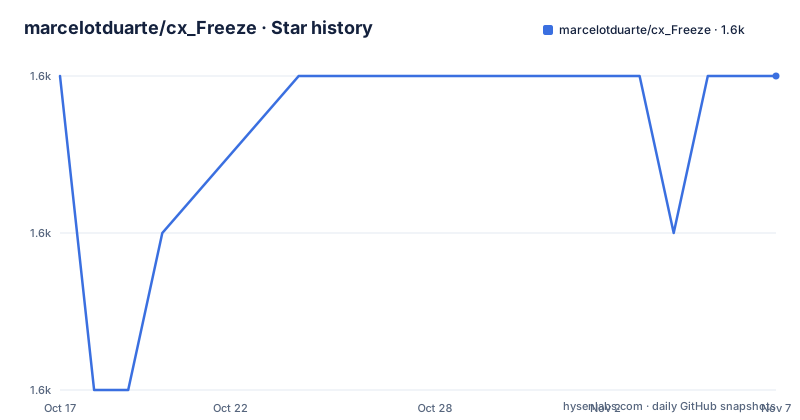
- marcelotduarte/cx_Freeze1,564 ★ · +0
| Repository | 2026-10-17 | 2026-11-07 |
|---|---|---|
| marcelotduarte/cx_Freeze | 1.6k | 1.6k |
0 Stars in the last 21 days, measured from the daily GitHub snapshot. Compare with other projects
Editorial analysis
Why cx_Freeze exists for script distribution
cx_Freeze addresses a packaging problem rather than a runtime programming problem. A Python script normally needs a compatible Python interpreter, the required packages, and often enough environment information to start correctly. cx_Freeze is intended to produce a standalone executable from that script so the delivered application does not depend on the end user having Python installed. This makes it relevant to command-line utilities, internal tools, desktop utilities, and applications intended for distribution as files rather than source code.
The repository describes the resulting executable as having the same performance as the original script. That statement is a project claim in the README, not an independent benchmark result, so it should be treated as a design goal rather than a guarantee for every application. The package metadata classifies cx_Freeze as a Python 3-only build tool under the `Build Tools` and `Software Distribution` topics. The default branch is `main`, and the repository is not archived.
The tool is cross-platform in the broad sense stated by the README: it should work anywhere Python runs. The package metadata narrows the declared Python range to 3.10 through 3.15 and lists support for Python 3 as an operating-system-independent project. That distinction matters. Cross-platform does not mean one identical binary is automatically suitable for every operating system. It means the build process is designed to account for the platform on which the executable is produced.
The cx_Freeze build model and platform inputs
The repository layout identifies `cx_Freeze/` as the implementation package, `samples/` as a collection of packaging examples, and `tests/` as a separate test area. The project metadata shows that cx_Freeze depends on `freeze-core`, `packaging`, and `setuptools`. The `freeze-core` requirement changes by Python version: `freeze-core>=0.6.1` applies below Python 3.15, while `freeze-core>=0.8.0` applies to Python 3.15 and later. This version split is a concrete maintenance detail for teams supporting multiple Python runtimes.
The dependency list also shows that cx_Freeze uses platform-specific build support. Linux installations can require `filelock`, and supported Linux architectures can require `patchelf`. macOS can require `dmgbuild`. Windows can require `lief`, and Python 3.13 or later on Windows can require `python-msilib`. These are build dependencies, not optional features that every application must import at runtime. They indicate that cx_Freeze has to interact with the operating system's packaging and executable machinery.
The repository contains samples for dependencies, `importlib`, `matplotlib`, `Pillow`, `openpyxl`, `orjson`, GTK, PyQt5, PyQt6, macOS disk images, manifests, licensing data, and other application patterns. Based on that layout, cx_Freeze is designed to cover more than a trivial single-file script. The repository also includes `samples/service`, and the README specifically directs users creating service-style standalone executables to that sample. The sample categories suggest that resource discovery, native libraries, application metadata, and platform packaging are part of the practical problem.
Installing cx_Freeze with pip or conda
The README presents `pip` and `conda-forge` as the two documented installation paths. The following command installs the latest published version into a virtual environment. The reader should run it in the environment that will build the application, not in the environment of a user receiving the executable.
pip install --upgrade cx_FreezeThe README also documents installing the latest development build from TestPyPI. This removes an existing installation first, then requests a prerelease package from the extra index without using the package cache. That is a separate option from the normal release installation.
pip uninstall cx_Freeze
pip install --extra-index-url https://test.pypi.org/simple/ cx_Freeze --pre --no-cache
For users of conda, the documented command installs the `cx_freeze` package from the `conda-forge` channel:
conda install conda-forge::cx_freezeThe documented installation instructions do not provide a complete first-build command or a minimal script example. It therefore does not establish the exact command, flags, setup module, or configuration file required to produce an executable. The repository's `samples/` directory is the documented place to look for concrete packaging patterns, and the linked installation documentation is the appropriate reference for environment-specific setup. This is an important documentation boundary: installation is documented, but a complete first-use recipe is not.
Sample coverage for applications with external dependencies
cx_Freeze's samples provide a better map of its intended scope than the short installation section. The repository lists dedicated examples for dependency discovery and applications built around `matplotlib`, `opencv`, `openpyxl`, `orjson`, `Pillow`, `pycountry`, GTK, and PyQt5 or PyQt6. These are not interchangeable demonstrations. A script that imports only standard-library modules has a different packaging surface from one that loads shared libraries, image resources, Qt plugins, or data files.
The presence of `samples/advanced`, `samples/asmodule`, and `samples/build_constants` also indicates several packaging decisions beyond selecting an output directory. Developers may need to decide how a program is structured, how build-time constants are supplied, and which files or modules belong in the distribution. The repository listing does not expose the contents of those examples, so their configuration syntax cannot be determined from it.
The macOS samples named `dmg` and `dmg_layout` point to a separate distribution layer. Creating an executable is not the same task as constructing a disk image or arranging its contents. Likewise, `samples/manifest`, `samples/msi_*`, and licensing-related samples suggest platform or installer metadata can be part of the final product. For a project that only needs a private executable, those features may be unnecessary. For a product distributed through an operating-system installer, ignoring them can leave the application technically buildable but poorly packaged.
Limitations of the standalone-executable model
The first limitation is platform variation. The README says cx_Freeze should work on platforms where Python runs, while the dependency declarations explicitly vary by Linux, macOS, and Windows. Binary packaging commonly depends on native libraries and platform formats, so a build made on one operating system should not be assumed to transfer unchanged to another. The repository supports this interpretation through platform-specific dependencies and samples, but it does not claim that one artifact is universally portable.
The second limitation is packaging completeness. A Python application may load files dynamically, use plugins, access system components, or depend on data that is not obvious from imports. The sample categories for `importlib`, `dependencies`, Qt, GTK, and data-oriented applications confirm that such cases matter. The README does not claim that cx_Freeze discovers every runtime dependency without configuration. It provides no promise that an arbitrary script can be converted without inspecting its behavior.
The third limitation is the gap between source distribution and installer distribution. The `dmg`, `msi`, manifest, and layout samples indicate that cx_Freeze can participate in more elaborate packaging, but creating an executable does not itself define signing, update policy, service registration, or deployment ownership. The documentation excerpt does not establish those policies. A team that needs them must treat them as separate requirements rather than assuming the freezer handles them automatically.
cx_Freeze versus shipping Python and an interpreter
A real alternative is to distribute the Python script together with a managed Python runtime. This approach does not attempt to convert the script into a standalone executable. Instead, the recipient receives the script, a selected interpreter, the dependency environment, and whatever launcher or installer the project controls.
The choice is practical rather than cosmetic. cx_Freeze is aimed at a self-contained executable, which can simplify the user-facing installation experience. A managed runtime keeps deployment artifacts more visible. It can also make interpreter selection and dependency installation explicit, especially for environments where Python is already standardized. The repository provides no comparison benchmark between these approaches, so neither option can be called faster or more reliable.
cx_Freeze also has a cost that the alternative avoids in some cases: the build system must account for platform dependencies such as `patchelf`, `dmgbuild`, `lief`, and `python-msilib`. A managed runtime may still need platform-specific work, but its packaging model is different. The appropriate choice depends on whether the main requirement is a user-facing standalone file or a controlled installation of a known Python environment.
Licensing and maintenance boundaries for cx_Freeze
cx_Freeze does not use a standard license identifier that GitHub can classify. The README says its license is derived from the Python Software Foundation License and directs readers to the documentation and `LICENSE.md`. That means adoption requires reviewing the actual license text for the intended version. The repository metadata alone is not enough to determine redistribution conditions, and this article does not provide legal advice.
Maintenance information is comparatively clear. The repository is not archived, and the last push was on 2026-10-15. Recent releases include 8.7.2 on 2026-10-14, 8.7.1 on 2026-09-23, and 8.7.0 on 2026-08-22. The declared version in `pyproject.toml` is 8.7.2. These facts indicate recent project activity, but they do not guarantee compatibility with a particular application or eliminate upgrade testing.
The dependency ranges provide a useful upgrade check. cx_Freeze 8.7.2 declares `freeze-core>=0.6.1` below Python 3.15 and `freeze-core>=0.8.0` for Python 3.15 and later, with `packaging>=25.0` and `setuptools>=78.1.1,<85.0`. The README's prerelease installation command also changes which package index is used. Teams that reproduce builds should record the Python version, package versions, target operating system, and cx_Freeze release used for each distribution.
Editorial conclusion
Developers who need to distribute Python scripts as self-contained applications should evaluate cx_Freeze after checking the target operating system, dependency handling, installer requirements, and the repository's LICENSE.md. Projects that need a different deployment model, or teams that cannot accept platform-specific build behavior, should keep their scripts alongside a managed Python runtime. The first verification should be a clean build of the smallest supported Python application on each target platform.
Frequently asked questions
How do I install cx_Freeze?
The README documents installing the latest version with `pip install --upgrade cx_Freeze` inside a virtual environment. It also documents `conda install conda-forge::cx_freeze` for conda users.
What Python versions does cx_Freeze support?
The `pyproject.toml` metadata declares support for Python 3.10, 3.11, 3.12, 3.13, 3.14, and 3.15. The package is marked as Python 3 only.
Can cx_Freeze package applications that use external libraries?
The repository includes samples for dependencies such as `matplotlib`, `opencv`, `openpyxl`, `orjson`, `Pillow`, `pycountry`, GTK, and PyQt5 or PyQt6. The README does not claim that every dependency can be included automatically without inspecting the application.
Official sources
Add this badge to your README
If you maintain this project, the badge below links readers to this analysis and shows its maintenance status from the daily GitHub snapshot. Paste the markdown into your README; add ?metric=license or ?metric=stars to the image URL for a different field.

[](https://hysenlabs.com/projects/marcelotduarte-cx-freeze)Star history chart for your README
[](https://hysenlabs.com/projects/marcelotduarte-cx-freeze)Was this useful?