OmDet-Turbo: open-vocabulary detection you drive with a text encoder
Real-time and accurate open-vocabulary end-to-end object detection
At a glance
- What is it?
- OmDet-Turbo is the PyTorch implementation of a real-time open-vocabulary detector whose classes come from CLIP at inference time. The interesting part is the tension between the headline speed claim and the single weight file the repository actually publishes.
- Who is it for?
- OmDet-Turbo earns its place when the categories you need must be written at inference time and PyTorch throughput around 21.5 FPS is enough. It is the wrong choice if you need a fine-tuning recipe, a Base checkpoint, or a deployment guide, because the repository ships one pretrained row and no training script.
- Can I use it commercially?
- Yes. Apache-2.0 is a permissive licence: you can use, modify and sell software built on it, as long as you keep its copyright and licence notices.
- Is it still maintained?
- Activity is slowing. The repository last received commits 7 months ago.
- What is it written in?
- Mainly Python, according to GitHub's language statistics.
Answers come from the project's GitHub data, last synced on October 23, 2026, and from our analysis. They are not legal advice.
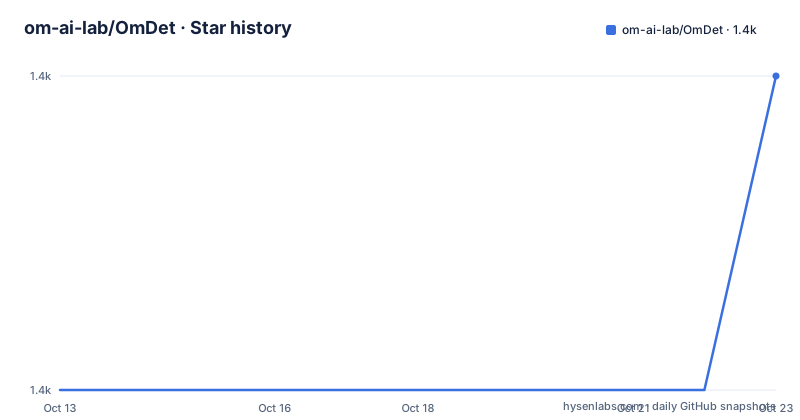
Star history
- om-ai-lab/OmDet1,409 ★ · +1
| Repository | 2026-10-13 | 2026-10-23 |
|---|---|---|
| om-ai-lab/OmDet | 1.4k | 1.4k |
1 Stars in the last 10 days, measured from the daily GitHub snapshot. Compare with other projects
Editorial analysis
Class names become an input, not a fixed output layer
OmDet-Turbo addresses one narrow problem: a detector whose output channels are frozen at training time cannot recognise anything it was never shown. This repository is the official PyTorch implementation of a transformer-based open-vocabulary detector, where the category list arrives through CLIP at run time. You fetch a CLIP checkpoint next to the detector weights, place both in one folder, and the labels you care about are supplied per run.
The published checkpoint is OmDet-Turbo-Tiny, with a Swin-T backbone pre-trained on O365 and GoldG data. Its zero-shot scores are 42.5 AP on COCO and 30.3 AP on LVIS. The README separately states zero-shot numbers for a larger variant: OmDet-Turbo-Base reaches 30.1 AP on ODinW and 26.86 AP on OVDEval, and runs at 100.2 FPS on COCO val2017 with an A100 GPU. Those claims live in different places and matter to different readers, because the weight you can download today is the tiny one.
The Efficient Fusion Head moves cost off the encoder
The architectural contribution is a module the project calls the Efficient Fusion Head, a multimodal fusion step designed to alleviate the computational burden on the encoder and to cut the time the head spends handling region of interest features. In a conventional two-stage detector the second stage consumes its budget on a large proposal set, and that is exactly the part this module targets.
The repository never writes the speed split out as numbers. The per-component comparison for the tiny-size model is a chart, not a table, so the balance between encoder time and head time has to be read off an image. What is quantified in text is the end result for the one released row: 21.5 FPS in PyTorch and 140.0 FPS through TensorRT. That six-fold gap between the two columns is the practical argument for the export path described further down.
run_demo.py expects a resources folder and writes to outputs
Local inference is three steps. Download the pretrained model and the CLIP checkpoint, create a folder named resources, and put both inside it. Then run run_demo.py, and the images with predicted results land in the outputs folder.
resources
run_demo.py
outputs
One detail only shows up if you open the script: a language cache is already wired into run_demo.py, so repeated runs over the same category list skip redundant text encoding. Environment setup is not in the README at all. It points to install.md, and the dependency set lives in requirements.txt.
timm==0.9.16
transformers==4.21.0
lmdb==1.4.1
Pillow==8.4.0
The pins are exact down to four of the seven fixed packages, with pydantic, fastapi and uvicorn left unpinned, so a fresh environment resolves those three to whatever is current.
run_wsgi.py exposes one route at port 8000
The same weights can be served instead of scripted. run_wsgi.py starts an API server whose prediction endpoint is inf_predict, with interactive documentation served from the same port.
http://host_ip:8000/inf_predict
http://host_ip:8000/docs
The fastapi, uvicorn and pydantic entries in requirements.txt are what make that mode possible, and the README does not document authentication, request size limits, concurrency settings, or how to batch several images into one call. Anyone putting this behind a network should assume the endpoint is open until they have read run_wsgi.py themselves. The language cache described for run_demo.py is attached to the script, and the README does not say whether the server path shares it.
requirements.txt pins transformers 4.21.0 against a 4.45.0 integration
Here is a contradiction worth knowing before you build anything. An update entry dated 09/26/2024 states that OmDet-Turbo was integrated into Transformers version 4.45.0, with code under src/transformers/models/omdet_turbo and weights published as omdet-turbo-swin-tiny-hf. By contrast, requirements.txt in this repository pins transformers==4.21.0.
So the project offers two routes with different library expectations. One route uses the pinned version and the scripts in this repository. The other uses the version line where OmDet-Turbo was merged in, twenty-four minor versions later, and is where add_hf.py at the top level fits. Nothing in the README states that both can be installed into the same environment, and pinning transformers==4.21.0 into an existing stack is the decision that will break first.
ONNX export freezes the input size and drops post processing
The export path is two edits and one script. Open OmDet-Turbo_tiny_SWIN_T.yaml and replace OmDetV2Turbo with OmDetV2TurboInfer, then run export.py and omdet.onnx is written out.
OmDetV2Turbo
OmDetV2TurboInfer
The README is explicit about what that graph contains and does not contain: post processing is not included, and all input sizes are fixed. Both gaps land on the integrator. Anyone moving this to TensorRT, which is the destination the 140.0 FPS column already assumes, has to supply their own decode step and work around a static shape. The document does not publish a TensorRT engine recipe, so the fastest number in the model zoo has no matching export walkthrough.
One weight row, one chart, and no training recipe
The model zoo has exactly one row:
OmDet-Turbo-Tiny| Swin-T | O365,GoldG | 42.5 | 30.3 | 21.5/140.0No Base row, no Base weights link, and no larger variant to compare against, even though the 100.2 FPS A100 figure and the ODinW and OVDEval scores are attributed to Base. The top-level entries list install.md, export.py, add_hf.py, run_demo.py, run_wsgi.py, requirements.txt, configs/, omdet/, docs/, outputs/ and sample_data/, and no training or fine-tuning script among them. The 03/25/2024 update entry names inference code and a pretrained OmDet-Turbo-Tiny model, which is the scope. Adapting the detector to a custom vocabulary that CLIP cannot embed is therefore out of reach, and fine-tuning it on your own images is undocumented. The last push was on 2026-03-12, and that change is a ModelScope model listing rather than new detector code.
Editorial conclusion
OmDet-Turbo earns its place when the categories you need must be written at inference time and PyTorch throughput around 21.5 FPS is enough. It is the wrong choice if you need a fine-tuning recipe, a Base checkpoint, or a deployment guide, because the repository ships one pretrained row and no training script. Before adopting, confirm that transformers==4.21.0 in requirements.txt is acceptable in your stack, and read install.md, since the README carries no install command of its own and the endpoint it documents has no authentication notes.
Frequently asked questions
How do I choose which objects OmDet-Turbo detects?
The categories are supplied at inference time through the CLIP checkpoint rather than fixed in an output layer. run_demo.py already carries a language cache for repeated runs with the same list.
How fast does OmDet-Turbo run?
The released OmDet-Turbo-Tiny row lists 21.5 FPS in PyTorch and 140.0 FPS through TensorRT. The separate 100.2 FPS figure for COCO val2017 is stated for OmDet-Turbo-Base on an A100, and no Base weights are linked in the model zoo.
Can OmDet-Turbo be exported to ONNX?
Replace OmDetV2Turbo with OmDetV2TurboInfer in OmDet-Turbo_tiny_SWIN_T.yaml and run export.py to produce omdet.onnx. The exported graph excludes post processing and uses fixed input sizes.
Can I fine-tune OmDet-Turbo on my own object classes?
The README documents no training recipe, and the top-level repository entries contain no training script. What the 03/25/2024 update entry describes is inference code and a pretrained OmDet-Turbo-Tiny model.
Official sources
Add this badge to your README
If you maintain this project, the badge below links readers to this analysis and shows its maintenance status from the daily GitHub snapshot. Paste the markdown into your README; add ?metric=license or ?metric=stars to the image URL for a different field.

[](https://hysenlabs.com/projects/om-ai-lab-omdet)Star history chart for your README
[](https://hysenlabs.com/projects/om-ai-lab-omdet)Was this useful?