Oracle's vagrant-projects is a directory of Vagrantfiles, one per product, with two sharp edges
Vagrant projects for Oracle products and other examples
At a glance
- What is it?
- The oracle/vagrant-projects repository is a collection of Vagrant projects that provision Oracle software automatically with an Oracle Linux box and shell scripts, working on both VirtualBox and libvirt/KVM. The README spends most of its length on two known issues: a box metadata 404 left behind by the repository rename, and Hyper-V on Windows hosts.
- Who is it for?
- Oracle's vagrant-projects repository fits a developer who wants a working Oracle product, database or middleware environment in a virtual machine without hand-installing it, and who is comfortable with VirtualBox or KVM. It does not fit a Windows host with Hyper-V enabled, where the README says the projects are unlikely to work correctly, and it does not fit someone who wants a container rather than a virtual machine.
- Can I use it commercially?
- Yes. UPL-1.0 is a permissive licence: you can use, modify and sell software built on it, as long as you keep its copyright and licence notices.
- Is it still maintained?
- Yes. The repository last received commits 50 days ago.
- What is it written in?
- Mainly Shell, according to GitHub's language statistics.
Answers come from the project's GitHub data, last synced on November 7, 2026, and from our analysis. They are not legal advice.
Star history
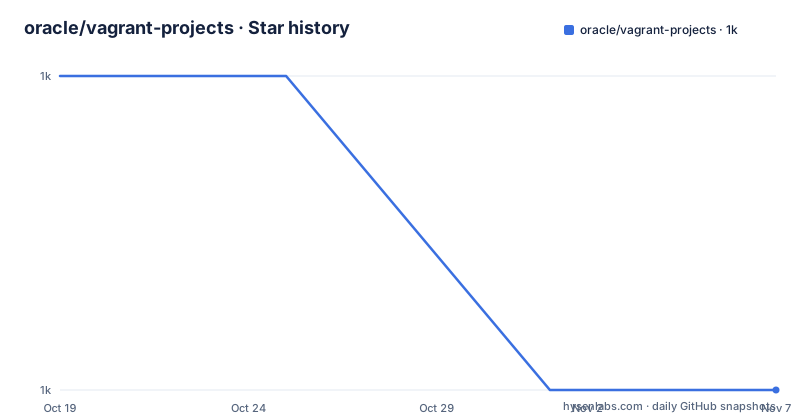
- oracle/vagrant-projects1,010 ★ · -1
| Repository | 2026-10-19 | 2026-11-07 |
|---|---|---|
| oracle/vagrant-projects | 1k | 1k |
-1 Stars in the last 19 days, measured from the daily GitHub snapshot. Compare with other projects
Editorial analysis
One directory per product, each with its own README
The repository is a collection rather than a framework, and the top-level entries show the shape of it. There are directories for ContainerRegistry, ContainerTools, DockerEngine, LAMP, OCNE, Ocr-Yum-Mirror, OracleAPEX, OracleDG, OracleDatabase, OracleFPP, OracleGDD, OracleGoldenGate, OracleLinux, OracleRAC, OracleSEHA and OracleTC, alongside a README.md, a CONTRIBUTING.md, a SECURITY.md, a CODEOWNERS file, a LICENSE.txt and a THIRD_PARTY_LICENSES.txt.
So the unit of the project is a directory, and the directory is a product. Oracle Database has its own folder, Oracle RAC has its own, and so does the LAMP stack and the Docker Engine setup. The primary language recorded for the repository is Shell, which tells you what actually does the provisioning work.
The getting started instructions reflect that structure. Clone this repository, change into the desired project folder, and follow the README.md instructions inside the folder.
That last step is the important one. The top-level README is a guide to the collection, the prerequisites and the known issues, and the details of how to bring up a particular product live in that product's own README. A reader who only reads the top-level file knows the shape of the repository but not how to use any of it.
The naming of the directories is worth a note for anyone looking for a specific thing. Several are named after the product in Oracle's own vocabulary, with OracleDG and OracleGDD being the directory names for the data guard directories, and OracleFPP, OracleTC and OracleSEHA following the same convention of short product codes.
The mechanism is a box plus shell scripts, not a bespoke provisioner
The collection provisions Oracle and other software automatically, using Vagrant, an Oracle Linux box, and shell scripts. Unless indicated otherwise, these projects work with both Oracle VM VirtualBox and libvirt/KVM.
That sentence is the whole design, and it is a deliberately modest one. There is no orchestration layer, no inventory of hosts and no configuration management system. A project is a Vagrantfile, the box is an Oracle Linux image, and the provisioning is shell scripts that run inside that guest. Whatever the scripts do, they do it as root in a machine you just destroyed or can throw away.
The consequence for a reader is that the security and the fidelity of the environment are the responsibility of the scripts in each directory, not of the framework. A directory that installs a database and configures it will do so with whatever credentials and defaults that project ships, and the top-level repository gives you no shared policy across the sixteen directories.
The other consequence is that this is a fast way to get a throwaway environment and a slow way to get a production topology. The projects are built to provision one machine at a time from a Vagrantfile, with a box and a set of scripts, and a project like Oracle RAC or the data guard directories will have its own structure inside its own folder.
For the practical questions, the README routes you to the right place: the Oracle Linux box and the per-project READMEs for what gets installed, and the top-level file for what you need before you start.
The box metadata 404 is a rename leftover, and the fix is two commands
The first known issue is the one every new user is likely to hit, and it is a scar from the repository being renamed.
The README says the repository was recently renamed, and that unfortunately the new URL for the boxes metadata will not be taken into consideration if you already have a box locally, linking Vagrant issue #9637. What you see when you create a new VM is this.
==> ol7-vagrant: Checking if box 'oraclelinux/7' version '7.8.103' is up to date...
==> ol7-vagrant: There was a problem while downloading the metadata for your box
==> ol7-vagrant: to check for updates. This is not an error, since it is usually due
==> ol7-vagrant: to temporary network problems. This is just a warning. The problem
==> ol7-vagrant: encountered was:
==> ol7-vagrant:
==> ol7-vagrant: The requested URL returned error: 404 Not Found
The message itself says it is usually a temporary network problem, which is exactly the wrong conclusion to draw here, and the README explains the two things to do when it happens.
First, ensure you have the correct metadata URL in your Vagrantfile.
BOX_URL = "https://oracle.github.io/vagrant-projects/boxes"Second, remove your local copy of the box, for example for oraclelinux/7.
vagrant box remove --all oraclelinux/7Both steps are needed. The URL is what the Vagrantfile asks for, and the local box is the copy Vagrant refuses to refresh because it already has one, which is the behaviour recorded in the linked Vagrant issue. Anyone who reads the error as a transient network fault will keep retrying and keep getting it.
Hyper-V on Windows is the documented dead end
The second known issue is a platform one, and the README is blunt about it. The projects in this repository are unlikely to work correctly on Windows hosts with Hyper-V enabled.
It then lists the Windows features that enable Hyper-V, which is a longer list than most people expect: Application Guard, Containers, Credential Guard, Device Guard, Hyper-V, Virtual Machine Platform, Windows Hypervisor Platform, Windows Sandbox, and Windows Subsystem for Linux, where the note says WSL2 only, since WSL1 does not use Hyper-V.
If you encounter problems with the projects on a Windows host, the advice is to try disabling these features. And to completely disable all Hyper-V features, it may be necessary to run a command from an Administrator Command Prompt and then reboot the computer.
bcdedit /set hypervisorlaunchtype OffTwo things stand out about that. First, the fix is a machine-level change to the host's hypervisor configuration, not a project-level one, so it affects everything else that runs on that Windows machine, including WSL2. Second, it requires a reboot, which means the cost of getting these projects working on a Windows host is borne by the whole workstation.
The alternative for a Windows user is to run the host as Linux or macOS, or to accept that a Linux virtual machine on that host is the practical answer. Since the collection is explicitly built around VirtualBox and libvirt, and the README recommends trying to disable the conflicting features first, the honest summary is that these projects are Linux and macOS oriented in practice even though the repository does not restrict them by operating system.
VirtualBox or libvirt, and the two are not equally easy on every host
The prerequisites section splits by provider, and the asymmetry is instructive.
For VirtualBox, the steps are to install Oracle VM VirtualBox and then install Vagrant. For libvirt/KVM on Oracle Linux, the README sends you to a blog post by Philippe for instructions on using the Vagrant libvirt provider, and the top-level note says all projects in this repository require Vagrant and either Oracle VM VirtualBox or libvirt/KVM with the vagrant-libvirt plugin.
So VirtualBox is the path of least resistance, because it installs anywhere, while the libvirt route needs a specific plugin and, on Oracle Linux, a specific setup described elsewhere. That is not a criticism of the project, it is a statement about what runs on what, but it does mean the provider choice is effectively made for many users before they reach a project directory.
The choice does have a practical dimension beyond installation. VirtualBox runs a hypervisor above the operating system and its performance characteristics are what they are, while libvirt/KVM is the Linux-native path and is what a Linux engineer would reach for anyway. The README's hedge, that the projects work with both unless indicated otherwise, tells you that individual directories may override that, so the per-project README is the authority.
The topics attached to the repository name the moving parts: vagrant, vagrant-boxes, vagrant-virtual-machine, vagrantfiles, virtualbox and virtualbox-vm. That is the whole dependency set, which is another way of saying these projects have no requirement of their own beyond Vagrant and a hypervisor.
UPL-1.0 licensing and a per-project contribution guide
The licence is the Universal Permissive License v1.0, with the copyright line reading Copyright (c) 2020, 2023 Oracle and/or its affiliates, and a link to the licence text at oss.oracle.com/licenses/upl. The repository also carries a THIRD_PARTY_LICENSES.txt alongside the LICENSE.txt, which is the expected arrangement for a collection that pulls in third-party software.
The UPL is a permissive, Oracle-authored licence, and for shell scripts that provision software it is about as low-friction as a licence gets. This is a licensing fact rather than legal advice, but the practical point for a user is that the scripts in these directories are readable, and if you need to change one for your environment you can do so without asking anyone.
The project housekeeping is minimal and standard. Contributions are welcome from the community, with a contribution guide at CONTRIBUTING.md to review before submitting a pull request, and a security guide at SECURITY.md describing the responsible disclosure process. There is a CODEOWNERS file, which tells you who reviews which directory, and feedback of any kind is asked for through GitHub issues on the repository.
The maintenance picture is healthy. The repository is not archived, the default branch is main, and the last push was on 2026-09-18, with no GitHub releases because the artefacts are the Vagrant boxes and the per-directory content rather than a packaged version.
So the practical summary of this repository is that it is a set of working notes and scripts for standing up Oracle software locally, kept fresh, and that the two problems you are most likely to hit are documented in the file you have already read.
Editorial conclusion
Oracle's vagrant-projects repository fits a developer who wants a working Oracle product, database or middleware environment in a virtual machine without hand-installing it, and who is comfortable with VirtualBox or KVM. It does not fit a Windows host with Hyper-V enabled, where the README says the projects are unlikely to work correctly, and it does not fit someone who wants a container rather than a virtual machine. Before you start, read the README.md inside the specific project folder rather than the top-level one, and if you hit the metadata 404, set BOX_URL in the Vagrantfile and remove the stale local box.
Frequently asked questions
What does the Oracle vagrant-projects repository contain?
It is a collection of Vagrant projects that provision Oracle and other software automatically, using Vagrant, an Oracle Linux box and shell scripts. The top level holds one directory per product, including OracleDatabase, OracleRAC, OracleGoldenGate, OracleAPEX, OracleLinux, LAMP and DockerEngine, each with its own README explaining how to use it.
How do I fix the '404 Not Found' error when creating a Vagrant VM?
The repository was renamed and the new boxes metadata URL is not used if you already have the box locally. Set BOX_URL = "https://oracle.github.io/vagrant-projects/boxes" in your Vagrantfile and remove the stale local box with vagrant box remove --all oraclelinux/7, or the equivalent for your box.
Can I use these Vagrant projects on a Windows host with Hyper-V enabled?
The README says the projects are unlikely to work correctly on Windows hosts with Hyper-V enabled, and lists the Windows features that enable it, including Application Guard, Containers, Credential Guard, Device Guard, Virtual Machine Platform, Windows Hypervisor Platform, Windows Sandbox and WSL2. It suggests disabling them, and notes that fully disabling Hyper-V may require running bcdedit /set hypervisorlaunchtype Off from an Administrator Command Prompt and rebooting.
What do I need before using the Oracle vagrant-projects?
All projects require Vagrant and either Oracle VM VirtualBox or libvirt/KVM with the vagrant-libvirt plugin. The libvirt route on Oracle Linux comes with its own setup instructions, which the README links to a blog post about the Vagrant libvirt provider.
What licence are the Oracle vagrant-projects under?
They are released under the Universal Permissive License v1.0, with copyright (c) 2020, 2023 Oracle and/or its affiliates, and a THIRD_PARTY_LICENSES.txt sits alongside the LICENSE.txt for the software the scripts pull in.
Official sources
Add this badge to your README
If you maintain this project, the badge below links readers to this analysis and shows its maintenance status from the daily GitHub snapshot. Paste the markdown into your README; add ?metric=license or ?metric=stars to the image URL for a different field.

[](https://hysenlabs.com/projects/oracle-vagrant-projects)Star history chart for your README
[](https://hysenlabs.com/projects/oracle-vagrant-projects)Was this useful?