react-intersection-observer: a React wrapper for the viewport API that has not shipped since 2020
React component for the Intersection <Observer /> API
At a glance
- What is it?
- The ResearchGate component wraps the native IntersectionObserver API in a declarative React component that attaches to its single child without adding markup, and it exposes onChange, root, rootMargin and threshold like the browser API does. It has no runtime dependencies, but its peer range stops at React 17 and its last published release is 1.3.5 from 2020.
- Who is it for?
- react-intersection-observer fits a React application that needs viewport visibility, whether for lazy loading, impression counting, occlusion culling or an infinite scroller, and it fits a team that wants the native API shape without the imperative bookkeeping.
- Can I use it commercially?
- Yes. MIT is a permissive licence: you can use, modify and sell software built on it, as long as you keep its copyright and licence notices.
- Is it still maintained?
- Yes. The repository last received commits 2 days ago.
- What is it written in?
- Mainly JavaScript, according to GitHub's language statistics.
Answers come from the project's GitHub data, last synced on November 7, 2026, and from our analysis. They are not legal advice.
Star history
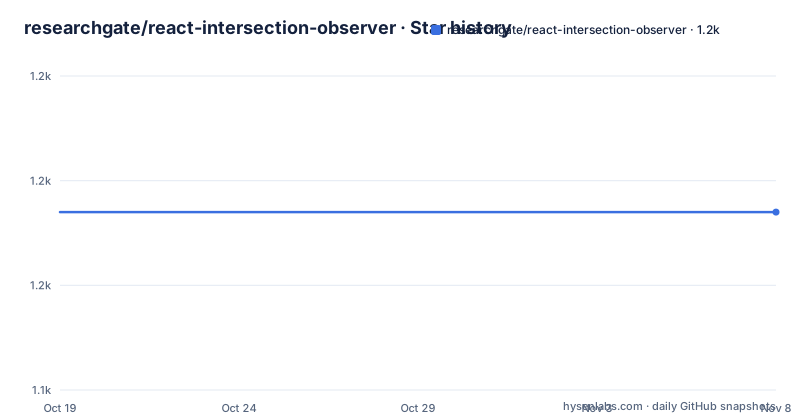
- researchgate/react-intersection-observer1,157 ★ · +0
| Repository | 2026-10-19 | 2026-11-07 |
|---|---|---|
| researchgate/react-intersection-observer | 1.2k | 1.2k |
0 Stars in the last 19 days, measured from the daily GitHub snapshot. Compare with other projects
Editorial analysis
The API shape, which is deliberately the browser's
React Intersection Observer is a React component acting as a wrapper for the IntersectionObserver API. The README calls it fully declarative and says it takes care of all the imperative parts for you, and the four things it says it is good at are worth quoting in full because they describe the design.
It reuses instances, comparing the passed options. It performs, choosing smartly when to re-render and when to re-observe. It is unopinionated, with how to handle visibility changes left entirely up to the developer. And it is intuitive, looking like the native API.
That last property is the design constraint that explains the rest. The component takes the same options the native API takes, so root, rootMargin and threshold mean what they mean in the browser documentation, and the callback receives an IntersectionObserverEntry, the same object type the native API hands you.
The usage example is a class component that wires an onChange handler, a root selector and a rootMargin, and wraps a single div.
const options = {
  onChange: this.handleIntersection,
  root: '#scrolling-container',
  rootMargin: '0% 0% -25%',
};

return (
  <div id="scrolling-container" style={{ overflow: 'scroll', height: 100 }}>
    <Observer {...options}>
      <div>I am the target element</div>
    </Observer>
  </div>
);
The example is from the era of class components, and the peer dependency range in the package metadata still reflects that era. The callback receives one IntersectionObserverEntry argument per change, exactly as in the native API, and the README describes that as an ideal and flexible base to build upon.
No extra markup, achieved through findDOMNode
The component does not create any extra DOM elements. It attaches to the only child you provide to it, and the README says this is done using findDOMNode to retrieve the first DOM node found. If your child already has an existing ref, either a callback or an object from createRef, these are handled normally in either case.
That is a clean result and a dated mechanism. The benefit is real: a wrapper that renders its child untouched means no extra div in your layout, no className to override, no style to fight, and no change to your CSS selectors.
The cost is that findDOMNode is a legacy API. It was deprecated in StrictMode, it does not work with function components that do not forward a ref, and it was removed in React 19. The package metadata states the peer dependency range as react ^16.3.2 || ^17.0.0, with react-dom on the same range, so the package is telling you directly which React versions it is built for.
That range is the single most important fact for an adopter, and it is a limitation of the package rather than of the approach. The native IntersectionObserver API has not changed in any way that matters here, and React's own hooks make a modern version of this component straightforward to write. What the package provides is a solved problem and a battle tested set of edge cases, and what it does not provide is compatibility with a React version released after it.
The README's own honest framing helps. It says the motivation is to provide the easiest possible solution for observing elements that enter the viewport on your React codebase, fully declarative with all complexity abstracted away, focusing on reusability and low memory consumption. The bookkeeping is the abstraction, and findDOMNode is how it reaches the DOM.
Instance reuse and the memory leak argument
The no bookkeeping section explains what the component actually does for you, and it is the most substantive part of the documentation.
Instances and nodes are managed internally so that any changes to the passed options or tree root reconciliation cleans up and re-observes nodes on demand to avoid any unexpected memory leaks.
Two things are happening at once. When the options change, the component compares them and reuses the existing IntersectionObserver if the new options match, rather than tearing down and creating a new one. And when React reconciles the tree and the DOM node under the wrapper changes, the component notices and re-observes the new node.
The second part is where the leak usually comes from in a hand written implementation. An IntersectionObserver holds a reference to its target, and if you create a new observer on every render and never disconnect it, you accumulate observers pointing at detached nodes. A component that keeps one observer per options set and re-observes on node change removes that class of bug entirely.
The tradeoff the component makes is explicit. It is unopinionated about what a visibility change means. The onChange callback is called with the entry, and whether you set state, trigger a fetch, or count an impression is your decision, and the component will not re-render for you unless your state changes.
The stated use cases line up with that. Determining advertisement impressions. Lazy loading, of images or anything that will enter the viewport. Occlusion culling, so you do not render an object until it is close to the viewport edges. And sentinel scrolling, an infinite scroller with a recycled sentinel, for which the project points at a separate repository, react-intersection-list.
The last one is worth noting for its own sake, because a recycled sentinel is the case where observer reuse stops being a nicety. If the sentinel element is reused as the user scrolls, every observer still attached to the previous instance keeps firing, and the infinite scroller loads forever.
Installing it, and the Node version that will bite you
The install is one command.
npm install --save @researchgate/react-intersection-observerThe package is scoped, because it lives under the ResearchGate organisation on npm, and the import name in the example matches the package name.
The warning that follows the command is about Node rather than React, and it is specific. The README asks you to make sure you have the minimum node version installed, as defined in the package.json, and gives the exact failure otherwise.
The engine "node" is incompatible with this module. Expected version ">=10.18.1". Got "10.15.3"The engines field in the package metadata says node >=10.18.1, and the error message is what npm prints when the engine check fails. This is worth knowing because the version floor, 10.18.1, is old enough that some current tooling defaults will trip it, and because the check is a hard failure at install time rather than a warning.
The optional polyfill is a separate install, and the README is explicit that you need it as a dependency for unsupported browsers.
npm install --save intersection-observerThe polyfill is imported in the usage example as a side effect import, marked optional in the comment, and the README has a whole section on the polyfill with a caveats subsection and on browser support, covering what works out of the box and what the polyfill is for. The polyfill is a dev dependency in the package metadata, at version 0.12.2, and the runtime dependencies object is empty, which tells you that the shipped component pulls in nothing of its own.
That empty dependencies object is the cleanest fact in the whole package. The component is a thin wrapper over a browser API, and the only thing you add to your application is itself.
The development stack, which tells you the era
The package metadata is a snapshot of a 2020 toolchain, and reading it is informative.
The React and React DOM dev dependencies are at 17.0.2, with the matching types at 17.0.52 and 17.0.18. TypeScript is 4.0.5, Babel core is 7.20.2 with a preset-typescript at 7.18.6, and the build uses a Babel preset from the same organisation, @researchgate/babel-preset at 2.0.14, with spire at 4.1.2 as the build tool and spire-plugin-semantic-release at 4.1.0 for releases.
Testing is a mix of Storybook and unit tests. Storybook is at 6.5.13 with the actions, knobs and options addons, and there is a .storybook/ directory in the repository root, which is where the demos come from. The unit tests use @testing-library/react-hooks at 7.0.2, jest types at 27.5.2 and react-test-renderer at 17.0.2.
The publishing setup is also worth noting, because it explains the version numbers. The release script is spire-plugin-semantic-release, so the version in package.json, currently 1.3.5, is derived from commit messages rather than being chosen by hand. The version list therefore reflects when the last meaningful change landed, not when someone remembered to cut a release.
The repository root has a .babelrc, a .eslintrc.js with an .eslintignore, a tsconfig.json, a yarn.lock, a renovate.json for dependency updates, an AUTHORS file, a CHANGELOG.md, a docs/ directory, src/ and test/ directories, and a LICENSE file.
Two things are absent that a modern React project would have. There is no mention of hooks in the API, and the example is a class component. The component is not a hook, and the version of React it was written for is the one where hooks were new and class components were still the default. That is a fair description of the trade here. The library gives you a solved problem in the idiom of its time, and the idiom has moved on.
What to use instead, and how the approaches differ
The alternative is not another package so much as the platform.
The native IntersectionObserver API is available in browsers, and where it is available, the component's value is the bookkeeping rather than the observation. Writing that bookkeeping yourself in a React 18 or 19 codebase means a custom hook with a useEffect that creates an observer on mount, disconnects it on cleanup, and re-observes when the ref target changes. That is perhaps forty lines, and you get exact control over when the observer is created and destroyed, which is the part this package handles for you.
There is also a newer native API in the same family, the ResizeObserver, which is a different problem and is not what this package addresses. Mentioning it is worth a sentence only to avoid confusion about what an intersection observer is for.
The difference in approach between the two options is ownership. The package owns the observer lifecycle, the option comparison and the node re-observation, and you own the meaning of a change. Writing the hook yourself inverts it: you own the lifecycle, and you can shape it, for instance by sharing one observer across many elements with a common root, which the package does not do because it compares options per instance.
That last point is where the package design shows its age. Option comparison means two Observer components with identical options still hold separate observers, because each instance manages its own. A shared-observer design would group them. If your page has a hundred lazy-loaded images each wrapped in its own Observer, you have a hundred observers, and the memory story is worse than it needs to be.
So the honest comparison is this. If you are on React 16 or 17, or you want the component to be a solved problem rather than code you maintain, this package is a reasonable choice and the API is the native one you already know. If you are on React 18 or 19, the peer range excludes you, findDOMNode does not work, and a small custom hook is both shorter and more flexible than adopting a component that will not install cleanly.
Editorial conclusion
react-intersection-observer fits a React application that needs viewport visibility, whether for lazy loading, impression counting, occlusion culling or an infinite scroller, and it fits a team that wants the native API shape without the imperative bookkeeping. It does not fit a project on React 18 or 19 without checking, because the peer dependency range is React 16.3.2 or 17.0.0, and it does not fit a team that wants a maintained component, because the newest published version is 1.3.5 from 2020-11-04 even though the repository itself was pushed to on 2026-10-13. Check three things before you adopt it. Check your React version against the peer range in the package metadata, and plan for findDOMNode, which the README names as the mechanism for attaching to the child, since that API was removed in React 19. Check whether the browser support baseline of your users is covered, and whether you need the polyfill package. And check how the project is versioned and released, because the package uses a semantic release setup with a changelog plugin, and the versions that appear on npm are the ones you can rely on. The last push was on 2026-10-13, the newest release listed is v1.3.5 from 2020-11-04, and the license is MIT.
Frequently asked questions
What does react-intersection-observer do?
It is a React component acting as a wrapper for the IntersectionObserver API, fully declarative, that handles the instance and node bookkeeping so you get onChange callbacks with an IntersectionObserverEntry argument per visibility change, exactly as in the native API.
How do I install react-intersection-observer?
Run npm install --save @researchgate/react-intersection-observer. The README also warns that you need the minimum Node version, >=10.18.1, or the install fails with an engine incompatibility error.
Which React versions does react-intersection-observer support?
The peer dependencies in the package metadata are react and react-dom at ^16.3.2 || ^17.0.0. The component attaches to its child using findDOMNode, which does not work with React 19.
Do I need the intersection-observer polyfill?
Optionally, for browsers without native support. The README says you can add the polyfill and make sure it is required on your dependencies for unsupported browsers, with npm install --save intersection-observer, and the package has a polyfill section with caveats and a browser support section.
What can I build with react-intersection-observer?
The README lists determining advertisement impressions, lazy loading of images or anything entering the viewport, occlusion culling so an object is not rendered until it is close to the viewport edges, and sentinel scrolling, an infinite scroller with a recycled sentinel.
What license is react-intersection-observer released under?
MIT, with a LICENSE file at the root of the repository, and the package metadata declares the same. The newest listed release is v1.3.5 from 2020-11-04, and the last push was on 2026-10-13.
Official sources
Add this badge to your README
If you maintain this project, the badge below links readers to this analysis and shows its maintenance status from the daily GitHub snapshot. Paste the markdown into your README; add ?metric=license or ?metric=stars to the image URL for a different field.

[](https://hysenlabs.com/projects/researchgate-react-intersection-observer)Star history chart for your README
[](https://hysenlabs.com/projects/researchgate-react-intersection-observer)Was this useful?