vue-select ships Vue 3 support only on the beta channel, and its stable 3.x package peers on Vue 2
Everything you wish the HTML <select> element could do, wrapped up into a lightweight, extensible Vue component.
At a glance
- What is it?
- vue-select is a zero-dependency select, dropdown and typeahead component for Vue. The stable 3.x line targets Vue 2, Vue 3 sits behind the vue-select@beta tag, and neither ships its own CSS.
- Who is it for?
- Choose vue-select for a Vue 2 project that needs a filterable, taggable or AJAX-backed select with SSR support, and accept installing its CSS by hand. For Vue 3 you take the beta tag, so pin a version and read the issue the README links before shipping to production.
- Can I use it commercially?
- Yes. MIT is a permissive licence: you can use, modify and sell software built on it, as long as you keep its copyright and licence notices.
- Is it still maintained?
- Yes. The repository last received commits 23 days ago.
- What is it written in?
- Mainly JavaScript, according to GitHub's language statistics.
Answers come from the project's GitHub data, last synced on November 7, 2026, and from our analysis. They are not legal advice.
Star history
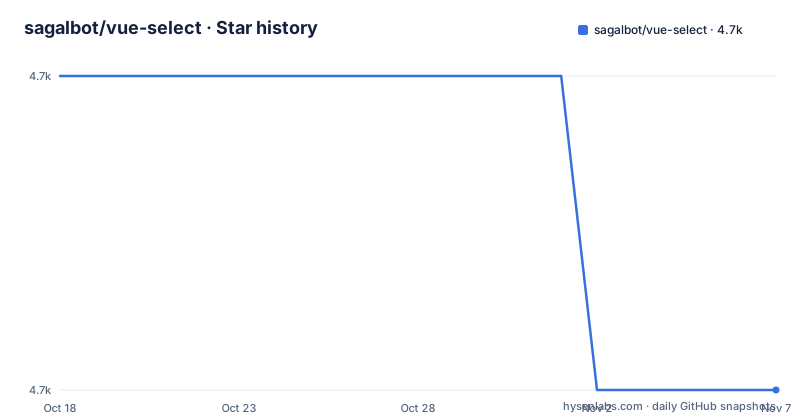
- sagalbot/vue-select4,666 ★ · -1
| Repository | 2026-10-18 | 2026-11-07 |
|---|---|---|
| sagalbot/vue-select | 4.7k | 4.7k |
-1 Stars in the last 20 days, measured from the daily GitHub snapshot. Compare with other projects
Editorial analysis
Vue 2 gets the stable package and Vue 3 gets a beta tag
The README splits installation by Vue major version. Vue 2 users install Vue Select 3.x, the default package. Vue 3 support lives on the beta channel as `vue-select@beta`, labelled Vue Select 4.x-beta, and the README says it will become the new default when v4 is released. A linked GitHub issue holds the details.
The repository's own `package.json` confirms the Vue 2 default: version `3.20.4` with a peer dependency of `"vue": "2.x"`. Installing the plain package into a Vue 3 project therefore conflicts with the declared peer dependency.
The tagged releases are v3.20.2 on 17 December 2022, v3.20.3 on 3 April 2024 and v3.20.4 on 6 February 2025. The last push to the master branch was on 16 October 2026, so work continues in the repository after the latest tag. The README gives no date for v4,. If you ship Vue 3 today, pin the exact beta version in your lockfile.
Vue 3 setup registers a named VueSelect export
The Vue 3 install is a single package, installed either way:
yarn add vue-select@beta

# or use npm

npm install vue-select@beta
Registration differs from the Vue 2 style. Vue Select 4.x-beta exports a named `VueSelect`, which you register in `main.ts` or `main.js`:
# main.ts or main.js

import { createApp } from "vue";
import App from "./App.vue";

import { VueSelect } from "vue-select";

createApp(App)
    .component("v-select", VueSelect)
    .mount("#app");
The component is registered under the tag name `v-select`, which is the name you use in templates. The same name appears in the Vue 2 registration, so templates do not need to change between the two setups.
The named import is the part that catches migrations. Vue 2 code uses a default import, `import vSelect from "vue-select"`, and copying that into a Vue 3 project against the beta package will not match the named export shown in the README.
The component ships no CSS, so you import it yourself
A line in the README that is easy to miss: the component itself does not include any CSS. Without the stylesheet, `v-select` renders with no styling. The Vue 3 path imports it inside a single-file component:
<style>
@import "vue-select/dist/vue-select.css";
</style>
The Vue 2 path imports it from JavaScript:
import "vue-select/dist/vue-select.css";The stylesheet is a separate file at `vue-select/dist/vue-select.css`. The size note in the README separates the two costs: about 20kb total, with roughly 5kb of CSS and 15kb of JavaScript. These are the project's own figures, listed as `~20kb Total / ~5kb CSS / ~15kb JS`.
Because the CSS is plain and the README lists customization through slots and SCSS variables, you restyle it either by overriding the stylesheet or by rebuilding it with your own variable values. The README does not walk through the variable names, so the documentation site is where to look for that list.
Vue 2 registration is one global component call
For the stable 3.x package on Vue 2, the install is the plain package name:
yarn add vue-select

# or use npm

npm install vue-select
Registration is global:
import Vue from "vue";
import vSelect from "vue-select";

Vue.component("v-select", vSelect);
Global registration makes `v-select` available in every template in the app. If you only want it in a few components, the README shows no local registration example, so check the Vue documentation on local components.
The README adds that you can include vue-select directly in the browser, without a build step, and points to a documentation page for loading from CDN. That route suits a prototype or a page without a bundler. Two CodePen templates, one for Vue 2 and one for Vue 3, give you a running sandbox before you install anything.
What the feature list actually promises
The README calls Vue Select a feature rich select, dropdown and typeahead component with a default template that fits most use cases for a filterable select dropdown. The feature list is short: tagging, filtering and searching, Vuex support, AJAX support, SSR support, selecting single or multiple options, customization with slots and SCSS variables, and zero dependencies. Accessibility appears in the list too.
Treat each as a claim and not a specification, because the README gives no code for any of them. It does not show how tagging is enabled, what the AJAX hook is called, or what accessibility behaviour is covered. That detail sits at vue-select.org, the homepage, which the README calls the complete documentation with examples.
One claim has a measurable shape: zero dependencies. The runtime package depends on nothing beyond the Vue peer. The long `devDependencies` list in `package.json`, which includes Babel, ESLint and `bundlewatch`, is build-time only and does not ship to your bundle.
Building and testing the repository uses webpack, Jest and semantic-release
A contributor works with the scripts in `package.json`. `serve` starts a webpack dev server with hot reloading using `build/webpack.dev.conf.js`. `build` runs webpack in production mode with `build/webpack.prod.conf.js`. `test` runs `jest`. Two lint scripts, `eslint` and `eslint:fix`, cover `.js`, `.ts`, `.jsx`, `.tsx` and `.vue` files.
The documentation site has its own scripts, `serve:docs` and `build:docs`, which change into the `docs` folder and run yarn there. The project uses `semantic-release` for releases and `git-cz` through a `commit` script, which points to commitizen conventions for commit messages.
The main entry is `dist/vue-select.js`, and a `prepare` key set to `npm run build` appears in the file. The README itself states no contribution steps, and the tests folder holds the specs the `jest` script runs.
Unit tests use `@vue/test-utils` at `^1.2.2`, which is the Vue 2 line of that library. That matches the Vue 2 peer dependency and tells you the test suite on this branch is written for Vue 2.
Maintenance depends on sponsors, and the README says it takes a lot of effort
The Sponsors section is direct about the cost: it takes a lot of effort to maintain this project, and users who saved development time are asked to sponsor through GitHub Sponsors. Sponsors and contributors are thanked in the README, with links to the GitHub sponsors and contributors pages.
That statement matters for planning. The project is not archived and has recent pushes, but the latest tagged release is from February 2025, and the Vue 3 line is still a beta. The README promises no release cadence.
The README names no alternative component. The native HTML select element is the thing it sets out to extend, and anything beyond that comparison is outside the repository text. If you are evaluating options, test the documented behaviour you need most, such as AJAX loading or SSR, in a small project before committing.
The license is MIT, with the full text in `LICENSE.md`, and the author field in `package.json` names Jeff Sagal.
Editorial conclusion
Choose vue-select for a Vue 2 project that needs a filterable, taggable or AJAX-backed select with SSR support, and accept installing its CSS by hand. For Vue 3 you take the beta tag, so pin a version and read the issue the README links before shipping to production. Before installing, check package.json for your Vue major version, since the 3.x package declares a peer dependency of vue 2.x.
Frequently asked questions
Is there an alternative to vue-select?
The README names no alternative component. It describes vue-select as everything you wish the HTML select element could do, so the native select is the baseline it extends.
Does vue-select support Vue 3?
Yes, on the beta channel: install vue-select@beta, labelled Vue Select 4.x-beta. The README says it will become the default when v4 is released.
Does vue-select include its own CSS?
No. The README states the component does not include any CSS, so you import vue-select/dist/vue-select.css separately.
Official sources
Add this badge to your README
If you maintain this project, the badge below links readers to this analysis and shows its maintenance status from the daily GitHub snapshot. Paste the markdown into your README; add ?metric=license or ?metric=stars to the image URL for a different field.

[](https://hysenlabs.com/projects/sagalbot-vue-select)Star history chart for your README
[](https://hysenlabs.com/projects/sagalbot-vue-select)Was this useful?