eslint-plugin-todo-plz ships one rule, ticket-ref, and nothing else
Enforce consistent and maintainable TODO comments
At a glance
- What is it?
- A very small ESLint plugin with a single rule that checks TODO comments carry a ticket reference matching a pattern you supply. Its peer dependency accepts ESLint from 7.3.0 upward while its own development pins the current major, and the rule's behaviour is documented in a file the readme only links to.
- Who is it for?
- Adopt it if your team already requires a ticket prefix on every TODO comment and wants the check enforced at lint time rather than in review. It is deliberately narrow: one rule, one documented option, so it will not manage comment content, expiry dates, or anything else.
- Can I use it commercially?
- Not without permission. GitHub finds no licence file in the repository, and without a licence all rights are reserved by default: you may read the code but not reuse it. Check the README, or ask the authors, before using it.
- Is it still maintained?
- Yes. The repository last received commits 10 days ago.
- What is it written in?
- Mainly JavaScript, according to GitHub's language statistics.
Answers come from the project's GitHub data, last synced on October 22, 2026, and from our analysis. They are not legal advice.
Star history
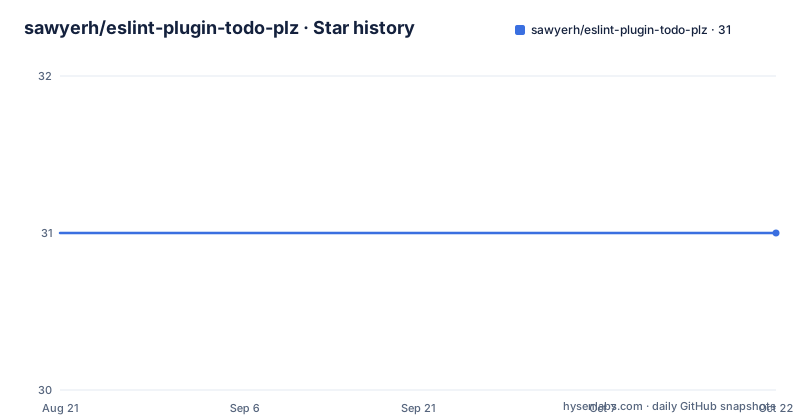
- sawyerh/eslint-plugin-todo-plz31 ★ · +0
| Repository | 2026-08-21 | 2026-10-22 |
|---|---|---|
| sawyerh/eslint-plugin-todo-plz | 31 | 31 |
0 Stars in the last 62 days, measured from the daily GitHub snapshot. Compare with other projects
Editorial analysis
One rule, one option, and the option is a pattern
The supported rule list contains a single entry, named ticket-ref, and the documentation for it lives in its own file under the documentation directory rather than in the readme. The configuration example in the readme shows the whole surface: the rule is turned on at error severity, and it is handed an options object with one key, a pattern. The value used in the example is a project ticket prefix written as a regular expression matching that literal prefix followed by one or more digits. That is the entire documented configuration, which means the interesting questions about this plugin are not about options and are about what the rule reports when a comment does not carry a matching reference. The readme does not say, and that answer lives in the linked rule page.
Installation is two commands, and both go in as dev dependencies
There is nothing to build and nothing to configure globally. The host linter is installed first as a development dependency, because a plugin is meaningless without the thing it plugs into. The plugin itself is then installed the same way, also as a development dependency, which is the correct placement for a lint rule: it belongs to the repository's toolchain rather than to a runtime dependency list. Two details are worth flagging for anyone scripting the setup. Neither command uses a version constraint, so you inherit whatever the registry currently serves, and the second command installs the plugin before you have written the configuration, which means an unconfigured plugin in a fresh project is a no-op rather than an error. The package is published to the npm registry under the same name as the repository, so the registry entry and the repository root are the same identifier.
$ npm i eslint --save-dev$ npm install eslint-plugin-todo-plz --save-devThe peer floor is ESLint 7.3.0 while development runs on ESLint 10
The dependency declarations describe two different audiences, and the gap between them is wide. Consumers are bound by a peer dependency accepting anything from ESLint 7.3.0 upward, with no upper bound, so the plugin is expected to keep working across a large span of the host's major versions. The project's own tooling pins a much newer release in its development dependencies, and the test runner is pinned alongside it. In practice that means the rule is exercised against the current major while being advertised against anything from seven years of releases back. Nobody has documented which versions in between were actually verified, so if you are on an old ESLint and the plugin misbehaves, that is a gap in the stated support window rather than a documented incompatibility.
The published package is lib/, and its entry point is one file
The manifest restricts what reaches the registry. The files list contains a single directory, and the main field points inside it at a single JavaScript file. That means the tests, the documentation, the changelog and any development scripts never ship to consumers, and the plugin you install is a small amount of code rather than a repository snapshot. The layout at the repository root matches that split: a library directory, a tests directory, a documentation directory, a changelog, and the usual configuration files for the host project. Anyone vendoring this plugin by copying files would do well to copy the same subset, since the documentation directory is the only place the rule's behaviour is written down and it is not included in the package.
The plugin is registered under a hyphenated key, so the rule name is prefixed
Configuration goes in the host's own config file, which the readme names as the flat config file. The sample loads the plugin with a CommonJS require, assigns it to a key inside the plugins object, and that key is a hyphenated form of the package name. The consequence is that every rule this plugin contributes is addressed with that prefix, so the single available rule is written with the plugin namespace in front of its name rather than bare. Two details carry over from the example that are easy to miss. The plugin is registered as an object whose value is the plugin itself, not as a factory to call. And the configuration file is exported as an array, which is the flat config shape rather than the older object with an environment and rules keys.
const todoPlz = require("eslint-plugin-todo-plz");

module.exports = [
  {
    plugins: {
      "todo-plz": todoPlz,
    },
    rules: {
      "todo-plz/ticket-ref": ["error", { pattern: "PROJ-[0-9]+" }],
    },
  },
];
The rule's own page holds the behaviour, and the readme holds the shape
There is a clear division of labour between the two documentation files, and reading only the readme leaves you guessing. The readme covers how to install the plugin, how to register it, and one complete configuration example, which is enough to get it running. Everything about what the rule actually checks is in the rule's own documentation file, linked from the supported rules list. That includes the questions a new user has first: what counts as a TODO comment for the purposes of the check, whether a comment with no reference is reported as a missing pattern or something else, and what the message looks like. The project also keeps a changelog at the repository root, which is the right place to look before pinning a version, since the rule's behaviour may have tightened across the one point line.
Units run under mocha, and the lint script targets a different directory
The two scripts in the manifest do not cover the same ground, which is unusual enough to be worth spelling out. The test script runs the mocha runner against the tests directory, so that is where the unit tests live and where new ones are expected to go. The lint script does not lint the library or the repository root at all: it changes into a subdirectory inside tests, an integration folder, and runs the ESLint binary over that directory. So the plugin's own source is not linted by its lint script, while the integration fixtures are. There is a change log file at the root and a documentation directory for the rule pages, and nothing else in the tree that the scripts reference, which keeps the surface small enough to read in one sitting.
One published tag carries a doubled prefix, and the credit line names the rule it learned from
Two smaller facts are worth knowing if you are pinning versions or reading the history. First, the release line is healthy but not perfectly formatted: the two most recent tags are a one point four point one and a one point four point zero from August and September 2026, while the one before them is tagged with a doubled prefix, a version prefix followed by another one before the number. A script that strips exactly one leading letter will leave a stray character behind on that tag, so resolve tags by parsing rather than by fixed slicing. Second, the readme credits a specific existing rule as the model for writing a first ESLint rule, naming the expiring todo comments rule from a larger plugin collection. That is where to look if you want a worked example of rule authoring.
Editorial conclusion
Adopt it if your team already requires a ticket prefix on every TODO comment and wants the check enforced at lint time rather than in review. It is deliberately narrow: one rule, one documented option, so it will not manage comment content, expiry dates, or anything else. Before you wire it in, read the rule's own page under the documentation directory, because the readme shows a configuration example and nothing about the failure message or the default pattern. And check your ESLint version against the peer range rather than the development version, since the two differ considerably.
Frequently asked questions
What does the ESLint plugin todo-plz do?
It enforces consistent, maintainable TODO comments by contributing a single rule, ticket-ref, which is configured with a pattern option. The example in the readme turns the rule on at error severity with a pattern matching a project ticket prefix followed by digits, so a comment without a matching reference is what the check exists to catch.
How to install ESLint plugin todo-plz?
Install ESLint first as a development dependency, then install the plugin the same way. The package is then registered under the plugins key in your ESLint config file and its rule enabled, for example at error severity with a pattern option.
What is ESLint used for in the todo-plz project?
ESLint is the host the plugin plugs into: it is loaded from the host's own configuration file, registered under plugins, and its rules are configured there. The project also uses the ESLint binary directly, with a lint script that changes into an integration folder inside the tests directory and runs ESLint over that directory.
What are the best ESLint plugins, according to todo-plz?
The repository names one: the expiring todo comments rule from a larger plugin collection, credited in the readme as the example that showed the author how to build a first ESLint rule. It is credited as inspiration rather than as a dependency, and the plugin does not depend on it.
Official sources
Add this badge to your README
If you maintain this project, the badge below links readers to this analysis and shows its maintenance status from the daily GitHub snapshot. Paste the markdown into your README; add ?metric=license or ?metric=stars to the image URL for a different field.

[](https://hysenlabs.com/projects/sawyerh-eslint-plugin-todo-plz)Star history chart for your README
[](https://hysenlabs.com/projects/sawyerh-eslint-plugin-todo-plz)