Lunar Unity Console: a native iOS and Android log viewer for Unity
High-performance Unity iOS/Android logger built with native platform UI
At a glance
- What is it?
- Lunar Unity Console is a Unity plugin that renders its log viewer with native platform UI rather than Unity's own GUI, so it works well with very large logs and removes itself from a release build without a trace. It needs Unity 5.2 or later, iOS 8 or Android API level 14 and above, and it ships as a paid Pro version and a free one with fewer features.
- Who is it for?
- Lunar Unity Console suits a Unity developer who ships to mobile and needs an on-device log viewer that a QA tester can actually use, especially when the logs are large or the device is a phone where Unity's own GUI is awkward. It does not suit a desktop project, since the plugin targets iOS and Android, and the feature set differs sharply between the paid and free builds, so the choice of build has to be made before you install it.
- Can I use it commercially?
- Check first. The repository uses a licence we do not classify automatically, so read its LICENSE file before any commercial use.
- Is it still maintained?
- Yes. The repository last received commits 43 days ago.
- What is it written in?
- Mainly Java, according to GitHub's language statistics.
Answers come from the project's GitHub data, last synced on November 7, 2026, and from our analysis. They are not legal advice.
Star history
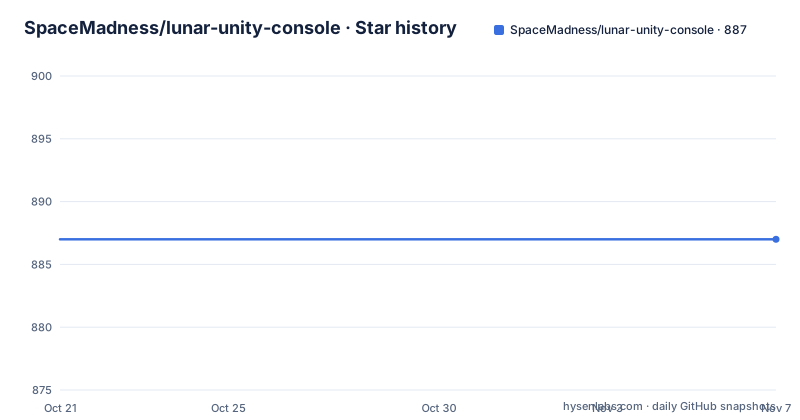
- SpaceMadness/lunar-unity-console887 ★ · +0
| Repository | 2026-10-21 | 2026-11-07 |
|---|---|---|
| SpaceMadness/lunar-unity-console | 887 | 887 |
0 Stars in the last 17 days, measured from the daily GitHub snapshot. Compare with other projects
Editorial analysis
A console drawn with the platform's own UI
The stated project goal is a high-performance and lightweight Unity native iOS and Android console for ease of testing and debugging, and the phrase that matters is completely built with native iOS and Android UI, which does not rely on Unity GUI. That single decision is what separates this from every other in-game debug overlay. The other stated benefits follow from it. Native C, Objective-C and Java code with a low memory footprint. Works well with huge log amounts, up to 65536 entries. Resolution independent, so it looks right on high resolution and retina displays. And it does not modify scenes and does not add new assets, which means the console is not part of your content pipeline. The primary language of the repository is Java, with the native iOS side in Objective-C, and the tree is split into a Native directory, a Builder directory and a Project directory for the Unity side.
The console disappears from a release build entirely
The claim that decides whether a plugin like this is usable in production is that it removes completely from the release build with a single mouse click or from the command line, and that there are absolutely no traces left. That is a much stronger guarantee than a feature flag or a compile-time define, because a build that still contains the logger still carries its memory cost and its code. The other half of the guarantee is on the Unity side, that the plugin does not modify scenes and does not add new assets, so there is nothing to strip out of a scene by hand. For a plugin that is sold on the Unity Asset Store and therefore ends up in commercial games, that property is the difference between a debug tool you can leave in and one you have to strip on every release. The removal path is documented as a single click or a command line, so it is presumably a build step in the project's own pipeline rather than a manual operation.
Two packages, and the free one is missing the actions feature
The plugin is distributed through the Unity Asset Store in two forms, and the difference is not only price. There is a Pro package and a free package, under separate asset store listings, and the project keeps a document in the repository root comparing the two, which is the honest way to handle a split like that. The feature that the free build does not have is User-Defined Actions and Variables, and the README is explicit that it is only available in the Pro version, with a link to a user guide for it. The rest of the feature list is common to both: instant error notification so an unhandled exception cannot be missed, quick logger output access through a multi touch gesture, a clear font and a mobile friendly interface, a transparent log overlay view, filtering by text and log type, collapsing of similar elements, tapping a log entry to see its stack trace, copy to clipboard and e-mail options, and automatic updates. The repository also notes the release history on the asset store side, with 1.8.5, 1.8.4 and 1.8.3 all in 2021.
Installation is a menu item or a prefab
There are two routes and both are one step. The automatic route is a Unity Editor menu entry, Window then Lunar Mobile Console then Install, which does the work for you. The manual route is to drag the LunarConsol prefab from Assets/LunarConsole/Scripts/LunarConsole.prefab into the hierarchy of the current scene and save the changes, and you only need to do that once, for your startup scene. The prefab route matters because it tells you the console is a scene object, which is the kind of detail that shows up later in a project where a scene is loaded additively and the console is not in the first one. The plugin requires Unity 5.2 or later, iOS 8 or later, and Android API level 14 or later, and the README also carries an official wiki and a Unity forums thread as the places for additional information, troubleshooting and guides. There is an Android demo app on the Play Store, and the note about the iOS demo says Apple forbids any kind of demos on the App Store, with investigating still in progress.
Configuration is a capacity, a trim amount and a gesture
The settings live on the LunarConsole game object in the Hierarchy, under the Lunar Console script settings in the Inspector, and there are four things worth understanding. The capacity is the maximum number of lines the console can hold, and the advice is to keep this amount low, because the more you have the more memory it will take, which is a fair point for a plugin whose selling point is a low memory footprint. The trim amount is how many lines are removed from the beginning of the log when the console overflows, so capacity and trim together determine how much history survives. The gesture is chosen from a drop down list, or set to None to completely disable multi touch gestures, in which case you can still open the console from your scripts. And there is a Remove Rich Text Tags checkbox, which removes rich text tags from the output, with the note that this may cause performance overhead. You can also open the console from a script through the API, with details in the API guide in the wiki.
Stack traces need the Development Build flag switched on
There is one configuration trap, and the README flags it as important. If you touch a log entry to view its stack trace and you only see exception traces, the cause is the build settings, not the plugin. You need to properly configure the build settings, in File then Build Settings, and the specific step is checking the Development Build checkbox, on iOS and on Android alike. The reason is not hard to guess: a release build strips the debug information the stack trace needs, so the console can only show the exception itself. That constraint is normal in Unity work, and it is worth calling out because the console is a debugging tool and the temptation is to leave the flag off in builds you hand to testers. The set of features is otherwise focused on reading logs rather than on acting on them, with copy to clipboard and e-mail as the two ways to get text out of the device, and a transparent overlay so the log can be seen over the running game rather than in a separate screen.
What is in the repository, and where the state of the project is
The tree is a native plugin project rather than a plain Unity package. There is a Native directory holding the platform specific code, a Builder directory for the build side of the plugin, and a Project directory for the Unity project, alongside a CHANGELOG, a CONTRIBUTING file, the FREE-versus-PRO comparison document, a LICENSE file and a .travis.yml for continuous integration, with the build badge pointing at a Travis CI job on the master branch. The licence field on the repository is not one GitHub can classify, so the terms are in the LICENSE.md file and worth reading before you ship the plugin inside a commercial game, especially given the asset store distribution model. The maintenance picture is mixed, and honestly stated. The last push was on 2026-09-26, so the source is being worked on, while the newest listed release is 1.8.5 from October 2021, which means the published asset and the repository are on different clocks. A logger plugin that still runs on Unity 5.2 era minimums is not going to be dropped for breaking changes, which is either reassuring or a sign that it needs a successor, and the answer depends on how much of the old Unity range you still target.
Editorial conclusion
Lunar Unity Console suits a Unity developer who ships to mobile and needs an on-device log viewer that a QA tester can actually use, especially when the logs are large or the device is a phone where Unity's own GUI is awkward. It does not suit a desktop project, since the plugin targets iOS and Android, and the feature set differs sharply between the paid and free builds, so the choice of build has to be made before you install it. Before you adopt it, check the build settings for the Development Build flag, because without it you will only see exception traces, and decide which of the two asset store packages you are buying.
Frequently asked questions
What does the Lunar Unity Console plugin do?
It is a Unity native iOS and Android console for testing and debugging, built entirely with native platform UI rather than Unity GUI. It gives instant error notification, multi touch gesture access to log output, filtering by text and log type, stack traces on tap, a transparent overlay view, copy to clipboard and e-mail options, and automatic updates.
How do I install Lunar Unity Console?
Either through the Unity Editor menu, Window then Lunar Mobile Console then Install, or manually by dragging the LunarConsol.prefab from Assets/LunarConsole/Scripts into your startup scene and saving, which you only need to do once. The plugin requires Unity 5.2 or later, iOS 8 or later, or Android API level 14 or later.
Why do I only see exception stack traces in my build?
The build settings need the Development Build checkbox enabled, under File then Build Settings, on both iOS and Android. Without it the debug information the stack trace needs is not in the build, so only the exception itself is shown.
What is the difference between the free and the Pro version of Lunar Unity Console?
User-Defined Actions and Variables is only available in the Pro version, and the repository keeps a FREE-versus-PRO document at its root describing the split. Both versions are sold on the Unity Asset Store under separate listings, and both cover the log viewing, filtering, stack trace and export features.
Official sources
Add this badge to your README
If you maintain this project, the badge below links readers to this analysis and shows its maintenance status from the daily GitHub snapshot. Paste the markdown into your README; add ?metric=license or ?metric=stars to the image URL for a different field.

[](https://hysenlabs.com/projects/spacemadness-lunar-unity-console)Star history chart for your README
[](https://hysenlabs.com/projects/spacemadness-lunar-unity-console)Was this useful?