angular-ngrx-nx-realworld-example-app: Conduit on Angular 21 with Signal Store
Real world application built with Angular 21, NgRx 21, nrwl/nx 22
At a glance
- What is it?
- This is a Medium clone built to the RealWorld spec, using Angular 21 with zoneless change detection, standalone components, NgRx Signal Store for state, and an Nx monorepo layout with libraries split by domain and by type. It suits a developer learning how a modern Angular codebase is organised, and it is a reference application rather than a product.
- Who is it for?
- angular-ngrx-nx-realworld-example-app suits a developer who wants a complete, opinionated Angular 21 codebase showing Signal Store, standalone components, zoneless change detection and an Nx library layout working together, and it gives you a front end to point at the RealWorld API spec.
- Can I use it commercially?
- Yes. MIT is a permissive licence: you can use, modify and sell software built on it, as long as you keep its copyright and licence notices.
- Is it still maintained?
- Yes. The repository last received commits 94 days ago.
- What is it written in?
- Mainly TypeScript, according to GitHub's language statistics.
Answers come from the project's GitHub data, last synced on November 7, 2026, and from our analysis. They are not legal advice.
Star history
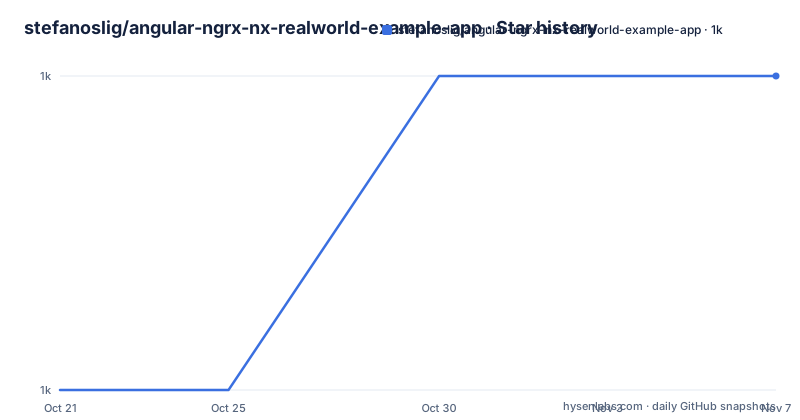
- stefanoslig/angular-ngrx-nx-realworld-example-app1,043 ★ · +1
| Repository | 2026-10-21 | 2026-11-07 |
|---|---|---|
| stefanoslig/angular-ngrx-nx-realworld-example-app | 1k | 1k |
1 Stars in the last 17 days, measured from the daily GitHub snapshot. Compare with other projects
Editorial analysis
The RealWorld spec and the Conduit application
The project description calls itself an Angular, ngrx/platform, nrwl/nx codebase containing real world examples, CRUD, auth, advanced patterns, and more, that adheres to the RealWorld spec and API. The RealWorld project is a reference specification with a common API and a set of implementations across frameworks, and the README points at its repository for information on how this works with other frontends and backends.
The application itself is a social blogging site, a Medium.com clone, called Conduit. It uses a custom API for all requests, including authentication, which is a detail worth sitting with: the app is the front end, and the server is somebody else's responsibility. There is a deployed demo linked from the README.
The functionality list is the RealWorld feature set. Users authenticate via JWT with login and signup pages and a logout button on the settings page. Users can be created and updated, with no deletion required. Articles are full CRUD, comments are create, read and delete with no updating required, and there is a paginated list of articles. You can favourite articles and follow other users.
The page breakdown in the README is specific enough to be useful. The home page at the root lists tags and articles drawn from either the Feed, Global or by Tag, with pagination. Login and register are at separate routes, and the README says they use JWT and cookie based authentication, which is two things at once and worth checking in the code if it matters to you. There is a settings page, an editor page for creating and editing articles, an article page that renders markdown from the server client side and shows a delete button only to the article's author, and a profile page with a favourites tab.
The Nx monorepo and its two axes of classification
The project is organised as an Nx monorepo, and the README explains why with three claims: the codebase can grow while keeping clear separation of concerns, Nx automatically tracks dependencies between libraries, and the caching and affected commands give faster builds and tests.
Libraries are classified on two dimensions. The first is scope, which says which part of the application may use the library. There is auth for authentication features, articles for article features, profile for user profile features, home for the home page, and core, which the README notes is to be renamed to shared, holding common utilities and components usable across the application.
The second dimension is type, which says what the library is for. The feature-* libraries hold smart components that talk to data sources, data-access holds services and state management for talking to the server, ui holds presentational, or dumb, components reusable within their scope, api-types holds TypeScript interfaces for API models, and forms holds form related components and utilities.
The folder structure in the README makes the mapping concrete, with libs/articles containing data-access, feature-article-edit, feature-article and feature-articles-list, libs/auth containing data-access and feature-auth, libs/core containing api-types, error-handler, http-client and forms, libs/profile with data-access and feature-profile, and a libs/ui with components.
This two axis scheme is the part of the project worth stealing, whether or not you use Angular. Naming by domain first and by role second is a convention that keeps a feature folder from becoming a junk drawer, and the data-access split is the piece that stops a component from calling the API directly.
Signal Store, with rxMethod doing the async work
State management uses NgRx Signal Store, which the README describes as a modern approach based on Angular's Signals, giving reactivity through the Signal API for efficient change detection, strong typing throughout, a more concise API than traditional NgRx with reducers and effects, and enforced immutable state updates.
The store pattern is shown with a real example rather than a toy one.
export const AuthStore = signalStore(
  { providedIn: 'root' },
  withState<AuthState>(authInitialState),
  withMethods(
    (store, formErrorsStore = inject(FormErrorsStore), authService = inject(AuthService), router = inject(Router)) => ({
      getUser: rxMethod<void>(
        pipe(
          switchMap(() => authService.user()),
          tap(({ user }) => patchState(store, { user, loggedIn: true, ...setLoaded('getUser') })),
        ),
      ),
    }),
  ),
  withCallState({ collection: 'getUser' }),
);
The building blocks are listed after the code. withState defines the initial state, withMethods defines the methods that can modify it, rxMethod handles asynchronous operations using RxJS, patchState updates the state immutably, and withCallState tracks loading, error and success states.
The notable choice is that RxJS is not thrown away. rxMethod is a signal-friendly wrapper around an observable pipeline, so the store is signal based at the edges and RxJS at the boundary where the HTTP client lives. The dependency list confirms it, with @ngrx/signals, @ngrx/operators, @ngrx/eslint-plugin, and rxjs itself, alongside @ngrx/effects in the repository topics. The withCallState call is what turns three or four separate loading and error flags into a declared collection, which is the kind of thing that gets hand rolled badly in a classic reducer setup.
Standalone components, zoneless and the inject function
The application exclusively uses standalone components, eliminating the need for NgModules, and the README gives three reasons: no complex module hierarchy, better tree shaking of the final bundle, and explicit dependencies since each component declares its own.
A login component shows the shape.
@Component({
  selector: 'cdt-login',
  templateUrl: './login.component.html',
  imports: [ListErrorsComponent, RouterLink, ReactiveFormsModule, InputErrorsComponent],
  changeDetection: ChangeDetectionStrategy.OnPush,
})
export class LoginComponent {
  private readonly authStore = inject(AuthStore);
  private readonly fb = inject(FormBuilder);
}
Three things are visible in that snippet. The imports array replaces the NgModule, and it lists the components and the ReactiveFormsModule the template actually needs. ChangeDetectionStrategy.OnPush is set on the component, which matters here because the application is zoneless. And the dependencies come from the inject function rather than constructor injection, which is the modern Angular style and matches the store example above, where the services are injected as default parameters of the withMethods factory.
The feature list at the top of the README names the modern Angular features the project demonstrates: new control flow, deferred loading, zoneless, signal inputs and outputs, state management using NgRx Signals Store, DI using the inject function, and functional resolvers and guards.
Zoneless is the one that changes how you write code rather than how you configure it. Without zone.js patching change detection, the signal graph and explicit markForCheck calls are what drive updates, and the project topics list angular-signals and standalone-components. The package.json pins @angular/core at 21.2.5, so the version is fixed and the code is written against one specific Angular release.
Running it, and the Nx commands behind the scripts
The README keeps the command section short, and the package.json fills in the detail.
npm run startThat maps to nx run conduit:serve, so the application is an Nx project named conduit. The build script runs nx run conduit:build with the production configuration, and the e2e script runs nx run conduit-e2e:e2e, which given the dependency list is the Playwright based end to end project.
The unit test and lint commands use Nx's affected model, which is the whole point of the monorepo.
nx run-many -t test
nx run-many -t lint
The package.json scripts wrap the same idea as npm scripts, with test running nx affected -t test and lint running nx affected -t lint, so a command in CI only rebuilds and rechecks what a change actually touched. The format scripts use nx format:check --affected and nx format:write --affected. The version field in the package.json is 19.0.2 and the package is marked private, and the name is conduit, so this is an application repository rather than a published library.
The dependency versions tell you how tightly coupled the pieces are. Angular is pinned at 21.2.5 across common, compiler, core, forms, platform-browser, platform-browser-dynamic and router. The NgRx packages sit at 21.0.1 and the Nx packages at 22.7.1, with the Nx plugins covering angular, eslint, js, playwright, vite, vitest and web. Angular 21 with Nx 22 is a pairing, and the exact minor versions are pinned, so the project is reproducible but it is also tied to one point in a fast moving toolchain.
Where angular-ngrx-nx-realworld-example-app is the wrong tool
Three cases argue against it. The first is a team looking for a production application to build on. This is Conduit, a Medium clone, and the README is explicit that it uses a custom API for all requests including authentication. There is no backend here, and the seed data, the user model and the article model are the RealWorld spec's, which is a reasonable domain for a demo and a strange foundation for a product. The same applies to the seeding and the auth model, which are the ones the spec defines.
The second case is a team that wants to see classic NgRx. The repository topics list ngrx, ngrx-store, ngrx-effects, ngrx-signals-store and component-store, but the state management section documents Signal Store specifically, and describes it as more concise than traditional NgRx with reducers and effects. If what you need to learn is reducers, effects and the older store shape, this codebase is showing you the successor instead.
The third case is a project on an older Angular. The whole application is built on features that did not exist a few versions back, zoneless change detection, the new control flow, signal inputs and outputs, functional resolvers and guards, and Signal Store. There is no gradual adoption path here, because the point of the example is to show the current style end to end.
There is a smaller caveat about the application itself. Rendering markdown from the server client side with marked, which is in the dependency list, means the client is doing the parsing, and the article page shows a delete button only to the article's author, which is a client side condition. Both are fine for a demo and both are places where a production application would want server side enforcement rather than a hidden button.
The repository is MIT licensed, which keeps the reuse question simple, and it is not archived, with the last push on 2026-08-05. There are no GitHub releases published, so the main branch is the artifact, and the README links a written article about NgRx Signal Store on the author's site for the reasoning behind the state approach.
Editorial conclusion
angular-ngrx-nx-realworld-example-app suits a developer who wants a complete, opinionated Angular 21 codebase showing Signal Store, standalone components, zoneless change detection and an Nx library layout working together, and it gives you a front end to point at the RealWorld API spec. It does not suit a team that wants a product to build on, since the application is Conduit and the backend is a separate custom API, and it does not suit you if you want to see classic NgRx reducers and effects, because the point of the project is the newer Signal Store. Before you start, read the project layout in the README and check the Nx version pairing, and note that the last push was on 2026-08-05 with no GitHub releases published.
Frequently asked questions
What is the angular-ngrx-nx-realworld-example-app?
It is a social blogging site called Conduit, a Medium.com clone, built with Angular 21, NgRx Signal Store and an Nx monorepo. It adheres to the RealWorld spec and API, and uses a custom API for all requests including authentication.
How are the libraries organised in the Nx monorepo?
On two dimensions. Scope decides which part of the app may use a library, with auth, articles, profile, home and core. Type decides its purpose, with feature-* for smart components, data-access for services and state, ui for presentational components, api-types for TypeScript interfaces and forms for form utilities.
Which state management approach does the project use?
NgRx Signal Store, built on Angular's Signals, using withState for the initial state, withMethods for state changing methods, rxMethod for asynchronous work, patchState for immutable updates and withCallState for loading, error and success tracking. The README links a separate article on the approach.
How do I run the tests and lint in this project?
Run nx run-many -t test for all unit tests and nx run-many -t lint for linting, or use the npm scripts test and lint, which run the same targets only for affected projects. The e2e suite is run with nx run conduit-e2e:e2e.
Official sources
Add this badge to your README
If you maintain this project, the badge below links readers to this analysis and shows its maintenance status from the daily GitHub snapshot. Paste the markdown into your README; add ?metric=license or ?metric=stars to the image URL for a different field.

[](https://hysenlabs.com/projects/stefanoslig-angular-ngrx-nx-realworld-example-app)Star history chart for your README
[](https://hysenlabs.com/projects/stefanoslig-angular-ngrx-nx-realworld-example-app)Was this useful?