OdinSerializer for Unity: binary serialization and polymorphic data
Fast, robust, powerful and extendible .NET serializer built for Unity
At a glance
- What is it?
- TeamSirenix/odin-serializer is a C# serialization library built for Unity, with binary and JSON formatters, support for complex object graphs, and an Apache-2.0 license. It is aimed at developers who need more than Unity's built-in serializer, but the README provides no API tutorial or build commands.
- Who is it for?
- Adopt OdinSerializer when your Unity project needs binary output, JSON output, or support for complex object graphs that the README says Unity JSON does not cover. Do not choose it solely from the comparison charts, because the repository has no GitHub releases and the README does not document an API-level first use, compatibility matrix, rollback procedure, or supported Unity version.
- Can I use it commercially?
- Yes. Apache-2.0 is a permissive licence: you can use, modify and sell software built on it, as long as you keep its copyright and licence notices.
- Is it still maintained?
- Yes. The repository last received commits 4 days ago.
- What is it written in?
- Mainly C#, according to GitHub's language statistics.
Answers come from the project's GitHub data, last synced on October 23, 2026, and from our analysis. They are not legal advice.
Star history
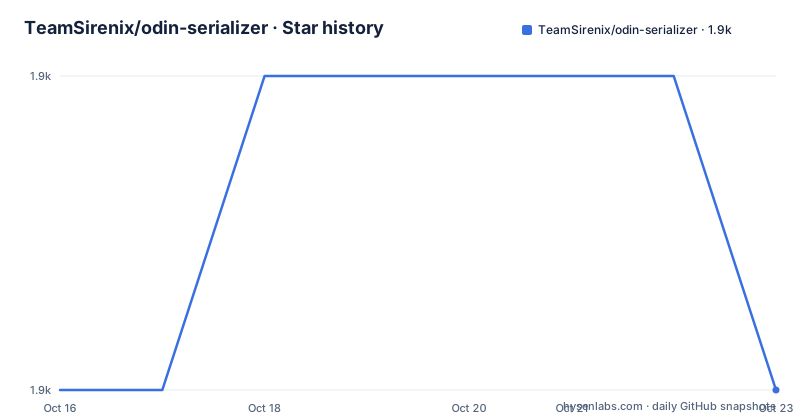
- TeamSirenix/odin-serializer1,906 ★ · +0
| Repository | 2026-10-16 | 2026-10-23 |
|---|---|---|
| TeamSirenix/odin-serializer | 1.9k | 1.9k |
0 Stars in the last 7 days, measured from the daily GitHub snapshot. Compare with other projects
Editorial analysis
Why OdinSerializer exists in Unity projects
OdinSerializer addresses a specific gap between ordinary data serialization and the object models commonly used in Unity. The README describes it as an open-source version of the serializer built for Odin Inspector and Serializer, and identifies it as a C# library made for Unity. That makes it relevant to developers storing configuration, save data, or other object graphs where fields may include interfaces, polymorphism, dictionaries, delegates, or circular references.
The project is not simply a wrapper around Unity's JSON facility. Its comparison table marks Unity JSON as lacking support for interfaces, properties, polymorphism, generics, dictionaries, circular references, delegates, and multi-dimensional arrays. OdinSerializer is marked as supporting each of those categories. Those are project claims from the README, not an independent evaluation. The distinction matters because a Unity project can serialize a straightforward object successfully while still failing when the data model contains runtime types or cycles.
The intended audience is also fairly clear. A developer who wants to use the existing library can take the published package as-is. A developer who wants custom changes, private builds, or a redistributed package is directed to fork the repository. The README does not describe a standalone command-line product or a general application runtime. Its scope is serialization inside Unity projects.
OdinSerializer's formatter and object-model coverage
The clearest documented mechanism is its support for multiple formatters. The performance section states that its benchmark graphs were profiled with OdinSerializer's binary format, while the feature table marks both Binary Formatter and Json Formatter as supported. This means the serializer can produce a binary representation for a storage or persistence path and can also emit JSON when a project needs an inspectable or interoperable representation. The README does not document the formatter selection API, so the exact code-level configuration cannot be confirmed.
The comparison table also describes support for merge-friendly data in Unity objects. That is a meaningful Unity-specific claim, because serialized data may need to coexist with assets or object state rather than being treated only as an opaque blob. The table additionally lists renaming members, renaming types, and extension support. These features suggest that the project is designed around versioned and customized serialized data, although the README does not provide configuration examples for any of them.
The repository layout reinforces that it is a library project rather than a small sample application. The top-level entries include `OdinSerializer.sln`, an `OdinSerializer/` directory, `Build/`, and `Libraries/`. A Visual Studio solution is present, but the README says that working with and building the project has only been tested on Windows machines using Visual Studio. The available documentation does not establish Linux or macOS build support.
Installing the Unity package and locating a first use
The README gives an installation route, but not a command-based one. For an existing project, it directs users to the Odin website's download page for the latest commit and says to obtain the result as a `.unitypackage` file. Import that package into the Unity project. After import, the README says OdinSerializer will be present in the project and ready to use.
A short tutorial based on the documentation is therefore:
1. Open the download page at `https://odininspector.com/download`. 2. Download the latest commit as a `.unitypackage` file. 3. Import the package into the Unity project through Unity's package import workflow. 4. Open the repository's `OdinSerializer.sln` in Visual Studio only if you intend to inspect, modify, or build the source rather than use the package unchanged.
The first step has a practical limitation. The README says the download is the latest commit, not a numbered GitHub release, and the repository has no GitHub releases. That means the package version is tied to a commit rather than a release record visible in the repository. The documentation does not give a C# type, method, namespace, or minimal serialization call. Consequently, a reader cannot complete an API-level first serialization from the README alone without consulting the source or another part of the project documentation.
Forks are the documented path when custom tweaks, private builds, or distribution inside another package are needed. The project does not state whether a fork should track a particular branch beyond identifying `master` as the default branch.
Binary output, JSON output, and complex graphs
OdinSerializer's binary format is the format named in the README's profiling section. Binary output is useful when a Unity project wants compact storage and does not need humans to read the serialized representation. The README's chart compares OdinSerializer with Unity JSON, Full Serializer, Binary Formatter, JSON.NET, and Protobuf-net across object-graph capabilities. It marks OdinSerializer as supporting binary output, JSON output, Unity structs, interfaces, properties, polymorphism, generics, dictionaries, circular references, delegates, multi-dimensional arrays, member renaming, and type renaming.
JSON output changes the integration boundary. A JSON payload can be inspected and may be easier to exchange with systems that are not using OdinSerializer, but the README does not specify compatibility with Unity's `JsonUtility`, custom inspectors, or other JSON libraries. The table marks JSON formatter support, not full behavioral equivalence with JSON.NET. It also does not state whether JSON and binary payloads can be read interchangeably.
Support for circular references deserves particular attention. It can make an object graph representable, but it does not automatically make the saved data stable across application versions. The README does not discuss graph migration, schema evolution, callback ordering, or recovery behavior when a type has changed. It also does not document whether Unity object references such as `GameObject` and `Component` instances receive special treatment. Those details must be established from the source or additional documentation before using the library as a save-file standard.
Performance claims and comparison boundaries
The README says OdinSerializer compares well with several serialization libraries in performance and garbage allocation, and it includes separate charts for a simple object, a complex polymorphic object, and large arrays or lists. Those charts are attributed to the repository's own documentation and use OdinSerializer's binary format. They are not a substitute for measuring a Unity project with its own types, Unity version, platform, and save frequency.
The comparisons are also selective by design. Unity JSON is excluded from the complex-object benchmark because the README says it supports neither polymorphism nor dictionaries. That exclusion makes the benchmark's category valid, but it also means the chart is not a direct comparison of the same feature set across every formatter. The table includes questions and check marks for some support entries, and it does not provide test conditions, sample sizes, package versions, hardware, Unity versions, or allocation measurement details.
For an engineer, the useful conclusion is narrower than the headline suggests. The project offers feature coverage that is unusual for a Unity-focused serializer, especially around polymorphism and graph structure. It also documents binary and JSON paths. It does not establish a universal speed advantage for every application. A project with simple data and strict interoperability requirements may need more evidence than the README supplies.
Maintenance, licensing, and the cost of adopting the source
The repository is not archived, and its last push was on 2026-10-16. That indicates recent repository activity, but the repository has no GitHub releases, so there is no release cadence or tagged upgrade path documented here. The README explicitly recommends forking for custom builds or redistribution. That choice has a maintenance cost: the fork becomes responsible for merging future changes and resolving divergence, while the README does not describe a compatibility policy or automated update process.
The repository is licensed under Apache-2.0. That license permits use and modification under its terms, including the distribution conditions and notices described by the license. This review does not interpret legal requirements. Projects should verify the license text and preserve required notices when importing or redistributing code.
The source-oriented route also has an environment constraint. The README says building and working with the project has only been tested on Windows using Visual Studio. The top-level solution and libraries suggest a traditional.NET and Visual Studio development shape, but the README does not state minimum C# or Unity versions, NuGet package versions, or a cross-platform build procedure.
A real alternative: Unity JSON or another serializer
Unity JSON is the most direct alternative for projects that need a built-in, simple data path and do not require interfaces, polymorphism, dictionaries, circular references, or the other richer graph features listed in the comparison. Its advantage is integration simplicity: it is part of the Unity environment rather than an imported package. The trade-off is the narrower object-model coverage stated in the README.
JSON.NET and Protobuf-net are alternatives when the requirement is a conventional .NET serialization contract or an explicit external format rather than Unity object-graph support. The README's table marks both libraries as supporting JSON or binary formatter categories, but it does not say they are drop-in replacements for OdinSerializer in a Unity project. In particular, OdinSerializer's Unity-oriented support, merge-friendly data, extension model, and documented support for callbacks remain separate considerations from format choice.
A team should choose based on the object graph and storage contract. Use a built-in or conventional serializer when the data is flat, interoperability is the priority, and dependency reduction matters. Use OdinSerializer when Unity-specific persistence and the additional graph types are part of the problem.
Editorial conclusion
Adopt OdinSerializer when your Unity project needs binary output, JSON output, or support for complex object graphs that the README says Unity JSON does not cover. Do not choose it solely from the comparison charts, because the repository has no GitHub releases and the README does not document an API-level first use, compatibility matrix, rollback procedure, or supported Unity version. Verify the downloaded .unitypackage, your target Unity environment, and the exact serialization behavior for your object model first.
Frequently asked questions
How do I install OdinSerializer in a Unity project?
The README directs users to `https://odininspector.com/download`, where the latest commit is available as a `.unitypackage` file. Import that file into the Unity project.
Does OdinSerializer support JSON and binary formats?
Yes. The README marks both Binary Formatter and Json Formatter as supported, and its performance section says the benchmark graphs were profiled with the binary format.
Can OdinSerializer handle polymorphism and circular references?
The feature comparison marks polymorphism and circular references as supported. The README does not document the API or provide a complete example for either case.
What license does OdinSerializer use?
The repository lists the Apache-2.0 license. The license text and repository notices should be reviewed when distributing the code.
Official sources
Add this badge to your README
If you maintain this project, the badge below links readers to this analysis and shows its maintenance status from the daily GitHub snapshot. Paste the markdown into your README; add ?metric=license or ?metric=stars to the image URL for a different field.

[](https://hysenlabs.com/projects/teamsirenix-odin-serializer)Star history chart for your README
[](https://hysenlabs.com/projects/teamsirenix-odin-serializer)Was this useful?