ShadowEditor: a 3D scene editor that runs from a zip and a browser
Cross-platform 3D scene editor based on three.js, golang and mongodb for desktop and web.
At a glance
- What is it?
- ShadowEditor is a cross-platform 3D scene editor built on three.js for the viewport, Go for the server and MongoDB for storage, shipped as downloadable server archives plus a web demo and a desktop build. The interesting part of its roadmap is that the 0.6.1 line turns the editor into a platform, with everything else pushed into extensions, the way VS Code works.
- Who is it for?
- ShadowEditor fits a team that needs a 3D scene editor for the web, with assets, history and a player included, and that is comfortable with a project whose server and storage model are MongoDB. It does not fit a production pipeline that needs an automated test suite, because the package's test script is still a placeholder, and it does not fit a team that wants a stable, tagged release of the current feature set, since the newest tag is from July 2021.
- Can I use it commercially?
- Yes. MIT is a permissive licence: you can use, modify and sell software built on it, as long as you keep its copyright and licence notices.
- Is it still maintained?
- Yes. The repository last received commits 151 days ago.
- What is it written in?
- Mainly JavaScript, according to GitHub's language statistics.
Answers come from the project's GitHub data, last synced on October 23, 2026, and from our analysis. They are not legal advice.
Star history
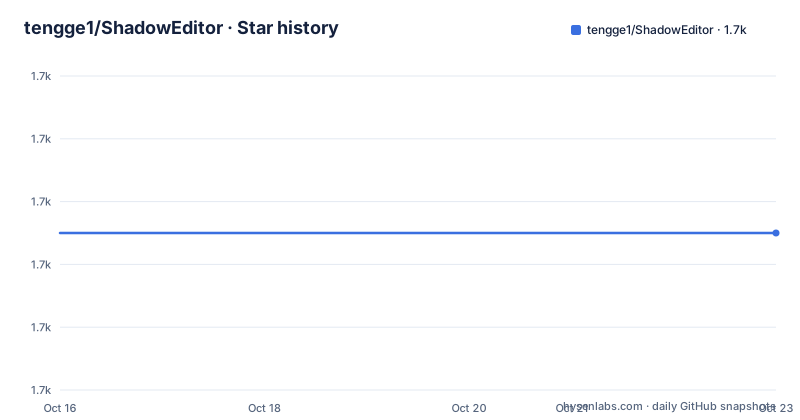
- tengge1/ShadowEditor1,715 ★ · +0
| Repository | 2026-10-16 | 2026-10-23 |
|---|---|---|
| tengge1/ShadowEditor | 1.7k | 1.7k |
0 Stars in the last 7 days, measured from the daily GitHub snapshot. Compare with other projects
Editorial analysis
Download a zip, run a script, open a browser
The distribution model is the first thing to understand about ShadowEditor, because it is unusual for an editor.
The README links a Windows Server archive and an Ubuntu Server archive, both from the v0.6.0 release, plus a web demo and the official website. The note at the top says it plainly: the server is a compiled version with built-in mongodb, execute start.bat or start.sh to start, and visit http://localhost:2020 in Google Chrome. The Windows version requires the Visual C++ Redistributable for Visual Studio 2015.
So there is no database to install, no dependency tree to resolve, and no container to orchestrate. The MongoDB is inside the server binary. That is why the project can be described as cross-platform for desktop and web, and why the whole thing fits on a Windows or Ubuntu box with a browser attached.
The technology stack listed in the README is html, css, javascript, rollup, react.js, webgl, three.js, golang, mongodb, nodejs, electron, and protocol buffers. The desktop build exists, and the web build is the same front end served by the Go server.
The audience is a graphics or GIS team that wants to assemble, edit and preview 3D scenes in a browser without installing a desktop 3D application, and the same code has to run on a server that other people can reach. The repository topics name the ground it covers: editor, game-engine, gis, three-editor, web-gis and webgl.
Three layers, and the one in the middle does the work
The architecture is three pieces that each do one job, and the division is what makes the zip file distribution possible.
The front end is three.js with react.js on top, built with rollup. The server is Go, and the storage is MongoDB, with protocol buffers used on the wire between them. Because the Go server embeds its own MongoDB, the server archive is self-contained, and because the front end is a web application, the same code serves the browser and the desktop shell.
That last point is visible in the scripts. The web build is a rollup invocation in the web directory, the server build is a separate node script, and the desktop build has its own script and an electron start command that runs from the build directory. The proxy scripts are there because a local front end talking to a local server needs a path, and set_proxy and unset_proxy manage it.
The result is that the scene is data, not a file on somebody's machine. A scene lives in the database, the editor manipulates it, and the player plays it back in real time, full screen or in a new window. That is a much better fit for a team than a desktop application that saves a binary to a shared drive, and it is also why the authority management features exist at all: if the data is shared, somebody has to decide who may change it.
The import format list is the clearest statement of intent
The feature list is organised as a checklist, and the section on adding a mesh is the longest entry in it. It names 3ds, 3mf, amf, assimp, awd, babylon, bvh, collada, ctm, draco, fbx, gcode, gltf, glb, js, kmz, lmesh, md2, pmd, pmx, nrrd, obj, pcd, pdb, ply, prwm, sea3d, stl, vrm, vrml, vtk and X.
That is a differentiator in a way that is easy to underestimate. A 3D pipeline is defined by what it can ingest, and a list that spans the DCC export formats, the game engine formats, the CAD formats, the photogrammetry formats and the print formats is a list that says the author expected assets to arrive from anywhere. The two dozen built-in objects alongside them, from the primitives through the curves, the helpers and the sprite, and the two dozen or so material types from LineBasicMaterial to RawShaderMaterial, mean the editor is usable without importing anything at all.
The rest of the list shows the same instinct for completeness. Built-in lights cover the six common types with their helpers. Built-in components include background music, a particle emitter, sky, fire, water, smoke, cloth, and a Berlin terrain and sky sphere. Post-processing covers after-image, bokeh, dot screen, FXAA, glitch, halftone, pixel, RGB shift, SAO, SMAA, SSAA, SSAO and TAA.
The project also has authority management, with organizations, users, roles and authorities, registration, login and password modification, and version management, with scene history and logs, undo, redo and auto saving. For a shared editing tool those are not optional extras, they are the difference between a demo and something a team can use, and the fact that they are in the open source version rather than the pro one is worth noticing.
0.6.1 turns the editor into a platform
The roadmap in the README is short and it changes the shape of the project.
Starting from v0.6.1, ShadowEditor only provides core features and extended APIs, and other features will be provided in the extensions, just like VSCode. Development will happen in the dev branch. And there is a parallel line: the version based on vite4 + vue3 + ts5 + ant-design-vue7 is coming soon, with the details in README_new.md, which is also where the Pro Version is documented.
The comparison with VS Code is the interesting part, because it describes an architecture rather than a feature. The core keeps the scene model, the API surface and the parts that every extension needs, and everything else moves out. The consequence for a user is that the feature set of the current release and the feature set after the split are different things, and the extension ecosystem that makes the second one useful does not exist yet.
The v0.6.1 change list is deliberately modest, which fits a release that is mostly about moving code: fix the bug that some versions of the go typeface management list report errors, hide the model history version tab, stop displaying the border when a sprite is selected, and fix a searchfield dropdown style bug.
For anyone evaluating this now, the practical question is which line to use. The open source version is the 0.6.x line with the full feature list, the 0.6.1 line and the extension model are the direction, and the vite and Vue rewrite is a separate, more recent product with a commercial edition behind it.
The build is a set of node scripts over rollup and electron
The root package.json is the map of the build, and it is a plain npm script set rather than a monorepo tool.
  "scripts": {
    "build": "node scripts/build.js",
    "build-server": "node scripts/build_server.js",
    "build-web": "cd web && rollup -c rollup.config.js",
    "build-desktop": "node scripts/build_desktop.js",
    "start-desktop": "cd build && electron .",
    "dev": "cd web && rollup -c rollup.config.js --watch",
    "serve": "npm-run-all --parallel dev watch"
  },
The scripts fall into three groups. The build scripts produce the server, the web bundle and the desktop package separately, and the top level build script ties them together. The dev and watch scripts run the rollup watcher and the file watcher in parallel, with npm-run-all doing the orchestration. And the start scripts launch the result, with the desktop one running electron from the build directory.
The dependency list shows the vintage. The desktop build is on electron 9.4.0 with electron-packager 14, and the linting is eslint 7 with prettier 2, while the runtime dependencies are current, with i18next 17 and tween.js 18.
There is one detail in that file that any adopting team should notice, because it is the kind of thing that is easy to miss and awkward to discover later. The test script reads "echo Error: no test specified and exit 1", which is the placeholder npm generates for a project with no tests. Whatever else the repository contains, it does not ship with an automated test suite wired into the standard command.
A 2021 release with a much newer branch
The release history is the last thing to reconcile, and it needs a sentence of care.
The published tags are v0.5.9 from 2020-09-05, v0.5.10 from 2020-10-17 and v0.6.0 from 2021-07-24. The package.json in the working tree already reads 0.6.1, which the README describes as coming soon, and the last push to the repository was on 2026-05-25.
So the newest downloadable server archives and the newest source are five years apart, and the version string in the source is ahead of any tag. The 23 item update log for v0.6.0 shows the project moving fast in 2021, with a three.js upgrade to r130, a rewrite of all the prototypes to es6 classes, VR events added to the script API, touch events added for mobile, and a long list of bug fixes across materials, particles, cloth, shadows and sky.
That history explains the current state. The project was very actively developed through 2020 and 2021, then the version numbers stopped moving even as the repository continued to receive work, and the 0.6.1 release and the vite and Vue rewrite were announced without a corresponding tag.
The licence is MIT, with the LICENSE file at the root of the repository, and the source is mirrored on Gitee alongside GitHub. For a team planning to build on this, the sensible reading is that the code is available and usable, that the published server binaries are old, and that the most current work sits in the branch and in the Pro Version line rather than in a release you can download.
Editorial conclusion
ShadowEditor fits a team that needs a 3D scene editor for the web, with assets, history and a player included, and that is comfortable with a project whose server and storage model are MongoDB. It does not fit a production pipeline that needs an automated test suite, because the package's test script is still a placeholder, and it does not fit a team that wants a stable, tagged release of the current feature set, since the newest tag is from July 2021. Before you build on it, read the v0.6.1 notes, because the split between core features and extensions is a change of shape rather than a change of version.
Frequently asked questions
How do I run ShadowEditor?
Download the Windows or Ubuntu server archive from the v0.6.0 release, extract it, and run start.bat on Windows or start.sh on Linux. The server is a compiled binary with mongodb built in, and you then open http://localhost:2020 in Google Chrome. The Windows build needs the Visual C++ Redistributable for Visual Studio 2015.
What is ShadowEditor built on?
The technology stack is html, css, javascript, rollup, react.js, webgl, three.js, golang, mongodb, nodejs, electron and protocol buffers. The front end is three.js with React, the server is Go, and MongoDB holds the scenes.
What changes in ShadowEditor 0.6.1?
Starting from v0.6.1 the project only provides core features and extended APIs, with other features moved into extensions in the way VS Code works, and development moves to the dev branch. A separate line based on vite4, vue3, ts5 and ant-design-vue7 is described in README_new.md.
Which 3D file formats can ShadowEditor import?
The feature list names 3ds, 3mf, amf, assimp, awd, babylon, bvh, collada, ctm, draco, fbx, gcode, gltf, glb, js, kmz, lmesh, md2, pmd, pmx, nrrd, obj, pcd, pdb, ply, prwm, sea3d, stl, vrm, vrml, vtk and X.
Does ShadowEditor have automated tests?
The root package.json defines the test script as a placeholder that prints an error about no test specified and exits with a failure, so the standard test command is not wired to a suite. The repository does include a scripts directory and separate builds for the server, the web bundle and the desktop package.
Official sources
Add this badge to your README
If you maintain this project, the badge below links readers to this analysis and shows its maintenance status from the daily GitHub snapshot. Paste the markdown into your README; add ?metric=license or ?metric=stars to the image URL for a different field.

[](https://hysenlabs.com/projects/tengge1-shadoweditor)Star history chart for your README
[](https://hysenlabs.com/projects/tengge1-shadoweditor)Was this useful?