json-schema-to-ts, deriving TypeScript types from a JSON schema
Infer TS types from JSON schemas 📝
At a glance
- What is it?
- json-schema-to-ts infers a TypeScript type from a JSON schema at the type level, so the schema stays the single source of truth for both runtime validation and static checking. The interesting part is that the inference also rejects schemas that could never validate, which is a class of bug a plain type definition would never catch.
- Who is it for?
- json-schema-to-ts suits a project that already uses JSON Schema for runtime validation and wants the TypeScript type derived rather than duplicated, and it suits anyone who has shipped a mismatch between a schema and a hand-written type.
- Can I use it commercially?
- Yes. MIT is a permissive licence: you can use, modify and sell software built on it, as long as you keep its copyright and licence notices.
- Is it still maintained?
- Activity is slowing. The repository last received commits 6 months ago.
- What is it written in?
- Mainly TypeScript, according to GitHub's language statistics.
Answers come from the project's GitHub data, last synced on November 7, 2026, and from our analysis. They are not legal advice.
Star history
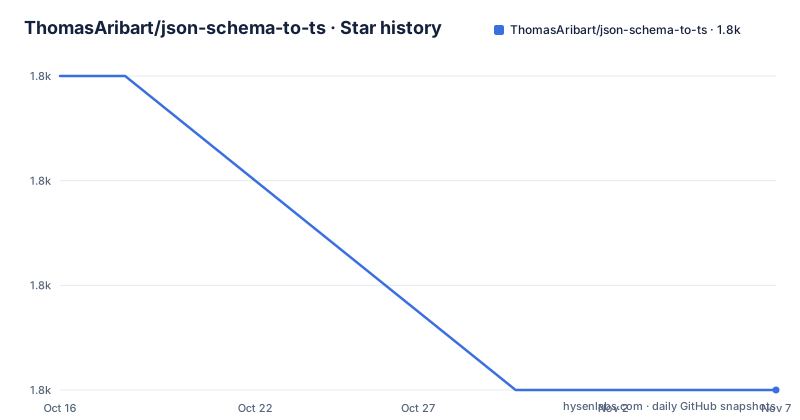
- ThomasAribart/json-schema-to-ts1,781 ★ · -3
| Repository | 2026-10-16 | 2026-11-07 |
|---|---|---|
| ThomasAribart/json-schema-to-ts | 1.8k | 1.8k |
-3 Stars in the last 22 days, measured from the daily GitHub snapshot. Compare with other projects
Editorial analysis
The duplication it removes
The README opens with a problem statement that is familiar to anyone who has shipped an API with both a schema and a type. A lot of projects use JSON schemas for runtime data validation along with TypeScript for static type checking, and their code may look like this:
const dogSchema = {
  type: "object",
  properties: {
    name: { type: "string" },
    age: { type: "integer" },
    hobbies: { type: "array", items: { type: "string" } },
    favoriteFood: { enum: ["pizza", "taco", "fries"] },
  },
  required: ["name", "age"],
};

type Dog = {
  name: string;
  age: number;
  hobbies?: string[];
  favoriteFood?: "pizza" | "taco" | "fries";
};
Both objects carry similar if not exactly the same information, and the README calls this a code duplication that can annoy developers and introduce bugs if not properly maintained. That is the accurate framing. The two artifacts drift, and the drift is not caught by anything, because a TypeScript type and a JSON Schema are checked by different tools that do not know about each other.
json-schema-to-ts removes the second artifact. The FromSchema method lets you infer TS types directly from JSON schemas:
import { FromSchema } from "json-schema-to-ts";

const dogSchema = {
  type: "object",
  properties: {
    name: { type: "string" },
    age: { type: "integer" },
    hobbies: { type: "array", items: { type: "string" } },
    favoriteFood: { enum: ["pizza", "taco", "fries"] },
  },
  required: ["name", "age"],
} as const;

type Dog = FromSchema<typeof dogSchema>;
// => Will infer the same type as above
One schema, one type, and the type is derived rather than written. The library is MIT licensed, the version in package.json is 3.1.1, the release tags are v3.1.1 from 2024-08-29, v3.1.0 from 2024-05-04 and v3.0.1 from 2024-03-10, and the last push was on 2026-05-09.
as const, and the three ways to get it right
The as const statement is the one piece of ceremony in the API, and the README explains exactly why it is needed. It is used so that TypeScript takes the schema definition to the word, for example true is interpreted as the true constant and not widened as boolean. It is pure TypeScript and has zero impact on the compiled code.
There are three ways to get the same effect, and they exist for different reasons.
The first is as const on the schema literal, which is the default recommendation. The second is the asConst util, which simply returns the schema while narrowing its inferred type:
import { asConst } from "json-schema-to-ts";

const dogSchema = asConst({
  type: "object",
  ...
});

type Dog = FromSchema<typeof dogSchema>;
// => Will work as well
The README notes that if you do not mind impacting the compiled code you can use it, which is the trade: asConst leaves an artifact in the output, as const does not.
The third, and the one that gives you the most, arrived with TypeScript 4.9 and uses the satisfies operator so you get type-checking and autocompletion on the schema itself:
import type { JSONSchema } from "json-schema-to-ts";

const dogSchema = {
  // Type-checked and autocompleted
  type: "object"
  ...
} as const satisfies JSONSchema

type Dog = FromSchema<typeof dogSchema>
// => Still work
And the JSDoc variant, which is the one for a JavaScript codebase:
const dogSchema = /** @type {const} @satisfies {import('json-schema-to-ts').JSONSchema} */ ({
  // Type-checked and autocompleted
  type: "object"
  ...
})

/** @type {import('json-schema-to-ts').FromSchema<typeof dogSchema>} */
const dog = { ... }
That last form is what makes the library usable in a mixed repository, because it gets the same inference without requiring the file to be TypeScript.
One limitation is stated up front. If you prefer to stick to JSON schemas and can define your schemas in TS instead of JSON, then json-schema-to-ts is made for you, and the parenthetical explains why: importing JSONs as const is not available yet.
The case that changes the argument: a schema that can never validate
The reason to care about this library is not the DRYness, it is the last item in the feature list. The README describes help on complex schemas, and gives an example of a schema that can never be validated:
const addressSchema = {
  type: "object",
  allOf: [
    {
      properties: {
        street: { type: "string" },
        city: { type: "string" },
        state: { type: "string" },
      },
      required: ["street", "city", "state"],
    },
    {
      properties: {
        type: { enum: ["residential", "business"] },
      },
    },
  ],
  additionalProperties: false,
} as const;
The first branch of the allOf requires three properties, and the second branch adds a property called type with an enum. But the outer schema sets additionalProperties to false, and the allowed properties are the union of the allOf branches, which is street, city, state and type. The schema is not obviously contradictory, and the README says it is not obvious that the following schema can never be validated.
The point of the example is that with FromSchema the type comes out as never:
type Address = FromSchema<typeof addressSchema>;
// => never
So the library is not only a type generator, it is a static analyser for JSON Schema, and it uses the type system to prove properties about a schema that a runtime validator would only discover when a real document failed to validate. That is a much stronger guarantee than a hand-written type, because the type is derived from the schema that is actually being used at runtime.
The same property shows up in the smaller features. FromSchema raises TypeScript errors on invalid schemas, based on the DefinitelyTyped definitions for JSON Schema. And the real-time consistency point is about typos: that string you used instead of an enum, or that additionalProperties you confused with additionalItems, or the one you forgot entirely, and the library handles those.
The reliability claim is that FromSchema is extensively tested against AJV, and covers all the use cases that can be handled by TypeScript for now, with the footnote that if the library misses one of your use cases you should open an issue.
When a schema library is the better answer, and the shape of the package
The README is straightforward about the alternatives. If you are looking for runtime validation with added types, libraries like yup, zod or runtypes may suit your needs while being easier to use. On the other hand, JSON schemas have the benefit of being widely used, more versatile and reusable, in swaggers and APIaaS for instance.
That is the honest framing of the trade. A schema-first library like zod owns both sides, so the type and the validator can never disagree because the validator produces the type. A JSON Schema is portable, other people can consume it, and it can be published as an OpenAPI document, which is a property no schema-first library has. json-schema-to-ts is the bridge for the case where you have decided the schema is the artefact you want to publish and you also want types in your TypeScript code.
The package is small in what it ships. The files list is just lib, with the main entry at lib/cjs/index.js, the module entry at lib/esm/index.js and the types at lib/types/index.d.ts, so it is a dual CommonJS and ESM package with declarations. The runtime dependencies are @babel/runtime and ts-algebra, and ts-algebra is the type-level algebra library that makes the inference possible, since the whole computation happens in the type system rather than at runtime.
The build is a Babel transpile with two passes, one producing the CommonJS output and one the ESM output, plus a separate TypeScript pass for the declarations with tsc-alias to fix the import paths. The scripts list is a good summary of the quality gates: the test script runs the type check, the format check, the unit tests, an unused exports check and the lint, in that order, and there is a separate circular dependency check using dependency-cruiser with a .dependency-cruiser.js configuration.
The last item is the one that tells you the library is careful. A package whose entire job is to compute types can easily accumulate a mess of mutually recursive generic types, and a check that fails the build on circular dependencies in the type graph is the kind of guard rail that keeps such a library maintainable.
Editorial conclusion
json-schema-to-ts suits a project that already uses JSON Schema for runtime validation and wants the TypeScript type derived rather than duplicated, and it suits anyone who has shipped a mismatch between a schema and a hand-written type. It is the wrong choice if you want runtime validation, because the library operates only in type space and validates nothing at runtime, and it is the wrong choice if you prefer a schema-first library that owns both sides, since yup, zod and runtypes are the alternative the README itself points to. Before adopting it, note that the schema must be defined in TypeScript, because importing a JSON file as const is not yet available, and check the last release, v3.1.1 from 2024-08-29, against the last push on 2026-05-09.
Frequently asked questions
What does json-schema-to-ts do?
It infers TypeScript types from JSON schemas through the FromSchema method, so a schema declared as const is used both for runtime validation and to derive the static type, removing the need to maintain a parallel type definition.
Why do I need the as const statement?
It makes TypeScript take the schema definition to the word, so true is the true constant rather than widened to boolean. The README notes it is pure TypeScript with zero impact on the compiled code, and offers the asConst util and the as const satisfies JSONSchema form as alternatives that also give you type-checking and autocompletion on the schema.
Can this library replace a runtime validation library?
No. The README states that json-schema-to-ts only operates in type space, with no impact on compiled code, and points to yup, zod and runtypes if you want runtime validation with added types. Its argument is that JSON schemas are widely used and reusable, in swaggers and APIaaS for instance.
What happens with a schema that can never validate?
The inferred type becomes never. The README gives an example of an allOf schema with additionalProperties set to false and shows that FromSchema derives the type never for it, so a schema that could never be satisfied is caught statically rather than at runtime.
Can I use JSON schema to TypeScript in a JavaScript file?
Yes, through JSDoc. The README shows wrapping the schema in a @type {const} @satisfies {import('json-schema-to-ts').JSONSchema} comment and typing the value with @type {import('json-schema-to-ts').FromSchema<typeof dogSchema>}, which gets the same inference in a mixed repository.
Official sources
Add this badge to your README
If you maintain this project, the badge below links readers to this analysis and shows its maintenance status from the daily GitHub snapshot. Paste the markdown into your README; add ?metric=license or ?metric=stars to the image URL for a different field.

[](https://hysenlabs.com/projects/thomasaribart-json-schema-to-ts)Star history chart for your README
[](https://hysenlabs.com/projects/thomasaribart-json-schema-to-ts)Was this useful?