node-wpapi: JavaScript Client for WordPress REST API
An isomorphic JavaScript client for the WordPress REST API
At a glance
- What is it?
- node-wpapi provides a query builder and an optional Superagent transport for WordPress 5.0 and later. It suits applications built around WordPress resources, but version 2.0 remains marked as alpha.
- Who is it for?
- Application developers should consider node-wpapi when a WordPress integration benefits from endpoint-specific chaining and shared browser and server code. Projects that require a stable 2.0 release, compatibility with the old WP REST API plugin, or HTTP transport through the default entry point should choose another approach.
- Can I use it commercially?
- Yes. MIT is a permissive licence: you can use, modify and sell software built on it, as long as you keep its copyright and licence notices.
- Is it still maintained?
- Yes. The repository last received commits 114 days ago.
- What is it written in?
- Mainly JavaScript, according to GitHub's language statistics.
Answers come from the project's GitHub data, last synced on November 7, 2026, and from our analysis. They are not legal advice.
Star history
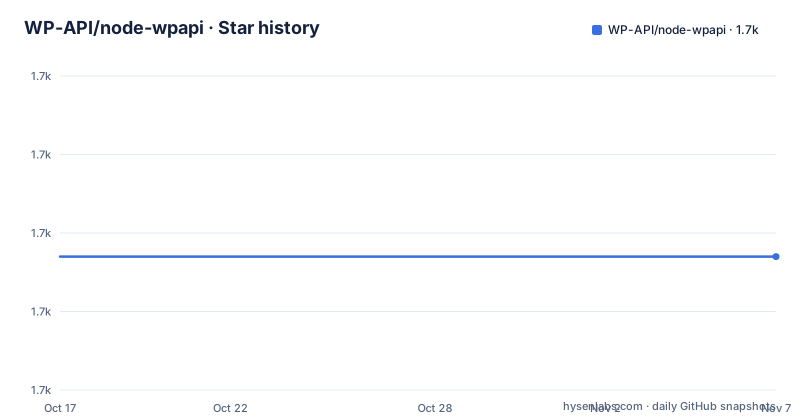
- WP-API/node-wpapi1,677 ★ · +0
| Repository | 2026-10-17 | 2026-11-07 |
|---|---|---|
| WP-API/node-wpapi | 1.7k | 1.7k |
0 Stars in the last 21 days, measured from the daily GitHub snapshot. Compare with other projects
Editorial analysis
Why node-wpapi Targets WordPress REST API Calls
node-wpapi solves the problem of constructing and sending resource requests from JavaScript to a WordPress site. Its target users are developers building Node.js or browser applications that read posts, create or update content, upload media, paginate collections, query custom routes, or request embedded WordPress data. The library targets WordPress 5.0 and later. The README explicitly warns that some commands will not work with the older WP REST API plugin or WordPress 4.9, so its endpoint model should not be treated as compatible with every historical WordPress API arrangement.
The central abstraction is a client bound to one WordPress REST endpoint. Calling `new WPAPI({ endpoint: '...' })` creates that client, after which methods such as `wp.posts()` select a resource. This is more specific than making every request through a generic HTTP helper. The chain describes the intended WordPress operation before a transport method such as `get()`, `create()`, `delete()`, or `update()` sends it.
That design targets applications that already understand WordPress's resource model. It may offer less value for a short script that needs only one authenticated HTTP call, particularly when the application already has a generic client and only needs a URL and query string.
Query Builder and Transport Separation in node-wpapi
The package exposes two relevant entry points. Requiring `wpapi` gives application code the query builder without the HTTP request methods or Promise chaining methods. Requiring `wpapi/superagent` gives the query builder together with HTTP interaction methods backed by Superagent. The README also permits sending requests created with the query builder through `fetch`, `axios`, or other HTTP tools. This separation is the most important architectural decision in the project because it lets the application choose which library owns transport behavior.
A resource chain is built from the endpoint-bound `wp` object. Once the resource has been selected, the request methods return Promises. The documented error-first callback style from version 1 is not supported in version 2, which is a direct upgrade constraint for existing callers.
The isomorphic design means the same package can participate in server and browser builds. Browserify and Webpack are named as suitable build systems. A downloadable UMD bundle is also offered. That bundle tracks `wpapi/superagent`, includes Superagent, and exports the browser global `WPAPI` when no module loader is present. Consequently, choosing the npm query-builder-only entry point does not provide network methods, while choosing the UMD bundle includes the Superagent-based interface.
Installing node-wpapi and Making a First Post Request
Install the package with npm in a Node.js application. The README specifies Node.js version 8.6 or higher, or version 8.2.1 with the `--harmony` flag, and recommends the latest LTS release. The installation command saves `wpapi` as a project dependency.
npm install --save wpapiFor the first request, import the Superagent entry point because the example calls `.get()` on the client. Construct the client with the site's REST endpoint, select posts, and handle the returned Promise:
var WPAPI = require( 'wpapi/superagent' );
var wp = new WPAPI({ endpoint: 'http://src.wordpress-develop.dev/wp-json' });

wp.posts().get()
    .then(function( data ) {
        // do something with the returned posts
    })
    .catch(function( err ) {
        // handle error
    });
The fulfillment handler receives the posts data returned by the WordPress REST API. The rejection handler receives request or processing errors. Replace the example endpoint with the target site's REST root. If the application intends to submit requests through `fetch`, `axios`, or another HTTP client, import only `wpapi` instead. However, the README does not show a complete example of submitting a builder-created request through those alternative clients.
WordPress Resources, Custom Routes, and Response Data
The client provides endpoint handler methods for routes shipped with the default WordPress REST API. The README also documents dedicated sections for creating posts, updating posts, requesting different resources, querying custom routes, embedding data, and paginating collections. These are concrete API areas rather than a general promise to mirror arbitrary WordPress installations.
Custom routes are part of the documented feature set, including query parameters, filtering, setter naming for named route components, and mixins. This indicates that developers can represent routes beyond the default collection handlers. The README section on custom routes is truncated before its complete examples, so the exact construction sequence should be checked in the repository documentation before code is written against it.
Embedded data and collection pagination address two common response requirements. Embedding lets a request ask WordPress for related data represented in the API response, while pagination concerns collections that do not fit in one response. The README index does not expose the exact pagination method signatures, so documenting a particular invocation would go beyond what is documented. Based on the repository layout, these capabilities belong to the query and response-handling layer. Authentication, HTTP headers, route availability, and WordPress-side permissions can still determine whether a request succeeds.
Authentication, Headers, and Browser Delivery Constraints
The README lists authentication and custom HTTP headers as supported configuration areas, but the visible installation excerpt does not include their code examples or exact option names. node-wpapi therefore should not be treated as having undocumented authentication defaults. The application's WordPress authentication method, credentials, endpoint permissions, and transport configuration must be matched to the server and route being called.
Authentication also changes where responsibility sits. In a browser application, sensitive credentials and the method used to attach them to requests require explicit design. In a server application, secret handling differs. The project documentation describes header customization, but the README does not specify a browser CORS policy or require a particular WordPress authentication plugin.
The documented browser compatibility targets are the latest two versions of evergreen browsers and Internet Explorer 11, as stated in the README and expressed by the package's `browserslist`. That declaration does not guarantee that every WordPress deployment is reachable from every browser because network configuration, mixed-content restrictions, authentication, and server policy remain separate concerns. The downloaded UMD archive offers a deployment path for direct script, AMD, or CommonJS use, while npm users need a build system such as Webpack or Browserify for browser packaging.
node-wpapi Version Boundaries and Repository Activity
The repository is not archived, and its last push was on 2026-07-16. That is recent repository activity, but it does not establish release maturity. The repository has no GitHub releases, and `package.json` identifies the package version as `2.0.0-alpha.1`. The README's upgrade guide also describes version 2.0 as having alpha status. This is the most concrete adoption warning in the package metadata and README.
Version 2 replaces the built-in transport arrangement described for version 1 and requires Promise-based request handling. The documented migration adds `superagent` and changes imports from `wpapi` to `wpapi/superagent`. Existing applications must account for that API split even if their custom WordPress resources continue to work.
The package is licensed under MIT, so the repository metadata identifies a permissive license. The MIT license text governs use and distribution, but this review does not interpret its obligations. Operational migration cost comes from replacing callback usage, selecting the correct transport entry point, and testing the integration against the exact WordPress routes and authentication setup used by the target site. The alpha version makes those integration boundaries especially relevant before an application commits to the package.
Direct HTTP Clients Compared with node-wpapi
The clearest alternative described by the README is to use the WordPress REST API directly with `fetch`, `axios`, Superagent, or another HTTP tool. A direct client sends a request to a specific REST route and does not need a WordPress-oriented query builder or endpoint handler object. This approach can be the better fit for a small integration with one or two stable endpoints.
node-wpapi adds a different layer. It turns WordPress resources and custom routes into method chains, supplies a query-builder syntax, and can return Superagent-backed Promises. It also offers documented features for embedded data, pagination, mixins, media, and named route components. These are reasons to accept a WordPress-specific client instead of assembling URLs and query parameters directly.
The trade-off is coupling. The application takes on a package whose default entry point is not the full HTTP client and whose current 2.0 version is `2.0.0-alpha.1`. The README also targets WordPress 5.0 or later rather than the older plugin or WordPress 4.9. Direct HTTP code has fewer abstractions but requires application code to manage each URL, query, header, authentication rule, and response shape itself. For a broad WordPress-facing application, the resource model may justify that abstraction. For a narrowly scoped request, it may not.
Editorial conclusion
Application developers should consider node-wpapi when a WordPress integration benefits from endpoint-specific chaining and shared browser and server code. Projects that require a stable 2.0 release, compatibility with the old WP REST API plugin, or HTTP transport through the default entry point should choose another approach. Before adoption, verify the alpha package's Node.js requirements, select the intended `wpapi` or `wpapi/superagent` entry point, and confirm that the target WordPress site exposes the required routes.
Frequently asked questions
How do I install node-wpapi?
Run `npm install --save wpapi`. The README requires Node.js 8.6 or higher, or version 8.2.1 with the `--harmony` flag.
Which node-wpapi import should I use for HTTP requests?
Use `wpapi/superagent` when the application needs the documented HTTP interaction methods. Use `wpapi` when only the query builder is needed and requests will be handled by `fetch`, `axios`, or another tool.
Does node-wpapi support WordPress 4.9 and the older WP REST API plugin?
Not fully. The README says the library is designed for WordPress 5.0 or later and that some commands will not work with the older WP REST API plugin or WordPress 4.9.
Official sources
Add this badge to your README
If you maintain this project, the badge below links readers to this analysis and shows its maintenance status from the daily GitHub snapshot. Paste the markdown into your README; add ?metric=license or ?metric=stars to the image URL for a different field.

[](https://hysenlabs.com/projects/wp-api-node-wpapi)Star history chart for your README
[](https://hysenlabs.com/projects/wp-api-node-wpapi)Was this useful?