StaSh: a Bash-like shell that lives inside Pythonista
StaSh - Shell for Pythonista
At a glance
- What is it?
- StaSh wraps the Pythonista editor on iOS and iPadOS with a Bash-like shell, a pipe-capable parser and an event-driven panel UI. It installs with one Python line and self-updates from the shell itself, but the PC side still depends on a Dropbox package its own TODO calls optional.
- Who is it for?
- StaSh is worth adopting if you script Pythonista on iOS or iPadOS and want pipes, redirection, background jobs and a git command without leaving the app. It is the wrong choice for desktop power users, since the PC path leans on tkinter and the packaging still carries a hard Dropbox dependency that its own FIXME calls optional.
- Can I use it commercially?
- Yes. MIT is a permissive licence: you can use, modify and sell software built on it, as long as you keep its copyright and licence notices.
- Is it still maintained?
- Yes. The repository last received commits 13 days ago.
- What is it written in?
- Mainly Python, according to GitHub's language statistics.
Answers come from the project's GitHub data, last synced on November 7, 2026, and from our analysis. They are not legal advice.
Star history
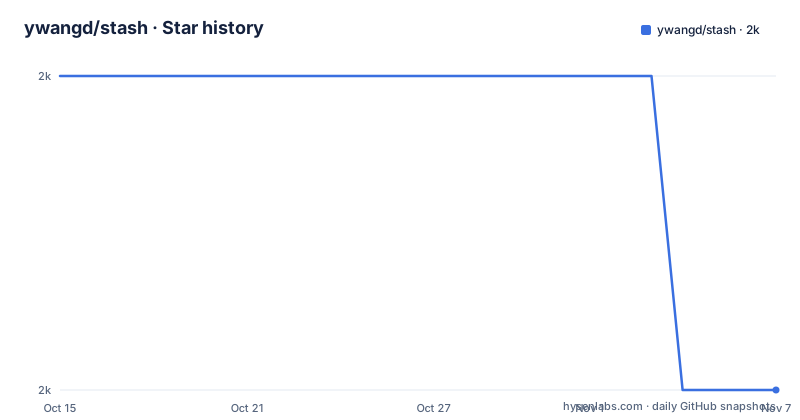
- ywangd/stash2,004 ★ · -1
| Repository | 2026-10-15 | 2026-11-07 |
|---|---|---|
| ywangd/stash | 2k | 2k |
-1 Stars in the last 23 days, measured from the daily GitHub snapshot. Compare with other projects
Editorial analysis
Why Pythonista needed a shell at all
Pythonista is a Python editor that runs on iPhone and iPadOS, and on its own it gives you an editor plus a REPL. That is fine for a single script, but it leaves out the machinery programmers expect from a command line: aliases, environment variables, pipes, redirection, and a job control model. StaSh was written to fill that gap, taking its inspiration from shellista and aiming at a more complete implementation.
The motivation matters because it frames everything about the project. A shell for a phone is not the same problem as a shell for a workstation. There is no package manager from the platform to lean on, there is no persistent process model you can abuse to keep a terminal alive, and the app that hosts the interpreter is itself subject to memory limits. StaSh addresses these one at a time, and the design decisions that fall out of that constraint are the interesting part of the code.
What you end up with is a prompt where you can set a variable, alias a flag-heavy command, pipe a file listing into a filter, and send a job to the background. That is not a toy REPL wrapper; it is a command parser and scheduler built to feel like a real shell in a very constrained host.
The parser that pretends the shell is Bash
The line that does the real work is a command line parser built on pyparsing. Its job is to take a typed line and split it into something that behaves the way a Bash user expects.
Quoting follows Bash rules in the way that actually matters. In a double-quoted string such as `"$HOME"` the variable still expands, while in a single-quoted string such as `'$HOME'` it does not. Backslash escaping handles names with spaces, so `ls My\ Script.py` lists a file that a naive space split would break into two arguments, and `ls ~/*.py` expands a glob against the home directory:
ls My\ Script.py
ls ~/*.py
Around that quoting core sit the connective features: environment variables expand inline, assignments such as `NAME=value` set a value for later commands, and `alias l1='ls -1'` records a shorthand. Pipes chain commands, for example `find . -name "*.txt" | grep interesting` runs the find and filters its output. Redirection is output-only, so `ls *.py > py_files.txt` writes names to a file, and `ls > &3` sends them to the Pythonista builtin console instead. Input redirection is not offered; the parser expects you to reach it with a pipe instead.
History recall uses the bang prefix: a bang followed by a letter reruns the last matching command, and forms like a double bang or a bang followed by a negative number step backwards through the history. There is also backtick quoting for running one command inside another. These are parser features, not shell builtins in the traditional sense: they are recognised by the grammar of StaSh itself, which is why its redirection model is narrower than a full Bash parser.
One Python line installs it, and the panel keeps it alive
Installation is a single line you paste into the Pythonista interactive prompt:
import requests as r

exec(r.get("https://bit.ly/get-stash").content)
What that does is install StaSh as a Python module under the site-packages folder at `~/Documents/site-packages/stash` and drop a launching script at `~/Documents/launch_stash.py` so you can start it from the Pythonista editor. If you would rather not run remote code, and you already carry a GitHub tool inside Pythonista such as gitview or gitrepo, you can clone or download the repository directly instead.
The line is not a shell command, it is Python, which is why it works on a platform with no shell. The same line also runs on a PC, or you can clone the repository and run `setup.py`. A detail in that file is worth knowing: before doing anything, `setup.py` checks whether the string Pythonista appears in `sys.executable`, and if you happen to run it from inside Pythonista it refuses and offers you a menu to run the Pythonista-specific installer instead.
Once running, the reason the shell survives on a phone is its interface. The shell is a pure UI program built around a panel, completely event driven, so it does not occupy a blocking thread and the built-in interactive prompt stays reachable at all times. You can launch it, run a few commands and walk away; the process stays active indefinitely until memory pressure from other apps reclaims it. A plain non-UI script, by contrast, can only run for 10 minutes in the background on the platform. That single design choice, building the shell as an event-driven UI app rather than a background process, is what makes a long-lived prompt possible on iOS at all.
Upgrades run from inside the shell and rewrite the folder
Once StaSh is installed, updates happen from the shell itself with the `selfupdate` command:
selfupdate
selfupdate dev
selfupdate -f
selfupdate -n
By default it pulls the `master` branch, but you can target a different branch, for example the dev branch, with `selfupdate dev`. It compares the local and remote versions and only updates when the remote is newer; if you want to force it regardless of version, use `selfupdate -f`, and if you only want to check whether a newer version exists without installing it, use `selfupdate -n`.
The line in that help text that deserves the most attention is a warning: `selfupdate` manages the StaSh installation folder and may delete files in the process. The guidance is to keep your own scripts out of `$STASH_ROOT/bin`, saving them in `~/Documents/bin` instead, or to relocate the binary search path by setting the `BIN_PATH` environment variable.
Two version edges matter, because they are the two cases where the normal update path does not hold. `selfupdate` cannot upgrade from 0.4.x or older; those need a fresh installation. And version 0.7.0 specifically requires a forced update, so run `selfupdate -f` when moving through it. After any update you may need to restart Pythonista before the change fully takes effect. If a previous version such as v0.4.x is already loaded in memory, restart Pythonista before installing again so the old module is not the one that stays resident.
The project's cadence reinforces that this update path is the normal way to move. StaSh is MIT licensed, and the last push was on 2026-08-05, so the code base is still receiving commits well after the most recent tagged version, v0.7.5, which dates from 2021-02-14. That gap between an active branch and a years-old tag is exactly the situation where `selfupdate`, which follows `master` by default, matters: you are running the head of the branch, not a pinned release.
Autocompletion and job control behave like a desktop terminal
The panel provides a Tab button that drives command line auto-completion. It is context sensitive: it completes commands or files depending on where the cursor sits, and it fills in environment variables and aliases too. It also handles sub-commands. Typing `git sta` and pressing Tab completes it to `git status`, and this sub-command completion system is extensible through JSON files, so you can teach it your own commands without touching the parser.
Job control runs on threads. One foreground job and an unlimited number of background jobs can run at once. A foreground job is stopped with the CC button on the panel or Ctrl-C on an external keyboard. A background job is started by appending an ampersand to a normal command, so `httpserver &` launches it detached, and it is terminated later with the `kill` command using its job ID.
The shell also reaches for the rest of Pythonista. Almost all scripts can be called from within StaSh, including programs that use the UI and Scene packages, and output carries attributed text, meaning colour and style, so listings and error messages render more like a PC terminal than a plain text dump. Multiple sessions are possible by opening additional panel tabs, which is useful when one long job is running and you want a second prompt.
This is where the gap between a phone shell and a workstation shell shows. Background jobs are threads inside a single iOS app process. If the system reclaims the app for memory, every running job dies with it, and there is no daemon to reconnect to. The scheduler is doing real thread management, but it is bounded by the lifetime of one app on a device that can freeze or evict it at any moment.
Desktop install runs through tkinter and modern Python
From version 0.7.4 onward, StaSh also runs on a PC using the tkinter module, and the packaging reflects that. The `pyproject.toml` declares a requires-python floor of `>=3.10`, lists only Python 3 classifiers, and names the project description as StaSh for PC. It exposes a command line entry point at `stash.__main__:main` and pulls the version dynamically from `core.__version__`.
There is a tension worth naming between the two deployment targets. The README states that StaSh works with both Pythonista 2 and 3, though not all commands support python3. The packaging, however, requires `>=3.10` and declares Python 3 only. The desktop install and the in-app install are therefore not the same claim: on a PC you are on modern Python 3, while inside Pythonista the older interpreter support is a documented caveat rather than a guarantee. Anyone scripting against the shell should treat the python3 coverage as the part to check first on iOS.
The Dropbox dependency the project flags as optional
A close reading of the dependency list is where this project's own packaging tells on itself. The dependencies carry platform markers that exclude several packages on iOS, one of them being `platform_system!='iOS'` on the Dropbox entry, which is pinned at `dropbox>=10.10`. Directly above that line sits a FIXME comment that says the fsi should not depend on Dropbox, because dropbox should be optional. In other words, the maintainers have flagged their own packaging as wrong: on the PC the shell forces you to install a Dropbox client even though nothing in a shell requires file synchronisation. The marker keeps it off iOS, where installing extra packages is harder, but the PC path is stuck carrying it.
The rest of the runtime dependencies point at what a shell reaches for: `pyte` for terminal emulation, `paramiko` for SSH, `pyperclip` for the clipboard, `pytz` for time zones, `standard-telnetlib`, rsa and `pycryptodome` for cryptography, and `pyftpdlib` for FTP. The optional testing extra pulls in `flake8`, `pyparsing`, `pytest` and `ruff`. One entry is marked with a FIXME and points at a version constraint of `setuptools[testing]>=83` in the main list, a slightly unusual placement for a test tool in runtime requirements. If you deploy the desktop build into a locked-down environment, you are installing all of this whether or not your scripts touch any of it.
Editorial conclusion
StaSh is worth adopting if you script Pythonista on iOS or iPadOS and want pipes, redirection, background jobs and a git command without leaving the app. It is the wrong choice for desktop power users, since the PC path leans on tkinter and the packaging still carries a hard Dropbox dependency that its own FIXME calls optional. Start by confirming your Pythonista build runs 0.7.4 or later, verify your commands work under python3 before depending on them, and keep your own scripts outside the $STASH_ROOT/bin folder that selfupdate can rewrite.
Frequently asked questions
How do I install StaSh in Pythonista?
Run a single Python line in the Pythonista interactive prompt that fetches and executes the installer. It installs StaSh under `~/Documents/site-packages/stash` and creates a launcher at `~/Documents/launch_stash.py`. If you already have a GitHub tool such as gitview or gitrepo, you can clone the repository directly instead.
Does StaSh support Python 3?
Partly. It works with both Pythonista 2 and 3, but the README notes that not all commands support python3. The PC packaging, by contrast, requires `>=3.10` and is declared Python 3 only.
How do I upgrade StaSh?
Run the `selfupdate` command from within the shell. It defaults to the `master` branch, only updates when the remote is newer, and can be forced with `selfupdate -f` or checked without installing with `selfupdate -n`. It cannot upgrade from 0.4.x or older, which need a fresh install.
Can I run StaSh on a PC instead of Pythonista?
Yes, from version 0.7.4 it runs on a PC using the tkinter module, intended mainly for development. You install it with the same Python line or by cloning the repository and running `setup.py`. That desktop path currently installs a Dropbox dependency that the project flags in a FIXME as something that should be optional.
Will selfupdate delete my own scripts?
It manages the installation folder and may delete files in the process, so the guidance is to avoid keeping your own scripts under `$STASH_ROOT/bin`. Save them in `~/Documents/bin` or change the search path with the `BIN_PATH` environment variable. Restart Pythonista after an update for the change to fully take effect.
How long can a background job run inside Pythonista?
A plain non-UI script can only run for 10 minutes in the background on the platform. StaSh works around this by being a pure UI program that stays active indefinitely, until memory runs out from other apps.
Official sources
Add this badge to your README
If you maintain this project, the badge below links readers to this analysis and shows its maintenance status from the daily GitHub snapshot. Paste the markdown into your README; add ?metric=license or ?metric=stars to the image URL for a different field.

[](https://hysenlabs.com/projects/ywangd-stash)Star history chart for your README
[](https://hysenlabs.com/projects/ywangd-stash)Was this useful?