Just Read rebuilds an article page as a clean, styleable document
A customizable read mode web extension.
At a glance
- What is it?
- A read mode extension for Chromium and Firefox browsers that strips ads, modals and navigation, lets you pick the exact region to read, shares a read page through a justread.link URL, and can summarise with an AI provider key you supply.
- Who is it for?
- Adopt Just Read if you read long articles in a browser and want a single consistent, styleable page rather than the layout each site chooses, and if you are willing to grant the extension page access on the sites where it runs. Do not adopt it for sites that are not articles, since the README says so plainly and the extraction will not behave as expected on them, and do not assume the mobile browsers behave like the desktop ones.
- Can I use it commercially?
- Yes, with conditions. GPL-3.0 is a copyleft licence: if you distribute software that includes it, you must release that software's source code under the same licence. Running it internally without distributing it does not trigger that obligation.
- Is it still maintained?
- Yes. The repository last received commits 8 days ago.
- What is it written in?
- Mainly JavaScript, according to GitHub's language statistics.
Answers come from the project's GitHub data, last synced on November 7, 2026, and from our analysis. They are not legal advice.
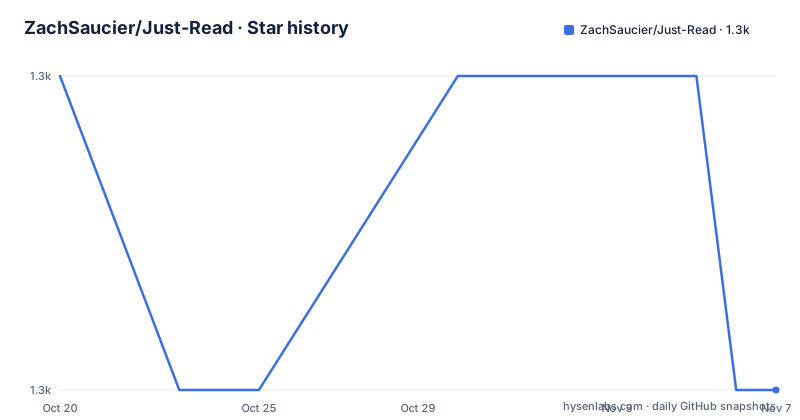
Star history
- ZachSaucier/Just-Read1,311 ★ · -1
| Repository | 2026-10-20 | 2026-11-07 |
|---|---|---|
| ZachSaucier/Just-Read | 1.3k | 1.3k |
-1 Stars in the last 18 days, measured from the daily GitHub snapshot. Compare with other projects
Editorial analysis
What the extension does, and the scope it refuses
Just Read takes an article page and rebuilds it as a plain document, removing the advertisements, modals and navigation that surround the text on most news and magazine sites. The README describes it as making it easy to view web articles in a more readable, attractive and custom format, like a read mode, but better, and the point of the custom part is that the output is styled by you rather than by the site.
There is a scope statement that is more useful than the feature list, and it comes early in the README: the extension is meant to format article type pages only, it is not built to reformat other types of websites, and it is liable to not perform as one might expect. A reader mode that misfires on a web application is a nuisance rather than a bug, but it means the extension will not help with the things that are not articles, and a user who expects it to tidy a documentation site or a dashboard will be disappointed.
The origin story is in the README too, and it explains the design. The author, Zach, was tired of hard to read articles, especially on news sites, and used to reach for the browser developer tools to make a page readable by hand. At the UGA Hacks Fall 2015 hackathon he built a reader mode for Chrome, and the first version of Just Read came out of sixteen hours of work there. The extension has been worked on in his free time since, which is worth knowing when you weigh the maintenance record against a project with a team behind it.
A practical detail that affects everything else appears in the FAQ: any time you change something in the options page, you must restart any running Just Read instances for the change to take effect. Options are not live.
Two ways to start: automatic selection and picking the text yourself
Just Read can be triggered in several ways, and they differ in how much control you have over what ends up in the reader view.
The automatic path runs the built-in extraction. The README lists three ways to reach it: clicking the extension button, using the keyboard shortcut CTRL plus SHIFT plus L, and using the right click menu on the page, where the entry reads View this page using Just Read. There is a fourth variant, right clicking a link and choosing View the linked page using Just Read, which opens the linked page in a new tab in the reader format. The README calls that link mode, and it is the fastest route when you are already reading a list of links.
The user selection path is for when the automatic extraction picks the wrong region, and the README is explicit that it lets you select exactly the text you want to read. It starts either from the extension button's right click menu, where you pick Select content to read, or with the shortcut CTRL plus SHIFT plus K, and then you click the part of the page you want.
The keyboard shortcuts need a caveat that the README spells out: they may have to be enabled before they work, and where you do that differs by browser. In Chromium browsers it is the extensions shortcuts page at chrome://extensions/shortcuts, and in Firefox it is the gear icon on the add-ons page followed by Manage Extension Shortcuts. This is the standard behaviour of extension shortcuts, and it is the kind of detail that makes a first attempt look broken when it is not.
Sharing a read page, and the AI summary
Two features turn the extension from a local tool into something with a server component.
The first is sharing, and the README marks it as a Premium only feature. Clicking the share icon produces a justread.link URL that points to your Just Read version of the article, and depending on the sharing preferences in the options the page may open in a new tab and the current one may close. The behaviour after sharing is the interesting part. To edit a shared page later you open the justread.link URL and start Just Read again, and if you are signed into the Premium account that created the page, the editor attaches to the existing article. Saving keeps the same URL, and edits you make in the original reader tab afterwards also update that same address rather than creating a new one. So a shared link is a stable, editable document, not a one time snapshot.
The second is the summary button, which the README explains in a separate post rather than in the main document, and which works by connecting an AI provider API key. The key is the user's, which is a meaningfully different privacy posture from a service that summarises on the server for you, and it is also the reason the feature is not simply always on.
The premium tier is what gates these capabilities. The README links a purchase page for Just Read Premium and mentions that premium features can be enabled that way, and it does not describe the pricing model, which is on the site rather than in the repository.
Auto-run rules, and the regular expression option
You can tell Just Read to run itself on chosen sites instead of invoking it by hand. The option lives on the extension's options page under the name Auto-run domain list, and it accepts two kinds of entry. The first is part of a URL, with the domain usually being the right choice, and the second is a regular expression, with the README linking the JavaScript regular expression reference and a separate page describing which formats work.
This is the feature that turns the extension from something you trigger into something you set up once, and it is also the feature that most needs care. A regular expression that matches too broadly will rewrite pages you did not intend to read in the reader format, and the reader format is not a browser: the original page is replaced, and what you get is the extracted article. The documentation page for the accepted formats is the reference to read before writing a pattern, and a plain domain entry is the safe first step.
The same page, the options page, is where the styling and behaviour options live, and the reminder about restarting instances applies to every one of them. An option that appears not to work is often simply an instance that was started before the change.
Translations, the build and the test suite
The repository is a plain JavaScript extension, not a bundled application, and the structure shows it. There is a manifest.json at the root, a background.js, a messager.js, a content/ directory, an options/ directory with options.html and options.css, a shared/ directory and an external-libraries/ directory. The styling is split into several stylesheets with telling names: default-styles.css and dark-styles.css for the two themes, hide-segments.css for the elements that get removed, page.css for the reader page itself, and required-styles.css for the parts that cannot be dropped. The topic tags include userstyles, which is the mechanism for changing how the output looks.
The package.json is marked private and describes itself as dev dependencies for the Just Read tests only, not shipped in extension packs, with the build and test scripts at the top:
"build": "node pack.mjs",
"test": "node --test tests/math/*.test.mjs tests/pack.test.mjs"
The test command uses the Node.js built in test runner, with a math test directory and a pack test, and the dev dependencies are ace-builds, isomorphic-dompurify and jsdom, which is what you would expect for testing a packer and for parsing HTML in a DOM like environment. The build itself is a single script, pack.mjs, at the repository root, so there is no framework to learn.
Localisation is handled through Weblate, and it is the most engineered part of the project. There is a translation status badge for the Weblate project, a _locales/ directory, and a family of npm scripts for the translation workflow: i18n:weblate:status, i18n:weblate:verify, i18n:weblate:pull, i18n:check for the locales, and i18n:translate with an AI assisted translation script that has a copy-en mode. The credentials for that pipeline are configured through environment variables, and the example file shows the shape of them:
WEBLATE_API_URL=https://hosted.weblate.org/api
WEBLATE_API_TOKEN=
WEBLATE_PROJECT=just-read
WEBLATE_COMPONENT=extension
The vendor:ace script suggests the Ace editor is bundled into the extension rather than loaded from a CDN, which is the usual choice for a browser extension that must keep working offline and under a strict content security policy.
Licence, privacy claims and where Just Read is the wrong tool
The licence is GPL-3.0, with the LICENSE file at the root of the repository. The README also links an end user licence agreement, docs/EULA.md, and asks users to agree to it by using the extension. A GPL licence and a separate EULA for the same work is an unusual combination, and a company reviewing the extension for internal use has two documents to read rather than one.
The privacy statement is short and specific: Just Read collects zero data from users by default, signing up for an account stores only the email address, and analytics go to no one else. That is a claim by the author about the extension, and it is the kind of claim a reader mode can usually make, since the work happens locally in the page. The features that would change that picture are the shared pages and the summary, both of which involve justread.link, and the premium account, which is where an email address appears. The README does not describe what a shared page contains or who can read a justread.link URL, which is exactly the question to ask before sharing something behind a paywall.
On where it is the wrong tool, the README's own scope statement is the answer. If you want a cleaner version of a web application, a documentation site, a dashboard or a forum, this is not the tool, and the extension says so. The second case is a site that loads its article text after the page renders, or one that serves it in a way the extraction does not recognise, where the reader view will be empty or incomplete and the user selection mode is the fallback.
The third case is mobile. The README is candid that some features are likely to not work properly on mobile browsers because of a lack of features in those browsers, and that you install through the Chrome store page because most mobile browsers are WebKit based. The mobile browser list includes Firefox for iOS and Android, Dolphin, Kiwi and Yandex, and the extension's own advice is to open the browser's extensions section and run Just Read from there. A feature set that differs between desktop and mobile is worth knowing before you build a habit around it.
Editorial conclusion
Adopt Just Read if you read long articles in a browser and want a single consistent, styleable page rather than the layout each site chooses, and if you are willing to grant the extension page access on the sites where it runs. Do not adopt it for sites that are not articles, since the README says so plainly and the extraction will not behave as expected on them, and do not assume the mobile browsers behave like the desktop ones. Verify first by turning on the auto-run domain list for one site and checking the result, then by deciding whether you want the summary feature before you connect an AI provider key.
Frequently asked questions
How do I install Just Read?
It is listed in the Chrome Web Store for Chrome, Brave, Opera and Edge, on Firefox Add-ons, and in the Microsoft Edge add-ons store, each linked from the README. On mobile you install it into a browser that supports extensions, such as Firefox for Android, Dolphin, Kiwi or Yandex, using the Chrome store page since most mobile browsers are WebKit based.
How do I start Just Read on an article?
Either let it run automatically, by clicking the extension button, pressing CTRL plus SHIFT plus L, or using the right click menu entry View this page using Just Read. If the automatic selection grabs the wrong region, start user selection mode from the extension button menu or with CTRL plus SHIFT plus K and click the part of the page you want to read.
Why do my Just Read options not take effect?
The README notes that any time you change something in the options page you must restart the running Just Read instances for the change to apply. Options are not live, so an instance started before the change keeps the old settings.
Can Just Read run automatically on the sites I read?
Yes. The Auto-run domain list on the options page accepts a part of a URL, usually the domain, or a regular expression, and the README links a page describing which formats work. The extension also documents the browser shortcut pages where you have to enable the keyboard shortcuts yourself, chrome://extensions/shortcuts or the Firefox add-ons gear menu.
What data does Just Read collect, and what does the summary feature need?
The privacy statement says the extension collects zero data by default, that an account stores only the email address, and that analytics go to no one else. The summary button works by connecting an AI provider API key, and the README explains that in a separate post linked from the FAQ.
How are Just Read translations maintained?
Through Weblate, with a translation status badge for the project and a _locales directory in the repository. The npm scripts cover the workflow: i18n:weblate:status, i18n:weblate:verify, i18n:weblate:pull, i18n:check for the locale files, and i18n:translate for the assisted translation script, with the Weblate credentials supplied through environment variables.
Official sources
Add this badge to your README
If you maintain this project, the badge below links readers to this analysis and shows its maintenance status from the daily GitHub snapshot. Paste the markdown into your README; add ?metric=license or ?metric=stars to the image URL for a different field.

[](https://hysenlabs.com/projects/zachsaucier-just-read)Star history chart for your README
[](https://hysenlabs.com/projects/zachsaucier-just-read)Was this useful?