garss: Installing and Running the Local RSS Reader
Github Actions采集RSS, 打造无广告内容优质的头版头条超赞宝藏页
At a glance
- What is it?
- garss combines GitHub Actions-based RSS aggregation with a Docker-based GARSS reader for private subscription management. It fits readers who want a self-hosted feed interface, but its unknown license and undocumented operations require checks before adoption.
- Who is it for?
- garss is a reasonable choice for readers who want a locally hosted RSS interface and developers comfortable maintaining TypeScript, Docker Compose, and GitHub Actions. It is less suitable for users who need a documented commercial service, a clearly identified license, or a turnkey web application without account and deployment work.
- Can I use it commercially?
- Not without permission. GitHub finds no licence file in the repository, and without a licence all rights are reserved by default: you may read the code but not reuse it. Check the README, or ask the authors, before using it.
- Is it still maintained?
- Yes. The repository last received commits 1 day ago.
- What is it written in?
- Mainly TypeScript, according to GitHub's language statistics.
Answers come from the project's GitHub data, last synced on November 7, 2026, and from our analysis. They are not legal advice.
Star history
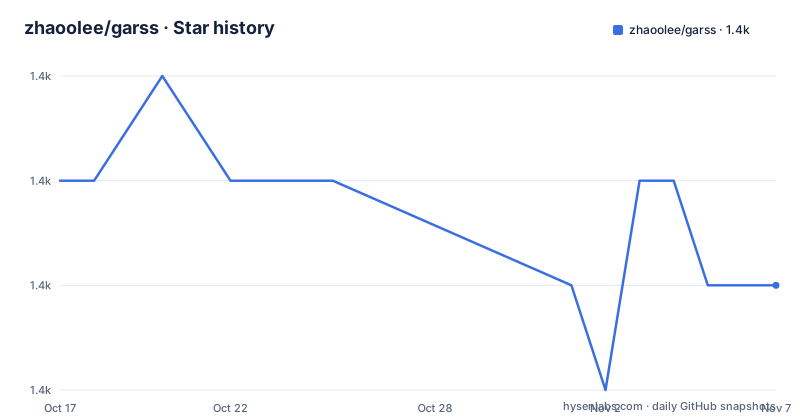
- zhaoolee/garss1,437 ★ · -1
| Repository | 2026-10-17 | 2026-11-07 |
|---|---|---|
| zhaoolee/garss | 1.4k | 1.4k |
-1 Stars in the last 21 days, measured from the daily GitHub snapshot. Compare with other projects
Editorial analysis
What garss is built to solve
garss addresses two related RSS problems: obtaining a broad collection of feed entries and presenting those entries through a reader that the user controls. Its main repository describes GitHub Actions as the collection layer. Scheduled automation gathers titles and hyperlinks from RSS sources, then updates a public-facing information page. Entries published that day receive a marker, according to the README. The repository includes two OPML subscription lists, so feed configuration is treated as repository data rather than only as application state.
The repository also contains `garss-studio`, a separate reader application. The README describes subscription management, categorized reading, RSSHub integration, automatic feed pulling, and an API. This makes garss more than a generated HTML page. It presents a GitHub Actions-generated news page as one interface and a local Docker-based reader as another.
The intended audience includes readers who dislike advertising and recommendation-driven news selection, as well as developers who want a private RSS service and an API for secondary development. The project describes private deployment as a feature and says browsing records are not uploaded. Those statements describe the project's stated design, but the README does not provide a privacy audit or a complete data-flow inventory.
How the GitHub Actions feed page is produced
The visible architecture has at least two paths. The first starts with RSS sources and feeds GitHub Actions, which collects article titles and links before updating the repository's generated page. The sample output in the README is an HTML document with linked entries, alternating row styling, and a marker on newly published items. It also includes a generated timestamp, source totals, article totals, and a stated freshness window.
The root files support that model. `main.py`, `test_main.py`, `tasks.json`, `scripts/`, and two RSS templates indicate that feed processing and output generation are orchestrated outside the reader interface. The repository contains `.github/`, which is consistent with the documented use of GitHub Actions, but the README does not show the workflow schedule, action inputs, or generated output filename. Those details cannot be verified from the documentation.
The second path is the GARSS Studio reader. Its documented startup uses `garss-studio/docker-compose.dev.yml`, and the reader exposes pages for reading, subscriptions, settings, and API documentation. The README states that subscriptions are pulled automatically and includes RSSHub integration. This suggests that the studio maintains a local application state for feed consumption, although the database technology, refresh interval, item retention policy, and error handling are not documented.
GARSS Studio services and access boundaries
The repository root offers three platform-specific launchers: `GARSS-MACOS.command`, `GARSS-LINUX.sh`, and `GARSS-WINDOWS.bat`. According to the README, these launchers present controls for starting, stopping, upgrading, checking status, or leaving the console. Starting and upgrading open a browser automatically. Closing the console window does not stop the service; selecting the stop operation does. This distinction matters on Windows because a closed window is not equivalent to a stopped container.
The documented local pages all use port `25173`. The reader also has a `pw=banana` query parameter on the reader, source, and settings URLs. The API documentation URL does not show that parameter. The README does not explain how `pw` is configured, whether it authenticates every protected operation, or whether the sample value should be changed for a deployment reachable beyond the local machine. That is a concrete limitation for anyone considering network exposure.
The studio is presented as a Hammer Note-style reading interface with categorized navigation. It also exposes an API and advertises AI Skill support through a ClawHub integration. The README does not define the API schema, authentication requirements, rate limits, Skill invocation format, or supported downstream clients. It also does not explain whether the GitHub Actions page and GARSS Studio share feed configuration. Adopting one surface should not be assumed to mean adopting both.
Starting GARSS Studio for a first local session
After obtaining the repository, enter the `garss-studio` directory and create the local environment file from the example file. The README gives this exact sequence:
cd garss-studio
cp .env.example .env
docker compose -f docker-compose.dev.yml up --build
The first command changes into the application directory. The second creates `.env` from `.env.example`. The third builds the declared services and starts them through Docker Compose. The reader should report that the stack is running rather than exiting immediately. If `docker compose` cannot find the referenced file, verify that the current directory is `garss-studio` and that the file name remains `docker-compose.dev.yml`.
The README then lists these routes:
阅读页:http://127.0.0.1:25173/reader?pw=banana
订阅源:http://127.0.0.1:25173/sources?pw=banana
设置页:http://127.0.0.1:25173/settings?pw=banana
API 文档:http://127.0.0.1:25173/api/docs
Open the reader URL first, then inspect the subscription and settings pages. The documented API documentation can be used to inspect available backend operations, although the README does not include its schema. The first useful check is whether the configured sources load and whether new entries appear. After that, add or adjust feeds through the subscription interface and verify that the RSSHub integration is relevant to the intended sources.
The README also says that starting and upgrading through a root launcher opens the browser. It does not provide a separate prerequisite installation command for Docker or Node.js, so users should follow the environment requirements in the repository files rather than infer a version from the README.
Operational limits and failure cases
The clearest limitation is that feed quality is constrained by the sources configured in the repository or studio. A broken RSS endpoint, a feed that omits publication dates, or a source that changes its XML structure can leave the reader with incomplete or stale entries. The README does not document retries, backoff, feed validation, duplicate removal, or error visibility, so these behaviors should not be assumed.
The GitHub Actions path also introduces an external scheduling dependency. The README says that the workflow collects feeds automatically, but it does not document the schedule, retention settings, runner limits, or behavior when a scheduled job fails. A generated page can therefore look current while one source is missing. The sample output also states a freshness period for its generated content; that presentation should not be confused with a service-level guarantee.
The local reader has a different deployment burden. Docker Compose, port availability, the `.env` file, and the access parameter all become part of operation. The README does not document backups, migrations, log locations, database inspection, or rollback. Closing the console is not a shutdown operation, and the upgrade control is documented without a release-by-release migration procedure. These gaps make the project a poor fit for an administrator who needs documented disaster recovery or predictable upgrade behavior.
The `pw=banana` examples deserve particular attention. Binding to `127.0.0.1` limits access to the local machine, but the README does not state whether the application is safe to bind to `0.0.0.0` or another interface. It also does not document changing the example password. Treat the documented local URL as a local-development entry point, not as a reviewed production authentication configuration.
garss compared with Feedbro and hosted news feeds
Feedbro is the practical alternative named by the README. The documentation recommends the free browser extension for subscribing to RSS information flows. Its approach is client-side: the user installs a reader in the browser and points it at feeds, rather than running a separate Docker Compose service. That can reduce deployment work, although the README does not claim that Feedbro provides GARSS's GitHub Actions page, local API, RSSHub integration, or category-oriented studio interface.
The comparison table also distinguishes garss from news applications and commercial RSS tools. News applications are shown as advertising-supported and more likely to create recommendation or filter-bubble behavior. Commercial RSS tools are shown as private-deployment-unfriendly and less open for secondary development, while garss is presented as private-deployable, API-capable, and open source. Those are project-authored comparisons, not an independent evaluation. The actual architectural difference is ownership of the collection and presentation layer: garss provides a repository workflow and a local service, whereas the other categories primarily provide a client or commercial product that controls its own feed experience.
For a reader who only needs to consume feeds in a browser, Feedbro may be the smaller operational choice. For a developer who needs a self-hosted reader and an API, garss offers more control, but the control comes with Docker, configuration, feed maintenance, and undocumented production questions.
Maintenance, upgrades, and the missing license decision
The repository is not archived. Its last push was on 2026-10-17, and the listed release is version `1.0.0`, dated 2026-05-03. The README exposes upgrade controls in the platform launchers, but it does not explain whether upgrades pull a container image, rebuild local code, migrate data, or require a particular branch state. The repository's release history alone therefore does not establish a predictable upgrade policy.
The license is listed as unknown in the repository metadata. That matters for an adoption decision. Open-source behavior in the README does not by itself establish permission to copy, modify, redistribute, or offer the project commercially. Before incorporating the code into a hosted service or distributing a derivative, the exact license file and its terms need to be checked in the repository and reviewed by someone qualified to interpret them. This article does not provide legal advice.
The operational cost is likely to concentrate around feeds and containers rather than the reading surface itself. Users will need to review `.env`, compose files, source lists, workflow configuration, and API behavior. The repository contains `PROJECT_MEMORY.md`, `AGENTS.md`, and documentation assets, but the README does not establish their maintenance guarantees. The recent push is a positive sign of current repository activity, not evidence that every deployment path is stable.
Editorial conclusion
garss is a reasonable choice for readers who want a locally hosted RSS interface and developers comfortable maintaining TypeScript, Docker Compose, and GitHub Actions. It is less suitable for users who need a documented commercial service, a clearly identified license, or a turnkey web application without account and deployment work. Before adoption, verify the repository license, review the `.env.example` settings, confirm that port `25173` is suitable for the deployment, and test collection with the sources that matter to you.
Frequently asked questions
How do I start the garss reader locally?
Run `cd garss-studio`, copy `.env.example` to `.env`, and start the documented Docker Compose file with `docker compose -f docker-compose.dev.yml up --build`. The README lists the local reader at `http://127.0.0.1:25173/reader?pw=banana`.
Does garss collect RSS feeds automatically?
The README states that GitHub Actions collects RSS titles and hyperlinks and updates the homepage. It also says that GARSS Studio automatically pulls subscriptions and integrates RSSHub, but it does not document the workflow schedule or refresh interval.
Can I use the garss API and AI Skill integration?
GARSS Studio documents an API page at `http://127.0.0.1:25173/api/docs` and links to a ClawHub Skill integration. The README does not document API authentication, request schemas, rate limits, or the Skill invocation format.
Official sources
Add this badge to your README
If you maintain this project, the badge below links readers to this analysis and shows its maintenance status from the daily GitHub snapshot. Paste the markdown into your README; add ?metric=license or ?metric=stars to the image URL for a different field.

[](https://hysenlabs.com/projects/zhaoolee-garss)Star history chart for your README
[](https://hysenlabs.com/projects/zhaoolee-garss)Was this useful?