A KQL query library organised by ATT&CK tactic, product and security process
KQL Queries. Defender For Endpoint and Azure Sentinel Hunting and Detection Queries in KQL. Out of the box KQL queries for: Advanced Hunting, Custom Detection, Analytics Rules & Hunting Rules.
At a glance
- What is it?
- Hunting-Queries-Detection-Rules is a BSD-3-Clause collection of KQL queries for Defender for Endpoint and Microsoft Sentinel, split into MITRE ATT&CK mappings, product directories, security process folders and an informational section. It is documentation you run inside your own tenant, not software you install.
- Who is it for?
- Adopt this query library if you run Defender for Endpoint or Sentinel and want readable starting points for coverage your current analytic rules do not reach, especially by ATT&CK tactic. Do not treat it as a deployment artefact: nothing is installed, and each query has to be validated against the tables your tenant actually ingests.
- Can I use it commercially?
- Yes. BSD-3-Clause is a permissive licence: you can use, modify and sell software built on it, as long as you keep its copyright and licence notices.
- Is it still maintained?
- Yes. The repository last received commits 12 days ago.
- What is it written in?
- Mainly Python, according to GitHub's language statistics.
Answers come from the project's GitHub data, last synced on October 25, 2026, and from our analysis. They are not legal advice.
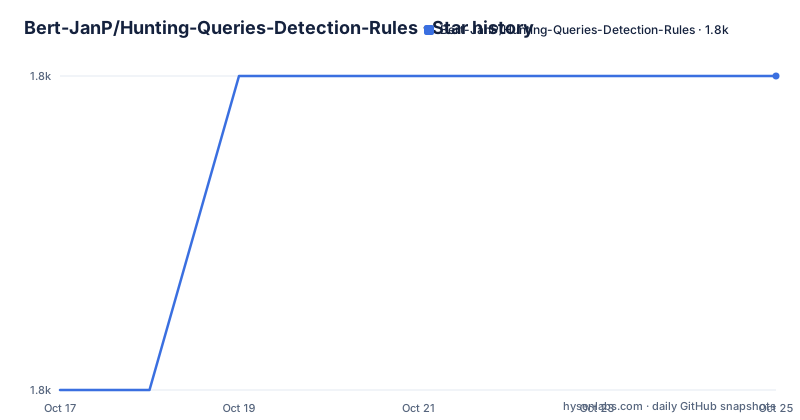
Star history
- Bert-JanP/Hunting-Queries-Detection-Rules1,763 ★ · +1
| Repository | 2026-10-17 | 2026-10-25 |
|---|---|---|
| Bert-JanP/Hunting-Queries-Detection-Rules | 1.8k | 1.8k |
1 Stars in the last 8 days, measured from the daily GitHub snapshot. Compare with other projects
Editorial analysis
The thesis: not every suspicious activity generates an alert
The README states the problem in one sentence and it is a good one: not all suspicious activities generate an alert by default, but many of those activities can be made detectable through the logs.
That is the whole rationale. Microsoft security products ingest an enormous amount of telemetry, and the built-in analytic rules cover a fraction of it. A defender asking why a technique produced no alert is usually asking a question the data can already answer, if someone writes the query.
So this repository is a query library, not a product. There is nothing to install, no service to run, no configuration file. What you get is KQL text, plus enough surrounding structure that you can tell what a query is for before you paste it.
The audience is blue team and detection engineers with tenant access, plus DFIR analysts working through logs. The repository topics make the scope explicit: azure, blueteam, defender-for-endpoint, dfir, kql, mde, sentinel, threat-hunting, zero-day.
One usage condition is stated rather than implied. The README says anyone is free to use the queries, and separately that presenting the queries as your own is illegal and forbidden, asking for a reference to the author on Twitter at @BertJanCyber or GitHub at Bert-JanP when sharing or using the content. Read that line before you paste a query into a public blog or a conference deck.
Five organising axes, and choosing between them
The README describes the categories and they serve different lookup intents, which is the reason the repository is not simply one flat folder.
The MITRE ATT&CK category contains queries mapped to the tactics of the MITRE Framework, with a mapping document at `MITRE ATT&26CK/Mapping.md`. That path is the one to start from if your coverage review is framed in terms of techniques rather than products.
The product section holds queries specific to Microsoft security products, and the top level directory listing shows how many: Defender For Endpoint, Defender For Identity, Defender For Cloud Apps, Office 365, Defender XDR, Azure Active Directory, Microsoft Sentinel, MISP, Windows Security Events, SecurityEvents, and Graph API. Two of those entries are both labelled Windows Security Events, which points to an overlap in how the collection grew.
The processes section is described as containing queries usable in common cyber processes to make things easier for security analysts: Digital Forensics and Incident Response under `DFIR/`, Threat Hunting, Full Threat Hunting Cases under `Threat Hunting Cases/`, and Vulnerability Management. There is also a `Vulnerability Exploitation/` directory at the top level that the category list does not mention.
A special category exists for Zero Day detections, and an informational section explains the use of KQL using examples: `Functions/` for helpful functions, `KQL Regex/RegexExamples.md` for a regex example list, and `Azure Resource Graph/`.
Beyond the five named categories the directory listing shows `Azure/`, `Cloud Infrastructure/`, `Data Lake/`, `Exposure Management/`, `Fun/`, `Learning/`, `Log Analytics/` and `Security Operations/`. So if a lookup does not fit the README's taxonomy, browse the tree rather than assuming a category was missed.
File naming encodes the ATT&CK technique, which is how you search
The contributor table reveals the naming convention, and it is more useful than it first appears. A query file looks like `ttp_t1219_netsupportrat_fin7.md`, alongside `ttp_t1562-001_disabledefender.md`, `ttp_t1127-001_suspNetworkConnMSBuild.md`, `ttp_t1027-010_powershellEncodedCommand.md`, `ttp_t1059-001_powershell_windowsappsdir_fin7.md` and an Azure ARC related persistence detection.
The pattern is `ttp_t<technique>_<sub-technique>-<id>_<description>[_threat-actor].md`, all inside the relevant product directory. The filenames include technique-like IDs, sub-technique numbers, descriptions and, in some cases, a `fin7` suffix.
Two properties follow. First, you can find a technique by grepping filenames across the repository without opening a single file. Second, the suffix carries attribution: several filenames end in `_fin7`, tying the query to a named threat actor rather than to the technique alone.
That distinction matters analytically. A technique query catches everyone doing the technique; an actor-tagged query encodes an assumption about who is behind it. Treat the actor-tagged ones as hypotheses to test rather than detections to deploy blindly.
The format is Markdown rather than bare `.kql`, so each query ships with a description beside the KQL block. That is what makes the collection "understandable", which the README names as an explicit goal alongside being usable by anyone.
Contributions require a detection template, which reveals the expected metadata
The contribution rules are specific enough to be worth reading before you write anything.
Everyone can submit contributions via a Pull Request, and if you want to contribute the Detection Template needs to be used. Besides that, the query needs to be able to run and be readable. Those are three conditions, and the third is the one that makes this repository unusual: a query that runs but cannot be read is not acceptable.
The template itself lives at the repository root as `DetectionTemplate.md`, a top level entry alongside `README.md` and `Community Repositories.md`. So the metadata every query is expected to carry is defined in a file you can read before contributing.
Credit is handled in the README itself, with a Top Contributors table listing names, the number of queries added, GitHub and Twitter handles, and direct links to each contributed query. Gavin Knapp appears with 10 queries and links to the FIN7 NetSupport, PowerShell Defender disabling, MSBuild network connection, PowerShell encoded command, PowerShell WindowsApps and Azure ARC persistence files listed above.
That table is also a good index. Instead of browsing the tree, you can pick a contributor whose focus matches yours and read their queries as a set.
A separate repository exists for the adjacent layer: the README directs Sentinel automation queries to the Sentinel-Automation repository by the same author.
Adopting a query means checking its table exists in your tenant
There is no install step, so this section is about how to use one safely.
Check each query and the logs it references before relying on its results.
Pick a relevant query, check that its required data is available, and review the results before using them.
The top level of the checkout is the map you navigate. The directories you browse are these:
DFIR/
Functions/
MISP/
Sentinel/
Threat Hunting/
Vulnerability Management/
The README documents no install command and no configuration file, so the repository is obtained from its GitHub page rather than from a package manager.
The informational section exists precisely for the syntax side of this work. `Functions/` holds KQL helpful functions, `KQL Regex/RegexExamples.md` holds a regex example list, and `Azure Resource Graph/` covers a different query surface from the Log Analytics tables. The README also points to blog posts on KQL functions for security operations and for network operations, and on going from a threat report to a hunting query, which is the closest thing here to a method description.
The contribution requirement is that a query be able to run and be readable.
What this collection is not: it does not ship analytic rules or automation
It is easy to misread the repository description, which lists out-of-the-box KQL queries for Advanced Hunting, Custom Detection, Analytics Rules and Hunting Rules, as though a deployable rule pack were included.
There is not. The deliverable is query text. Turning a query into a scheduled analytic rule in Microsoft Sentinel, or a custom detection in Defender XDR, is work you do in the product, and the query needs to be shaped for it first: the query may need to be adapted for the intended rule configuration. The template-driven contribution process implies those fields, but the README does not document them field by field, so check `DetectionTemplate.md` rather than assuming.
Automation is likewise out of scope. The README routes Sentinel automations to a separate repository, Sentinel-Automation, which is the right place to look if your next question is how to act on what a query finds.
Nor is this a detection coverage guarantee. Queries mapped to ATT&CK tactics tell you what someone wrote, not what your environment generates. Coverage is a property of your telemetry and your rules together.
Maintenance and licensing. The repository is not archived and the last push was on 2026-10-13, so it is being worked on. It has no GitHub releases at all, so there is nothing to pin: you consume the default branch, `main`, and there is no versioned artifact to track. The repository licence is BSD-3-Clause with a LICENSE file at the root. Note that the README additionally states that presenting the queries as your own is illegal and forbidden and asks for attribution when sharing, which sits alongside the standard BSD terms and is worth honouring in practice.
Editorial conclusion
Adopt this query library if you run Defender for Endpoint or Sentinel and want readable starting points for coverage your current analytic rules do not reach, especially by ATT&CK tactic. Do not treat it as a deployment artefact: nothing is installed, and each query has to be validated against the tables your tenant actually ingests. Verify that the query runs against the data available in your workspace, and keep the attribution the README asks for if you share results outside your team.
Frequently asked questions
How do I use the KQL queries in Hunting-Queries-Detection-Rules?
There is no install step. The queries are KQL text in Markdown files under the product directories such as Defender For Endpoint and Sentinel, and you run them in the hunting or Advanced Hunting pane of the product against tables your tenant ingests.
How are the queries organised in this repository?
Into a MITRE ATT&CK mapping, product folders such as Defender For Endpoint, Azure Active Directory and Sentinel, security process folders such as DFIR and Vulnerability Management, a Zero Day category, and an informational section on KQL functions and regex.
What do the ttp_t1219 and similar file names mean?
The convention encodes the ATT&CK technique ID, a sub-technique number, a short description and sometimes a threat actor tag, for example `ttp_t1219_netsupportrat_fin7.md`. That means you can locate a technique by searching filenames without opening files.
Can I contribute a detection query?
Yes, via a pull request. The README requires the Detection Template to be used, and requires that the query be able to run and be readable. Top contributors are credited with their query links in the README.
Can I share these KQL queries without attribution?
The README states that presenting the material as your own is illegal and forbidden, and asks that a reference to the author on Twitter at @BertJanCyber or GitHub at Bert-JanP be included when sharing or using the content. The repository is licensed BSD-3-Clause with a LICENSE file at the root.
Where are the Sentinel automation queries kept?
Not here. The README directs automation queries to a separate repository by the same author, Sentinel-Automation, and lists that reference under the KQL blogs section.
Official sources
Add this badge to your README
If you maintain this project, the badge below links readers to this analysis and shows its maintenance status from the daily GitHub snapshot. Paste the markdown into your README; add ?metric=license or ?metric=stars to the image URL for a different field.

[](https://hysenlabs.com/projects/bert-janp-hunting-queries-detection-rules)Star history chart for your README
[](https://hysenlabs.com/projects/bert-janp-hunting-queries-detection-rules)Was this useful?