T-REZ: A Go Image Resizer That Chooses Speed Over Metadata
A fast image resizer
At a glance
- What is it?
- T-REZ is a Go package that wraps OpenCV and libjpeg-turbo to resize images fast, but it strips EXIF and color profiles. This review covers its mechanism, setup, and where it falls short.
- Who is it for?
- Adopt T-REZ if you need high-throughput image resizing in Go, especially for user-uploaded avatars or thumbnails where metadata loss is acceptable. Avoid it for photography or print workflows that require EXIF, ICC profiles, or IPTC data.
- Can I use it commercially?
- Not without permission. GitHub finds no licence file in the repository, and without a licence all rights are reserved by default: you may read the code but not reuse it. Check the README, or ask the authors, before using it.
- Is it still maintained?
- Probably not. The repository last received commits 128 months ago, on April 14, 2016.
- What is it written in?
- Mainly Go, according to GitHub's language statistics.
Answers come from the project's GitHub data, last synced on October 23, 2026, and from our analysis. They are not legal advice.
Star history
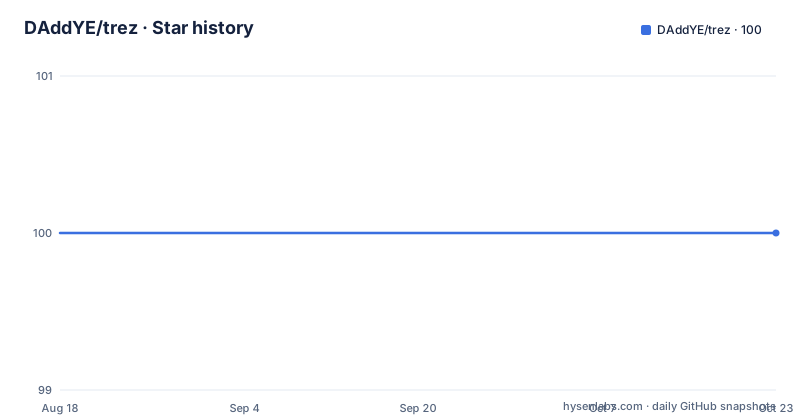
- DAddYE/trez100 ★ · +0
| Repository | 2026-08-18 | 2026-10-23 |
|---|---|---|
| DAddYE/trez | 100 | 100 |
0 Stars in the last 66 days, measured from the daily GitHub snapshot. Compare with other projects
Editorial analysis
What T-REZ Solves and Who Needs It
T-REZ solves a narrow but real problem: resizing images as fast as possible on a single machine. The README states the code derives from a production version that processed over 1000 images per second at peak. That number is illustrative, not a guarantee, but it sets the expectation. The target user is someone running a service that resizes many images, like a social media upload pipeline or a content delivery backend, where latency per image matters more than preserving every byte of original data. It is not for photo editors, archivists, or anyone who needs to keep IPTC, EXIF, or ColorSync profiles intact. The package strips those by design. If your images carry critical metadata, T-REZ is the wrong tool from the start.
How T-REZ Works: OpenCV and libjpeg-turbo Under the Hood
T-REZ is a Go wrapper that delegates the heavy lifting to OpenCV and libjpeg-turbo. The README lists the supported algorithms: fit, fill, background color, gravity for fit, and JPEG quality with a default of 95. The mechanism is straightforward: you feed it an image, specify a target size and options, and it resizes using OpenCV's interpolation, then encodes the result with libjpeg-turbo. The dependency on libjpeg-turbo explains the speed focus; that library is optimized for fast JPEG encoding and decoding. The README does not document the exact Go API, so you must inspect the source to see function signatures. What is clear is that the package is not a pure Go solution. It requires C libraries and build flags, which means it is not portable to Windows without significant effort. The design trades ease of installation for raw performance.
Getting It Running: Commands and Build Flags
Installation is not a simple go get. You must first install OpenCV and libjpeg-turbo. On macOS, the README points to a Homebrew formula for OpenCV, then you run brew install on that formula. On Linux, you compile libjpeg-turbo from source with specific configure flags: --with-jpeg8 --with-pic, then make and make install. After that, you build OpenCV with a long cmake command that disables many components like QT, GTK, and TBB, and explicitly points to the libjpeg-turbo include and library paths. The command also enables SSE3, SSE4.1, SSE4.2, and AVX, which are CPU-specific optimizations. Finally, you run go get github.com/daddye/trez. The README includes a benchmark command: GOMAXPROCS=24 go run bench/main.go -file testdata/American_Dad.jpg -size 200x200 -workers 24, which runs 14000 resizes. That command is your only concrete usage example. The setup is fragile: the cmake flags reference /opt/libjpeg-turbo, so if your paths differ, you must adjust them. There is no mention of a Makefile or Dockerfile, so expect manual configuration.
The Trade-Off: Quality vs. Metadata Stripping
The README is explicit: the package keeps good quality but is built for speed, and it strips IPTC, EXIF, and ColorSync profiles. That is a deliberate design choice, but it has consequences. Stripping EXIF means orientation tags are lost. A photo taken on a phone that relies on the EXIF orientation flag will appear rotated incorrectly after resizing. Stripping ICC profiles means color shifts on displays that use wide gamut. If your pipeline serves images to users with calibrated monitors, the output may look off. The README does not mention any option to preserve metadata, so this is not a configurable trade-off. The TODO list includes trim borders and enlarge, which are not implemented. That means you cannot crop borders or upscale images with T-REZ as it stands. For a resizer, the lack of enlarge is a notable gap; many use cases need to scale up small images, and this package cannot do it.
Benchmarks: What the Numbers Actually Tell You
The README includes a benchmark from a 24-core machine with 24 threads. It reports a mean of 34.377864ms per resize, a rate of 700.16 images per second, with a 99th percentile of 55.47ms. The README calls the benchmark illustrative, which is honest. The hardware is a dual-socket Xeon from 2014, based on the CPU model 45 and stepping 7, likely a Sandy Bridge or Ivy Bridge generation. Modern hardware will differ. The benchmark uses a single test file, American_Dad.jpg, resized to 200x200. That is a small output size, so the numbers do not apply to larger resizes. Also, the benchmark measures only resize speed, not the overhead of reading from disk or writing output. In a real service, I/O and network will dominate. The 1000 images per second claim from production is plausible, but you cannot reproduce it from this benchmark alone. You should run your own benchmark with your own images and hardware before committing.
Maintenance and License: A Stale Project with a Permissive License
The repository has no recent releases and the last push is unknown, but the README copyright is 2014. The code depends on OpenCV 2.4.9 and libjpeg-turbo 1.3.1, both of which are old. OpenCV 2.4.9 was released in 2014, and libjpeg-turbo 1.3.1 is also from that era. Modern systems may have newer versions, and the cmake flags in the README may not work with OpenCV 3.x or 4.x. The project is archived: no. But the lack of releases suggests it is unmaintained. The license is MIT, as stated in the LICENSE section. That means you can use, modify, and distribute it freely, but it comes with no warranty. The license text is included, so you can comply by retaining the copyright notice. The maintenance cost is on you: you must patch it to work with current libraries, and there is no community support. If you adopt it, plan to vendor the source and maintain it yourself.
Alternatives and Final Judgement
The obvious alternative is a pure Go image library like github.com/disintegration/imaging, which uses the standard library's image package and does not require C dependencies. It supports resize, crop, and metadata handling, but it is slower for JPEG because it uses the standard library's JPEG codec, not libjpeg-turbo. Another alternative is libvips, which is a C library with Go bindings, and it preserves metadata by default and is also fast. The difference in approach is significant: T-REZ optimizes for raw speed at the cost of metadata and portability, while imaging is simpler to deploy but slower, and libvips balances speed with metadata preservation. For a project that needs speed and can tolerate metadata loss, T-REZ works, but only if you are comfortable with old dependencies and manual compilation. For most modern Go services, the lack of maintenance and the metadata stripping make it a risky choice. I would not adopt it without a clear performance need and a willingness to maintain the build yourself.
Editorial conclusion
Adopt T-REZ if you need high-throughput image resizing in Go, especially for user-uploaded avatars or thumbnails where metadata loss is acceptable. Avoid it for photography or print workflows that require EXIF, ICC profiles, or IPTC data. Before using it, verify that your OpenCV and libjpeg-turbo versions match the build flags in the README, and note that the project has no recent releases, so you must vendor the source and test it against your own workload.
Frequently asked questions
What does T-REZ do to image metadata?
It strips it. The README says the package will strip out image informations like IPTC, EXIF, and ColorSync profile, and it keeps a good quality of images but is built for speed. No option is listed for retaining metadata.
Which resize options does T-REZ support?
The fit resize algorithm, the fill resize algorithm, a background color, gravity in case of fit, and a quality setting for jpeg that defaults to 95. Trim borders and an enlarge option are listed as TODO rather than supported.
What do I need installed before building T-REZ?
OpenCV, libjpeg with jpeg-turbo suggested, and libpng optionally if you want to read PNG files. On Linux the instructions compile jpeg-turbo from source and then configure OpenCV with cmake; the package itself is fetched with go get github.com/daddye/trez.
How does T-REZ handle resize quality?
There is a quality option for jpeg and its default is 95, which is consistent with the stated aim of keeping good image quality while prioritising speed.
What speed does T-REZ claim?
The README says the code derives from a production version processing more than 1000 images per second on a single machine, while its own benchmark reports 700.16 images per second over 14000 resizes at 200x200 with 24 workers. It also states the benchmark is just illustrative.
Official sources
Add this badge to your README
If you maintain this project, the badge below links readers to this analysis and shows its maintenance status from the daily GitHub snapshot. Paste the markdown into your README; add ?metric=license or ?metric=stars to the image URL for a different field.

[](https://hysenlabs.com/projects/daddye-trez)Star history chart for your README
[](https://hysenlabs.com/projects/daddye-trez)Was this useful?