ytb2bili is a configurable YouTube-to-Bilibili pipeline
A fully functional automated video processing system that supports downloading videos from platforms such as YouTube, automatically generating subtitles, translating content, creating metadata, and scheduling uploads to Bilibili.
At a glance
- What is it?
- ytb2bili is a Go service with a Next.js console that downloads videos, transcribes, translates, synthesises a voiceover and publishes to Bilibili. Its dependency list and its environment variables tell you more about how to run it than its README does, including a port that differs between local and container runs.
- Who is it for?
- Adopt ytb2bili if your publishing workflow is literally YouTube to Bilibili with translation in between, since the stages are already wired as a task-based pipeline and the console handles retries and manual uploads. Do not adopt it as a general transcription or translation library, because the value is in the pipeline wiring rather than in any single stage, and the external tools it shells out to are prerequisites rather than dependencies.
- Can I use it commercially?
- Not without permission. GitHub finds no licence file in the repository, and without a licence all rights are reserved by default: you may read the code but not reuse it. Check the README, or ask the authors, before using it.
- Is it still maintained?
- Yes. The repository last received commits 72 days ago.
- What is it written in?
- Mainly Go, according to GitHub's language statistics.
Answers come from the project's GitHub data, last synced on October 23, 2026, and from our analysis. They are not legal advice.
Star history
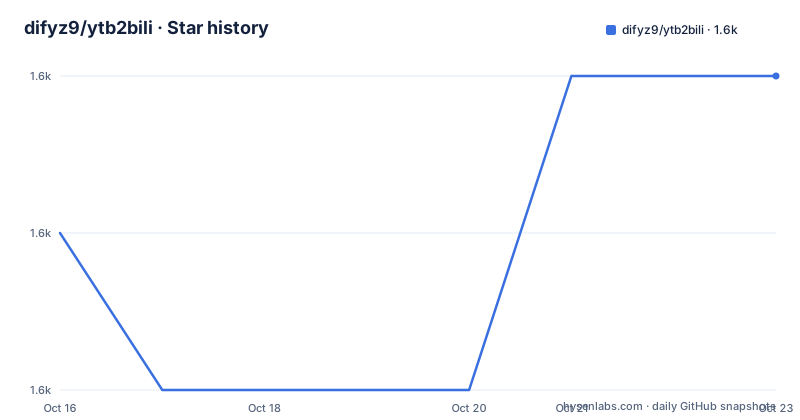
- difyz9/ytb2bili1,621 ★ · +1
| Repository | 2026-10-16 | 2026-10-23 |
|---|---|---|
| difyz9/ytb2bili | 1.6k | 1.6k |
1 Stars in the last 7 days, measured from the daily GitHub snapshot. Compare with other projects
Editorial analysis
Two modes, one pipeline
ytb2bili is described as a video workflow system for local video translation playback and YouTube-to-Bilibili publishing. The two modes share the same machinery, and the README separates them clearly.
The local mode is for translation playback: subtitles, a voiceover, and synchronised audio and video, so you can review a translated video on your own machine before anything is published. That is a genuinely useful intermediate step and it is the reason the project is more than a scraper.
The end-to-end mode is the full chain: download, transcription, translation, metadata generation, upload, and subtitle upload. Underneath both is a task-based pipeline whose steps are configurable, covering downloading, audio extraction, transcription, translation and publishing.
Everything is driven from a web console, which handles task tracking, account linking, settings, retries, manual uploads, and assistant-driven operations. Account linking matters because Bilibili publishing needs credentials, and having retries and manual upload fallbacks in the console rather than requiring SSH into the host is a practical design choice for a pipeline that runs unattended.
Configuration is TOML plus environment variables
Local development starts from a copied example configuration:
cp config.toml.example config.toml
go run main.go

cd web
npm install
npm run dev
The `config.toml.example` file is the documented configuration example and `configs/` holds configuration examples and related notes. `BurntSushi/toml` is the parser in the module, so the config format is plain TOML.
The Docker path is different, and this is where the first surprise is. `docker-compose.yml` passes its configuration almost entirely through environment variables, grouped by concern:
      - WORKFLOW_DOWNLOAD_DIR=${WORKFLOW_DOWNLOAD_DIR:-/tmp/download/downloads}
      - WORKFLOW_YTDLP_PATH=${WORKFLOW_YTDLP_PATH:-/usr/local/bin/yt-dlp}
      - WORKFLOW_FFMPEG_PATH=${WORKFLOW_FFMPEG_PATH:-/usr/bin/ffmpeg}
      - WORKFLOW_COOKIES_FILE=${WORKFLOW_COOKIES_FILE}
      - WORKFLOW_PROXY_URL=${WORKFLOW_PROXY_URL}
So the external tools are addressed by absolute path, and you point them at your own installation if it is not at the default. A cookies file and directory are separate settings, which is what you need for authenticated downloads and for per-account cookie state. A proxy URL is a first-class setting, again because downloads are the fragile part.
The service dependencies are named the same way: `LLM_API_KEY`, `LLM_BASE_URL`, and a group for Microsoft Speech and Translator services. There is also a Firebase configuration block with `FIREBASE_ENABLED`, credentials path and project id, which the repository's default values show enabled, so treat that as something to turn off rather than something to rely on.
Ports differ between the two documented setups
This is the kind of detail that costs an afternoon, so it is worth stating plainly. The README lists the default local URLs as a backend on `http://localhost:8096` and a frontend on `http://localhost:3000`. The docker-compose file maps ports 5688 and 3000, and sets `HTTP_PORT=${HTTP_PORT:-5688}` in the environment.
So the backend is on 8096 when you run `go run main.go` locally and 5688 when you run the container. The frontend is 3000 in both. If you are following a container tutorial and nothing answers, that port difference is the first thing to check.
The compose file also mounts the project source at `/workspace`, the download directory at `/tmp/download/downloads`, and named volumes for the Go module and build caches, which is a development-oriented setup rather than a deployment one. The image is `difyz9/ytb2bili-alpine:latest`, and the database defaults point at `host.docker.internal` on port 3306 with MySQL, `DB_AUTO_MIGRATE` defaulting to true and a table prefix of `tb_`.
Three database drivers, because it was built for more than one
The module requires `gorm.io/driver/mysql`, `gorm.io/driver/postgres` and `gorm.io/driver/sqlite`. That is three database backends for a personal tool, and it tells you the author kept the option open rather than committing. For an evaluation, the practical consequence is that SQLite is a legitimate choice for a single operator with no external services, and `DB_TYPE` in the compose file is where you pick.
The rest of the direct dependencies describe the shape of the system better than the feature list does. `gin-gonic/gin` and `swaggo/gin-swagger` are the HTTP layer and its API docs. `go.uber.org/fx` is the dependency injection container, and `go.uber.org/zap` is the logger. `bytedance/sonic` is a fast JSON implementation, which matters because JSON handling is the bottleneck in a service that shuttles task state and API payloads.
The module also lists `difyz9/bilibili-go-sdk`, `difyz9/go-auth` and `difyz9/go-analysis-client`, all at version 0.0.x. It also includes `minio/selfupdate` and the indirect dependency `aead.dev/minisign`.
For the LLM stages, the module lists `cloudwego/eino` and its `openai` model component extension. The compose file sets `LLM_BASE_URL` to `https://api.ytb2bili.com` by default.
Build targets and what is undocumented
The Makefile has separate targets for the main build, a Linux amd64 build, tests, and cleanup:
make build
make build-linux-amd64
make test
`make build` depends on `web-export`, which runs `npm run build` in `web/` and exports the static files to `internal/server/out/`, then compiles the Go binary with a version stamp. That is a static export, so the Next.js frontend is served by the Go binary rather than by a separate Node process in production. There is also `build-dev` for backend-only builds, `vet`, `tidy`, and per-platform targets including `build-linux-arm64` and `build-all`, with `Makefile_mac`, `Makefile_windows` and `Makefile.web` alongside the main `Makefile`.
The version stamp is worth noting: `VERSION:= $(shell git describe --tags --always --dirty)` is passed via ldflags into `internal/updater.Version`, so a build reports which tag or dirty state it came from, which pairs with the self-update mechanism.
What is missing from the README is a great deal. There is no documented list of pipeline step configuration keys, no documented environment variable list beyond the compose file, and no description of what the assistant-driven operations can do. The README points to `docs/INDEX.md`, `PROJECT_GUIDE.md`, `docker/README.md` and `README.docker.md` for that. Support is community based, through a QQ group and a WeChat contact. The README also links English, Simplified Chinese, Japanese and Korean versions.
The honest comparison is with doing the steps by hand: download with yt-dlp, transcribe with a Whisper tool, translate with an LLM, then upload through the Bilibili web interface. That chain requires repetitive manual work and does not provide a console, retry queue or schedule. ytb2bili is worth adopting when that repetition is the problem, and it is a large dependency surface to take on when it is not.
Editorial conclusion
Adopt ytb2bili if your publishing workflow is literally YouTube to Bilibili with translation in between, since the stages are already wired as a task-based pipeline and the console handles retries and manual uploads. Do not adopt it as a general transcription or translation library, because the value is in the pipeline wiring rather than in any single stage, and the external tools it shells out to are prerequisites rather than dependencies. Verify first which port you are actually serving on, since local development uses 8096 for the backend while the docker-compose file maps 5688, and confirm that yt-dlp and ffmpeg exist at the paths in WORKFLOW_YTDLP_PATH and WORKFLOW_FFMPEG_PATH.
Frequently asked questions
What port does the ytb2bili backend listen on?
Local development uses `http://localhost:8096` for the backend and 3000 for the frontend. The docker-compose file maps 5688 for the backend and 3000 for the frontend, with `HTTP_PORT` defaulting to 5688, so the container and local ports differ.
What external tools does ytb2bili need?
yt-dlp and ffmpeg, configured by absolute path through `WORKFLOW_YTDLP_PATH` and `WORKFLOW_FFMPEG_PATH`. It also needs an LLM endpoint via `LLM_API_KEY` and `LLM_BASE_URL`, plus Microsoft Speech and Translator services for the voice and translation steps.
Which databases does ytb2bili support?
MySQL, PostgreSQL and SQLite, through GORM drivers, selected with the `DB_TYPE` environment variable. The compose file defaults to MySQL on port 3306 with automatic migration and a `tb_` table prefix.
How do I build ytb2bili for production?
Run `make build`, which first exports the Next.js frontend with `npm run build` into `internal/server/out/` and then compiles the Go binary with a version stamp from git describe. `make build-linux-amd64` builds a Linux amd64 binary.
Official sources
Add this badge to your README
If you maintain this project, the badge below links readers to this analysis and shows its maintenance status from the daily GitHub snapshot. Paste the markdown into your README; add ?metric=license or ?metric=stars to the image URL for a different field.

[](https://hysenlabs.com/projects/difyz9-ytb2bili)Star history chart for your README
[](https://hysenlabs.com/projects/difyz9-ytb2bili)Was this useful?