backup-utils is being retired in favour of the GitHub Enterprise Server backup service
GitHub Enterprise Backup Utilities
At a glance
- What is it?
- GitHub Enterprise Server Backup Utilities provided ghe-backup and ghe-restore for online, incremental, snapshot based backups of a GHES appliance, but the README now says the built-in backup service is generally available in GHES 3.20 and that Backup Utilities will be retired starting in GHES 3.22. The repository now holds documentation and release artefacts rather than source.
- Who is it for?
- backup-utils fits a GHES 3.19 or earlier installation that already runs it and wants to keep an existing backup schedule running until the appliance is upgraded, and the release artefacts on the releases page are the only supported way to obtain it now.
- Can I use it commercially?
- Not without permission. GitHub finds no licence file in the repository, and without a licence all rights are reserved by default: you may read the code but not reuse it. Check the README, or ask the authors, before using it.
- Is it still maintained?
- Yes. The repository last received commits 1 day ago.
- What is it written in?
- GitHub does not report a main language for this repository.
Answers come from the project's GitHub data, last synced on November 7, 2026, and from our analysis. They are not legal advice.
Star history
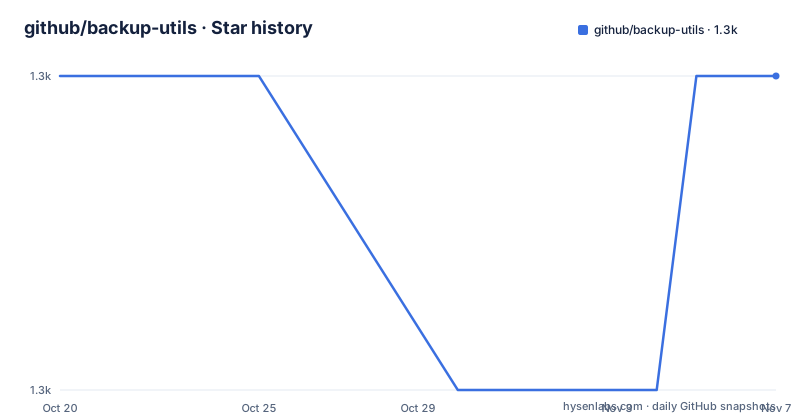
- github/backup-utils1,274 ★ · +0
| Repository | 2026-10-20 | 2026-11-07 |
|---|---|---|
| github/backup-utils | 1.3k | 1.3k |
0 Stars in the last 18 days, measured from the daily GitHub snapshot. Compare with other projects
Editorial analysis
A deprecation notice that outranks everything else in the README
The first thing the README says is an important callout, and it changes how any evaluation should start.
The backup service for GitHub Enterprise Server, previously in public preview, is now generally available in GitHub Enterprise Server 3.20. The managed, built-in service provides an alternative to GitHub Enterprise Server Backup Utilities and does not require a separate host for backup software.
And then the line that decides the question for most readers: Backup Utilities will be retired starting in GitHub Enterprise Server 3.22.
The README then restates it in the repository's own framing, saying this repository includes the legacy backup and recovery utilities for GitHub Enterprise Server, and that for new deployments on GHES 3.20 or later you should use the built-in backup service instead.
So the correct evaluation of this project is not whether it is good but whether your appliance version puts you inside or outside the window. A GHES 3.19 or earlier instance is still served by this tooling. A 3.20 instance can use either, with the managed service being the documented choice. A 3.22 instance will not have this tooling at all.
The releases themselves continue to be cut, with v3.19.2, v3.20.1 and v3.21.1 all tagged on 2026-06-30 within a minute of each other, and the last push to master was on 2026-10-07. So the tool is still being built and still being shipped, it is just being shipped on a path to retirement.
What the two commands actually did
The feature list describes the capabilities that Backup Utilities implement, built on top of the backup and restore features already included in GitHub Enterprise Server.
The first is a complete GitHub Enterprise Server backup and recovery system via two simple utilities, ghe-backup and ghe-restore. Two commands is the whole interface, which is a deliberate design for a tool that an operator has to run under pressure.
The second is online backups. The GitHub appliance need not be put in maintenance mode for the duration of the backup run. For a large instance with users on it, that is often the difference between a backup that happens and a backup that gets postponed indefinitely, and it is the feature that distinguishes this from a filesystem level copy.
The third is incremental backup of Git repository data. Only changes since the last snapshot are transferred, which leads to faster backup runs and lower network bandwidth and machine utilization. The fourth is efficient snapshot storage, since only data added since the previous snapshot consumes new space on the backup host. The two together are what make a schedule of frequent backups affordable on an appliance with a large repository set.
The remaining items are multiple backup snapshots with configurable retention periods, and backup commands that run under the lowest CPU and IO priority on the GitHub appliance, reducing performance impact while backups are in progress. That last one is a small engineering decision with a large effect on whether an administrator complains about the backup window, since it makes the tool polite to the running instance rather than simply tolerating the load.
The feature list also states the project is MIT licensed, open source software maintained by GitHub, Inc., and that it runs under most Linux and Unix environments.
The repository no longer contains the source code
The Repository updates section from November 2023 is the part that surprises anyone who arrives at this repository expecting to use it.
In October 2023 GitHub announced a set of changes to the repository, aimed at improving the ability to ship enhancements and new features to backup-utils and simplifying how customers interact with it. The stated reason is that the shipping process involved a 2-way sync between this repository and an internal repository, and that this sync became significantly more problematic once GitHub started regularly shipping patches in alignment with GitHub Enterprise Server.
As of 2023-11-30 the 2-way sync was stopped, and the internal repository became the source of truth for the backup-utils source code. The public repository is now used to host documentation and to publish new versions. A specific version of backup-utils, which includes the full source code, is available from the release page.
The three consequences are stated plainly. Customers should no longer open pull requests, and those pull requests will not be reviewed or merged. Customers cannot open issues, and instead need to follow the standard support process and open a support ticket. And customers will not be able to use a clone of the repository to install or upgrade, so they need to download a specific version from the release page, either as a Debian package or as an archive file.
The timeline has two phases. Phase 1 rolled out on 2023-11-30, with all open pull requests and issues closed after reviewing each one and porting the merited ones to the internal repository, new issues disabled, and code syncing stopped, so a clone still worked but was frozen. Phase 2 rolled out on 2024-02-20, when the code was removed and the repository became documentation only, and a clone no longer yields a working copy.
The top level listing confirms the end state. There are .github/, README.md and docs/, and no source directory, no scripts and no configuration.
The dependencies you will need on the backup host
Two notes in the README are worth extracting because they are the kind of requirement that is discovered at the worst possible moment.
The first concerns the parallel backup and restore feature, which will require GNU awk and moreutils to be installed. The note adds that on some distributions and platforms the moreutils-parallel package is separate from moreutils and must be installed on its own. That last point catches people out, because installing moreutils on some distributions does not necessarily give you the parallel command.
The second concerns version compatibility. The GitHub Enterprise Server version requirements have changed starting with Backup Utilities v2.13.0, released on 27 March 2018. So the pairing of a utility version to an appliance version has moved over time, and the requirements documentation is the place to check it for your combination.
The documentation index in the README is the map of what is left in the repository, and it is a good one. There are the requirements pages, split into backup host requirements, storage requirements and GitHub Enterprise Server version requirements, then getting started, using the backup and restore commands, scheduling backups, the backup snapshot file structure, a FAQ page asking how Backup Utilities differs from a High Availability replica, and a Docker page.
Two of those are worth highlighting. The scheduling documentation matters because the tool's advantage over a naive copy is that it can run often, and a schedule is what turns a backup into a recovery guarantee. And the high availability comparison is the question every administrator asks, since if a replica is already in place the question is what a backup adds, and the answer is about recovery from corruption and from logical mistakes rather than from hardware failure.
The releases are documented separately on the enterprise-releases page, and support for a specific setup goes through GitHub's Enterprise support team rather than the issue tracker.
Where backup-utils is the wrong choice now
The first wrong case is a new deployment, and the README settles it. For new deployments on GHES 3.20 or later, use the built-in backup service. The advantages it lists are specific: it is managed, it is generally available rather than a public preview, and it does not require a separate host for backup software. That last point is often the decisive one, since running a backup host means provisioning hardware, patching it, monitoring it and securing the network path to the appliance.
The second wrong case is an upgrade path that ends in 3.22. If your plan involves moving to GHES 3.22 or later, investing in tuning a tool that is being retired in that release is wasted effort. The README says to use the built-in service for 3.20 and later, and the retirement notice names 3.22 as the cut-off, so the window for a careful migration is now.
The third wrong case is anyone expecting to contribute. The repository accepts no pull requests and no issues, and the code is not there. A patch to ghe-backup has to go through Enterprise support, which is a different process with a different audience and a different response model than a public pull request.
The fourth wrong case is treating the backup utilities as a high availability solution. The FAQ page in the documentation addresses this directly, and the distinction is worth holding onto. A replica gives you availability, a backup gives you recoverability. They are complements, and the case for the backup utilities is the case for recovery from a logical event, which is the scenario a replica does not cover.
How it differs from the built-in backup service
The comparison is worth making carefully, because the two products overlap heavily and the difference is architectural rather than a matter of feature coverage.
The built-in backup service is part of the GHES appliance. It is managed by GitHub, it runs where the appliance runs, and it does not need a separate host. That is a fundamentally different deployment model. Backup Utilities is software you run on your own backup host, which means you own the host, its storage, its operating system patching, the network path to the appliance, and the monitoring that tells you a backup actually ran.
That ownership is the real trade. With your own host, you control where the snapshots land, how long they are kept, how they are replicated off the site, and how they are integrated with the rest of your backup estate. With a managed service, you have fewer moving parts to get wrong and fewer decisions to make, at the cost of that control.
The second difference is the transition risk. A team that has run ghe-backup for years has scheduled jobs, monitoring, runbooks and retained snapshots that all assume the old shape. Moving to the built-in service means reworking all of that, and the timing is not entirely in the team's control, because the retirement in 3.22 forces the decision.
The third difference is the support path, and it is a mild irony. With Backup Utilities, the documentation is public, the source was public, and the community could in principle file issues. Now neither is true, and both the built-in service and the legacy tool route their questions through Enterprise support. The shift from a public repository to a supported product is visible in the process, not only in the code.
The fourth difference is that the legacy tool's online and incremental behaviour is a proven property of a shipping product rather than a promise, so anyone who is on 3.19 and happy with the tool is not choosing between two options of unknown quality, they are choosing between a known tool that is going away and a newer one that is generally available.
Editorial conclusion
backup-utils fits a GHES 3.19 or earlier installation that already runs it and wants to keep an existing backup schedule running until the appliance is upgraded, and the release artefacts on the releases page are the only supported way to obtain it now. It does not fit a new deployment, because the built-in backup service is generally available in GHES 3.20 and is the documented path, and it does not fit anyone expecting to build on the source, since the code was removed from this repository after 2024-02-20. Before planning anything, check your GHES version, note the GNU awk and moreutils requirement for parallel backup and restore, and plan the migration to the managed service ahead of the 3.22 retirement.
Frequently asked questions
When will GitHub Enterprise Server Backup Utilities be retired?
The README states that Backup Utilities will be retired starting in GitHub Enterprise Server 3.22. The built-in backup service, previously in public preview, is generally available in GitHub Enterprise Server 3.20 and is the recommended path for new deployments on 3.20 or later.
Can I still get the backup-utils source code?
Not from the repository. The 2-way sync with the internal repository stopped on 2023-11-30 and the code was removed on 2024-02-20, so the repository now hosts documentation only. A specific version including the full source is available from the release page, as a Debian package or an archive file.
What does the parallel backup and restore feature require?
GNU awk and moreutils must be installed. The README also notes that on some distributions and platforms the moreutils-parallel package is separate from moreutils and must be installed on its own. The requirements documentation covers backup host requirements and storage requirements in more detail.
Do I need to put GitHub Enterprise Server in maintenance mode to back it up?
No. Online backups are supported, so the GitHub appliance need not be put in maintenance mode for the duration of the backup run. The backup commands also run under the lowest CPU and IO priority on the appliance to reduce performance impact while a backup is in progress.
How do I report a problem with backup-utils?
Issues and pull requests are closed in this repository and will not be reviewed. The README directs customers to the standard Enterprise support process and to open a support ticket for any questions, concerns or problems, so that all requests are handled consistently.
Official sources
Add this badge to your README
If you maintain this project, the badge below links readers to this analysis and shows its maintenance status from the daily GitHub snapshot. Paste the markdown into your README; add ?metric=license or ?metric=stars to the image URL for a different field.

[](https://hysenlabs.com/projects/github-backup-utils)Star history chart for your README
[](https://hysenlabs.com/projects/github-backup-utils)Was this useful?