kindaVim: Vim motions inside macOS text fields, and a licence that scolds you
Ultimate Vim Mode for macOS
At a glance
- What is it?
- kindaVim brings Vim style motions to macOS text fields, text areas, dropdowns, lists and menus, and its open source part is the accessibility test harness rather than the app itself. The licence is a joke about coffee, and the roadmap is three items, one of which is a plugin system.
- Who is it for?
- kindaVim fits a macOS user who lives in Vim motions and wants them in every text field of the system, including the ones inside other applications, and it fits anyone who wants to read or contribute to the accessibility strategy that makes those motions work, since the test app and the unit and UI tests for each move are open source.
- Can I use it commercially?
- Not without permission. GitHub finds no licence file in the repository, and without a licence all rights are reserved by default: you may read the code but not reuse it. Check the README, or ask the authors, before using it.
- Is it still maintained?
- Yes. The repository last received commits 8 days ago.
- What is it written in?
- GitHub does not report a main language for this repository.
Answers come from the project's GitHub data, last synced on November 7, 2026, and from our analysis. They are not legal advice.
Star history
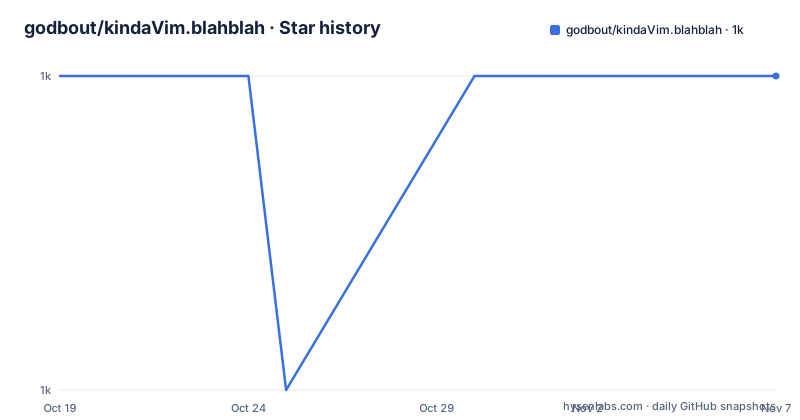
- godbout/kindaVim.blahblah1,009 ★ · +0
| Repository | 2026-10-19 | 2026-11-07 |
|---|---|---|
| godbout/kindaVim.blahblah | 1k | 1k |
0 Stars in the last 19 days, measured from the daily GitHub snapshot. Compare with other projects
Editorial analysis
Vim motions for every text field macOS can put you in
The one line description in the project README is unusually clear about scope. kindaVim brings Vim motions to macOS Text Fields, Text Areas, Dropdowns, Lists, Menus, and in the project's own phrasing, basically everywhere.
That enumeration is the product. Vim is not only an editor, it is a set of motions that most people would like to have in any text input on the system. Native macOS text fields do not offer that, and the usual workaround is to live inside a terminal based editor for anything longer than a line.
The alternative list in the README shows the design space other projects occupy. Karabiner-Elements is a general keyboard remapping tool, so it can produce Vim-like behaviour anywhere but has to be configured key by key. VimMode.spoon is listed as open source and free. SketchyVim is listed as open source and free. ti-vim is closed source and sold as a one time purchase. ShadowVim is open source and targets Xcode specifically.
Read against that list, kindaVim's bet is that a system wide implementation should beat per-application plugins. The trick is that it has to work against controls it does not own, and that constraint is where the accessibility work comes in.
The open source part is the accessibility strategy, not the app
The repository layout is the first thing to understand, because it is unusual. The top level of this repository contains a README, an assets directory and a package-lock.json. That is all. There is no application source here.
The explanation is in the open source section of the README. Testing the Vim moves when using the macOS Accessibility requires building an external app, and that app, together with all the unit and UI tests of each move in the context of the accessibility strategy, is open source and available in a separate repository, the AccessibilityStrategyTestApp.
So the division of labour is this. The application that users install is not open source, and the repository you are reading is a project page rather than a codebase. What is open source is the part that is hard to reverse-engineer, namely the harness that lets a move be tested against a real macOS accessibility element, plus the unit and UI tests for each individual move.
That is a defensible line to draw and a candid one. The alternative would be a closed app with no tests, and the author chose to open the testable surface instead. If you want to contribute a motion, the tests are the place to work, and the roadmap lists new motions as the first open item.
The topics on the repository confirm the technology underneath: swift, swiftui, accessibility, bindings, input, keyboard, motions, moves, macos and macos-app. The gif referenced in the README is hosted from a different repository, kindaVim.theapp, which matches the pattern of separating the app from this project page.
A licence that scolds you from the menu bar
The licence section is the most quoted part of this project and it is a piece of writing rather than a legal instrument.
The text says that without a coffee a month kindaVim sleeps in the mornings, and that it will scold you from the menu bar when you try to use it. You are still able to use it fully featured in the afternoons, until 5am the next day, and the author observes that those are long afternoons. If you are like the author and spend your mornings reading, swimming in the open sea or climbing rocks, then kV is basically free.
The README describes a time-of-day restriction as well as a menu-bar reminder; check the product site for current terms. That is worth stating plainly, because a reader looking for a licence file will not find one. The repository listing has no LICENSE file, and no licence identifier is published with the repository. The terms live in this paragraph and on the site, not in a standard grant.
The practical consequences follow from that. If you need a project to be under a licence you can point at in a compliance review, this repository does not provide one. If you want to fork the app, the open source parts are the test app and the tests, and the licence for those is whatever the AccessibilityStrategyTestApp repository states, which is a separate question from this one.
The tone is consistent with the release naming, and it makes the project memorable, but the substance for anyone evaluating a dependency is thin.
Release numbers that are running jokes
The release tags are numbered 95, 96 and 97, and each carries a subtitle. Release 97 is kV97: The Not Really Funny Edition. Release 96 is kV96: The Command E(xtra)dition, which is a reference to the Command key that the app is about. Release 95 is kV95: The We Get Ready for What's Coming Edition.
The dates are 2026-09-03 for 97, 2026-08-06 for 96 and 2026-07-16 for 95, so the release cadence is on the order of every two to six weeks. The last push to the repository was on 2026-09-03, the same day as release 97, and the repository is not archived.
The version scheme has one practical consequence worth noting. A tag number like 97 tells you nothing about which features are present or which macOS versions are supported. The build is the artifact that matters, and the release names are not a changelog. The project points at kindavim.app for the site and docs.kindavim.app for the documentation, and the docs are described as having been moved and as being under ongoing update, which is where the actual feature and compatibility information now lives.
So the release list is a good signal of activity and a poor source of truth about behaviour. Anyone pinning a version needs the release notes from the site, not this list.
Getting the app, and where the documentation moved
There is no install command in the repository, and that is not an omission in the documentation so much as a statement of where the project now lives.
The site is kindavim.app, described in the README as the place for all the fancy stuff, and it is where the downloadable build is. The documentation has moved to docs.kindavim.app, with the note that updates are ongoing, and that is the reference for the current motion set and the supported applications.
The two are worth separating in your head. The GitHub repository you are reading is a project page that carries the description, the licence joke, the open source pointer, the roadmap and the alternatives list. It is not where you download anything, and the README itself sends you to the site for that. The documentation site is also newer than the repository content, which is why the release subtitles and the roadmap are the most current information the repository holds.
If you want to try the motions rather than read about them, the order is straightforward: get the build from kindavim.app, read the configuration notes at docs.kindavim.app, and then, if a motion does not behave the way you expect in a particular application, that is the point at which the open source test app becomes relevant, because the per move unit and UI tests in the AccessibilityStrategyTestApp repository are where the expected behaviour is written down.
A three item roadmap, and a plugin system that does not exist yet
The roadmap has three entries, and their brevity says something about the project stage.
The first is new motions, tracked in an issue. The second is new apps to The Wizard, which appears to be a component that configures which applications the motions apply to, given the name and the context of a system wide tool. The third is the plugins system, with two issue numbers attached, 150 and 271.
That third item is the one to think about carefully if you are evaluating this for anything long term. A plugin system is the difference between a tool you use and a platform other people can extend, and it is listed as work to be done rather than as something shipped. A roadmap entry with two issue numbers suggests the design has been discussed more than once, which is a good sign for the eventual design and a bad sign for a dependency you need next quarter.
The new apps item is also interesting, because it exposes the constraint of the whole approach. A system wide implementation has to decide, per application, whether the accessibility elements it finds can accept the motions. Some applications use custom drawn controls that are not standard text fields, and some standard controls behave differently under programmatic key events. The Wizard is where those decisions get made, which is why adding apps to it is listed as ongoing work rather than a one off.
So the honest summary of the roadmap is that the coverage of macOS applications grows over time, and your workflow depends on that coverage.
Against the system wide remapper, and against the per application plugin
The comparison worth making is with the alternatives already listed, because the design choices are visible in them.
A general remapper such as Karabiner-Elements operates at the keyboard level. It can make any key do anything, so it can implement Vim motions, but it has to be taught each key combination and each application, and the mapping applies whether or not the target application understands what it is receiving. It is a blunt instrument with total reach.
A per application plugin such as ShadowVim operates at the application level, where the plugin knows the buffer, the cursor and the selection semantics, so the motions are exact. Its reach is exactly one application.
kindaVim sits between them. It works at the system level, so the reach is broad, but it drives the target through the macOS accessibility layer, so it can only express what a standard control exposes. That is why the accessibility strategy and its tests are the part that is open source. The trade is reach against precision, and the project resolves it by spending effort on the layer where the precision is lost.
A closed source one time purchase alternative, ti-vim, makes a different trade entirely, selling a fixed binary instead of a subscription. Whether that is better depends on how much you use it and on your appetite for a closed source binary in your workflow.
Editorial conclusion
kindaVim fits a macOS user who lives in Vim motions and wants them in every text field of the system, including the ones inside other applications, and it fits anyone who wants to read or contribute to the accessibility strategy that makes those motions work, since the test app and the unit and UI tests for each move are open source. It does not fit a team that needs a conventional open source licence, because no licence file appears in the repository and the app's terms are a subscription joke rather than a grant of rights, and it does not fit a Linux or Windows user since the whole approach is built on macOS accessibility APIs. Check three things before you rely on it. Check which parts are open, because the repository itself holds a README, an assets directory and a package-lock.json rather than the app source, while the AccessibilityStrategyTestApp repository holds the testing app and the per move unit and UI tests. Check the current state of the plugin system, because the roadmap lists it as open work with two issue numbers attached rather than a shipped feature. And check the pricing model before you build a workflow around it, since the app sleeps through the mornings until you pay and is fully featured through the afternoons. The last push was on 2026-09-03, the newest release is 97 dated 2026-09-03, and the release names are running jokes rather than version numbers with meaning.
Frequently asked questions
What does kindaVim do on macOS?
It brings Vim motions to macOS text fields, text areas, dropdowns, lists and menus, so the Vim style movement and editing commands work in text inputs inside other applications rather than only inside a terminal editor.
Is kindaVim open source?
The application itself is not. What is open source is the external test app needed to exercise the Vim moves against the macOS Accessibility, together with all the unit and UI tests of each move in the accessibility strategy, published in the AccessibilityStrategyTestApp repository.
How does the kindaVim licence work?
The project describes it as a coffee a month, with the app scolding you from the menu bar if you have not subscribed and remaining fully usable in the afternoons. No license file appears in the repository, and no license identifier is published with the repository.
Does kindaVim have a plugin system?
Not yet. A plugins system appears on the roadmap as open work with two issue numbers attached, alongside new motions and new apps for The Wizard, and the documentation is at docs.kindavim.app.
What are the alternatives to kindaVim?
The README lists Karabiner-Elements for system wide remapping, the Hammerspoon spoon VimMode.spoon, SketchyVim, open source and free, ti-vim as a closed source one time purchase, and ShadowVim for Xcode. The project site is kindavim.app.
Official sources
Add this badge to your README
If you maintain this project, the badge below links readers to this analysis and shows its maintenance status from the daily GitHub snapshot. Paste the markdown into your README; add ?metric=license or ?metric=stars to the image URL for a different field.

[](https://hysenlabs.com/projects/godbout-kindavim-blahblah)Star history chart for your README
[](https://hysenlabs.com/projects/godbout-kindavim-blahblah)Was this useful?