OxyGent: JD's multi-agent Python framework built around the Oxy abstraction
[ACL 2026] OxyGent: Making Multi-Agent Systems Modular, Observable, and Evolvable via Oxy Abstraction https://arxiv.org/abs/2604.25602
At a glance
- What is it?
- OxyGent is a Python framework from JD (JD.com) that orchestrates multi-agent systems by treating tools, models and agents as interchangeable Oxy units. It ships with a ReActAgent type, preset tool packs, an HTTP LLM connector, and optional MCP support that requires Node.js.
- Who is it for?
- OxyGent fits teams building multi-agent pipelines on top of OpenAI-compatible LLM endpoints who want a structured way to wire master and sub-agents without writing a scheduling layer themselves. Skip it if your project already has pinned dependencies, because requirements.txt locks 30 packages to exact versions and pip cannot resolve version conflicts without downgrading.
- Can I use it commercially?
- Check first. The repository uses a licence we do not classify automatically, so read its LICENSE file before any commercial use.
- Is it still maintained?
- Yes. The repository last received commits 11 days ago.
- What is it written in?
- Mainly Python, according to GitHub's language statistics.
Answers come from the project's GitHub data, last synced on November 7, 2026, and from our analysis. They are not legal advice.
Star history
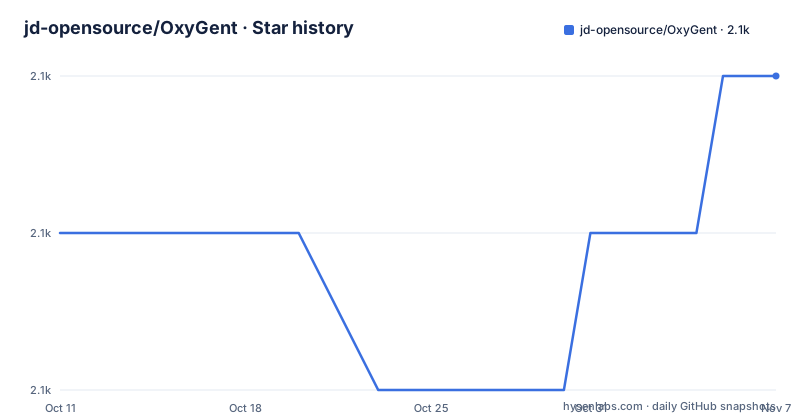
- jd-opensource/OxyGent2,075 ★ · +1
| Repository | 2026-10-11 | 2026-11-07 |
|---|---|---|
| jd-opensource/OxyGent | 2.1k | 2.1k |
1 Stars in the last 27 days, measured from the daily GitHub snapshot. Compare with other projects
Editorial analysis
Oxy as the shared unit for tools, models and agents
OxyGent's central design decision is that tools, LLM connections and agents all share a common interface called an Oxy. Instead of writing bespoke wiring between each pair of components, a developer assembles an oxy_space list where each element follows the same protocol. An HttpLLM Oxy connects to any LLM endpoint, a preset tool pack like preset_tools.time_tools is an Oxy, and a ReActAgent that wraps both is also an Oxy.
This uniformity matters at the composition step. A master agent references its sub-agents by name, and sub-agents reference their tools the same way. The framework resolves those references at runtime. No separate topology configuration is needed because the relationships are declared inside the oxy_space list itself.
The same pattern extends to MCP servers and custom tools. Applications, flows and skills each map to directories in the repository (applications/, examples/flows/, skills/), and the README does not describe how to register a custom Oxy type beyond these existing directories.
HttpLLM and the 3 environment variables for any LLM backend
OxyGent does not ship with a specific LLM. Instead, the HttpLLM class connects to any API-compatible endpoint using 3 environment variables:
export DEFAULT_LLM_API_KEY="your_api_key"
export DEFAULT_LLM_BASE_URL="your_base_url"
export DEFAULT_LLM_MODEL_NAME="your_model_name"
Alternatively, a .env file can hold those same values. Once set, `Config.set_agent_llm_model("default_llm")` binds that LLM to the default agent role. The demo uses this to connect to whichever OpenAI-compatible endpoint the developer has available.
OxyGent works with any LLM that accepts the OpenAI API format, but this design also means there is no built-in model configuration, no model selection UI, and no fallback if the environment variables are missing. A missing DEFAULT_LLM_API_KEY will cause a runtime failure rather than a configuration error at startup.
pip install oxygent and the Python 3.10 requirement
The recommended install is straightforward:
pip install oxygentPython 3.10 is required. The README shows 2 environment options: conda or uv. For a development install from source, the README gives:
git clone https://github.com/jd-opensource/OxyGent.git
cd OxyGent
pip install -r requirements.txt
brew install coreutils
The `brew install coreutils` line is marked "maybe essential," which means the README acknowledges this may be needed but does not document when. That qualifier leaves macOS users uncertain whether to include it.
After installation and environment variable setup, demo.py at the repository root starts the multi-agent system as a web service. The first query in the demo asks for the current time and saves the result to time.txt, which exercises the time_agent, file_agent and the master agent in one call.
The master/sub-agent pattern in the demo
The demo in the README builds a 4-agent system: 3 specialist agents and 1 master. Each specialist is a ReActAgent with a tools list pointing to 1 preset tool pack. The master agent is declared with `is_master=True` and a sub_agents list naming the 3 specialists:
oxy.ReActAgent(
    is_master=True,
    name="master_agent",
    sub_agents=["time_agent", "file_agent", "math_agent"],
)
At runtime the system starts with `async with MAS(oxy_space=oxy_space)` and exposes a web service interface. The first_query parameter in the start_web_service call sends an initial task to the master agent, which then delegates to sub-agents as needed.
This demo covers the simplest orchestration case: 1 level of hierarchy, 3 tools, 1 master. The examples/ directory contains more complex layouts including distributed, ecommerce and bank scenarios, as well as Agent-to-Agent (a2a) examples, but those are not described in the README.
MCP support requires a separate Node.js installation
The quick start includes a Step 3 specifically for MCP: download and install Node.js. Without it, MCP-based tools in the mcp_servers/ directory will not work. The README does not state a minimum Node.js version.
MCP (Model Context Protocol) tools are the mechanism for extending the agent's tool set beyond the built-in preset_tools. Implementations live in the mcp_servers/ directory of the repository. Node.js is an additive dependency: teams that only use preset_tools can skip it entirely, but teams that want MCP tools take on both a Python and a JavaScript runtime dependency.
Two tool extension paths are visible in the examples directory: examples/mcp_tools/ and examples/fh_tools/ (function hub tools). The README documents the MCP path in the quick start but does not explain when to choose one over the other.
requirements.txt pins 30 exact versions, blocking use as a library
The requirements.txt file lists 30 packages, all pinned to exact versions. A sample: openai==1.77.0, fastapi==0.115.12, pydantic==2.11.4, uvicorn==0.34.2, numpy==2.2.6, and websockets==15.0.1. Pinning exact versions is normal for an application deployment, not for a library meant to drop into an existing Python project.
Adding OxyGent to a project that already depends on openai, fastapi or pydantic at different versions will produce conflicts that pip cannot resolve without downgrading. There is no extras_require or pyproject.toml visible in the repository root listing, so no way to install a minimal subset.
One entry stands out: uv==0.6.9 is listed in requirements.txt. uv is a package installer and resolver, not a library. Its presence as a pinned entry in requirements.txt is unusual and points to the development environment setup being mixed with runtime dependencies.
The GAIA benchmark score is dated July 2025, and the leaderboard updates continuously
The README reports a GAIA benchmark score of 59.14 for OxyGent as of July 15, 2025, placing it below OWL at 60.8 at that time. The GAIA leaderboard is not static: scores update as new systems are submitted and as existing systems improve. The README does not state when this score was last verified or whether the comparison to OWL reflects the current state of that system.
For a team evaluating OxyGent against other multi-agent frameworks, the GAIA number is a reference point rather than a current ranking. Checking the GAIA leaderboard directly (huggingface.co/spaces/gaia-benchmark/leaderboard) gives the current standings, which may differ from what the README shows.
Editorial conclusion
OxyGent fits teams building multi-agent pipelines on top of OpenAI-compatible LLM endpoints who want a structured way to wire master and sub-agents without writing a scheduling layer themselves. Skip it if your project already has pinned dependencies, because requirements.txt locks 30 packages to exact versions and pip cannot resolve version conflicts without downgrading. Before adopting, check the GAIA leaderboard for current standings (the README score is dated July 15, 2025), confirm the LICENSE file matches the Apache 2.0 text the README references, and verify Node.js is available for MCP tools.
Frequently asked questions
What is OxyGent?
OxyGent is an open-source Python framework from JD (JD.com) for building multi-agent systems. It organizes tools, LLM connections and agents into modular Oxy components that can be composed into a master/sub-agent hierarchy and run as a web service.
How do I install OxyGent?
Run pip install oxygent in a Python 3.10 environment. The README shows conda and uv as environment options. For MCP tools, Node.js must also be installed separately.
What LLMs does OxyGent support?
OxyGent connects to any LLM via the HttpLLM class, which takes an API key, a base URL and a model name as environment variables. The demo uses a generic DEFAULT_LLM endpoint, making any OpenAI-compatible API compatible with the framework.
Does OxyGent have a research paper?
Yes. The repository links to an ACL 2026 paper titled OxyGent: Making Multi-Agent Systems Modular, Observable, and Evolvable via Oxy Abstraction at arxiv.org/abs/2604.25602.
Is there a Java version of OxyGent?
Yes. The README links to jd-opensource/JDOxyGent4J as a Java implementation. The README for the Python version does not describe how the two versions relate or whether they share an API contract.
Official sources
Add this badge to your README
If you maintain this project, the badge below links readers to this analysis and shows its maintenance status from the daily GitHub snapshot. Paste the markdown into your README; add ?metric=license or ?metric=stars to the image URL for a different field.

[](https://hysenlabs.com/projects/jd-opensource-oxygent)Star history chart for your README
[](https://hysenlabs.com/projects/jd-opensource-oxygent)Was this useful?