org-ref for Org citations, bibliographies, and analysis
org-mode modules for citations, cross-references, bibliographies in org-mode and useful bibtex tools to go with it.
At a glance
- What is it?
- org-ref adds functional citations, cross-references, indexes, glossaries, bibliographies, and BibTeX utilities to Org mode. It suits Emacs users who want interactive document links plus LaTeX, citeproc, or org-cite workflows.
- Who is it for?
- Adopt org-ref if your work already centers on Emacs, Org mode, BibTeX files, and document export, and you value link-level actions such as opening PDFs or notes. Do not choose it merely for citations already handled cleanly by org-cite, or for publishing workflows that avoid org-ref link syntax.
- Can I use it commercially?
- Yes, with conditions. GPL-3.0 is a copyleft licence: if you distribute software that includes it, you must release that software's source code under the same licence. Running it internally without distributing it does not trigger that obligation.
- Is it still maintained?
- Yes. The repository last received commits 5 days ago.
- What is it written in?
- Mainly Emacs Lisp, according to GitHub's language statistics.
Answers come from the project's GitHub data, last synced on October 24, 2026, and from our analysis. They are not legal advice.
Star history
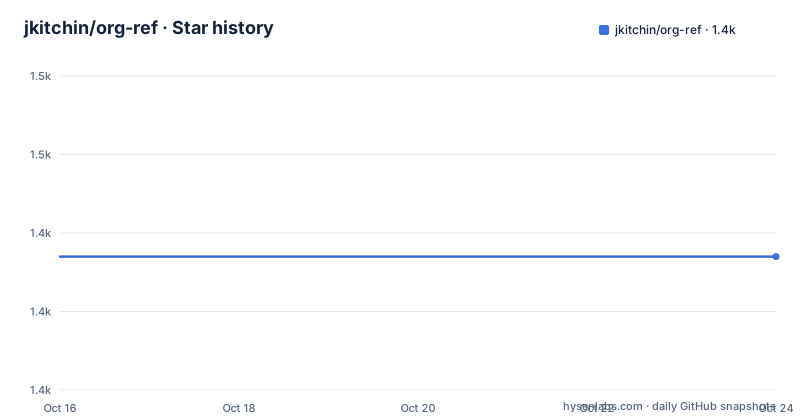
- jkitchin/org-ref1,437 ★ · +0
| Repository | 2026-10-16 | 2026-10-24 |
|---|---|---|
| jkitchin/org-ref | 1.4k | 1.4k |
0 Stars in the last 8 days, measured from the daily GitHub snapshot. Compare with other projects
Editorial analysis
Why org-ref adds more than citation markup
org-ref addresses a specific gap between plain Org links and a complete scholarly-document workflow. Its links are described as “hyper-functional,” meaning that a citation or cross-reference can carry several actions rather than serve as only one destination. Depending on the link and how the user interacts with it, actions can include opening a PDF, opening a note, following a URL, inserting a citation, or moving to a related definition. The README also says that these links receive distinct fontification, which makes them easier to distinguish from ordinary Org links while editing.
The project is aimed at people who write substantial documents in Org mode, particularly researchers, academics, and technical writers who keep bibliography databases in BibTeX format. Its feature set extends beyond citations. Cross-references, indexes, glossaries, bibliography links, label links, reference links, extraction helpers, and publication utilities occupy separate source files in the repository. That layout suggests that org-ref is a collection of related Org workflows rather than a single citation formatter.
There is also a document-analysis facility. According to the README, it can report bad citations, multiply defined labels, bad reference links, and missing bibliography files. Each reported item can be selected to jump to its location. This diagnostic workflow is useful when a large Org file contains many links and exports because it gives the user concrete navigation targets rather than leaving errors buried in an export log.
How org-ref links connect Org buffers to BibTeX data
The central mechanism is an Org link that carries a reference to a BibTeX key and can be handled through several interaction paths. The README describes fontified links, click menus, tooltips, keyboard activation, following, and actions such as opening the associated PDF or notes. This design keeps the scholarly identifier in the document while allowing related local files and online resources to remain secondary actions.
Configuration is primarily delegated to `bibtex-completion`. Version 3 removed the older `org-ref-*` configuration variables in favor of analogous variables defined in that dependency. The documented settings include `bibtex-completion-bibliography` for one or more `.bib` files, `bibtex-completion-library-path` for PDF files, `bibtex-completion-notes-path` for notes, a template for generating notes across multiple files, and display formats that differ by BibTeX entry type. Searchable fields can be extended through `bibtex-completion-additional-search-fields`.
Export is split across several routes. org-ref links can export to LaTeX for PDF-oriented output. Citation export to HTML, Markdown, plain text, or standalone LaTeX is supported through `citeproc`. This distinction matters because org-ref does not present itself as one universal bibliography renderer. It is an Org interaction layer with explicit export integrations.
The repository includes examples for CSL styles, BibLaTeX, generated `.bbl` workflows, numeric and footnote citations, author-year bibliographies, `natbib`, and `refproc`. Based on those filenames, the project covers several publication paths, but the README excerpt does not document the configuration required for each example.
MELPA installation and initial package loading
The recommended installation path is MELPA because the README says it should install almost all dependencies and reflect the `master` branch. Add the MELPA archive and initialize package management in your Emacs configuration:
(add-to-list 'package-archives
	     '("melpa" . "https://melpa.org/packages/") t)
(package-initialize)
After evaluating or reloading the configuration, invoke `M-x package-list-packages`, locate `org-ref`, and install it. Loading the package can then be declared in the same Emacs Lisp style:
(use-package org-ref)Four optional completion packages are explicitly excluded from automatic installation: `helm`, `helm-bibtex`, `ivy`, and `ivy-bibtex`. Users who want those interfaces must install them separately. The README does not identify a default completion backend, so choosing one is an adoption decision rather than a detail that MELPA can resolve automatically.
Configuration now belongs primarily to `bibtex-completion`, not the removed `org-ref-*` variables. The project provides working configurations under its `melpa` directory and says that `org-ref.org` contains the full feature explanation. The README excerpt does not publish a first-use keybinding, so it would be misleading to invent an `M-x` command or key sequence. A new user should instead verify their bibliography and library paths, reload Emacs, open an Org file, and consult the project’s own documented commands.
Configuring bibliography, PDF, and note locations
The README’s configuration example connects org-ref to four BibTeX files and assigns separate directories for PDFs and notes. It also defines a note template that embeds a `cite:` link for the entry key. Paths must be changed for the local account, because the documented values point to the author’s own Dropbox arrangement.
The important settings in the example are `bibtex-completion-bibliography`, `bibtex-completion-library-path`, and `bibtex-completion-notes-path`. The README also documents `bibtex-completion-notes-template-multiple-files`, `bibtex-completion-additional-search-fields`, and `bibtex-completion-display-formats`. Together, these settings control which databases are searched, where associated files are found, how notes are generated, and how bibliography results appear.
The display formats vary by BibTeX entry type. The example gives separate layouts for `article`, `inbook`, `incollection`, `inproceedings`, and a fallback entry. Each format can indicate whether a PDF or note exists and then show fields such as year, author, title, journal, chapter, or booktitle. This is a configurable presentation layer, not merely a fixed bibliography dump.
For automatic keys, the README also shows settings for `bibtex-autokey-year-length`, `bibtex-autokey-name-year-separator`, and `bibtex-autokey-year-title-separator`. The excerpt is incomplete after those settings, so it does not establish how every entry type is generated. Users should treat the visible values as configuration examples and consult `org-ref.org` for the complete workflow before adopting an institution-wide key policy.
Git checkout and repository test paths
A direct Git installation requires the dependencies listed near the top of `org-ref.el` to be installed manually. Clone the repository with the command documented in the README:
git clone https://github.com/jkitchin/org-ref.gitThe clone creates an `org-ref` directory. The README says to add that checkout to the Emacs load path and then consult its Configuration section. It does not provide the exact load-path form in the excerpt, so no additional Emacs Lisp is supplied here.
The Makefile exposes several test entry points. Its default target is `test`, while `test-direct` bypasses Cask and invokes Emacs with `test/run-tests.el`. A more focused `unit` target loads `test/org-ref-test.el` and runs ERT. These targets indicate that the repository has separate paths for its broader test suite, direct test execution, and unit tests. They also show that a local checkout has development dependencies beyond the end-user MELPA workflow.
The normal Cask-based test recipe is `${CASK_EXEC} ert-runner`, while the direct recipe is `${emacs} -batch -L . -L test -l test/run-tests.el`. Both appear in the Makefile. The presence of a `Cask` file, test initialization files, and multiple test-related targets supports maintenance work, but it is not a published release process. The repository has no GitHub releases.
org-ref versus built-in org-cite
The clearest alternative is Org mode’s built-in `org-cite`, which the README presents as modular and processor-based. It separates citation insertion, activation, following, and export into configurable processors. org-cite also uses different citation and style syntax. For users whose only requirement is standardized citation handling, that built-in design may avoid adding another citation-link layer.
org-ref offers a broader document-editing package. It includes cross-references, indexes, glossaries, bibliography links, analysis, and numerous BibTeX utilities. The README explicitly warns against mixing org-ref citation links with org-cite citations because the two systems are handled independently. It does allow org-ref cross-reference links to coexist with org-cite citations.
Users can route org-ref citation insertion through org-cite with the configuration shown in the README:
(setq org-ref-insert-cite-function
      (lambda ()
	(org-cite-insert nil)))
This is a hybrid arrangement, not permission to use both citation syntaxes in the same document. It lets org-ref delegate citation work to org-cite while retaining org-ref’s other link features. Organizations standardizing on native Org citation syntax may prefer this route, while projects that depend on org-ref’s hyper-functional links and bibliography actions have a reason to retain its citation syntax.
Export, analysis, and workflow boundaries
org-ref is strongest when interaction and export are both first-class requirements. Hyper-functional links provide editing actions, while LaTeX and citeproc integrations cover publication targets. The analysis command adds another layer by finding broken citations, duplicate labels, invalid references, and absent bibliography files. That combination is more useful than citation insertion alone, but it also creates dependencies on configured paths and compatible Org, BibTeX, and export components.
The project is the wrong tool when a simple citation system is enough. If an existing Org workflow already uses org-cite processors and does not need org-ref’s cross-reference, glossary, index, bibliography-link, or BibTeX features, adding org-ref increases configuration surface without a clear benefit. It is also unsuitable for someone who wants citations without maintaining `.bib` files. The examples and dependencies show a BibTeX-centered model rather than a standalone reference manager.
Export support is not uniform across every target. LaTeX export is described directly by org-ref, while HTML, Markdown, plain text, and standalone LaTeX citation export are attributed to `citeproc`. Users must verify that their desired back end, citation style, and bibliography workflow agree. The README excerpt does not document conflicts among the included `.bbl`, BibLaTeX, natbib, and refproc examples, nor does it document rollback for generated files. Those are integration questions to settle before committing a production publishing pipeline.
Maintenance signal, GPL-3.0, and upgrade work
The repository is not archived, and its last push was on 2026-09-15. That is recent activity, but it is not the same as a formal support commitment. There are no GitHub releases, so installation through MELPA and checkout from `master` are the paths emphasized by the project rather than version-pinned release artifacts.
Upgrades may require more than replacing one package. The README explicitly distinguishes the automated installation of most dependencies from the four optional packages that remain outside that process. It also records a major configuration transition: Version 3 removed `org-ref-*` variables and moved to corresponding settings in `bibtex-completion`. Users arriving from an older configuration should inspect obsolete variable names rather than assuming they still control behavior.
The project is licensed under GPL-3.0. That identifies the repository’s stated license, but it does not answer questions about compatibility with a particular internal distribution or workflow. No legal interpretation should be inferred from this review. The source tree separates concerns into files such as `org-ref-export.el`, `org-ref-bibtex.el`, `org-ref-ref-links.el`, and provider modules for services including arXiv, ISBN, OpenAlex, and PubMed, so upgrades can touch more than citation insertion alone.
Editorial conclusion
Adopt org-ref if your work already centers on Emacs, Org mode, BibTeX files, and document export, and you value link-level actions such as opening PDFs or notes. Do not choose it merely for citations already handled cleanly by org-cite, or for publishing workflows that avoid org-ref link syntax. Before adoption, verify that the optional helm, helm-bibtex, ivy, and ivy-bibtex packages match the interface you want, then inspect the analysis command against a representative document with missing entries, duplicate labels, or broken bibliography paths.
Frequently asked questions
How do I install org-ref in Emacs?
Add MELPA to `package-archives`, call `package-initialize`, install `org-ref` from the package list, and load it with `use-package org-ref`. The README says MELPA should install almost all dependencies, but `helm`, `helm-bibtex`, `ivy`, and `ivy-bibtex` must be installed separately.
Can org-ref use org-cite instead of its own citation links?
Yes. Set `org-ref-insert-cite-function` to a lambda that calls `org-cite-insert`. The README warns against mixing the two citation syntaxes, although org-ref cross-reference links can coexist with org-cite citations.
What does the org-ref analysis command check?
According to the README, it can identify bad citations, multiply defined labels, bad reference links, and missing bibliography files. Reported items can be selected to jump to the relevant location for correction.
Does org-ref support bibliography exports other than PDF?
Citation export to HTML, Markdown, plain text, and standalone LaTeX is supported through `citeproc`. org-ref links also export to LaTeX for PDF-oriented workflows.
Official sources
Add this badge to your README
If you maintain this project, the badge below links readers to this analysis and shows its maintenance status from the daily GitHub snapshot. Paste the markdown into your README; add ?metric=license or ?metric=stars to the image URL for a different field.

[](https://hysenlabs.com/projects/jkitchin-org-ref)Star history chart for your README
[](https://hysenlabs.com/projects/jkitchin-org-ref)Was this useful?