SpotifyAPI-NET for C# Spotify Web API Access
:sound: A Client for the Spotify Web API, written in C#/.NET
At a glance
- What is it?
- SpotifyAPI-NET is a C#/.NET client for the Spotify Web API, covering catalog queries, library and playlist management, player control, authentication, pagination, retries, logging, and proxy configuration. Its typed API is broad, but adoption depends on Spotify endpoint compatibility, OAuth configuration, and the application's .NET target.
- Who is it for?
- SpotifyAPI-NET fits C# and Visual Basic .NET applications that need a typed Spotify Web API client without assembling HTTP requests and response models by hand. It is less suitable for a non-.NET application or a project that cannot accommodate the library's authentication and Spotify API requirements.
- Can I use it commercially?
- Yes. MIT is a permissive licence: you can use, modify and sell software built on it, as long as you keep its copyright and licence notices.
- Is it still maintained?
- Yes. The repository last received commits 170 days ago.
- What is it written in?
- Mainly C#, according to GitHub's language statistics.
Answers come from the project's GitHub data, last synced on October 23, 2026, and from our analysis. They are not legal advice.
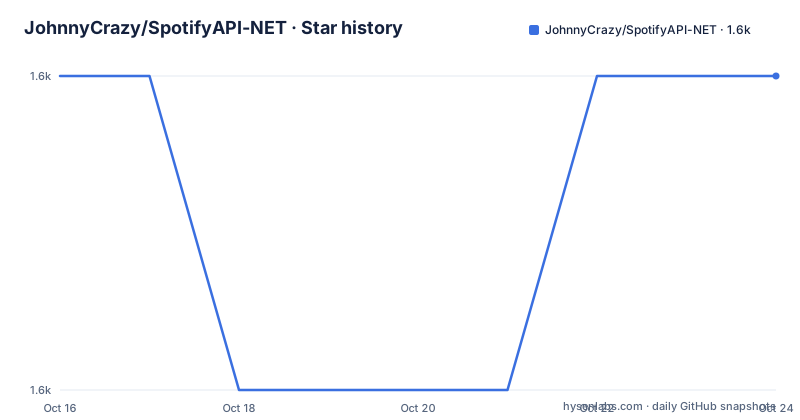
Star history
- JohnnyCrazy/SpotifyAPI-NET1,616 ★ · +0
| Repository | 2026-10-16 | 2026-10-23 |
|---|---|---|
| JohnnyCrazy/SpotifyAPI-NET | 1.6k | 1.6k |
0 Stars in the last 7 days, measured from the daily GitHub snapshot. Compare with other projects
Editorial analysis
What SpotifyAPI-NET Covers
SpotifyAPI-NET targets applications written in C# or Visual Basic .NET that need to communicate with the Spotify Web API. The library is not a music player interface or a streaming service. It is a client library that sends Spotify API requests and exposes typed responses and requests for more than 74 endpoints. The README describes coverage across three practical areas: catalog information, user-related content, and playback control.
Catalog operations include queries for tracks, albums, and playlists. User-related operations include access to the user's library, playlist creation, and playlist editing. Player operations include play, stop, playback transfer, and starting a specific track. This makes the library relevant to desktop tools, web applications, command-line programs, mobile applications built with supported .NET technologies, and services that need to act on behalf of a Spotify user.
The typed API is the central design decision. Instead of requiring an application to model Spotify response payloads and request bodies separately, the package organizes the client around resource and operation types. That reduces repetitive HTTP plumbing, although it does not remove the need to understand Spotify permissions, endpoint behavior, or access-token handling. A library call can be straightforward while the application still needs the correct user context and scopes.
SpotifyAPI-NET Architecture and Request Flow
The repository separates the main web client, authentication support, tests, documentation, and examples. The README links the `SpotifyAPI.Web` package and the `SpotifyAPI.Web.Auth` package on NuGet. The main client handles Spotify Web API operations, while the authentication package provides support for OAuth2 use in ASP.NET and command-line applications. The repository also contains `SpotifyAPI.Web.Examples`, which is the documented place to find additional usage examples.
At the application boundary, a client is created with a Spotify access token. Calls are then made through typed resource interfaces such as `Tracks`. The README example retrieves a track and reads its `Name` property. The flow is therefore straightforward at the application level: construct `SpotifyClient`, call an endpoint method, await the returned typed object, and use its properties.
The library includes several infrastructure controls. The README lists an included `HTTPClient`, while also allowing callers to bring their own HTTP client. Logging, retry handlers, and proxy support are documented features. Pagination support matters for APIs where a response contains only part of a larger collection. The modular structure is intended to make unit testing easier, although the README does not provide a detailed extension diagram or a complete configuration reference.
OAuth2 is a separate concern from ordinary endpoint access. The authentication package supports all OAuth2 authentication methods described by the project, for ASP.NET and CLI applications. That statement does not mean an application can skip Spotify's registration, redirect URI configuration, scopes, or token lifecycle decisions. It means the package includes the authentication surface required by those application styles.
Installing SpotifyAPI-NET and Making a First Track Request
The README sends installation work to the Getting Started Guide rather than giving a package-install command. It also links the project documentation and NuGet pages for `SpotifyAPI.Web` and `SpotifyAPI.Web.Auth`. Choose the package that matches the application boundary. `SpotifyAPI.Web` is the primary client shown in the example. Applications that perform OAuth2 authentication can also consider `SpotifyAPI.Web.Auth`.
The first concrete use in the README creates a client from an access token, requests a track by Spotify identifier, and prints the returned name. The code is reproduced below exactly as shown. It requires a valid access token and does not include authentication setup, so it should be treated as the first authenticated API call after configuring Spotify access rather than a complete application.
using System;
using SpotifyAPI.Web;

class Program
{
    static async Task Main()
    {
      var spotify = new SpotifyClient("YourAccessToken");

      var track = await spotify.Tracks.Get("1s6ux0lNiTziSrd7iUAADH");
      Console.WriteLine(track.Name);
    }
}
A successful run should print the track name associated with the supplied identifier. The README does not specify the console output for that identifier, so the exact text is not stated here. The example also does not show error handling, token refresh, scopes, HTTP client replacement, retries, or proxy configuration. Those concerns belong in the surrounding application and should be verified against the Getting Started Guide and Spotify application configuration.
OAuth2, Pagination, and Runtime Configuration
Authentication is the largest integration boundary in this project. The README states that all OAuth2 authentication methods are supported for ASP.NET and CLI applications. For an ASP.NET application, the OAuth flow must fit the web application's redirect and callback structure. For a CLI application, the flow must account for the lack of a conventional browser session. The README does not include a complete configuration for either case.
Pagination is relevant for collections such as playlists, saved items, albums, or other resources whose results may exceed one response page. The README lists pagination support, which indicates that callers can work with paged API results rather than treating each response as a complete collection. It does not document iterator names, page-size behavior, or a unified page abstraction. Applications should use the project documentation and examples for the exact endpoint-specific pattern.
The same caution applies to runtime controls. Logging is supported, retry handlers are supported, and proxy support is listed. The README does not define default retry counts, backoff rules, proxy syntax, or log configuration keys. Those are not interchangeable with OAuth settings. A team may need to configure several independent pieces: the Spotify application, OAuth scopes, access-token acquisition, HTTP behavior, and user playback context.
The library's support for .NET Standard 2.X is broad on paper. The README names .NET Framework, UWP, .NET Core, and Xamarin.Forms. Actual application adoption still depends on the package's compatibility with the exact runtime, dependency graph, and deployment model. This is particularly relevant for mobile and legacy framework targets, where a broad platform list does not replace a build check in the consuming project.
Where SpotifyAPI-NET Is the Wrong Choice
SpotifyAPI-NET is the wrong tool when the consuming application is not based on a supported .NET ecosystem. A Node.js service, Python data pipeline, or native mobile application without a .NET boundary would need a different client or a separate .NET service. The repository's examples and packages are centered on C#/.NET usage, so the documented convenience does not transfer automatically to another runtime.
It is also a poor fit for applications that only need a static Spotify catalog dataset. For a one-time export, a direct HTTP client may be simpler than adopting an OAuth-aware SDK. Conversely, the library becomes more useful when an application needs many endpoints, typed models, repeated authenticated calls, or integration around playlists and playback.
The library does not remove Spotify API constraints. The README describes access to Spotify Web API endpoints, but it does not claim that every Spotify API feature is available, that all operations work identically for every account, or that permissions are unrestricted. Endpoint availability, scopes, account state, and Spotify's own API behavior remain external conditions. A successful package installation will not resolve an incorrect scope or an unavailable playback device.
The tests directory indicates that the repository contains automated tests, but the README does not describe their scope or guarantee compatibility with a particular Spotify account. Buyers should not treat the presence of tests as proof that every live API response is covered.
SpotifyAPI-NET Compared with Direct Spotify HTTP Calls
The main alternative is implementing the Spotify Web API calls directly with the application's HTTP stack and deserializing responses into local models. That approach avoids taking a dependency on SpotifyAPI-NET, but it shifts responsibility for request construction, response typing, OAuth integration, pagination, retries, logging, and proxy handling into the consuming application.
SpotifyAPI-NET's advantage is specialization for .NET applications. The README reports typed requests and responses for more than 74 endpoints, a modular structure, an included HTTP client option, and built-in support for common operational concerns. A direct implementation can be preferable for a small script with one endpoint, a codebase with an existing HTTP abstraction, or an application whose data model intentionally differs from the library's types.
The trade-off is dependency and compatibility. The library must be updated as Spotify changes its API surface, and the consuming application must align with the library's target frameworks and package versioning. The repository lists recent releases `7.4.2` and `7.3.0` in 2026, plus `7.2.1` in 2024. Release availability indicates published package versions, not that every endpoint or runtime combination has identical behavior. Teams choosing between the library and direct HTTP calls should compare the exact endpoints and maintenance responsibilities they need.
Maintenance, Packaging, and the MIT License
The repository is not archived. Its last push was on 2026-05-06. The release list includes `7.4.2` dated 2026-03-04 and `7.3.0` dated 2026-02-15. These facts support a current package line, but they do not establish a response time for Spotify API changes or a support commitment for every framework.
The project uses the MIT license. That permits use, modification, distribution, and private use under the license's conditions, including preservation of the copyright and license notice. This is a repository-level licensing fact, not a guarantee that Spotify's own API terms, account requirements, or third-party dependencies impose no separate obligations. Application owners should review those terms separately, especially when shipping a client that accesses user libraries or controls playback.
Upgrade cost depends on the breadth of the integration. A simple track lookup may involve only `SpotifyClient`, an access token, and one endpoint call. Applications using OAuth2, pagination, custom HTTP clients, retry handlers, proxies, library operations, and player control have more integration points. The modular layout and examples reduce the amount of new code to inspect, but the README does not provide a migration guide for moving between the listed releases.
Editorial conclusion
SpotifyAPI-NET fits C# and Visual Basic .NET applications that need a typed Spotify Web API client without assembling HTTP requests and response models by hand. It is less suitable for a non-.NET application or a project that cannot accommodate the library's authentication and Spotify API requirements. Verify the target framework, package selection, OAuth flow, Spotify scopes, and endpoint compatibility before adoption. The repository is not archived, and its last push was on 2026-05-06.
Frequently asked questions
What is SpotifyAPI-NET used for?
SpotifyAPI-NET is a C#/.NET client for the Spotify Web API. It provides typed requests and responses for catalog queries, user library and playlist operations, and playback control.
How do I make a first request with SpotifyAPI-NET?
Create a `SpotifyClient` with an access token, call a resource such as `Tracks.Get`, await the result, and read its properties. The README shows a track lookup that prints the returned track name.
Does SpotifyAPI-NET support OAuth2?
Yes. The README says all OAuth2 authentication methods are supported for ASP.NET and CLI applications through the authentication package.
Official sources
Add this badge to your README
If you maintain this project, the badge below links readers to this analysis and shows its maintenance status from the daily GitHub snapshot. Paste the markdown into your README; add ?metric=license or ?metric=stars to the image URL for a different field.

[](https://hysenlabs.com/projects/johnnycrazy-spotifyapi-net)Star history chart for your README
[](https://hysenlabs.com/projects/johnnycrazy-spotifyapi-net)Was this useful?