microsoft/tslib: Install and Use TypeScript Helpers
Runtime library for TypeScript helpers.
At a glance
- What is it?
- tslib gives compiled TypeScript modules a shared runtime package for emitted helpers. It reduces repeated helper declarations with `importHelpers`, but adds a dependency that must match the compiler and module resolver.
- Who is it for?
- Adopt `tslib` when your TypeScript build emits runtime helpers and the target environment can resolve the package. Do not adopt it for type-only code or when another runtime dependency is unacceptable.
- Can I use it commercially?
- Yes. 0BSD is a permissive licence: you can use, modify and sell software built on it, as long as you keep its copyright and licence notices.
- Is it still maintained?
- Yes. The repository last received commits 2 days ago.
- What is it written in?
- Mainly TypeScript, according to GitHub's language statistics.
Answers come from the project's GitHub data, last synced on November 6, 2026, and from our analysis. They are not legal advice.
Star history
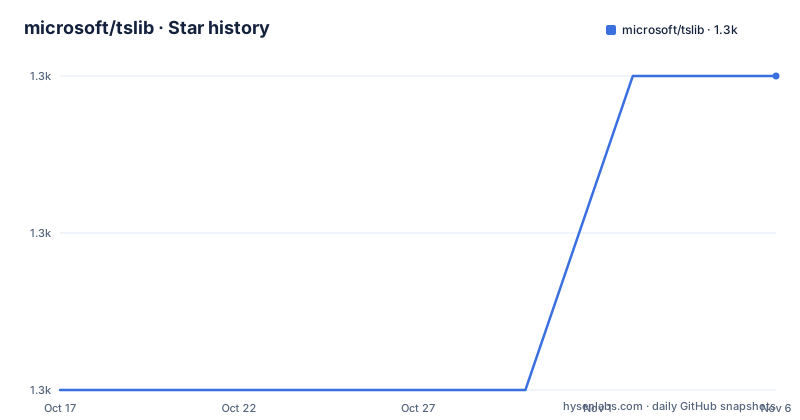
- microsoft/tslib1,347 ★ · +2
| Repository | 2026-10-17 | 2026-11-06 |
|---|---|---|
| microsoft/tslib | 1.3k | 1.3k |
2 Stars in the last 20 days, measured from the daily GitHub snapshot. Compare with other projects
Editorial analysis
Why tslib Externalizes Repeated TypeScript Runtime Code
tslib addresses a specific issue in JavaScript emitted by TypeScript. When a language construct needs a runtime helper, the compiler can include that helper's declaration in each output module. The README uses `__assign` as its example. Without a shared runtime library, a compiled file can contain a local declaration and then call it to combine object values. Another compiled file may contain another declaration of the same helper.
The library is primarily intended for projects compiled with TypeScript's `importHelpers` option. It is not a general-purpose utility package that application code must import by habit. Its documented purpose is to supply runtime functions expected by emitted TypeScript modules while allowing those modules to reference a shared package. The repository description calls it a "Runtime library for TypeScript helper functions," while the README states that it contains all TypeScript helper functions.
The expected benefit is smaller delivered files on average because repeated helper declarations do not appear throughout the output. The README also attributes less runtime overhead to this arrangement. That is a project claim, not a guaranteed result for every application. An adopting team should inspect its own compiled bundles before treating a particular saving as assured. The repository states no universal file-size reduction or runtime-performance figure.
tslib is mainly relevant to TypeScript projects that emit runtime helpers, especially those producing several modules or browser bundles. It offers little value when the JavaScript contains no helpers, when the build produces only declarations, or when the deployment cannot include another runtime package.
How importHelpers Routes Compiler Output into tslib
The change occurs during compilation through the `importHelpers` compiler option. Without it, TypeScript may emit the full `__assign` declaration into a JavaScript file. With it enabled, the README shows generated code using `require("tslib")` and accessing `__assign` on the imported package. The application still needs the helper at runtime, but its implementation comes from a shared module rather than a declaration repeated in each output file.
The option does not convert arbitrary application imports into `tslib` calls. It applies when the compiler needs a helper such as `__assign` or `__extends`. It also does not replace the TypeScript compiler. A separate build step still has to emit the JavaScript, and the resulting output must resolve the runtime package.
Package resolution is part of this mechanism. The `package.json` file names `tslib.js` as `main`, `tslib.es6.js` as `module` and `jsnext:main`, and `tslib.d.ts` as `typings`. It also defines conditional exports. The `module` condition selects `modules/index.d.ts` for types and `tslib.es6.mjs` by default. The `import` condition has a Node-specific JavaScript entry at `modules/index.js` and a default branch that uses `modules/index.d.ts` and `tslib.es6.mjs`. The package-level default points to `tslib.js`.
That layout matters when a bundler, Node.js tool, or older package consumer resolves the dependency. The README gives explicit path mappings for Bower and JSPM. Those mappings show that module format and declaration lookup are separate concerns from installing the package.
The package metadata declares `"sideEffects": false`. Based on that declaration, bundlers may remove unused package code during tree shaking. The README does not explain each helper's implementation or guarantee that every supported resolver selects the same conditional entry.
Installing the tslib Line for TypeScript
The README separates installation guidance by TypeScript version. For TypeScript 3.9.2 or later, it directs users to the current `tslib` package line. For TypeScript 3.8.4 or earlier, it specifies `tslib@^1`. For TypeScript 2.3.2 or earlier, its documented command pins `[email protected]`. Select the command that matches the compiler already used by the project rather than relying only on the newest release shown in the repository.
For a conventional npm project using TypeScript 3.9.2 or later, the documented installation command is:
npm install tslibAfterward, confirm that the package manager recorded `tslib` in the project's dependency manifest and lockfile. The README does not prescribe a lockfile policy or explain workspace hoisting, so projects should follow their existing dependency process after installation.
The README also gives installation commands for Yarn, Bower, and JSPM. These routes are not interchangeable without checking module resolution. The repository includes `bower.json`, while `package.json` describes an npm package with conditional exports and separate JavaScript, ES module, and declaration entries. A Bower or JSPM build therefore needs closer attention to paths than a standard npm setup.
The immediate post-install check is resolution from the compilation context. If the compiler emits an import for `tslib` but the build cannot locate it, deployment will fail during bundling or at runtime. Package-manager output and the dependency tree can expose that issue before application code runs.
Running and Checking the First importHelpers Build
The README's shortest compiler example adds `importHelpers` to a TypeScript command:
tsc --importHelpers file.tsThe generated JavaScript should reference helpers through `tslib` rather than repeat their implementations. Depending on the module settings, the reference may use `require("tslib")`, an ES module import, or another resolver-specific form. The README does not define the output directory or module format for this example, so those choices remain part of the surrounding project configuration.
For normal project builds, the same option can be placed in `tsconfig.json`:
{
    "compilerOptions": {
        "importHelpers": true
    }
}
Merge this entry into the existing `compilerOptions` object rather than replacing settings for the module system, target, declarations, or output paths. After the build, inspect the emitted JavaScript and look for a package reference to `tslib`. That confirms the compiler is using imported helpers. It does not prove that the production bundler resolved the correct conditional export or retained every helper required by the application.
The README predicts smaller delivered files on average, but package adoption alone does not establish the exact result for a bundle. Files with few helpers may see limited benefit, while builds containing many repeated declarations align more closely with the library's stated purpose.
Bower and JSPM Configuration Constraints
Bower and JSPM installations require additional module and declaration-path configuration in the README. For Bower, the documented TypeScript configuration selects AMD and maps the `tslib` declaration file under `bower_components`:
{
    "compilerOptions": {
        "module": "amd",
        "importHelpers": true,
        "baseUrl": "./",
        "paths": {
            "tslib" : ["bower_components/tslib/tslib.d.ts"]
        }
    }
}
The JSPM example follows the same pattern with `system` modules and a path beneath `jspm_packages`. This configuration matters when `importHelpers` needs to find both a declaration file and the appropriate runtime entry. Adding a dependency to the package manager does not by itself prove that TypeScript will resolve those files.
These package-manager paths expose a maintenance cost. Directory layouts, compiler versions, and emitted module formats must remain aligned. The README does not prescribe a migration from Bower or JSPM to npm, so an existing project should preserve its package manager unless there is a separate reason to change it.
For an npm project using modern module resolution, the package's `exports` object should remain intact unless the consuming tool has a documented resolver problem. The README does not recommend copying package files into application source or disabling conditional exports as a repair.
tslib Compatibility, Releases, and Publishing Cost
The clearest upgrade constraint is the relationship between the TypeScript compiler and the installed `tslib` line. The README distinguishes TypeScript 3.9.2 or later, TypeScript 3.8.4 or earlier, and TypeScript 2.3.2 or earlier. A project should follow those boundaries when changing either compiler or runtime package because emitted helper names and expected implementations can differ across versions.
The release history lists `v2.8.1` on 2024-10-31, `v2.8.0` on 2024-10-15, and `v2.7.0` on 2024-08-23. The repository's last push was on 2026-06-30. That date shows repository activity after those releases, but the README does not say that a later npm release exists or describe the changes in the listed versions.
For maintainers, the README documents a release process: choose a version, update `package.json` and `bower.json`, create a Git tag, push the tags, create a GitHub release, and run the `Publish to NPM` workflow. It does not document rollback for a failed release, compatibility testing across every TypeScript version, or a consumer migration guide. Consumers therefore need explicit build and deployment checks when changing versions.
The `package.json` file and repository identify the license as `0BSD`. That establishes the project's declared license, but it does not replace reviewing `LICENSE.txt` or obligations from surrounding dependencies. This article does not provide legal advice. Maintenance cost is modest for consumers, while compatibility remains a project-specific concern.
Choosing tslib Instead of Inline Emitted Helpers
The direct alternative is to leave TypeScript helper emission unchanged. Each output module then includes the helper declarations it needs, and the application does not need a separate `tslib` runtime package. That can be the better choice for a small output set, a tightly constrained bundle environment, or a dependency policy that prevents adding another package. The cost is repeated helper code in emitted files.
A second alternative is a project-owned shared helper module. The README does not document a supported `tslib` replacement configuration, so it does not establish the exact TypeScript option or file layout for that approach. In principle, placing helpers in one application-controlled module can remove inline declarations while avoiding the external package, but it also assigns version compatibility and deployment responsibility to the project. The repository documentation does not specify how to implement that arrangement.
`tslib` is the wrong tool when the objective is improved compile-time type checking, because its documented role is runtime helper support. It is also unnecessary when compiler output contains no helpers. In that case, `importHelpers` has nothing relevant to externalize, and installing the package adds resolution work without the stated deduplication benefit.
The choice depends on module count, output constraints, compiler age, and resolver behavior. For a multi-file build with repeated compiler helpers, `tslib` directly addresses the documented problem. For a small or type-only build, inline emission may be sufficient. Comparing generated files before enabling the option is more informative than assuming either arrangement will always reduce size.
Editorial conclusion
Adopt `tslib` when your TypeScript build emits runtime helpers and the target environment can resolve the package. Do not adopt it for type-only code or when another runtime dependency is unacceptable. First inspect generated output with `importHelpers`, compare the installed TypeScript and `tslib` lines, and verify the module condition selected by the consuming toolchain. For a build that repeatedly emits `__assign`, `__extends`, or similar declarations, `tslib` addresses the documented problem directly.
Frequently asked questions
What is microsoft/tslib used for?
It provides runtime helper functions used by JavaScript emitted from TypeScript. The README primarily associates it with TypeScript's `importHelpers` compiler option.
How do I install microsoft/tslib for TypeScript 3.9.2 or later?
The README documents `npm install tslib` for TypeScript 3.9.2 or later. It also gives Yarn, Bower, and JSPM installation commands, with separate version guidance for older TypeScript releases.
Which microsoft/tslib version should older TypeScript projects use?
The README specifies `tslib@^1` for TypeScript 3.8.4 or earlier and `[email protected]` for TypeScript 2.3.2 or earlier. Those version boundaries guide installation for older compilers.
Official sources
Add this badge to your README
If you maintain this project, the badge below links readers to this analysis and shows its maintenance status from the daily GitHub snapshot. Paste the markdown into your README; add ?metric=license or ?metric=stars to the image URL for a different field.

[](https://hysenlabs.com/projects/microsoft-tslib)Star history chart for your README
[](https://hysenlabs.com/projects/microsoft-tslib)Was this useful?