vitae builds LaTeX CVs from R Markdown, and points you at Quarto now
R Markdown Résumés and CVs
At a glance
- What is it?
- vitae is a GPL-3.0 R package that provides six LaTeX and HTML CV templates with helper functions for populating them, including data driven entry functions that can pull from ORCID or Google Scholar. The README carries a lifecycle badge marking it as superseded in favour of the Quarto vitae templates, and recommends those for anything new.
- Who is it for?
- vitae fits an R user with an existing R Markdown workflow who wants a LaTeX CV with data driven entries pulled from ORCID or Google Scholar and does not want to learn Quarto. It does not fit anyone starting a new CV, because the README recommends the Quarto vitae templates for that, and it does not fit a Python or Julia user who needs the same output, because the entry functions are R functions even though the Quarto successor accepts any language that produces tables.
- Can I use it commercially?
- Yes, with conditions. GPL-3.0 is a copyleft licence: if you distribute software that includes it, you must release that software's source code under the same licence. Running it internally without distributing it does not trigger that obligation.
- Is it still maintained?
- Yes. The repository last received commits 78 days ago.
- What is it written in?
- Mainly R, according to GitHub's language statistics.
Answers come from the project's GitHub data, last synced on November 7, 2026, and from our analysis. They are not legal advice.
Star history
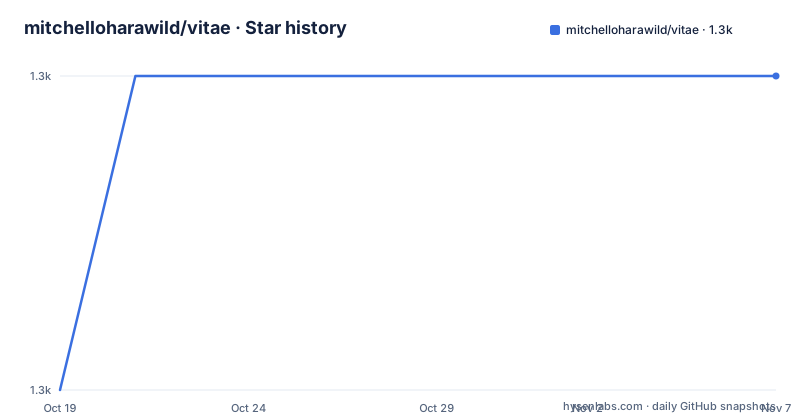
- mitchelloharawild/vitae1,274 ★ · +1
| Repository | 2026-10-19 | 2026-11-07 |
|---|---|---|
| mitchelloharawild/vitae | 1.3k | 1.3k |
1 Stars in the last 19 days, measured from the daily GitHub snapshot. Compare with other projects
Editorial analysis
The package tells you to use something else
vitae is described as templates and tools for making a Résumé or CV, and the README opens with a callout that is unusual to see on a package's front page.
The vitae package is superseded in favour of Quarto vitae templates. The vitae R package will continue to be maintained to fix upstream breaking changes. The Quarto templates allow for CV entries to be specified using any programming language that produces tables (R, Python, Julia,...). And if you're starting a new CV, we recommend using the Quarto vitae templates instead.
That is four separate statements and each one carries information. The supersession is a fact about the direction of the project. The maintenance promise is narrow and specific, bug fixes for upstream breakage only, which is the standard end state for a package whose successor has taken over. The language independence is the substantive improvement in the successor, and the recommendation is the actionable part.
The lifecycle badge in the header says the same thing with the lifecycle vocabulary, a blue superseded badge pointing at the lifecycle documentation.
So the honest framing for this article is that vitae is a maintained but closing project, and that the interesting question for an evaluator is not whether to adopt it but which of the two lines the user should start on. The answer the package gives is unambiguous, and a team already committed to R and R Markdown has a working path, while everyone else is pointed at Quarto.
The licence is GPL-3.0 with a LICENSE.md at the root of the repository, and the package is on CRAN with a download badge and an R check status badge from the R-CMD-check workflow.
Six templates, LaTeX and HTML
The package provides a collection of LaTeX and HTML templates with helpful functions to add content to the documents, and there are six of them.
| Template | Notes | | --- | --- | | `vitae::awesomecv` | A LaTeX CV template | | `vitae::hyndman` | Rob Hyndman's style | | `vitae::latexcv` | A LaTeX CV template | | `vitae::markdowncv` | A Markdown-to-HTML template | | `vitae::moderncv` | A LaTeX CV template | | `vitae::twentyseconds` | A LaTeX CV template |
The naming gives the lineage. hyndman is named after a specific academic whose own CV is in the examples list, and markdowncv suggests a Markdown-oriented template.
The consequence of that spread is that the package is not one format with six skins, it is several output targets sharing one authoring model. The README says the templates leverage the strength of rmarkdown to include common information in the YAML header (name, position, social links) and extended information in the main body. The main body of the CV is written using Markdown, and allows for data-driven generation of entries using the `*_entries` functions.
So the model is: a YAML header for the metadata that appears once, Markdown for the narrative parts, and generated entries for the parts that come from data. That split is what makes the package useful rather than merely a set of LaTeX skeletons, because the parts of a CV that change often, publications, grants, talks, are exactly the parts worth generating.
Extending the package to add new templates is described as a somewhat simple process, with the details in the creating vitae templates vignette, and the vignettes/ directory at the repository root is where that lives.
Entries are data, and that is where the value is
The data-driven part is the part that separates a CV template from a CV system, and the README is specific about it.
The main body of the CV is written using Markdown, and allows for data-driven generation of entries using the `*_entries` functions. This allows you to import your working history from other sources (such as ORCID, Google Scholar, or a maintained dataset), and include them programmatically into your CV.
So the entries functions take a data frame and produce the formatted entries, and the data can come from anywhere. A publication list that is maintained as a CSV, or that is pulled from ORCID, or a teaching record that lives in a spreadsheet, becomes the CV section without being retyped.
The examples list shows the range of what people have built on this, and a few entries are about extending the mechanism rather than using it as shipped. One is listed as automatic deployment, another as printing multiple bibliographic entries according to a given csl file, another as custom csl files, and one as using GitHub Actions and a docker image to programmatically generate the CV file.
That last one is the pattern most people eventually want. A CV that rebuilds itself on every push, from data in the repository, with no manual step. The package supports that because the entries are functions over data, and the build is a standard rmarkdown render.
The citation style file point is worth noting too. A csl file is a Citation Style Language document that describes how a bibliography is formatted, so pointing a CV at one means the formatting of the reference list is data rather than markup, and a specific journal's style can be applied without touching the template.
The examples list also includes Rob Hyndman's CV, Mitchell O'Hara-Wild's own, Eric R. Scott's, Nat Price's, Sam Abbott's, JooYoung Seo's, Diogo M. Camacho's, Han Zhang's, Bryan Jenks's, Lorena Abad's, Lampros Sp. Mouselimis's, Adam Kirosingh's and Marco Lombardi's.
LaTeX is a hard requirement, and tinytex is the way around it
The installation section has a requirement that catches people out, and the package offers a solution to it.
This package requires LaTeX to be installed on your computer. If you're encountering issues, please check that LaTeX is installed. The tinytex package makes it easy to setup LaTeX within R.
``` r install.packages('tinytex') tinytex::install_tinytex()
That is a good answer to the problem, because tinytex installs a minimal LaTeX distribution into a per user directory rather than requiring a system wide TeX Live, and it gets you from a fresh R install to a working PDF render.

The install commands themselves are the usual pair.
r install.packages('vitae') ```
for the release version from CRAN, and the development version comes from GitHub with remotes::install_github("mitchelloharawild/vitae"), with the remotes package install line commented in the README as a prerequisite.
The entry point for a new project is the RStudio R Markdown template selector, so creating a CV is a matter of choosing a template from the new document dialog rather than copying a skeleton file. The README also points at a freeCodeCamp tech talk by Bryan Jenks as a video introduction for people who prefer a guided walkthrough.
The README is generated from README.Rmd, as the comment at the top of the file says, which is the R package convention. The rendered output includes the console output of the examples, so the code in the README is executed rather than typed by hand, and the package's man/figures/ directory holds the template preview images that appear in the templates table.
Where vitae is the wrong choice
The first wrong case is a new project. The package's own recommendation is that if you are starting a new CV you should use the Quarto vitae templates instead, and there is a good reason. The successor accepts CV entries specified using any programming language that produces tables, so a Python user, a Julia user and an R user can all feed the same document. Choosing the R package for a new project means choosing a language constraint that the successor does not have.
The second wrong case is a team without LaTeX and no intention of installing it. A PDF CV needs a TeX distribution, and although tinytex makes that a two line operation, it is still a toolchain that has to be there on every machine that renders the document, including a colleague's laptop and the CI runner. The markdowncv template produces HTML and is the exception.
The third wrong case is a CV that is a one-off. The package's value is in regeneration. If you are writing a CV once for a specific application and will not maintain it, a template and a PDF editor is faster, and the R Markdown and LaTeX toolchain is overhead for a single document.
The fourth wrong case is a team that has already standardised on Quarto. The Quarto templates are a different project with the same goal, and running two systems in one team is worse than either one alone. vitae is for a team that already has an R Markdown workflow and a reason not to change it.
How it differs from a LaTeX template on its own
The comparison worth making is with the upstream LaTeX packages the templates are named after, and the difference in approach is where the CV is authored and where the formatting lives.
An upstream LaTeX CV package is a set of .tex files and a class file, and you write a .tex document that fills in the macros. You get the typographic quality of a professionally maintained template, and you get LaTeX, which means a build toolchain, and a document that is source rather than content.
vitae inverts that. The CV is written in Markdown, the content lives in R and in data frames, and the LaTeX template is an output target. The upstream package's macros become the vocabulary of the Markdown, so bolding a section or adding an entry is something you write as content rather than as a macro call.
The second difference is where the data lives. A LaTeX template has no notion of where a publication list comes from, so you paste it in. vitae has entry functions that take a data frame, so the list is generated. That is the substantive difference, and it is what makes the generated CV possible.
The third difference is the entry point. Creating a document in a LaTeX template means copying a skeleton and editing it, whereas vitae registers with the RStudio template selector and with rmarkdown, so it is one of the options in the new document dialog, and the metadata goes in a YAML header rather than in a block of macro calls.
The fourth difference is the trade being made. The R Markdown and LaTeX toolchain is a real cost, and the templates give up some of the direct typographic control that the upstream LaTeX package offers, since the template decides the layout and you supply the content. For most CVs that is the right trade, since the layout is not the interesting part.
Editorial conclusion
vitae fits an R user with an existing R Markdown workflow who wants a LaTeX CV with data driven entries pulled from ORCID or Google Scholar and does not want to learn Quarto. It does not fit anyone starting a new CV, because the README recommends the Quarto vitae templates for that, and it does not fit a Python or Julia user who needs the same output, because the entry functions are R functions even though the Quarto successor accepts any language that produces tables. Before choosing it, read the IMPORTANT callout at the top of the README, install LaTeX or use tinytex::install_tinytex(), and note that the package is at version 0.7.0 from 2026-08-21 with the last push on the same day and that the v0.6.0 line before it dates from 2024-06-12.
Frequently asked questions
Is the vitae R package still recommended for new CVs?
No. The README states that the vitae package is superseded in favour of the Quarto vitae templates, and that if you're starting a new CV you should use the Quarto templates instead. The vitae package will continue to be maintained to fix upstream breaking changes only, and the header carries a superseded lifecycle badge.
Which CV templates does vitae provide?
Six, vitae::awesomecv, vitae::hyndman, vitae::latexcv, vitae::markdowncv, vitae::moderncv and vitae::twentyseconds, all as LaTeX and HTML templates with preview images. Adding a new template is described as a somewhat simple process documented in the creating vitae templates vignette.
How do I install vitae and its LaTeX dependency?
Install the release version from CRAN with install.packages('vitae'), or the development version with remotes::install_github("mitchelloharawild/vitae"). The package requires LaTeX, and the README recommends the tinytex package, install.packages('tinytex') followed by tinytex::install_tinytex(), to set it up within R.
What are the *_entries functions in vitae for?
They allow for data-driven generation of entries in the CV body, so you can import your working history from other sources such as ORCID, Google Scholar or a maintained dataset and include them programmatically instead of writing them by hand.
What license is the vitae package under?
GPL-3.0, with a LICENSE.md file at the root of the repository. The package is published on CRAN, the current version is 0.7.0 from 2026-08-21, and the release before it, v0.6.0, dates from 2024-06-12.
Official sources
Add this badge to your README
If you maintain this project, the badge below links readers to this analysis and shows its maintenance status from the daily GitHub snapshot. Paste the markdown into your README; add ?metric=license or ?metric=stars to the image URL for a different field.

[](https://hysenlabs.com/projects/mitchelloharawild-vitae)Star history chart for your README
[](https://hysenlabs.com/projects/mitchelloharawild-vitae)Was this useful?