mxcl/swift-sh: Swift Scripts with SwiftPM Dependencies
Easily script with third-party Swift dependencies.
At a glance
- What is it?
- swift-sh turns a single Swift file that uses third-party packages into a cached SwiftPM executable. It suits short operational scripts, while `swift sh eject` provides a path to a conventional package when the script grows.
- Who is it for?
- Engineers running short Swift utilities, build checks or CI helpers should consider swift-sh when dependency declarations and cache reuse justify the generated package. Projects with complex packaging, many source files or broad platform requirements should start with SwiftPM instead.
- Can I use it commercially?
- Yes. Unlicense is a permissive licence: you can use, modify and sell software built on it, as long as you keep its copyright and licence notices.
- Is it still maintained?
- Yes. The repository last received commits 142 days ago.
- What is it written in?
- Mainly Swift, according to GitHub's language statistics.
Answers come from the project's GitHub data, last synced on October 23, 2026, and from our analysis. They are not legal advice.
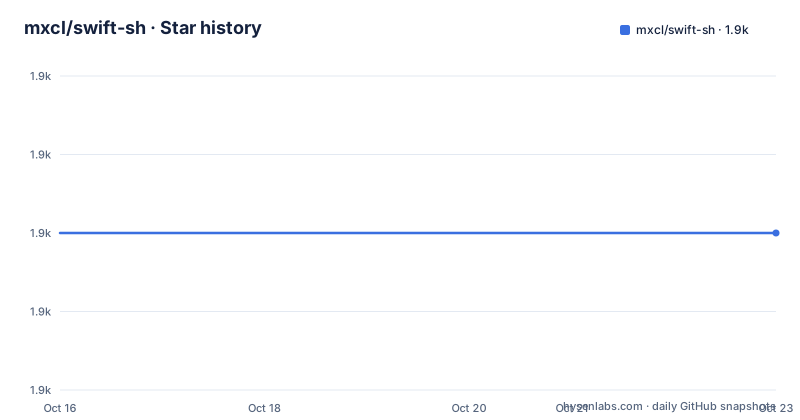
Star history
- mxcl/swift-sh1,890 ★ · +0
| Repository | 2026-10-16 | 2026-10-23 |
|---|---|---|
| mxcl/swift-sh | 1.9k | 1.9k |
0 Stars in the last 7 days, measured from the daily GitHub snapshot. Compare with other projects
Editorial analysis
Why swift-sh exists for single-file Swift scripts
Swift can execute a file beginning with `#!/usr/bin/swift`, but the README identifies a gap when that file imports third-party libraries. The documented alternatives are to turn the script into a Swift package and run `swift build`, which adds package structure and build work to a task that may only need to check a service, count input or automate a local task.
swift-sh is for engineers who want the single-file workflow while retaining SwiftPM dependency resolution. The dependency specification sits directly beside an `import`, so the script remains the visible entry point. There is no separate dependency file to maintain in the examples. The README also frames this as a transitional model rather than a permanent replacement for SwiftPM. Its `eject` command exists for scripts that become substantial enough to deserve a package directory.
This makes swift-sh most relevant for short-lived automation and small utilities with genuine library dependencies. It is less convincing for an application with multiple targets, test suites, reusable libraries or a deliberate package architecture. The README does not claim that `swift-sh` replaces those use cases. It instead gives a conversion command when the simple model no longer fits.
Import comments drive swift-sh dependency resolution
swift-sh parses comments following Swift `import` lines. A GitHub shorthand such as `// @mxcl` selects the repository without a version constraint. Adding `~> 6.5` limits PromiseKit to version 6.5.0 or later within the major version 7 boundary, while `== 0.3.1` requests one exact version. A commit can be selected with a value such as `b4de8c12`.
The source syntax is not limited to GitHub repositories. The README shows an HTTPS Git URL, two SSH forms, and an explicit `owner/repository` when the module name differs from the repository name. Pre-release versions must be written explicitly, with examples using `~> 1.0.0-alpha.1` and `== 1.0.0-alpha.1`.
Local dependencies can use `./my/project`, `../my/other/project`, `~/my/other/other/project`, or an absolute path. These paths must point to packages whose `Package.swift` exposes library products. A path containing `foo/bar` is interpreted as a GitHub dependency, so a local directory needs the `./` prefix. Transitive dependencies do not need comments because SwiftPM resolves them from the declared packages.
This mechanism makes imports dual-purpose. They remain valid Swift syntax while also serving as a compact dependency manifest. The tradeoff is that the import comments are interpreted by swift-sh rather than by the ordinary Swift compiler. Changes to that syntax affect the generated package.
How swift-sh builds and runs a cached script
According to the README's internal details, `swift sh` creates a Swift package with a generated `Package.swift` in a directory below its cache. It then builds an executable and runs that executable through `swift run`. Dependency downloads and build products therefore use SwiftPM, even though the user invokes a single script file.
The script is rebuilt only when the script file is newer than the generated executable. This timestamp check is the main performance mechanism documented for repeated execution. It does not claim that dependency changes never trigger work, so engineers editing dependency versions should expect package resolution or compilation requirements to remain relevant.
Cache placement differs by operating system. Setting `XDG_CACHE_HOME` selects the cache parent. If that variable is absent, macOS uses `$HOME/Library/Developer/swift-sh.cache`; other systems use `$HOME/.cache/swift-sh`. The README contains a spelling error in its description of the macOS fallback, but it presents the path clearly in the actual value.
swift-sh uses the active tools version selected by `xcode-select` on Apple systems or the first Swift executable in `PATH` on Linux. The generated manifest is written for that tools version. Toolchain selection is consequently part of execution, not merely installation.
Installing swift-sh and running the first PromiseKit script
The documented Homebrew installation is a single command. It installs the `swift-sh` executable, which must be in `PATH` so that the Swift command can find it when invoked as `swift sh`.
brew install swift-shFor the first executable script, create a file containing the swift-sh shebang and a versioned PromiseKit import. The dependency comment requests PromiseKit version 6.5.0 or later within the compatible major-version range described by the README.
#!/usr/bin/swift sh
import PromiseKit  // @mxcl ~> 6.5
print(Promise.value("Hi!"))
Mark the file executable and invoke it directly:
chmod u+x script
./script
The README shows `Promise("Hi!")` as the output. That command routes execution through the installed `swift-sh` binary found through the shebang. A script can instead be passed directly with `swift sh foo.swift`.
If the file already exists, the essential wrapper commands are:
chmod u+x foo.swift
mv foo.swift foo
./foo
The rename is optional. Keeping the `.swift` extension is valid when using `swift sh foo.swift`; removing it makes direct execution read more like a conventional executable.
Editing scripts in Xcode or passing them through CI stdin
swift-sh includes an editing path for users who want Xcode while retaining a script as the source file. The documented command generates an Xcode project outside the working directory, stores it in the cache area, and opens it. Edits are saved back to the script file.
swift sh edit ./myScriptThis feature does not mean the script becomes a permanent Xcode project. Its placement in the cache keeps generated project data away from the source directory. The script remains the edited artifact, which matters when generated Xcode project files would otherwise create noise or competing sources of truth.
For CI distribution, the README documents `stdin` input and shows process substitution with a downloaded script. Arguments can follow the script path:
swift sh <(curl http://example.com/yourscript) arg1 arg2The example uses plain HTTP and an illustrative domain. It should not be read as a secure transport recommendation. The README does not discuss integrity verification, signature checking or treating downloaded executable content as trusted input. The documented feature concerns how a script is supplied to `swift sh`, not how its remote origin is authenticated.
SwiftPM conversion, toolchain constraints and maintenance boundaries
The intended migration path is `swift sh eject`. According to the README, this creates a Swift package in `./Foo` and moves the executable source to `./Foo/Sources/main.swift`. Later commands use `swift build` from the `Foo` directory. The package name and output directory derive from the example script name, so naming affects the generated layout.
swift sh eject foo.swiftThis conversion is the clearest boundary in the project. A cached script package is convenient for a small automation file, but a checked-in Swift package gives the application explicit sources, targets, tests and conventional build behavior. The README explicitly says that simple scripts can grow into projects that benefit from SwiftPM.
Version 2 requires Swift 5.1. The documentation states that support for Swift 4.2 was removed, while dependency compilation still depends on what the active toolchain supports. Platform documentation is limited to Linux and macOS. Windows is described only as a future intention when possible, so it is not a supported target based on this README.
The repository is not archived, and its last push was on 2026-06-03. The most recent listed release is 2.5.0 from 2024-09-11. This indicates repository activity after that release, but the README does not provide a release policy, support timeline or compatibility matrix beyond the Swift versions shown in its platform badge.
The project uses the Unlicense. That choice is permissive and places the code in the public domain according to the license identifier, but repository consumers still need to review third-party dependency licenses separately. swift-sh also depends on the user's Swift toolchain and SwiftPM ecosystem, so upgrading the toolchain can affect dependency resolution or compilation.
SwiftPM as the direct alternative to generated script packages
SwiftPM is the meaningful architectural alternative because swift-sh generates a Swift package internally. A project that begins with a maintained `Package.swift` has an explicit, source-controlled package definition. It can then use `swift build` without first expressing dependencies through comments attached to imports or relying on a timestamp-based cached executable.
The README names Beak and Marathon as alternatives, but it does not describe their installation, dependency model, caching behavior or execution mechanism. Their presence cannot establish a technical difference beyond confirming that the project author considers them related tools. A comparison limited to product names would be misleading.
The documented distinction between swift-sh and a package is practical. `swift sh` is intended to minimize ceremony for a single file and automatically turn its import comments into dependencies. SwiftPM requires more structure but makes that structure explicit. `swift sh eject` recognizes the point at which maintaining the generated relationship becomes less convenient than owning the package directly.
A separate concern is remote execution. Supplying a script through stdin does not remove SwiftPM's dependency fetching or compilation. A script that changes its declared versions can produce a different dependency graph, and a script that changes after the executable timestamp triggers rebuilding. CI users therefore need deterministic dependency declarations, but the README does not claim that swift-sh itself provides lockfile management for arbitrary downloaded scripts.
Editorial conclusion
Engineers running short Swift utilities, build checks or CI helpers should consider swift-sh when dependency declarations and cache reuse justify the generated package. Projects with complex packaging, many source files or broad platform requirements should start with SwiftPM instead. Before adoption, verify that the active Swift toolchain satisfies the script and its dependencies, inspect the import specifications, and confirm the intended Linux or macOS cache policy. For a script expected to remain a single short file, `swift sh` is a reasonable boundary, but `swift sh eject` is the more predictable destination once the code expands into a maintained package.
Frequently asked questions
How do I install mxcl/swift-sh?
The README documents installation with `brew install swift-sh`. The resulting `swift-sh` executable must be in `PATH` for the Swift command to find it when the script uses `swift sh`.
How does mxcl/swift-sh add a Swift dependency to a script?
Add a specification after the `import`, such as `import PromiseKit // @mxcl ~> 6.5`. swift-sh reads these comments, creates a Swift package with the requested dependencies, builds it, and runs the result.
Does mxcl/swift-sh support Windows?
The README says it actively supports Linux and macOS. It describes Windows support as something planned when possible, so Windows should not be treated as a supported platform by this documentation.
Official sources
Add this badge to your README
If you maintain this project, the badge below links readers to this analysis and shows its maintenance status from the daily GitHub snapshot. Paste the markdown into your README; add ?metric=license or ?metric=stars to the image URL for a different field.

[](https://hysenlabs.com/projects/mxcl-swift-sh)Star history chart for your README
[](https://hysenlabs.com/projects/mxcl-swift-sh)Was this useful?