Podsync for YouTube and Vimeo Podcast Feeds
Turn YouTube or Vimeo channels, users, or playlists into podcast feeds
At a glance
- What is it?
- Podsync is a Go service that converts supported YouTube and Vimeo channels, users, and playlists into podcast feeds, with local media processing and configurable scheduling. It suits self-hosted podcast setups, but requires API credentials and external media tools when run outside Docker.
- Who is it for?
- Adopt Podsync when you want a self-hosted feed generator for supported YouTube or Vimeo sources and can operate its API credentials, storage, and media dependencies. Do not treat it as a general-purpose podcast editor or as a fully self-contained binary, because the README requires yt-dlp, ffmpeg, and Go outside Docker.
- Can I use it commercially?
- Yes. MIT is a permissive licence: you can use, modify and sell software built on it, as long as you keep its copyright and licence notices.
- Is it still maintained?
- Yes. The repository received new commits within the last day.
- What is it written in?
- Mainly Go, according to GitHub's language statistics.
Answers come from the project's GitHub data, last synced on October 23, 2026, and from our analysis. They are not legal advice.
Star history
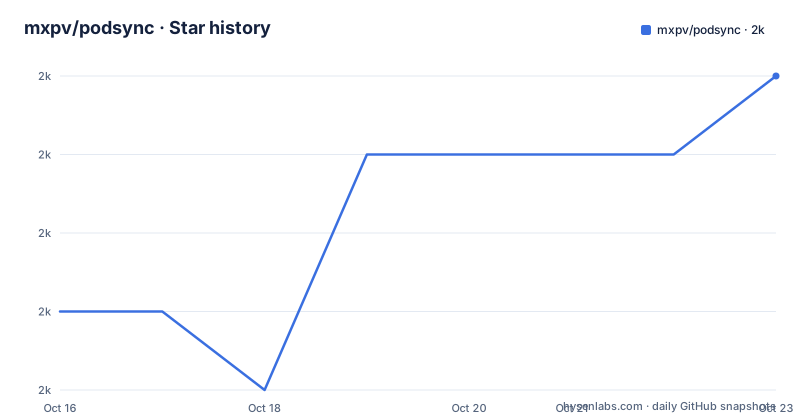
- mxpv/podsync1,975 ★ · +3
| Repository | 2026-10-16 | 2026-10-23 |
|---|---|---|
| mxpv/podsync | 2k | 2k |
3 Stars in the last 7 days, measured from the daily GitHub snapshot. Compare with other projects
Editorial analysis
What Podsync Converts Into Podcast Feeds
Podsync addresses a specific gap between video hosting and podcast applications. YouTube and Vimeo provide channels, users, and playlists, while podcast clients commonly provide automatic downloads, saved playback positions, device synchronization, and offline listening. Podsync places a service between those platforms. It accepts supported source URLs, retrieves the available content, creates a podcast feed, and makes episodes available to a podcast client.
The target users are people who follow video sources but want to consume selected material through a podcast application. The configuration can distinguish video or audio feeds, select quality, limit video height, filter episodes by title or duration, customize artwork and metadata, and clean up older episodes. The README also lists OPML export and configurable hooks for integrations and workflows. These features make it more than a URL conversion page, although the documentation does not describe a hosted service operated by the project.
The documented platform scope is YouTube and Vimeo. The environment variables additionally include `PODSYNC_SOUNDCLOUD_API_KEY` and `PODSYNC_TWITCH_API_KEY`, and the repository topics include SoundCloud, but the README's central promise and feature list state YouTube and Vimeo. That difference matters for adoption. The available documentation does not explain the behavior of SoundCloud or Twitch sources, so those credentials should not be treated as confirmation of a complete supported-source workflow. The feed definition itself is configured in TOML, with each feed identified by a key such as `[feeds.ID1]` and assigned a source `url`.
Configuration, Tokens, and Scheduled Updates
Podsync reads a TOML configuration file containing server settings, storage settings, API tokens, and feed definitions. The documented minimal configuration starts the HTTP server on port `8080`, selects local storage under `/app/data/`, supplies a YouTube API key, and defines one feed with a YouTube channel URL. A reverse proxy deployment can set `server.hostname`, which affects the URLs used in episode links while leaving local server access on `http://localhost:8080`.
API credentials are not optional for the documented YouTube or Vimeo workflow. The README links to separate instructions for obtaining a YouTube API key and a Vimeo access token. Tokens can be placed in the TOML file or supplied through environment variables. Podsync supports multiple space-separated keys for YouTube, Vimeo, SoundCloud, and Twitch, which the README describes as key rotation. That is useful when an operator has multiple credentials, but the README does not state the rotation algorithm, failure behavior, or quota accounting.
Updates are controlled by cron expressions. The repository includes a dedicated `docs/cron.md` page, so scheduler configuration belongs in the project documentation rather than being inferred from the main README. The scheduler is separate from the source API and media download layers. A cron expression determines when Podsync checks or updates configured feeds; the feed rules determine which items are accepted. The documentation does not specify whether a failed provider request is retried automatically, so an operator should not assume that one scheduled run guarantees a successful update.
Building Podsync and Starting the First Feed
For a binary installation, the README lists `yt-dlp`, `ffmpeg`, and Go as dependencies. On macOS, the documented installation command installs all three with Homebrew:
brew install yt-dlp ffmpeg goAfter creating `config.toml`, the documented build and launch path clones the repository, builds the CLI with `make`, and starts it with the configuration file:
git clone https://github.com/mxpv/podsync
cd podsync
make
./bin/podsync --config config.toml
The `make` target runs `go build` and writes the executable to `bin/podsync`. The README's configuration example uses a YouTube channel URL, so a first real feed requires replacing the example API key and selecting a source that the operator is authorized to access. The service then listens on the configured server port. The README says the server is accessible at `http://localhost:8080` in its example setup, but it does not document the exact feed URL syntax for a new installation.
Docker is the more self-contained deployment route. The documented Compose service maps port `8080`, mounts data and database directories, and mounts `config.toml` into the container:
services:
  podsync:
    image: mxpv/podsync
    container_name: podsync
    volumes:
      - ./data:/app/data/
      - ./db:/app/db/
      - ./config.toml:/app/config.toml
    ports:
      - 8080:8080
The README's Compose example uses `docker compose up` to start it. The Dockerfile installs Python, ffmpeg, Deno, and related runtime packages, and includes `yt-dlp` in the image. The README also gives a standalone `docker pull` and `docker run` path. Keep the data and database mounts persistent, because episode media and service state are mounted outside the container.
Media Processing, Storage, and Filename Changes
The architecture has several distinct responsibilities. Platform-specific code queries provider APIs, cron scheduling triggers feed work, configuration defines filtering and presentation, `yt-dlp` obtains source media, and ffmpeg handles conversion. The project is written in Go and includes a podcast library in its dependencies, but the README does not expose a public API for integrating external systems. The documented extension point is hooks in the feed configuration, plus OPML export for moving or subscribing to multiple feeds.
Local storage is the clearest deployment model. The Docker image runs from `/app`, while the example mounts `/app/data/` for media and `/app/db/` for the database. The application image uses Alpine 3.24, and its entrypoint is `/app/podsync`. A binary installation can use another writable location if `/app/data` is not appropriate for the host operating system.
Changing `filename_template` does not automatically rename existing files. The README documents a one-time migration command, including a dry-run mode:
./bin/podsync --config config.toml --migrate-filenames --migrate-filenames-dry-runThe dry run should be used first because it performs no writes. The README explicitly limits non-dry-run migration to readable legacy files and local storage. With `storage.type = "s3"`, only dry-run mode is currently supported. This is a concrete operational boundary: operators using S3 must not plan on a local-storage filename migration without checking the current implementation.
Deployment Limits and Maintenance Costs
Podsync is not a zero-configuration public feed service. A self-hosted deployment must keep the configuration file, API keys, feed URLs, writable storage, and database available. Provider quotas and credential permissions are external dependencies. If YouTube or Vimeo rejects a key, Podsync cannot resolve the source, and the README gives no guarantee about how that condition is surfaced beyond normal service logging.
The project uses an MIT license. That permits use and modification under the license's conditions, but this review does not provide legal advice. The practical upgrade cost is operational rather than just source compilation. Operators should account for changes in Go dependencies, provider APIs, `yt-dlp`, ffmpeg, media formats, and the behavior of stored filenames and database state. The documented automatic yt-dlp self-update is convenient for compatibility, but it also means the media acquisition component can change independently of the Podsync application version.
The repository is not archived. Its last push was on 2026-10-16, while the listed releases were v2.8.0 on 2025-07-14, v2.7.0 on 2024-04-01, and v2.6.1 on 2023-05-06. This supports treating the code as available for new evaluation, but the release spacing means deployment planning should account for upgrade testing rather than assuming a frequent release train. The README documents CI and nightly images, but it does not describe a backward-compatibility policy for feed configuration or stored episode state.
Podsync Compared With a Static RSS Generator
A static RSS generator can create an XML feed from a prepared list of media URLs, but it generally does not perform the provider polling, media acquisition, conversion, filtering, cleanup, and scheduled refresh workflow described by Podsync. Podsync is therefore more suitable when the source is an ongoing channel, user, or playlist and the operator wants a podcast client to discover new entries.
The trade-off is operational dependence. A static generator may leave the operator with control over every URL and media file. Podsync depends on provider APIs, `yt-dlp`, ffmpeg, local or configured storage, and a running Go service. Its features such as cron scheduling and episode cleanup reduce manual feed maintenance, but they introduce a service that must be backed up, secured, and upgraded.
Podsync is the wrong choice for a one-time manual export, for unsupported source types that are not documented in the README, or for a deployment that cannot make outbound requests to the provider and download services. It is also a poor fit if operators require a fully managed public feed without maintaining a server. Its strongest case is a self-hosted user or small operation that deliberately wants video sources represented as podcast episodes with ongoing updates.
Editorial conclusion
Adopt Podsync when you want a self-hosted feed generator for supported YouTube or Vimeo sources and can operate its API credentials, storage, and media dependencies. Do not treat it as a general-purpose podcast editor or as a fully self-contained binary, because the README requires yt-dlp, ffmpeg, and Go outside Docker. Verify first that your source types are supported, that your API provider permits the intended access, and that the container has writable `/app/data/` and `/app/db/` volumes. The last recorded push was on 2026-10-16, so the repository was not archived, but release history is still spaced across several years.
Frequently asked questions
What does Podsync do?
Podsync turns supported YouTube and Vimeo channels, users, and playlists into podcast feeds. It can configure audio or video output, quality, filtering, artwork, cleanup, and cron-based updates.
How do I install and run Podsync with Docker?
The README documents pulling the image or using the Compose example, then mapping port `8080` and mounting `config.toml`, `/app/data/`, and `/app/db/`. Docker Compose uses `docker compose up` to start the service.
Does Podsync need API keys?
Yes. The documented YouTube and Vimeo setup requires a YouTube API key or Vimeo access token. Podsync also documents environment variables for space-separated keys, including `PODSYNC_YOUTUBE_API_KEY` and `PODSYNC_VIMEO_API_KEY`.
Official sources
Add this badge to your README
If you maintain this project, the badge below links readers to this analysis and shows its maintenance status from the daily GitHub snapshot. Paste the markdown into your README; add ?metric=license or ?metric=stars to the image URL for a different field.

[](https://hysenlabs.com/projects/mxpv-podsync)Star history chart for your README
[](https://hysenlabs.com/projects/mxpv-podsync)Was this useful?