Thanks-Mirror: a checked directory of mirrors for developers in China
A curated list of useful mirrors for package managers, system images and common software -- Thanks Mirror.
At a glance
- What is it?
- A README that is mostly links, kept honest by a scheduled dead-link check, covering package managers, operating systems and the software most self-hosted infrastructure runs on.
- Who is it for?
- Thanks-Mirror is worth an hour of your afternoon if you are provisioning machines outside Europe or North America and download speed is a recurring complaint, because the value is not in anything the project ships but in a vetted ordering of which mirror to try first for each of roughly eighty tools. Two things to know before you start.
- Can I use it commercially?
- Yes. MIT is a permissive licence: you can use, modify and sell software built on it, as long as you keep its copyright and licence notices.
- Is it still maintained?
- Yes. The repository last received commits 158 days ago.
- What is it written in?
- GitHub does not report a main language for this repository.
Answers come from the project's GitHub data, last synced on October 23, 2026, and from our analysis. They are not legal advice.
Star history
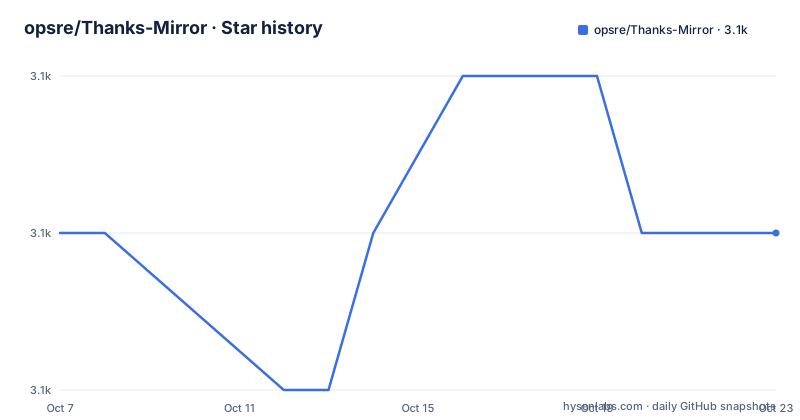
- opsre/Thanks-Mirror3,060 ★ · +0
| Repository | 2026-10-07 | 2026-10-23 |
|---|---|---|
| opsre/Thanks-Mirror | 3.1k | 3.1k |
0 Stars in the last 16 days, measured from the daily GitHub snapshot. Compare with other projects
Editorial analysis
This is a link list, and the links are the product
The repository description, written in Chinese, says it records good mirrors for package managers, system images and common software. There is no binary, no library and no service here. The deliverable is a Markdown file organised into four parts, and the value is entirely in the fact that someone has already decided which mirror is worth trying for each tool.
The scope is broader than package managers. `Package-Mirror` covers Go, Npm, Pip, Composer, Rubygems, Maven, Yum, Remi, Epel, Homebrew and cargo. `Software-Mirror` is the longest section by a wide margin and covers the software an infrastructure team actually installs: JDK, Docker, Kubernetes, K3s, Minikube, Helm, Harbor, Jenkins, GitLab CE and its runner, ElasticSearch with Logstash, Kibana and Filebeat, MySQL, MariaDB, Percona, MongoDB, Redis, PostgreSQL, Golang, Node, Yarn, Python, Rust, Zabbix, Prometheus, Grafana, Pinpoint, Apache, Nginx, OpenResty, Keepalived, Ceph, Influxdata, ClickHouse, Rabbitmq, ETCD, WireShark, Virtualbox, iina and chromium. `System-Mirror` covers distribution images, and `Other-Mirror` covers Docker Hub, GitHub, Google and Nix.
A rough count puts the total near eighty entries. Every entry carries two things: the mirror URL, and usually a link to that vendor's own help page describing the configuration. The README credits the public mirror operators explicitly, which is the correct framing, since the mirrors are run by companies like Aliyun, Tencent, HUAWEI, Tsinghua, USTC and npmmirror rather than by this project.
The repo path and the README disagree about who owns it
This repository lives at `opsre/Thanks-Mirror`. Every badge, every link and every repository topic inside `README.md` points somewhere else: the stars badge, the view counter, the license badge, the GitHub link, the Gitee mirror and the issues link all say `eryajf`. The homepage is listed as the `opsre` GitHub Pages site. The topics include `eryajf` alongside `golang-repository`, `maven-repository`, `mirrored-repository` and `pypi-mirror`.
So there are two names in play and neither is presented as an alias of the other. The most likely reading is that the project moved from the personal `eryajf` namespace to an organisation namespace while the README was left pointing at the old location, and the topics and links were never updated. The README itself points to an author blog at `wiki.eryajf.net` and to a set of other personal projects, all under that name.
Practically, this matters in two ways. If you are searching for the project, searching `Thanks-Mirror eryajf` will find it and searching the `opsre` path alone may lead you to an unfamiliar README. And if you want to send a correction or report a dead link, the issue link in the README goes to the `eryajf` repository, not to this one, so follow the README link rather than assuming the path you cloned from is where the project is filed.
There is no release history, no changelog beyond a `CHANGELOG-0.1.x.md`, and no declared primary language, which is consistent with a documentation repository rather than a software project.
Dead links are the failure mode, so a workflow guards against them
A curated list of URLs rots. Mirrors get retired, domains move, and a list that was accurate last year can quietly send you to a host that no longer serves anything. The README says link checking runs once a day automatically so that the links provided in the project stay working, and points at the workflow run history to see the detail. The workflow file is `links-check.yml` under `.github/workflows/`, and `.lycheeignore` sits at the repository root.
That combination names the tool. Lychee is a link checker, and its ignore file at the repository root is the standard place to record links that should not fail the build, which matters here because several entries in the README are example domains rather than live hosts.
The last push to the default `main` branch was on 2026-05-18, so treat the daily check as the health signal rather than the commit history. A list whose content rarely changes and whose links are validated by a schedule is behaving correctly when its commit log is quiet. If you depend on an entry, confirm the workflow run is green rather than assuming a recent commit means the links were revisited.
The repository also has `.cnb.yml` and a `.cnb/` directory, indicating a second CI provider alongside GitHub Actions, and a `src/` directory alongside `_config.yml`, which is the configuration file for a static site generator, so there appears to be a published rendering of the list in addition to the README.
Configuration examples, and the domain in them is fake
Many entries include the configuration needed to point a tool at the mirror, which is what separates this from a bare link dump. The Go entry branches on version, because the environment variables changed. For `go1.11` and `go1.12` the configuration is:
export GO111MODULE=on
export GOPROXY="http://nexus.eryajf.net/repository/go/"
For `go1.13` and later it drops `GO111MODULE` and adds the private-module and checksum variables:
export GOPROXY="http://nexus.eryajf.net/repository/go/"
GONOPROXY="gitlab.eryajf.net"
GONOSUMDB="gitlab.eryajf.net"
GOPRIVATE="gitlab.eryajf.net"
GOSUMDB="sum.golang.google.cn"
That split is a small piece of evidence about maintenance: the version-specific branch is still there for toolchains that are four years old, so the list gets corrected rather than rewritten. The `GOSUMDB` value also points at a domestic mirror of the checksum database, which is the part that actually unblocks builds, since a Go module proxy alone will not satisfy checksum verification from inside the same network.
Now the important caveat, which the README states in a note and which is easy to miss because the domain appears dozens of times: `nexus.eryajf.net` is only a sample domain and is not actually reachable. Every configuration snippet uses it as a placeholder for a self-hosted Nexus, on the assumption that your own Nexus already proxies those upstreams. Copy the shape and substitute your host, or use one of the real public mirrors listed alongside it.
The list points at a tool for switching sources
Some readers asked in issue 13 whether there could be a tool to manage these sources, and the README's answer is to point at `chsrc`, described as a good multi-platform source-switching tool. The project did not build one.
That division of labour is the sensible outcome. Applying a mirror means editing `.npmrc`, `.yarnrc`, shell profiles, `pip.conf`, `sources.list`, Go environment variables and per-application settings, each with its own syntax and its own precedence rules. Doing that by hand on every machine is the part that does not scale, and it is exactly the problem `chsrc` addresses. Curating which mirror is fastest for each tool is the part a human with regional knowledge does better than any script, and that is what remains in this repository.
So the intended usage is roughly: read the entry for your tool, take the mirror URL and the vendor's own configuration notes, then let a source-switching tool apply it consistently across your fleet. For a single workstation, editing the config file directly is still fine.
What the list cannot tell you
The honest limitation is that a link that responds is not the same as a mirror you should use. A mirror that is up can be missing the exact version you need, can be days behind on syncs, or can be complete for package metadata but partial for binary artefacts. Nothing in a directory format distinguishes those cases, and no automated link check can, because the check sees a status code rather than a package manifest.
Speed is the second gap. The README describes the mirrors as good quality and fast, and the ordering within each entry reflects the author's judgement at the time of writing, but latency changes with network, region and time of day. The list cannot know which of Aliyun, Tencent, HUAWEI or the university mirrors is fastest from your particular office, so it hands you a shortlist rather than an answer.
Trust is the third. These are community and vendor-operated endpoints, and the README thanks the organisations that run public mirrors rather than operating any of them. A production deployment that fetches its base images or package manifests over a third-party mirror inherits that mirror's availability and its practice of serving what it was sent. Pinning by checksum, as the Go section does with `GOSUMDB`, is the mitigation the list itself demonstrates.
What you get instead is a map. The repository saves you the search for which Chinese mirror exists for, say, WireShark or iina, which is a question that looks trivial until you are provisioning a machine behind a slow international link and have never heard of half these projects.
Editorial conclusion
Thanks-Mirror is worth an hour of your afternoon if you are provisioning machines outside Europe or North America and download speed is a recurring complaint, because the value is not in anything the project ships but in a vetted ordering of which mirror to try first for each of roughly eighty tools. Two things to know before you start. The repository path is `opsre/Thanks-Mirror` while every badge, link and repository topic in the README points at `eryajf/Thanks-Mirror`, and the homepage sits at the `opsre` path, so search for the eryajf name or you will find nothing. And `nexus.eryajf.net`, which appears throughout the configuration examples, is stated in the README to be a sample domain that is not actually reachable, so copy the configuration shape and substitute your own Nexus host. For anything repeatable, pair the list with the `chsrc` tool the README recommends rather than editing files per machine.
Frequently asked questions
What is Thanks-Mirror used for?
It is a curated list of package manager, system image and software mirrors aimed at users in China, with mirror URLs and the configuration needed to point each tool at them. It covers about eighty entries across Go, Npm, Pip, Composer, Rubygems, Maven, Yum, Homebrew, cargo, container platforms, databases and Linux distributions.
Why do the links in the README point to a different account than the repository path?
The repository is filed at opsre/Thanks-Mirror while the README badges, GitHub and Gitee links, issue link and repository topics all use eryajf, and the homepage is the opsre GitHub Pages site. Search for the eryajf name, and follow the README links rather than the path you cloned from.
Is nexus.eryajf.net a real mirror I can use?
No. The README states in a note that it is only a sample domain and is not actually available. It appears throughout the configuration examples as a stand-in for a self-hosted Nexus repository that already proxies those upstreams, so copy the configuration shape and substitute your own host.
How does the project check that its links still work?
A scheduled workflow named links-check.yml runs a daily link check, with a .lycheeignore file at the repository root for links that should not fail the build. Since content changes are infrequent, the last push on 2026-05-18 does not mean the links are stale; check the workflow run status instead.
Should I use chsrc instead of editing the mirror configuration by hand?
For anything repeatable, yes. The README points at chsrc as a multi-platform source-switching tool in response to a reader request for one. Curating which mirror suits each tool stays manual in this repository, while applying the change across machines is what a tool handles.
Official sources
Add this badge to your README
If you maintain this project, the badge below links readers to this analysis and shows its maintenance status from the daily GitHub snapshot. Paste the markdown into your README; add ?metric=license or ?metric=stars to the image URL for a different field.

[](https://hysenlabs.com/projects/opsre-thanks-mirror)Star history chart for your README
[](https://hysenlabs.com/projects/opsre-thanks-mirror)Was this useful?