PyMatting for Trimap-Based Image Matting
A Python library for alpha matting
At a glance
- What is it?
- PyMatting is a Python library for estimating alpha mattings from an image and a hand-drawn trimap. It offers several alpha-matting methods, foreground estimation, CPU acceleration through Numba, and optional GPU support for foreground estimation, but it is intended for users who already have a suitable trimap.
- Who is it for?
- PyMatting fits developers and image-processing tools that need flexible trimap-based alpha estimation and can prepare a matching single-channel trimap. It is a poor fit for automatic subject detection or GPU alpha estimation, because those capabilities are not documented.
- Can I use it commercially?
- Yes. MIT is a permissive licence: you can use, modify and sell software built on it, as long as you keep its copyright and licence notices.
- Is it still maintained?
- Yes. The repository last received commits 45 days ago.
- What is it written in?
- Mainly Python, according to GitHub's language statistics.
Answers come from the project's GitHub data, last synced on October 23, 2026, and from our analysis. They are not legal advice.
Star history
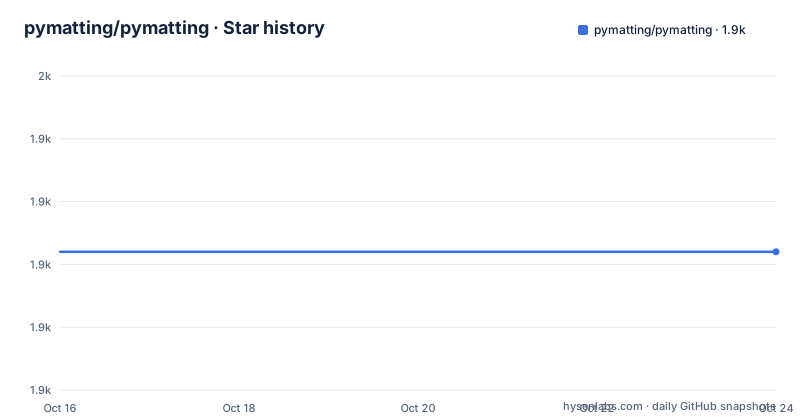
- pymatting/pymatting1,922 ★ · +0
| Repository | 2026-10-16 | 2026-10-23 |
|---|---|---|
| pymatting/pymatting | 1.9k | 1.9k |
0 Stars in the last 7 days, measured from the daily GitHub snapshot. Compare with other projects
Editorial analysis
What PyMatting Solves
PyMatting addresses alpha matting, the task of estimating how much of a foreground subject belongs in each pixel. That estimate produces an alpha channel that can be used to composite the subject over another background. The library is for users who have an image and a hand-drawn trimap, rather than for users who want a general image segmentation model to locate a subject automatically. A trimap divides the image into three practical regions: pixels known to be background, pixels known to be foreground, and unknown pixels whose alpha values must be estimated.
The README identifies several intended uses, including foreground estimation, background replacement, and advanced image-processing workflows. The repository also lists projects that use or build on PyMatting, including Rembg, PaddleSeg, chaiNNer, and an interactive background-removal tool. Those references show that the library can fit inside a larger application, but they do not remove the need to prepare a trimap. PyMatting solves the compositing and opacity-estimation part of the workflow, not every stage of an end-to-end background-removal product.
The distinction matters for expected results. Alpha matting is most useful around fine edges, hair, transparent materials, and other regions where a binary foreground mask is insufficient. The method can still produce poor results when the trimap is inaccurate or when the selected algorithm does not fit the image. A user who needs automatic object discovery, semantic labels, or instance masks should look for a segmentation or detection component before considering this library.
Trimap Input and Alpha-Matting Methods
PyMatting expects trimaps as `numpy.ndarrays` of type `np.float64`, with one color channel and the same shape as the input image. A value of `0.0` means that the pixel is 100% background. A value of `1.0` means that the pixel is 100% foreground. Every other value marks a pixel as unknown, and the matting algorithm estimates that pixel. This representation gives the algorithm fixed constraints at the image edges and leaves the difficult transition region unresolved.
The package implements Closed Form Alpha Matting, Large Kernel Matting, KNN Matting, Learning Based Digital Matting, Random Walk Matting, and Shared Sampling Matting. The choice is not cosmetic. These methods use different assumptions and computational strategies, so an application may need to compare methods rather than assume that one default is suitable for every image. The documentation links to benchmark and advanced-example pages, but the README does not provide a decision table or a recommendation for selecting a method for a particular image class.
PyMatting also includes fast multithreaded KNN search and preconditioners intended to accelerate conjugate gradient descent. The named preconditioners are incomplete thresholded Cholesky decomposition and V-Cycle Geometric Multigrid. These implementation details indicate that the library is not only a thin wrapper around an image filter. It exposes numerical building blocks for solving sparse or iterative matting problems, which is useful for engineers who need to inspect or tune the computation. It also means that installation and runtime can depend on compilation and numerical-library behavior.
CPU and Optional GPU Foreground Estimation
The CPU, CUDA, and OpenCL support described by the README applies to Fast Multi-Level Foreground Estimation. The package dependencies for the GPU extra currently include `cupy-cuda12x>=13.6.0` and `pyopencl>=2019.1.2`. The README separately notes that GPU drivers must be installed correctly. It also states that there is currently no GPU support for alpha estimation. This boundary is important for pipeline design. Installing the GPU extra does not turn every PyMatting operation into a CUDA or OpenCL operation.
For OpenCL, the documentation says that the computing device can be selected through the `PYOPENCL_CTX` environment variable. For CuPy, the README discusses a specific linking failure involving `libnvrtc.so.12` and gives a command that uses `locate` to locate the library before updating `LD_LIBRARY_PATH`. That workaround is environment-specific. It does not guarantee that every CUDA installation has the same library layout.
The distinction between alpha and foreground estimation also changes what an application can expect from GPU acceleration. Foreground estimation predicts foreground-related data, while alpha estimation computes the opacity channel described by the trimap. The README is clear that only the former has documented GPU support. A project that must accelerate the final matte should not assume that installing CuPy or PyOpenCL will accelerate the entire compositing pipeline.
Installing PyMatting and Creating a Cutout
The README gives a PyPI installation command. The package requires Python 3 or later and declares dependencies on NumPy, Pillow, Numba, and SciPy. The first import may take time because compilation is involved, according to the example comment.
pip3 install pymattingAfter installation, the simplest documented use is the `cutout` function. It takes an input image, a trimap image, and an output path. The example uses files distributed with the repository, so it is useful as a starting point when the repository is already cloned.
from pymatting import cutout

cutout(
    "data/lemur/lemur.png",
    "data/lemur/lemur_trimap.png",
    "lemur_cutout.png")
The output path should be `lemur_cutout.png` in the working directory. The exact composition and file format are handled by the `cutout` call, but the README does not document command-line options for selecting a matting method.
The same operation is available through the installed CLI entry point. The arguments are the input image, the input trimap, and the output cutout path.
pymatting data/lemur/lemur.png data/lemur/lemur_trimap.png lemur_cutout.pngFor source installation, clone the repository, change into its directory, and install it with pip. The README also documents a test installation and execution sequence.
git clone https://github.com/pymatting/pymatting
cd pymatting
pip3 install .
pip3 install -r .[test]
pytest
GPU Installation, Device Selection, and Failure Modes
The GPU extra is optional and should be installed only when foreground estimation will run with CuPy or PyOpenCL. The project configuration defines `cupy-cuda12x>=13.6.0` and `pyopencl>=2019.1.2` under the `gpu` extra. The README gives this installation command:
pip3 install -r .[gpu]
pytest tests/test_foreground.py
The test command does not prove that a GPU is available, and the README does not state that the optional dependencies are sufficient by themselves. Drivers are separate system requirements. The documented CuPy issue occurs when the library cannot find `libnvrtc.so.12`. In that situation, the README suggests installing `plocate`, locating the shared library, and adding its directory to `LD_LIBRARY_PATH`.
sudo apt install plocate
export LD_LIBRARY_PATH="$(dirname $(locate libnvrtc.so.12)):$LD_LIBRARY_PATH"
This command assumes an environment in which `sudo`, `apt`, and `plocate` are appropriate. The library also supports selecting an OpenCL device with `PYOPENCL_CTX`, but the README does not document the accepted values for that variable. That omission means operators must consult the PyOpenCL documentation or inspect their platform configuration. The GPU path is therefore a deployment feature with hardware and environment requirements, not a universal acceleration switch.
Maintenance, Upgrades, and Practical Limits
The repository is not archived. Its last push was on 2026-09-08, and the recent release list includes PyMatting 1.1.16 on 2026-09-08. That is current maintenance evidence based on repository activity and release dates, but it does not describe compatibility with every Python, NumPy, CUDA, or GPU combination. The package metadata specifies `requires-python = ">=3"` and dependency minimums for NumPy, Pillow, Numba, and SciPy. The actual build and runtime environment can still affect these constraints.
The README documents an upgrade sequence that installs the latest PyPI package and then imports it.
pip3 install --upgrade pymatting
python3 -c "import pymatting"
Upgrading is therefore easy to initiate, but the documentation does not describe a migration policy for changes between matting methods, output types, or GPU dependencies. The project is licensed under the MIT License, and the repository points to `LICENSE.md` for its terms. This is useful information for license compatibility review, but the README does not make claims about patent rights, model weights, image licenses, or third-party data. Users remain responsible for reviewing the licenses of their own images, trimaps, and separately installed packages.
The main practical limitation is the trimap dependency. PyMatting does not claim to generate a trimap automatically, and the available algorithms still depend on the quality and shape of that input. The README also does not document rollback, production deployment guidance, or a universal default algorithm. For an application that receives raw photographs and must remove backgrounds without user-created masks, PyMatting is incomplete by itself. Rembg is named as a project that uses PyMatting for background removal, which illustrates the need for a surrounding workflow rather than a replacement for one.
PyMatting Compared with General Segmentation Pipelines
PyMatting differs from a binary segmentation pipeline because its central input is a trimap and its output is an alpha channel for compositing. A general segmentation system may first identify a person or object and emit a class label or binary mask. PyMatting instead focuses on estimating opacity in a constrained foreground, background, and unknown-region model. That distinction makes it suitable when edge detail matters after a subject has already been identified.
Rembg is listed as a project using PyMatting, but the README does not explain Rembg's model architecture, input requirements, or quality guarantees. The practical comparison is at the workflow level. PyMatting requires a trimap and offers explicit matting methods. A segmentation-first pipeline may reduce manual mask preparation, but its handling of hair, transparency, and compositing is not documented here.
Engineers should also distinguish PyMatting from a general image editor. The CLI and `cutout` example are convenient for a prepared image pair, while the package exposes lower-level numerical functions and advanced examples. That makes PyMatting more appropriate as a library component or controlled processing tool than as a complete interactive application. The repository does not document all public API signatures in the README, so code review of the installed version is necessary before relying on a particular function or return type.
Editorial conclusion
PyMatting fits developers and image-processing tools that need flexible trimap-based alpha estimation and can prepare a matching single-channel trimap. It is a poor fit for automatic subject detection or GPU alpha estimation, because those capabilities are not documented. Before adopting it in a production pipeline, verify the quality of the trimap, the computational cost of the selected method on representative images, and the exact GPU dependencies needed by the optional foreground-estimation path.
Frequently asked questions
What input does PyMatting need?
PyMatting needs an input image and a hand-drawn trimap with the same shape. The trimap must be a `numpy.ndarray` of type `np.float64` with one color channel; `0.0` means background, `1.0` means foreground, and other values are unknown pixels.
How do I install PyMatting and create a cutout?
Install it from PyPI with `pip3 install pymatting`, then call `cutout` with the input image, trimap, and output path. The README also documents the `pymatting` CLI with the same three file arguments.
Does PyMatting support GPU acceleration for alpha matting?
The README says GPU support is available for foreground estimation through CuPy and PyOpenCL. It explicitly states that there is currently no GPU support for alpha estimation.
Official sources
Where this project is recommended
Add this badge to your README
If you maintain this project, the badge below links readers to this analysis and shows its maintenance status from the daily GitHub snapshot. Paste the markdown into your README; add ?metric=license or ?metric=stars to the image URL for a different field.

[](https://hysenlabs.com/projects/pymatting-pymatting)Star history chart for your README
[](https://hysenlabs.com/projects/pymatting-pymatting)Was this useful?