GNews, and turning the Google News RSS feed into a JSON API
A Happy and lightweight Python Package that Provides an API to search for articles on Google News and returns a JSON response.
At a glance
- What is it?
- GNews is a small Python package that searches the Google News RSS feed and returns a usable JSON response, with optional extras for fetching full article text and for resolving the redirect URLs Google News hands out. The base install is four dependencies, which is the design decision everything else follows from.
- Who is it for?
- Adopt GNews if you need a quick way to pull news search results into Python and you are comfortable depending on an undocumented feed rather than a supported API, because that is exactly what the package does. Do not adopt it as a production data source without reading the operational notes, since the format is Google News' own and the project is candid about IP blocking and about routing requests through a proxy service.
- Can I use it commercially?
- Yes. MIT is a permissive licence: you can use, modify and sell software built on it, as long as you keep its copyright and licence notices.
- Is it still maintained?
- Yes. The repository last received commits 14 days ago.
- What is it written in?
- Mainly Python, according to GitHub's language statistics.
Answers come from the project's GitHub data, last synced on November 7, 2026, and from our analysis. They are not legal advice.
Star history
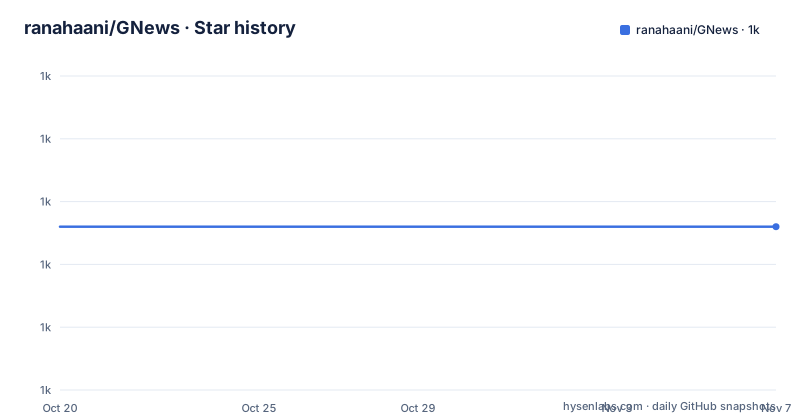
- ranahaani/GNews1,018 ★ · +0
| Repository | 2026-10-20 | 2026-11-07 |
|---|---|---|
| ranahaani/GNews | 1k | 1k |
0 Stars in the last 18 days, measured from the daily GitHub snapshot. Compare with other projects
Editorial analysis
A wrapper over the Google News RSS feed
GNews is described as a happy and lightweight Python package that provides an API to search for articles on Google News and returns a usable JSON response, and the about section puts it more precisely: it searches the Google News RSS Feed and returns a usable JSON response.
So the mechanism is an RSS feed, not an API. Google News publishes a feed for searches, and the package builds the request, parses the feed and hands back structured data. The topic list names it as both a google-news-rss and a google-news-scraper project, which is the honest description of the two halves.
The second capability is fetching full article text, and the about section puts the benefit plainly: no need to write scrapers for article fetching anymore. The links Google News returns point at its own redirect, not at the publisher, so a caller that wants the article body has to resolve the link and then extract the text, and the package handles that.
Coverage is wide. Google News covers across 141 or more countries with 41 or more languages, and the project points out that the supported combinations are listed in the Language and region section on the Google News page itself.
The audience is developers who want news search in a script without wiring up a news API key and a commercial contract, and the classification in the package metadata says Development Status 5, Production/Stable, with Python 3.10 through 3.14 and the MIT licence. The last push was on 2026-10-09 and the repository is not archived.
The extras, and what each one costs you
The install is one command, and the two extras are the interesting part because they are where the design decision shows.
pip install gnewsFull article text extraction is an extra.
pip install gnews[fulltext]That pulls in trafilatura at 1.6 or newer and lxml_html_clean at 0.3 or newer, which is the extraction side: a HTML cleaner and a boilerplate remover, because a news page is mostly navigation, cookie banners and adverts with the article in the middle.
Real article URL resolution is the other extra.
pip install gnews[playwright]
playwright install chromium
That pulls in playwright at 1.40 or newer, and the chromium download is a separate step because the browser binary is a hundred megabytes that pip will not fetch for you.
The split is deliberate. The base package is a feed reader, and the base dependencies reflect that exactly.
feedparser~=6.0.2
beautifulsoup4>=4.9.3,<5
dnspython
requests
Four packages, one of which is the feed parser, one the HTML parser, one the DNS library and one the HTTP client. The URL resolution needs a real browser because the redirect in a Google News link is resolved by JavaScript, and there is no way to do that with requests alone.
So the cost curve is clear. A user who wants headlines pays four dependencies. A user who wants article text pays two more. A user who wants the real publisher URLs pays a browser.
The proxy guidance in the about section is also worth reading, because it tells you what the project expects. Scraping a lot of articles and getting your IP blocked is called out as a real problem, and the recommendation is to route requests through residential proxies.
Six ways to ask a question, and a CLI besides
The table of contents in the project description is the API surface, and it is short enough to hold in your head.
There is top news, news by keywords, news by major topic, news by geo location and news by site. Those five are the query shapes, and each maps to a different feed URL, which is why the package can be a thin layer rather than a search engine.
Around them are the things a caller needs anyway. There is a results specification section, an article properties section that documents what each returned article contains, a section on getting the full article, and a section on exporting results.
There is also CLI usage, and the package declares a console script for it in the setup metadata.
entry_points={
    "console_scripts": [
        "gnews=gnews.cli:main",
    ],
}
So the same functionality is available from a shell, which is what makes the tool usable for a quick look without writing a script.
Two more entries in the list are worth naming. There is async support, which matters because a news search followed by full article fetches is a network bound loop and the synchronous version blocks. And there is URL resolution as a documented section rather than a footnote, which is the same feature the playwright extra enables.
Taken together, the design is coherent: a small synchronous API for the simple case, an async path for the batch case, a CLI for the shell, and two extras that are only paid for when you need them.
A version in setup.py that is ahead of the tagged releases
There is a version mismatch in this project that is worth flagging before you pin anything.
The setup.py declares version 0.8.3, with the author as Muhammad Abdullah and the project URL, the documentation link, the source link and the tracker link, and the description matching the package description. But the recent releases listed for the repository are 0.2.3 from 2021-10-13 and 0.1.0 from 2021-03-18.
So the version in the packaging metadata has moved well past the last tagged release. The setup.py also carries a commented out block using setuptools_scm for the version, with a local scheme of no-local-version, which suggests the author experimented with deriving the version from the git history and then settled on a hardcoded number instead.
The practical effect is that if you install from PyPI you get whatever was published, and if you install from a checkout you get 0.8.3. A project where the packaging version and the release history disagree is a project where the master branch is the source of truth and the tags are a memory.
The dependency constraints in the same file are current, with Python 3.10 through 3.14 in the classifiers, and the extras_require block declares the fulltext extra with trafilatura and lxml_html_clean and the playwright extra with playwright, matching the installation instructions.
The repository layout is the conventional Python package with a gnews directory for the code, a tests directory, an examples directory with a tutorial notebook, a docs directory with an index.rst and a readthedocs configuration, a Dockerfile, a docker-compose.yaml, a main.py, a setup.py and a requirements.txt.
Docker, MongoDB and a development environment
The local development instructions have two routes, and the Docker one is unusual enough to be worth reading.
Option one is Docker and docker-compose. You install docker and docker-compose, configure the .env file by placing your MongoDB credentials, and then run docker-compose up --build.
docker-compose up --buildThe compose file explains the arrangement. There is a mongodb service on the mongo image, with a root username, a root password and a database called gnews, published on port 27017, and a gnews service that is built from the Dockerfile, takes its environment from the .env file, mounts the current directory into the container, and depends on the MongoDB service.
The Dockerfile is minimal. It starts from python:3.10.0, creates a working directory at /usr/src/app, copies the source in, and installs the requirements with pip.
The MongoDB part is the detail that makes you look twice, because the package itself does not obviously need a database. A feed reader has no state to keep. So the database belongs to the development environment rather than to the library, most likely for the caching and deduplication of the fetched articles across a development session, and the compose file is what wires it up.
The second option is a git clone and a local install, and the project also supports a documentation build with readthedocs through the .readthedocs.yaml file and the index.rst in the docs directory.
There is also a related project worth knowing about, gnews-agent, described as persistent, semantic news intelligence for AI agents built on GNews, which fetches, dedupes, embeds and queries articles from Python, a CLI or an MCP server, and installs with pip install gnews-agent.
Sponsorship, proxies, and what the project wants you to use it for
Two commercial relationships are visible in the project description, and both are worth naming because they affect how you read the documentation.
The first is a sponsor, SearchApi, which provides a Google News API and whose banner sits at the top of the README. The second is RapidProxy, a residential and ISP proxy service, and the about section recommends routing GNews requests through it to avoid being rate limited when pulling many articles, with a discount code for users.
That recommendation is honest about the failure mode. Scraping a lot of articles and getting your IP keeps getting blocked is named directly, and a proxy is the obvious answer to it. It is also the kind of advice that should make you think about scale, because the difference between a tool you run in a script and a tool you run at scale is exactly the difference between no rate limit and a blocked address.
The project also asks for support, with a Buy Me a Coffee link, and it points at a related project and a Discord-free contact section. The documentation is on the project site and the package is on PyPI, with the homepage given as the PyPI project page.
For an adopter, the sensible framing is that GNews is a convenience layer over a feed you could parse yourself, with three conveniences added: a structured result shape, optional full article extraction, and URL resolution. The convenience is real, and so is the coupling to a feed format that Google can change without notice.
Editorial conclusion
Adopt GNews if you need a quick way to pull news search results into Python and you are comfortable depending on an undocumented feed rather than a supported API, because that is exactly what the package does. Do not adopt it as a production data source without reading the operational notes, since the format is Google News' own and the project is candid about IP blocking and about routing requests through a proxy service. Before you depend on it, install the extras you actually need, since the fulltext and playwright extras pull heavy dependencies, and check the version you resolve, because the version in setup.py has moved well past the last tagged release.
Frequently asked questions
What does the GNews package do?
It searches the Google News RSS feed and returns a usable JSON response, and it can also fetch the full text of the articles it finds, so you do not have to write your own article scrapers. Queries cover top news, keywords, major topics, geo location and a specific site.
How do I install GNews with full article text and URL resolution?
The base install is `pip install gnews`. Full article extraction is the fulltext extra, `pip install gnews[fulltext]`, which adds trafilatura and lxml_html_clean. Real article URL resolution is the playwright extra, `pip install gnews[playwright]`, followed by `playwright install chromium`.
What dependencies does GNews have?
Four: feedparser, beautifulsoup4, dnspython and requests. The heavier work is kept in the extras, with trafilatura and lxml_html_clean for full text and playwright for resolving the Google News redirect URLs.
Does GNews come with a command line tool?
Yes. The package declares a console script named gnews that points at gnews.cli:main, so the same search, article fetching and export functionality is available from a shell, and the project also documents async support for batch work.
How do I set up GNews for local development?
Either with Docker, by configuring the .env file with your MongoDB credentials and running `docker-compose up --build`, or by cloning the repository and installing it locally. The compose file runs a MongoDB service alongside the package.
Official sources
Add this badge to your README
If you maintain this project, the badge below links readers to this analysis and shows its maintenance status from the daily GitHub snapshot. Paste the markdown into your README; add ?metric=license or ?metric=stars to the image URL for a different field.

[](https://hysenlabs.com/projects/ranahaani-gnews)Star history chart for your README
[](https://hysenlabs.com/projects/ranahaani-gnews)Was this useful?