torch-sparse keeps sparse work on index and value tensors
PyTorch Extension Library of Optimized Autograd Sparse Matrix Operations
At a glance
- What is it?
- PyTorch Sparse is a small extension library that runs coalesce, transpose and two sparse matrix multiplications on index and value tensors instead of a torch.sparse_coo_tensor. It is four operations wide, its Windows wheel table thins out on PyTorch 2.12, and the version string in setup.py still reads 0.6.18.
- Who is it for?
- Adopt torch-sparse when your training loop already holds coordinates and weights in separate variables and needs gradients in the values, because it saves building a torch.sparse_coo_tensor at every call site. Leave it when you need gradients through the index tensor, operations beyond the four named, or a cu128 or cu130 wheel on Windows with PyTorch 2.12.
- Can I use it commercially?
- Yes. MIT is a permissive licence: you can use, modify and sell software built on it, as long as you keep its copyright and licence notices.
- Is it still maintained?
- Yes. The repository last received commits 142 days ago.
- What is it written in?
- Mainly Python, according to GitHub's language statistics.
Answers come from the project's GitHub data, last synced on October 23, 2026, and from our analysis. They are not legal advice.
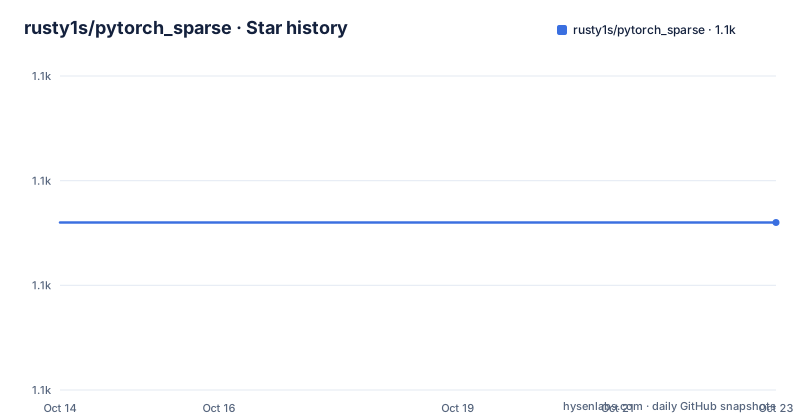
Star history
- rusty1s/pytorch_sparse1,106 ★ · +0
| Repository | 2026-10-14 | 2026-10-23 |
|---|---|---|
| rusty1s/pytorch_sparse | 1.1k | 1.1k |
0 Stars in the last 9 days, measured from the daily GitHub snapshot. Compare with other projects
Editorial analysis
Index and value tensors instead of a sparse tensor object
PyTorch Sparse is a small extension library of optimized sparse matrix operations with autograd support, aimed at code that already keeps coordinates and values in separate tensors. Instead of asking callers to assemble a `torch.sparse_coo_tensor` at every site, each function takes the `index` and `value` tensors as separate arguments and hands them back the same way, using the shapes PyTorch defines for sparse tensors.
Gradients reach `value` and stop at `index`. That asymmetry is the decision everything else follows from: coordinates are discrete, so no derivative flows back to them, and anything a model learns over a sparse structure arrives through the value side.
Four operations make up the surface. Coalesce, transpose, sparse dense matrix multiplication and sparse sparse matrix multiplication, each implemented for CPU and GPU across varying data types, so one call works on a laptop and on a CUDA build without a second code path.
One naming detail catches people out early. pip installs the distribution as torch-sparse while the code imports `torch_sparse`, and every install line in the documentation names both torch-scatter and torch-sparse together, so the scatter package arrives as part of this install whether or not you call its operations directly.
coalesce merges duplicate coordinates through a scatter op you choose
torch_sparse.coalesce(index, value, m, n, op="add") -> (torch.LongTensor, torch.Tensor)Coalesce row-wise sorts the index tensor and removes duplicate entries by scattering them together. The op string selects that scatter, and any operation from `torch_scatter` can fill the role, so a caller who wants something other than addition supplies the matching scatter instead. m and n are the two dimensions of the sparse matrix, passed as plain integers rather than inferred from anything.
Run the example with six coordinate rows, m=3 and n=2:
import torch
from torch_sparse import coalesce

index = torch.tensor([[1, 0, 1, 0, 2, 1],
                      [0, 1, 1, 1, 0, 0]])
value = torch.Tensor([[1, 2], [2, 3], [3, 4], [4, 5], [5, 6], [6, 7]])

index, value = coalesce(index, value, m=3, n=2)
Two coordinate pairs collapse into one, and the values that shared a cell are added, so the result carries four rows instead of six:
print(index)
tensor([[0, 1, 1, 2],
        [1, 0, 1, 0]])
print(value)
tensor([[6.0, 8.0],
        [7.0, 9.0],
        [3.0, 4.0],
        [5.0, 6.0]])
Ordering matters as much as the sums here, since the sorted index is what comes back. Nothing in the documentation forces you to call coalesce before the multiplication routines, and nothing states what happens when index and value disagree on row count.
transpose and the two multiplication operations the list names
`torch_sparse.transpose(index, value, m, n)` swaps the two dimensions of the sparse matrix and returns the same index and value pair it was handed. Coalesce, transpose and both multiplication routines share one calling convention, so moving between them costs no change in how tensors are passed in.
The operation list also names sparse dense matrix multiplication and sparse sparse matrix multiplication, the pair that combines a sparse operand with a dense matrix and with another sparse matrix. Their kernels sit in `csrc`, the directory `setup.py` globs for `*.cpp` sources, and every kernel is compiled once for each suffix the build selects, which is cpu or cuda.
That glob also drops any path containing hip before the extension list is assembled, so a rebuild after switching toolchains does not try to compile generated files a second time. One short line of code, and it tells you the project expects generated sources to live in that same directory.
The rest of the tree explains where the work happens. The `torch_sparse/` directory holds the Python side that binds the compiled kernels, `test/` and `benchmark/` sit alongside it, `third_party/` carries vendored code, and `CMakeLists.txt` and `cmake/` are the build files the install notes never mention.
Wheel tags for PyTorch 2.12, and the CUDA columns that go missing
Prebuilt wheels take the compiler out of the picture. The install line carries the PyTorch version and a CUDA tag inside the URL, and the ${CUDA} placeholder has to be replaced before pip runs:
pip install torch-scatter torch-sparse -f https://data.pyg.org/whl/torch-2.12.0+${CUDA}.htmlFor PyTorch 2.12 the accepted values are cpu, cu126, cu130 and cu132. The table underneath is not uniform. Linux marks all four as available, Windows marks two of them, and macOS marks one.
That asymmetry is invisible if you copy the command and skip the table. The PyTorch 2.11 and 2.10 sections accept cpu, cu126, cu128 and cu130, and both of their tables fill all four columns for Linux and for Windows. Move up to 2.12 on Windows and cu128, cu130 leave the table at once, with nothing in the install text explaining the change.
Every line like this one also pulls torch-scatter, because coalesce hands its duplicate handling to scatter operations from that package instead of carrying its own implementation of them.
From source, CUDA paths and METIS have to be set by hand
Compiling from source starts with two checks. PyTorch must be importable, and the CUDA toolkit has to be reachable:
$ python -c "import torch; print(torch.__version__)"
>>> 1.7.0

$ echo $PATH
>>> /usr/local/cuda/bin:...

$ echo $CPATH
>>> /usr/local/cuda/include:...
`cuda/bin` belongs in `$PATH` and `cuda/include` in `$CPATH`, and PyTorch 1.7.0 is the floor this path states.
METIS is optional and switches partitioning support on through `WITH_METIS=1`. It must be installed first with 64 bit `IDXTYPEWIDTH`, which means editing `include/metis.h` before compiling anything, and the download link points at a web.archive.org snapshot rather than a live page. Inside a container with no NVIDIA driver, PyTorch cannot evaluate compute capabilities on its own and the build fails until you set them:
export TORCH_CUDA_ARCH_LIST="6.0 6.1 7.2+PTX 7.5+PTX"Then the install line closes the source path, the same one the wheel instructions use:
pip install torch-scatter torch-sparseBoth blocks are literal. For a plain CPU or CUDA build with no METIS, nothing else has to be configured before the install runs.
Environment switches steer the build, and MTMETIS goes unnamed
The install notes name two environment variables. The build script reads more. Before it collects extensions it resolves `FORCE_CUDA`, `FORCE_ONLY_CUDA` and `FORCE_ONLY_CPU`, each compared against the string 1:
suffices = ['cpu', 'cuda'] if WITH_CUDA else ['cpu']
if os.getenv('FORCE_CUDA', '0') == '1':
    suffices = ['cuda', 'cpu']
if os.getenv('FORCE_ONLY_CUDA', '0') == '1':
    suffices = ['cuda']
if os.getenv('FORCE_ONLY_CPU', '0') == '1':
    suffices = ['cpu']
`FORCE_ONLY_CPU` is the one worth knowing on a machine where `torch.cuda.is_available()` returns True but no toolkit is installed, since that call decides the default suffix set. The same file turns on `BUILD_DOCS`, `WITH_MTMETIS` and `WITH_SYMBOLS` from variables of the same name, and `WITH_MTMETIS` adds the `MTMETIS_64BIT_VERTICES` macro and links `metis`. The install notes mention `WITH_METIS=1` once and never name the parallel option, so the only route to the MTMETIS path is reading the build script. On Windows the build goes one step further and defines `torchsparse_EXPORTS`.
Why 0.6.18 in the source tree and PyTorch 2.12 in the wheel table
The two numbers a reader checks first disagree, and verifying only one of them gives the wrong answer. The install pages document binaries for PyTorch 2.12, 2.11 and 2.10, and a note beneath them claims binaries exist back to PyTorch 1.4.0. The source tree carries `__version__ = '0.6.18'`, a string matching the newest entry in the project release list, tagged on 2023-10-06.
The last push on the master branch was on 2026-06-03 and the licence is MIT, so the tree still reports the 2023 string even though the wheel index now reaches a much newer PyTorch. A dependency pin therefore reads 0.6.18 no matter which PyTorch the wheel behind it was compiled against, and the number says nothing about the kernels you actually loaded.
A second mismatch sits a few lines away in the same document. The from-source section asks for at least PyTorch 1.7.0, while the binaries note reaches back to 1.4.0. `setup.py` enforces neither floor: it imports `torch.utils.cpp_extension` and `parallel_info`, then compiles whatever is installed, so a mismatch between your PyTorch and the tree's expectations surfaces as a compile error instead of a clear message.
What passing index and value costs you next to a sparse tensor
The approach being replaced is PyTorch's own sparse tensor. `torch.sparse_coo_tensor` bundles coordinates and values into one object with its own layout rules, and every operation here is defined to skip that step. For a training loop that already keeps coordinates in one variable and weights in another, the saving is one object per call and a single signature across all four functions. The cost is that you own the bookkeeping, since `coalesce` takes m and n as plain integers and nothing checks them against the tensors you pass.
There is no gradient path through coordinates, so any task that needs to learn an index tensor, or needs an operation outside the four named, sits outside what this package covers. The multiplication routines appear in the operation list but are not documented parameter by parameter the way coalesce and transpose are, and the README does not state error behaviour for mismatched dimensions, wrong dtypes or empty inputs. Each of those is a question to answer in your own code before the library carries a training run.
Editorial conclusion
Adopt torch-sparse when your training loop already holds coordinates and weights in separate variables and needs gradients in the values, because it saves building a torch.sparse_coo_tensor at every call site. Leave it when you need gradients through the index tensor, operations beyond the four named, or a cu128 or cu130 wheel on Windows with PyTorch 2.12. Before pinning it into a build, check the wheel table for your exact PyTorch, CUDA and OS row, then read the version constant in setup.py, which still reads 0.6.18 while 2.12 wheels exist.
Frequently asked questions
Does torch-sparse give gradients to the sparse index tensor?
No. Only `value` comes with autograd support, because `index` is discrete and therefore not differentiable. Anything trainable has to live in the value tensor.
Which CUDA tag do I use to install torch-sparse for PyTorch 2.12 on Windows?
The PyTorch 2.12 section accepts cpu, cu126, cu130 or cu132 as the value of the placeholder in the install URL, but its table marks only cpu and cu126 for Windows. macOS is marked for cpu alone.
What is the newest published version of torch-sparse?
0.6.18, tagged on 2023-10-06, followed by 0.6.17 on 2023-03-22 and 0.6.16 on 2022-12-22. The same string, `__version__ = '0.6.18'`, is what setup.py still declares.
How do I build torch-sparse from source with METIS support?
Install METIS with 64 bit `IDXTYPEWIDTH` by editing `include/metis.h`, export `WITH_METIS=1`, and make sure `cuda/bin` sits in `$PATH` while `cuda/include` sits in `$CPATH`. The source path states PyTorch 1.7.0 as its floor.
Will torch-sparse compile in a Docker container with no NVIDIA driver?
Not without help. PyTorch needs to evaluate the compute capabilities and can fail there, so set them yourself with `TORCH_CUDA_ARCH_LIST` before the install.
What does coalesce do when a sparse matrix has duplicate coordinates?
It sorts `index` row-wise and removes duplicate entries by scattering them together with the operation named by op, which defaults to add. Any operation from `torch_scatter` can serve as that scatter.
Official sources
Add this badge to your README
If you maintain this project, the badge below links readers to this analysis and shows its maintenance status from the daily GitHub snapshot. Paste the markdown into your README; add ?metric=license or ?metric=stars to the image URL for a different field.

[](https://hysenlabs.com/projects/rusty1s-pytorch-sparse)Star history chart for your README
[](https://hysenlabs.com/projects/rusty1s-pytorch-sparse)Was this useful?