git-who answers who wrote this code with one name per directory
Git blame for file trees
At a glance
- What is it?
- git-who ranks Git authors by commit count across a path, a revision range or every directory in the tree, which makes it a fast way to size up an unfamiliar codebase and a poor way to settle ownership. Its documentation promises three subcommands and shows two, its Docker and Git alias links point past the end of the file, and a public key nobody explains sits in the repository root.
- Who is it for?
- git-who earns its place when you land in an unfamiliar repository and need to know which two or three people to talk to, and it should stay out of any process that treats its output as an answer about a person. Two things to settle before you lean on it: the tree view credits one author per node and hides everyone else, and the default metric is commit count, which is exactly the number an automated account accumulates fastest.
- Can I use it commercially?
- Yes. MIT is a permissive licence: you can use, modify and sell software built on it, as long as you keep its copyright and licence notices.
- Is it still maintained?
- Yes. The repository last received commits 179 days ago.
- What is it written in?
- Mainly Go, according to GitHub's language statistics.
Answers come from the project's GitHub data, last synced on November 22, 2026, and from our analysis. They are not legal advice.
Star history
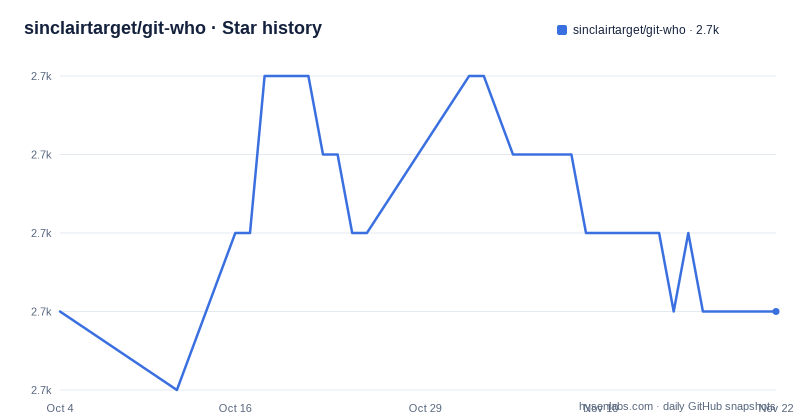
- sinclairtarget/git-who2,674 ★ · +0
| Repository | 2026-10-04 | 2026-11-22 |
|---|---|---|
| sinclairtarget/git-who | 2.7k | 2.7k |
0 Stars in the last 49 days, measured from the daily GitHub snapshot. Compare with other projects
Editorial analysis
Every directory in the tree gets exactly one author
The tree subcommand is where the promise of the name meets its limit. Each node is annotated with the author who contributed the most to files at or under that path, and by default that contribution is measured by number of commits:
~/repos/cpython$ git who tree Parser/
Parser/.........................Guido van Rossum (182)
├── lexer/......................Pablo Galindo Salgado (5)
At the top level the answer is the one a reader expects from a project written by its original author, four decades of outside contributions notwithstanding. One level down, lexer/ is credited to one person with 5 commits, which says nothing about everyone who touched that directory before or after him. No runner up line is printed, and none of the documented flags asks for one. Every node resolves to a single name, so at directory level the tool answers who commits here most often rather than who wrote this.
Commit counts put a bot at the top of the range view
Ask for a version range and the character of the table changes. Between v3.10.9 and v3.11.9 the ranking is led by an automated account:
~/repos/cpython$ git who v3.10.9..v3.11.9
┌─────────────────────────────────────────────────────┐
│Author                            Last Edit   Commits│
├─────────────────────────────────────────────────────┤
│Miss Islington (bot)              9 mon. ago    2,551│
│Victor Stinner                    9 mon. ago      367│
│Serhiy Storchaka                  9 mon. ago      304│
2,551 commits against 367 for the next human is a seven to one gap, and the documented options are four sort flags plus -n for extra rows. There is no author filter, no way to exclude accounts whose name ends in (bot), and no separate counter for human sign offs. Read this table as a maintenance signal and you learn that a machine touched the tree far more often than any person did during that window.
Each sort key produces a different leader
The table flags choose the metric, they do not filter anything. -m sorts by the Last Edit column, -c sorts by first edit so the earliest committers sit at the top, -l sorts by lines modified and adds two columns, -f sorts by files modified, and -n prints more rows with -n 0 printing all of them. Switching to -l reorders the same repository:
$ git who -l
│Author                          Last Edit   Commits   Files        Lines (+/-)│
│Guido van Rossum                2 mon. ago   11,213  14,135     1.3m / 793,252│
│Antoine Pitrou                  10 mon. ago   3,180   3,868  944,685 / 776,587│
│Jack Jansen                     18 yr. ago    2,978   5,887  836,527 / 691,078│
│Benjamin Peterson               4 mon. ago    4,724   6,957  690,740 / 781,700│
Jack Jansen appears ahead of Benjamin Peterson on lines while sitting behind him on commits and behind him on files touched. Whoever owns a component therefore depends on which letter you type, which is fine while exploring and wrong for a figure you plan to repeat in a planning document.
Four install paths and three toolchains
The Mac OS section carries a single line, while the source build asks for Go, Ruby and the rake gem together and drives everything through a Rakefile in the repository root:
brew install git-whogo install github.com/sinclairtarget/git-who@latestgit clone [email protected]:sinclairtarget/git-who.git
cd git-who
rake
./git-who --versionSo a Go developer with no Ruby installed can take the published module and still cannot build the repository, which the README is explicit about: those extra tools are needed only for a source build. Precompiled binaries are linked from the releases page for anyone who wants neither. The clone line also uses the SSH form of the remote, so the first attempt stops at a host key or a missing key before anything about this project gets exercised.
Two anchors point to sections the README never reaches
Installation sends the reader to the section on Docker with a link to #using-docker, and the usage preamble points at a Git Alias section the same way. Neither section appears in the README, which stops partway into the tree example, on a half drawn line for Parser/lexer/buffer.c. The third subcommand is missing for the same reason, since only table and tree are described before the file ends. What remains in that area is a Repology badge with no package list beside it, so the packaging route exists as a link and nothing more. Practical effect: the Docker path and the manual alias are the two you reconstruct from the source tree instead of reading, and you should not assume a third view of authorship exists until you have listed the subcommands yourself.
git who only resolves when Git can find git-who in your PATH
Every example types git who, which works only because Git looks up an external subcommand on PATH. The README states that the alias resolves automatically as long as Git can find git-who in your PATH, and defers the manual form to the section it never reaches. PATH is therefore the first thing to check when the command looks missing, and it means the tool has to be installed rather than run out of a checkout. Arguments collide in the usual Git way, since a file or directory can share a name with a branch, and the resolution is the same double dash git itself uses. The tree also carries a .gitmodules next to its Rakefile, which the README never explains, so a fresh clone may not be the working tree you think it is.
An Ed25519 public key sits at the repository root
Among the top level entries there is a file named gitwho_ed25519.pub. An Ed25519 public key is the harmless half of a key pair, so publishing one leaks nothing on its own, and the name gives no clue what it covers: no part of the README ties it to release tags, to the binaries on the releases page, or to anything else. Alongside it sit DEVELOPMENT.md, a Rakefile, assets/, docker/, screenshots/, internal/, log.go, main.go and test/, so the repository is a normal Go project with one unexplained key file on top. For a tool whose entire subject is repository history, that key is the first file to check before you sign, verify or mirror anything it produced.
Four direct dependencies, and four months past v1.3
module github.com/sinclairtarget/git-who

go 1.23

require (
	github.com/bmatcuk/doublestar/v4 v4.8.1
	github.com/google/go-cmp v0.6.0
	github.com/mattn/go-runewidth v0.0.16
	golang.org/x/term v0.28.0
)
The dependency list explains the output. doublestar handles the glob style path arguments such as Tools/ and Parser/, x/term reads the terminal width that decides how wide the table is drawn, go-runewidth with rivo/uniseg behind it measures display width so the box drawing lines up, which matters for a name like Martin v. Löwis in the README's own output, and go-cmp belongs to the test directory rather than the binary. Tags run v1.1 on 2025-05-30, v1.2 on 2025-07-31 and v1.3 on 2026-01-24, while the default branch, master rather than main, took a commit on 2026-05-28, so a checkout runs four months past the newest release.
Editorial conclusion
git-who earns its place when you land in an unfamiliar repository and need to know which two or three people to talk to, and it should stay out of any process that treats its output as an answer about a person. Two things to settle before you lean on it: the tree view credits one author per node and hides everyone else, and the default metric is commit count, which is exactly the number an automated account accumulates fastest. Install with the go install path if you want to avoid the Ruby toolchain that building from source asks for, and read the metric behind the ranking you are about to quote rather than the ranking itself.
Frequently asked questions
What does git-who do that git blame does not?
git blame attributes individual lines. git-who ranks authors by commit count across a whole path, a revision range, or every directory in the tree, so the unit of analysis is a component or subsystem instead of a line of code.
How do I limit git-who to part of a repository?
Pass a path such as Tools/ or Parser/, a commit-ish such as v3.7.1, or a range written v3.10.9..v3.11.9. When a path and a branch share a name, put -- before the argument, for example git who -- foo.
How do I list every author instead of the top rows?
The -n option prints additional rows and -n 0 prints all of them. The other table flags choose the metric: -m by last edit, -c by first edit, -l by lines modified, -f by files modified.
Which subcommands does git-who have?
Three are announced, and two are described in the README text: table, which is the default, and tree. The third subcommand is not documented there, and the tree section is where the README stops.
Can I install git-who without Ruby?
Yes. go install github.com/sinclairtarget/git-who@latest needs only Go, brew install git-who is given for Mac OS, and precompiled binaries are linked from the releases page. Ruby and the rake gem are required only for building from source.
Official sources
Add this badge to your README
If you maintain this project, the badge below links readers to this analysis and shows its maintenance status from the daily GitHub snapshot. Paste the markdown into your README; add ?metric=license or ?metric=stars to the image URL for a different field.

[](https://hysenlabs.com/projects/sinclairtarget-git-who)Star history chart for your README
[](https://hysenlabs.com/projects/sinclairtarget-git-who)Was this useful?