SVGKit on iOS and macOS: five install paths, hand linked frameworks, and recipes from 2013
Display and interact with SVG Images on iOS / OS X, using native rendering (CoreAnimation)
At a glance
- What is it?
- SVGKit is an Objective-C Cocoa framework that turns SVG into native drawing on iOS and macOS. Here is every documented install route, the frameworks you still have to link by hand, and the parts of the documentation that have not kept pace with the code.
- Who is it for?
- SVGKit suits Apple-only teams that need SVG on screen without shipping a browser view: one Objective-C codebase, a framework you can drag in, and a static library to fall back on. Teams on other platforms, or teams that need written guarantees about malformed or hostile files, will have to supply those guarantees themselves.
- Can I use it commercially?
- Check first. The repository uses a licence we do not classify automatically, so read its LICENSE file before any commercial use.
- Is it still maintained?
- Yes. The repository last received commits 22 days ago.
- What is it written in?
- Mainly Objective-C, according to GitHub's language statistics.
Answers come from the project's GitHub data, last synced on November 15, 2026, and from our analysis. They are not legal advice.
Star history
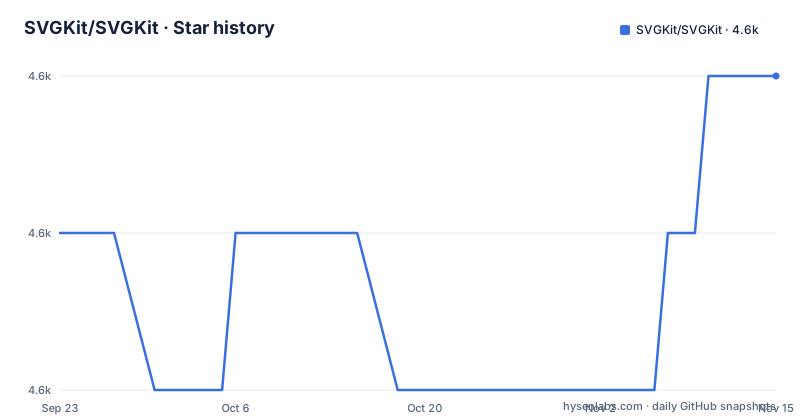
- SVGKit/SVGKit4,583 ★ · +1
| Repository | 2026-09-23 | 2026-11-15 |
|---|---|---|
| SVGKit/SVGKit | 4.6k | 4.6k |
1 Stars in the last 53 days, measured from the daily GitHub snapshot. Compare with other projects
Editorial analysis
The install section promises three options, then numbers five
The install section opens by announcing 3 main options for adding SVGKit, then numbers five of them: drag the framework into your project, CocoaPods, Carthage, the static library, and Swift Package Manager. Only the framework route carries the preferred tag, and the reason offered is blunt. Frameworks are called a new feature that might have bugs, and the suggested next step is to create an Issue and fall back to the static library. The static library is described as the backwards-compatible manual install that always works when CocoaPods or Carthage give you trouble. For a podfile, the two documented lines are:
pod 'SVGKit'
pod 'SVGKit', :git => 'https://github.com/SVGKit/SVGKit.git', :branch => '3.x'
Both a plain entry and a branch-pinned entry appear in the same discussion, and the pinning advice carries an October 2018 annotation about which branch is current. That annotation is worth checking yourself, because 3.x is also the branch you land on when GitHub picks the default for the project page.
The static library route still asks for LLVM Compiler 2.0
The manual route is the most precise set of steps in the repository and also the most dated. Open SVGKit-iOS.xcodeproj, switch to the SVGKit-iOS target and build with cmd-B, scroll the left navbar to the bottom, open the Products section, right click the library (libSVGKitBLAHBLAH.a) and pick show in finder, then go up one folder to Debug-universal, or Release-universal if you built in Release mode. Drag the .a file and the usr folder into your project with the Copy files checkbox selected. Then two build settings have to be set by hand:
Other Linker Flags = -ObjC
C/C++ Compiler Version = LLVM Compiler 2.0
The linker flag is routine for an Objective-C library with categories. The compiler version is not. Being told to set C/C++ Compiler Version to LLVM Compiler 2.0 is a clear signal about how long these instructions have gone without a pass through a current Xcode, and it is the line most likely to send you off to search.
Six Apple frameworks plus CocoaLumberjack must be linked by hand
Whichever route you pick, your app target is not finished when SVGKit lands in it. Six Apple frameworks are listed as things you may need to add manually:
CoreText
CoreImage
libxml2.dylib
QuartzCore
CoreGraphics
UIKit
A third-party piece travels with it. CocoaLumberjack sits in the 3rd-party-frameworks folder of the SVGKit-iOS project, and you drag over whichever version applies, iOS or tvOS, then remember to embed the library. That embed step has a visible end state: the library should show up under Target, then General, then Embedded Binaries. A target with the frameworks linked but nothing under Embedded Binaries has not finished the instruction.
macOS support arrived in 2.1.0 with the iOS API surface
Swift Package Manager gets two sentences: in Xcode go to File, then Add Packages, provide the URL of this repository in the search bar, choose a Dependency Role and select the appropriate project. The rest of that part of the page is about the desktop, where support was added in version 2.1.0, autumn 2018. The claim is that nearly the same API as iOS is available, and three names carry most of it:
SVGKFastImageView
SVGKLayeredImageView
SVGKImage.NSImage
SVGKImage.NSImage is the one that exports an SVG layer to a bitmap image, while the two view classes are the interactive counterparts. A macOS demo ships as Demo-OSX.xcodeproj, and its stated purpose is to browse the different SVG files through both view types so you can check compatibility between them.
Hit detection on iOS stays hidden until you press Debug
Two demo projects sit at the top level, Demo-iOS.xcodeproj and Demo-OSX.xcodeproj, and the troubleshooting advice leans on them: if you have any problems building the library and embedding it in your app, compare your build settings to the Demo-iOS build settings, because if something is different that is probably the problem. Inside the iOS demo you can zoom and pan, and only in the sample called Monkey does the Animate button do anything. Tapping an image shows bounding boxes and hit detection, and that part may need you to hit the Debug button first. Anyone evaluating touch interaction should know the debug overlay is not on by default. A Demo-Samples directory sits next to both demo projects.
Tags stop at 3.0.0 while the 3.x branch keeps taking pushes
The versioning section explains why every install recipe keeps pointing at branches. v3.x is described as the current in development branch with the latest changes, fixes and features, and it is what gets selected as the default when you visit the project page. Tagged releases move at a different pace: 3.0.0 on 15 April 2021, then 3.0.1 and 3.0.2 both on 24 October 2026. The last push was also on 24 October 2026, and the repository is not archived. The practical consequence is that pinning to a tag and tracking the branch are two different bets. For the current answer the project points you at a Versions page on its wiki.
Hostile files, size limits, and rollback go undocumented
Read this as a gap rather than a verdict. The documentation says nothing about what happens when input is malformed or hostile. There is no statement about external resources referenced inside a file, no file size ceiling, no limit on entity expansion, and no description of the value or error you receive when parsing fails. libxml2.dylib is on the required link list, so a real XML parser sits in the path, and the page stops there. If your app opens SVGs that came from users, the limits and the failure behaviour become yours to define and test before you ship. There is just as little on rollback: no compatibility table between versions, no guidance on pinning away from a branch that is in development, and the version detail deferred to the wiki.
The recipe links are 2012 and 2013 posts, flagged as drifted
The recipe list is a list of links, and the ages show in the URLs:
http://t-machine.org/index.php/2012/12/31/svgkit-2013-usage/
http://t-machine.org/index.php/2013/01/02/svgkit-2013-recipes/
http://t-machine.org/index.php/2013/04/14/svgkit-scaling-svg-images/
http://t-machine.org/index.php/2012/12/31/svgkit-2013-development/
The page warns that some of these APIs have changed slightly since they were written, which is an honest warning and not a small one. The November 2013 entry, writing SVGs back to disk while preserving changes made programmatically, is labelled new and experimental, and nothing later revisits it. For SwiftUI the pointer is a third-party gist rather than anything in the repository. Treat the recipes as orientation and check each method name against the 3.x sources.
Editorial conclusion
SVGKit suits Apple-only teams that need SVG on screen without shipping a browser view: one Objective-C codebase, a framework you can drag in, and a static library to fall back on. Teams on other platforms, or teams that need written guarantees about malformed or hostile files, will have to supply those guarantees themselves. Before adopting it, build the 3.x branch under your own Xcode, run both demo projects against your own SVG files, and decide your limits for untrusted input.
Frequently asked questions
Is it safe to open a .svg file with SVGKit?
The documentation does not address it. libxml2.dylib is on the list of frameworks you are told to link, so a real XML parser sits in the path, and nothing is said about external resources, entity expansion, file size, or what a parse failure returns. If your app opens files from users, set your own limits and test the failure path.
Which SVGKit branch should a podfile or Cartfile pin to?
3.x is the branch GitHub selects as the default and is described as the current in development branch. The two lines given are `pod 'SVGKit', :git => 'https://github.com/SVGKit/SVGKit.git', :branch => '3.x'` for a podfile and `github "SVGKit/SVGKit" "3.x"` for a Cartfile, and both come with an October 2018 note about which branch is current.
What has to be added to an app target besides SVGKit itself?
Six Apple frameworks: CoreText, CoreImage, libxml2.dylib, QuartzCore, CoreGraphics and UIKit. Plus CocoaLumberjack taken from the 3rd-party-frameworks folder of the SVGKit-iOS project, choosing the version for your platform, and then embedding it so it shows under Target, General, Embedded Binaries. The static library route also wants -ObjC in Other Linker Flags.
Does SVGKit render SVG on macOS as well as iOS?
Support was added in version 2.1.0, autumn 2018, with nearly the same API as iOS. SVGKFastImageView and SVGKLayeredImageView are named alongside SVGKImage.NSImage, which exports an SVG layer to a bitmap image, and Demo-OSX.xcodeproj is provided to browse the sample files through both view types.
How is SVGKit added through Swift Package Manager?
In Xcode go to File, then Add Packages, give the search bar the URL of this repository, choose a Dependency Role and select the appropriate project. A Package.swift sits at the top level of the repository next to SVGKit.podspec, Cartfile and Cartfile.resolved.
Official sources
Add this badge to your README
If you maintain this project, the badge below links readers to this analysis and shows its maintenance status from the daily GitHub snapshot. Paste the markdown into your README; add ?metric=license or ?metric=stars to the image URL for a different field.

[](https://hysenlabs.com/projects/svgkit-svgkit)Star history chart for your README
[](https://hysenlabs.com/projects/svgkit-svgkit)Was this useful?