Wireflow Review: Browser-Based User Flow Sketching
Wireflow - user flow chart real-time collaborative tool
At a glance
- What is it?
- Wireflow is a TypeScript, Next.js and React Flow tool for sketching website and app user journeys. It offers local storage, JSON files, image export, wireframe templates, estimates and an optional Claude assistant, but it is a flow sketching tool rather than a full design editor.
- Who is it for?
- Wireflow fits product designers, developers and teams that need to map screens, decisions and project estimates before detailed visual design begins. It is less suitable for teams requiring permanent shared accounts, server-side collaboration or a full interface design suite.
- Can I use it commercially?
- Yes. MIT is a permissive licence: you can use, modify and sell software built on it, as long as you keep its copyright and licence notices.
- Is it still maintained?
- Yes. The repository last received commits 13 days ago.
- What is it written in?
- Mainly TypeScript, according to GitHub's language statistics.
Answers come from the project's GitHub data, last synced on October 23, 2026, and from our analysis. They are not legal advice.
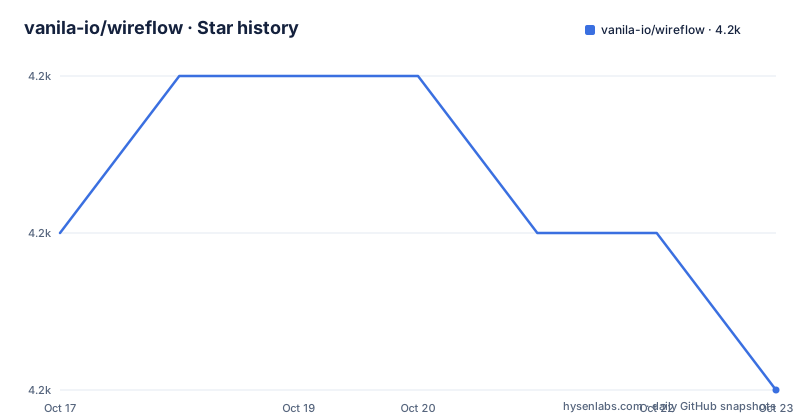
Star history
- vanila-io/wireflow4,167 ★ · -1
| Repository | 2026-10-17 | 2026-10-23 |
|---|---|---|
| vanila-io/wireflow | 4.2k | 4.2k |
-1 Stars in the last 6 days, measured from the daily GitHub snapshot. Compare with other projects
Editorial analysis
What Wireflow Does For User Flow Planning
Wireflow addresses a specific product-planning problem: turning a sequence of website or application screens into a visible journey before high-fidelity design begins. It is aimed at product designers, developers and small teams that need to reason about navigation, choices and screen order. The editor includes 125 screen templates across Article, Blog, E-Commerce, Features, Gallery, Header, Misc, Multimedia, Sign in, Socials, Flow and Mobile categories.
Its purpose is narrower than that of a complete wireframing or design application. The primary object is a connected sequence of cards. Notes, groups and estimates add planning context, but the tool does not document production component design, typography control or design-token management. Wireflow is therefore better suited to flow discovery, decision mapping and early handoff than to final visual specification.
The project also uses a local document model. The README says the editor runs in the browser without an account and that a diagram remains on the user's machine unless the optional AI assistant is used. That reduces setup friction, but backup, portability and sharing remain user responsibilities.
Wireflow's Canvas, Cards and Connection Model
Wireflow is a Next.js application using React Flow for its editor canvas. A user selects a screen template from the sidebar and drags it onto a zoomable canvas. Clicking a template adds it directly, which is useful on touch screens. Connections are made by dragging from a card's bottom dot to another card.
Connections can have labels, colors, widths from 1 to 10 px and three documented line shapes: smooth, polyline and rounded polyline. Card headers can be renamed by double-clicking or through the Card panel. Users can hide or show headers, drop in their own images, add multiline notes and connect or group notes like cards.
Groups can be named and nested. Dragging a card into a group adds it, while dragging it out removes it. Ungrouping preserves the cards, but deleting a group removes its cards too. The canvas also provides multi-selection, arrange commands, zoom controls, fit-to-screen, actual size and a minimap. According to the README, undo and redo state survives a tab reload.
The repository description calls Wireflow a real-time collaborative tool, but the README documents local autosave, JSON files and an optional AI chat. It does not document presence, shared cursors, simultaneous editing or conflict resolution.
Local Storage, JSON Files and Wireflow Export
Every change is saved in the browser's localStorage, according to the README. A diagram can therefore survive a reload without a server account. For portability, Wireflow can download a diagram as `wireflow.json`, which can later be opened in the same browser or another browser. Files from the earlier gg-editor application are also supported, including their groups.
That file-based workflow is useful for editable handoff. A recipient receives more than a flattened picture and can reopen the diagram. Image export produces JPG or PNG at twice the screen's pixel density, and the README says it covers the entire diagram, including portions outside the current viewport.
There is a practical storage constraint. User images are scaled down in the browser and kept with the diagram, but Wireflow warns when browser storage, described as about 5 MB, approaches its limit. A flow containing many screenshots can therefore hit a browser storage ceiling. The README does not document automatic external backups, database synchronization or attachment streaming. Large projects should verify this constraint before using localStorage as the primary copy.
Wireflow Estimates and Optional Claude Editing
Wireflow adds planning data to the flow. Each card can receive an hours value. Groups display totals, and the project header can show the overall total. An hourly rate can convert hours into cost. Project stages can represent work that is not a screen, such as design, QA or project management, using fixed hours or a percentage of card hours.
The rate and stages are saved with the diagram. `Download CSV` produces `wireflow-estimate.csv`, containing cards, groups, stages, totals, rate and cost. This creates a path from a visual journey to a basic delivery estimate without requiring a separate estimating interface.
The optional AI assistant uses the Anthropic SDK and requires a user-supplied Anthropic API key. According to the README, Claude can apply a plain-language description or requested change to the diagram, groups and notes. It reads estimates and changes them only when asked. Each change is recorded as one undo step. The key can optionally be remembered in encrypted form, and the chat can persist after a reload.
The README does not identify the exact Claude model, request format, retention policy or token cost. Organizations that cannot send flow details, notes or estimates to a third-party API should leave the assistant disabled and use the manual editor.
Installing Wireflow and Starting the First Diagram
The repository uses `package-lock.json` and requires Node 20.9.0 or newer. After copying the repository locally and changing into its directory, install the locked dependencies and start the development server:
npm ci
npm run dev
The README places the editor at `/app`. After Next.js starts, open the local address printed by the development server and navigate to `/app`. Select a template from the left sidebar, drag it onto the canvas, then connect it to a second card. Wireflow also supports clicking or tapping a template to add it.
For a container deployment, the documented compose command builds the image and starts the service:
docker compose up -d --buildThe compose file maps port `8083` on the host to port `3000` in the container. The Dockerfile uses `node:24-alpine`, runs the standalone Next.js server as the unprivileged `node` user and exposes port `3000` inside the container. The application is then available at:
http://localhost:8083The `.env.example` file documents optional build-time settings including `NEXT_PUBLIC_GA_ID`, `NEXT_PUBLIC_RYBBIT_SRC`, `NEXT_PUBLIC_RYBBIT_SITE_ID`, `CLOUDFLARE_WEB_ANALYTICS`, `BLOG_ORIGIN` and `NEXT_PUBLIC_OFFLINE`. It also states that `NEXT_PUBLIC_OFFLINE=off` ships the worker that removes the offline editor for rollback.
Wireflow Constraints and a Different Flow-Document Approach
The largest constraint is the difference between the repository description and the README's documented persistence model. The description refers to real-time collaboration, while the README documents browser autosave, JSON downloads and optional AI editing. No account system, shared workspace, live synchronization or conflict-resolution protocol appears in the README or the listed repository files. A team requiring several people to edit the same flow at once should verify those capabilities before adoption.
Wireflow is also not a full design suite. Its documented outputs are image files and `wireflow.json`. It does not document server-side approvals, design-token management, version comparison or production component specifications. Its file-first model resembles a local diagram document more than a hosted workspace. That model reduces account dependence, but backup and sharing are manual.
The MIT license permits use and modification under its terms. It does not remove the need to review dependencies, external AI processing, privacy requirements or the security of a self-hosted deployment.
Editorial conclusion
Wireflow fits product designers, developers and teams that need to map screens, decisions and project estimates before detailed visual design begins. It is less suitable for teams requiring permanent shared accounts, server-side collaboration or a full interface design suite. Evaluate localStorage capacity, JSON portability and the optional AI request first, then confirm that the local browser model matches your sharing and security requirements. For a central planning system, verify whether your team needs collaboration features that the README does not document.
Frequently asked questions
How do I install and start Wireflow?
Install dependencies with `npm ci` and run `npm run dev`. The project requires Node 20.9.0 or newer, and the README places the editor at `/app`.
Does Wireflow require an account or internet connection?
The README says the editor runs without an account and works offline as a PWA after the editor has been opened online once. Diagram changes are saved in the browser's localStorage.
Can I open a Wireflow diagram in another browser?
Yes. Wireflow can save a diagram as `wireflow.json`, and that file can be opened later in the same browser or another browser. Files from the earlier gg-editor app are also supported.
Does Wireflow have real-time multiplayer collaboration?
The repository description calls Wireflow a real-time collaborative tool, but the README documents local autosave and JSON files rather than live presence, shared editing or conflict resolution. The README does not document those multiplayer details.
How does the Wireflow AI assistant work?
The optional assistant uses an Anthropic API key supplied by the user. According to the README, it can apply plain-language changes to diagrams, groups and notes, and it can read estimates. The README does not identify the exact Claude model or request configuration.
Official sources
Add this badge to your README
If you maintain this project, the badge below links readers to this analysis and shows its maintenance status from the daily GitHub snapshot. Paste the markdown into your README; add ?metric=license or ?metric=stars to the image URL for a different field.

[](https://hysenlabs.com/projects/vanila-io-wireflow)Star history chart for your README
[](https://hysenlabs.com/projects/vanila-io-wireflow)Was this useful?