hand_teleop: the CyberDemo reference code, from teleop capture to 15 real demos
hand_teleop_real_sim_mix_adr
At a glance
- What is it?
- A PyTorch reference implementation of the CyberDemo paper, laid out as five scripts and two datasets, where roughly 50 simulated human demonstrations are augmented and then fine-tuned against 15 real-world ones, with every augmentation knob exposed as a command-line flag and the dependency stack pinned to 2023 releases.
- Who is it for?
- This code suits a researcher reproducing the CyberDemo pipeline, since the stages, the flags and the directory layout are spelled out and the demo data is linked. It is a poor fit for new work: the last push was November 28, 2024, the dependency pins target a 2023 stack with torch 2.0.1 and sapien 2.2.1, and setup.py still carries template placeholders.
- Can I use it commercially?
- Check first. The repository uses a licence we do not classify automatically, so read its LICENSE file before any commercial use.
- Is it still maintained?
- Probably not. The repository last received commits 23 months ago, on November 28, 2024.
- What is it written in?
- Mainly Python, according to GitHub's language statistics.
Answers come from the project's GitHub data, last synced on October 21, 2026, and from our analysis. They are not legal advice.
Star history
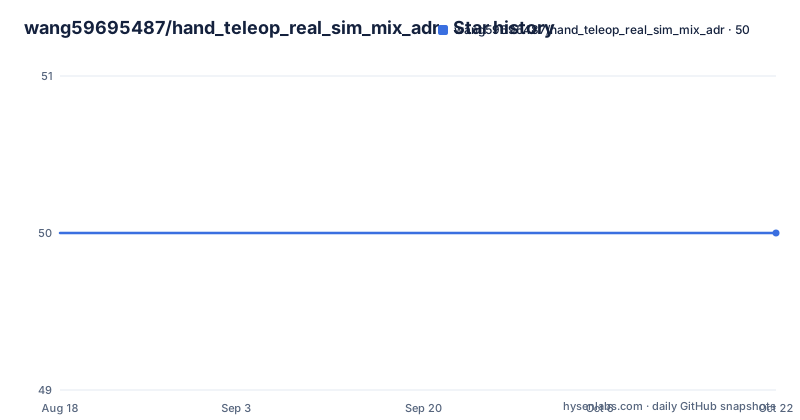
- wang59695487/hand_teleop_real_sim_mix_adr50 ★ · +0
| Repository | 2026-08-18 | 2026-10-21 |
|---|---|---|
| wang59695487/hand_teleop_real_sim_mix_adr | 50 | 50 |
0 Stars in the last 64 days, measured from the daily GitHub snapshot. Compare with other projects
Editorial analysis
A reference implementation for one paper, not a maintained library
What is here is the code for a specific paper, CyberDemo: Augmenting Simulated Human Demonstration for Real-World Dexterous Manipulation, arXiv 2402.14795, by Jun Wang, Yuzhe Qin, Kaiming Kuang, Yigit Korkmaz, Akhilan Gurumoorthy, Hao Su and Xiaolong Wang. The README calls it a reference PyTorch implementation and points elsewhere for more real-world demonstrations, at a separate project website. Installation instructions are not in the README at all: they live in docs/install.md, and comparison methods live in docs/baseline.md. The version in setup.py is 2.0.1 and requires Python 3.6 or newer. The default branch is master, no licence is declared in the repository metadata, and the last push was November 28, 2024, so treat the code as a fixed artefact rather than something that moves.
Five scripts, and the data budget is 50 plus 15
The method is presented as five ordered steps. First, collect human demonstrations in simulation using any teleoperation method, where roughly 50 is stated to be sufficient, and gather 15 demonstrations in the real world for fine-tuning. Second, replay and process the demonstrations with play_multiple_demonstrations_act.py. Third, verify the augmentation of the simulated demonstrations first, with player_augmentation.py. Fourth, train and augment the simulation data with train_act_adr.py. Fifth, fine-tune on the real-world demonstrations with train_real_act.py. The order matters, because step three exists to catch a broken augmentation before a training run is spent on it, and the fine-tuning stage is small by design because only 15 real demonstrations are assumed to exist.
Capture and bake, with the folders fixed in advance
Collection runs a teleoperation script against a task and an object:
python main/teleop_hci_with_arm.py --task=pick_place --object=mustard_bottle --out-folder=YOUR_DATA_FOLDERAny teleoperation server can be used, with AnyTeleop named as the reference. The baked output is written by the player script, and for the real dataset the command is a single line:
python hand_teleop/player/play_multiple_demonstrations_act.py --real-folder=real/raw_data/pick_place_15 --out-folder=real/baked_data/pick_place_15 --frame-skip=1 --img-data-aug=5 --chunk-size=50 --real-delta-ee-pose-bound=0.001The expected layout has raw and baked directories side by side, sim/raw_data/task-name and sim/baked_data/task-name, with the real set following the same idea. Example simulation and real demonstrations are hosted on Google Drive and should be extracted into the project root before any of this runs.
img-data-aug is the knob that separates simulation from real data
The bake step is where the augmentation is configured, and one flag carries most of the meaning. img-data-aug is the image data augmentation factor: use 1 for simulation data and 5, meaning five times the original demonstrations, for real data, which is exactly what the real bake command passes. kinematic-aug applies only to simulation data, where 50 means fifty additional kinematic demonstrations. Alongside those, frame-skip sets how many frames are consumed, chunk-size is 50 in every example, light-mode chooses between default and random, and sim-delta-ee-pose-bound skips data points whose delta end-effector pose is smaller than the bound, with a matching real-delta-ee-pose-bound for the real path. Task names and object names come from the provided dataset, such as pick_place, pour and dclaw, with mustard_bottle, sugar_box and tomato_soup_can as objects, and a task name suffixed with _multi_view marks multi-view augmentation.
Vision backbones come from a shortlist, behind a feature flag
backbone-type selects the vision model, and using it correctly requires the companion feature flag, since with-feature defaults to False and has to be set to True for features to be stored. The baseline options named are R3M, MVP and PVR, with moco, vit and clip listed as further choices. The pointer for detail is a function rather than a page: generate_feature_extraction_model in models/vision/feature_extractor.py. One inconsistency is worth knowing before you script the pipeline. The parameter list documents the flag as with-feature, while the baseline example command passes it as --with-features=True, so a wrapper built from one spelling will fail against the other.
The augmentation test runs before training and can be slow
player_augmentation.py is the check step, and its flags mirror the bake step with different names: sim-demo-folder instead of sim-folder, delta-ee-pose-bound instead of the sim-prefixed version, plus seed for reproducibility, frame-skip, randomness-rank for how much variation to introduce, and save-video to record the result. Two options deserve care. sensitivity-check is available here, and using it needs the sensitivity data already stored during step two, so skipping the bake makes the check unavailable. The documentation also warns that the sensitivity process may be slow, and that its results are written into the specified out-folder. task-name and object-name keep the same vocabulary as everywhere else, including the _multi_view tag.
Pinned to a 2023 stack, with an untidied setup.py
requirements.txt is fully pinned for the scientific stack, and the pins are the constraint to plan around: torch 2.0.1 with torchvision 0.15.2 and triton 2.0.0, numpy 1.24.3, scipy 1.9.1, scikit-learn 1.2.2, scikit-image 0.20.0, opencv-python 4.7.0.72, h5py 3.9.0, omegaconf 2.3.0 and PyWavelets 1.4.1. The simulator side is pinned too, sapien 2.2.1, with gym 0.26.2 and open3d 0.17.0 alongside. A handful of entries are left floating, wandb, tornado, nlopt, clip and termcolor, so those resolve to whatever the resolver picks. setup.py reads the long description from README.md and pulls requirements through its own reader, but it still carries template values, with author set to a placeholder name, a template description and a template repository URL, which is a fair signal that packaging here was never the priority.
Editorial conclusion
This code suits a researcher reproducing the CyberDemo pipeline, since the stages, the flags and the directory layout are spelled out and the demo data is linked. It is a poor fit for new work: the last push was November 28, 2024, the dependency pins target a 2023 stack with torch 2.0.1 and sapien 2.2.1, and setup.py still carries template placeholders. Before you invest, check the simulator version your environment provides against the pinned sapien, and read docs/install.md, since the README defers all installation detail to it.
Frequently asked questions
What is teleop in the hand_teleop repository?
It is how the human demonstrations are captured. The README says to collect human demonstrations in simulation using any teleoperation method, where about 50 is sufficient, pointing at AnyTeleop for the server side, and then gather 15 demonstrations in the real world for fine-tuning.
What is sim to real transfer in the CyberDemo code?
The simulated demonstrations are augmented before training, with img-data-aug set to 1 for simulation and 5 for real data, and kinematic-aug adding kinematic demonstrations only in simulation. The model is then fine-tuned with train_real_act.py on the 15 real-world demonstrations.
Can a robotic arm be controlled by hand gestures with hand_teleop?
The repository does not describe gesture input directly. It collects demonstrations through a teleoperation server such as AnyTeleop, running main/teleop_hci_with_arm.py with a task, an object and an output folder, and the code is organised around hand teleoperation data.
What kind of robot work does the hand_teleop repository target?
Real-world dexterous manipulation, which is the stated subject of the CyberDemo paper it implements. The augmentation is expressed in end-effector pose terms, through the delta end-effector pose bound flags that filter data points during baking.
Official sources
Add this badge to your README
If you maintain this project, the badge below links readers to this analysis and shows its maintenance status from the daily GitHub snapshot. Paste the markdown into your README; add ?metric=license or ?metric=stars to the image URL for a different field.

[](https://hysenlabs.com/projects/wang59695487-hand-teleop-real-sim-mix-adr)Star history chart for your README
[](https://hysenlabs.com/projects/wang59695487-hand-teleop-real-sim-mix-adr)