WenkaiZhou/Android-LoopView: an infinite banner where you supply the image loader
A custom infinite carousel/loop view control.
At a glance
- What is it?
- An Android widget for a picture banner that rotates without end, published under two group ids for the support library and for AndroidX, with timing and appearance set from XML attributes and content handed over through six setData overloads. The widget deliberately does not load images itself, delegating that to whatever engine your app already uses.
- Who is it for?
- Use this widget if you need an auto-rotating banner in an app that already has an image loading library, since plugging Glide or your own engine into a single interface is the whole integration. Two things to settle before you pick a coordinate.
- Can I use it commercially?
- Not without permission. GitHub finds no licence file in the repository, and without a licence all rights are reserved by default: you may read the code but not reuse it. Check the README, or ask the authors, before using it.
- Is it still maintained?
- Probably not. The repository last received commits 64 months ago, on June 26, 2021.
- What is it written in?
- Mainly Java, according to GitHub's language statistics.
Answers come from the project's GitHub data, last synced on October 19, 2026, and from our analysis. They are not legal advice.
Star history
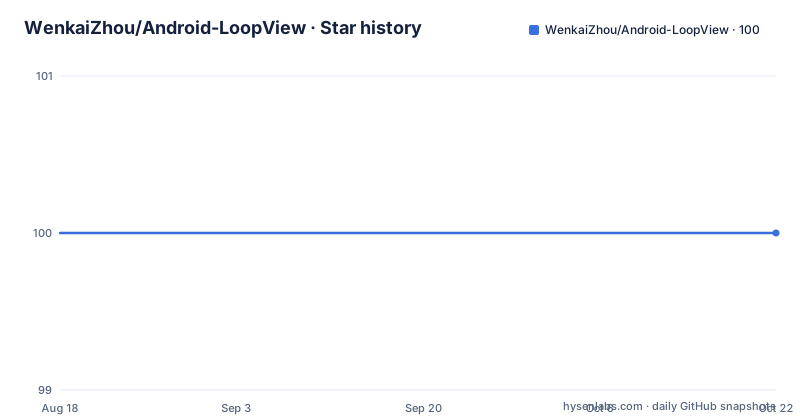
- WenkaiZhou/Android-LoopView100 ★ · +0
| Repository | 2026-08-18 | 2026-10-19 |
|---|---|---|
| WenkaiZhou/Android-LoopView | 100 | 100 |
0 Stars in the last 62 days, measured from the daily GitHub snapshot. Compare with other projects
Editorial analysis
Two artifacts, two group ids, and examples for the older one
The dependency instructions split by support library, and the two lines are not the same coordinate.
implementation 'com.zwenkai:loopview:2.0.1'implementation 'com.kevin:loopview:1.5.6'The first is labelled as the AndroidX build and the second as the support build, so the newer line moved to a different group id and a different version number. That matters when you read the rest of the documentation, because every layout and code sample names the class `com.kevin.loopview.BannerView`, which is the path belonging to the older artifact. So the examples describe the support library version, and adopting the AndroidX coordinate means adjusting the class name in your XML yourself. The published release tags line up with the older line: 1.5.6 from 2019-09-05 and 1.5.5 from 2019-03-20. The README also carries two demo animations as images rather than as descriptions, one for the simple case and one for the custom layout case, so the difference between the two setups is something the documentation shows before it explains it.
Image loading is your engine, not the widget's
The widget never fetches an image by itself. You hand it an implementation of an image loader interface, and the sample wires Glide into it.
    BannerView mBannerView = (BannerView) this.findViewById(R.id.main_act_banner);
    // set image loader, can set up any image engine.
    mBannerView.setImageLoader(new ImageLoader() {
        @Override
        public void loadImage(ImageView imageView, String url, int placeholder) {
            Glide.with(imageView.getContext()).load(url).into(imageView);
        }
    });
Three arguments come with each request: the target image view, the url, and a placeholder resource, which is why the XML attributes include a placeholder entry pointing at a drawable resource. The design keeps the widget free of an image library dependency, at the cost of one interface you have to implement. The comment is explicit that any image engine will do.
Six setData overloads decide how much you describe
Content is passed in one of six shapes, and the choice is how much metadata you want to attach to each slide.
    // Set page switching transition time
    mLoopView.setScrollDuration(1000);
    // Set time interval
    mLoopView.setInterval(3000);
    // To initialize the data in a collection
    mLoopView.setData(List<Map<String, String>> data);
    // Initialized data in entity mode
    mLoopView.setData(LoopData rotateData);
    // Initialized data in a collection mode
    mLoopView.setData(List<String> images);
    // Initialized data in a collection mode
    mLoopView.setData(List<String> images, List<String> links);
    // Initialized data in a collection mode
    mLoopView.setData(List<String> images, List<String> descs, List<String> links);
A bare list of image urls is the smallest form. Adding a links list attaches a destination per slide, adding descriptions attaches caption text, and the entity form takes a single object. A collection of maps sits somewhere in between and is the only overload whose payload shape the README does not spell out. The entity form is the one the simple sample actually uses, and it arrives through ordinary app plumbing rather than through the widget: a JSON string is read out of the assets folder, parsed into a LoopData object with Gson, handed to setData, and rotation is then started by a separate call to startAutoLoop. Loading content and starting the loop are therefore distinct steps, and nothing turns until you ask it to.
Timing and appearance are XML attributes
Everything about the rotation is settable from a layout file, using attributes in the app namespace.
xmlns:app="http://schemas.android.com/apk/res-auto"

<com.kevin.loopview.BannerView
    android:id="@+id/adloop_act_adloopview"
    android:layout_width="match_parent"
    android:layout_height="192dp"
    app:loop_interval="5000"
    app:loop_scrollDuration="2000"
    app:loop_dotMargin="5dp"
    app:loop_autoLoop="[true|false]"
    app:loop_alwaysShowDot="[true|false]"
    app:loop_dotSelector="@drawable/ad_dots_selector"
    app:loop_placeholder="@mipmap/ic_launcher"
    app:loop_layout="@layout/ad_loopview_layout">
</com.kevin.loopview.BannerView>
Two timing values are independent and are worth distinguishing: the interval between slides and the duration of the slide transition itself. In this sample they are 5000 and 2000 milliseconds, while the programmatic equivalents set them to 3000 and 1000. The boolean pair controls whether rotation continues on its own and whether the dot indicator is shown, and the rest handle dot margin, the dot selector drawable, the placeholder image and the custom layout resource.
A custom layout is found by view id, not by type
If you supply your own layout through the layout attribute, the widget locates its parts by identifier rather than by expecting particular classes. Three ids are named. The pager goes in the view with id `loop_view_pager`, the dot indicator's parent must be a LinearLayout with id `loop_view_dots`, and the description text view takes `loop_view_desc`. The pager is the only hard requirement: the documentation says to make sure you at least have `loop_view_pager`, which is what lets you build a minimal custom layout with rotation and nothing else. A minimal built-in usage in the other example needs nothing but an id, a width and a height, set to 192dp in both samples.
Two code samples stop mid-statement
A detail worth knowing before you rely on the documentation: both programmatic examples are cut off. The configuration example ends with a bare comment marker after the last setData call, so whatever followed it is not documented. The simple usage example is worse, ending on `mBannerView.setOnItemClickList`, which is a method name with neither its argument list nor a terminating semicolon. So the one thing a banner widget almost always needs, a click listener, is named but not shown. You will need the library source or its published API to find the signature. Everything else in the samples, the image loader interface, the data overloads and the timing setters, is complete enough to work from.
The documentation lives under another account
The README's own language links point somewhere you would not expect from the repository you are reading: they resolve to github.com/xuehuayous/Android-LoopView rather than to the WenkaiZhou account that holds this repository, and there is a Chinese version of the file alongside the English one. The recorded homepage is a single blog post rather than a documentation site. The repository itself is a normal Gradle project with a wrapper checked in, a library module named loopview, a sample module, and two demo animations at the top level in GIF form. Licensing is stated in the README as Apache License 2.0 with a 2015 copyright to Kevin zhou, although no licence is recorded for the repository itself. The newest release tag is 1.5.6 from 2019-09-05 and the last push to master is dated 2021-06-26.
Editorial conclusion
Use this widget if you need an auto-rotating banner in an app that already has an image loading library, since plugging Glide or your own engine into a single interface is the whole integration. Two things to settle before you pick a coordinate. The AndroidX artifact is published under a different group id at a different version from the support library one, and every example in the README uses the older class path, so check which one you are actually compiling against. And if you use a custom layout, the widget finds its parts by specific view ids rather than by type. Note also that the newest release tag is 1.5.6 from 2019 and the last push is dated 2021-06-26.
Frequently asked questions
How do I add Android-LoopView to a Gradle build?
Add a dependency line to the dependencies section of build.gradle. The AndroidX line is com.zwenkai:loopview:2.0.1 and the support library line is com.kevin:loopview:1.5.6, and the class named in every README example is com.kevin.loopview.BannerView.
How does Android-LoopView load images?
You supply an ImageLoader implementation through setImageLoader, and each request receives the target image view, the url and a placeholder resource. The sample wires Glide into it, and the documentation says any image engine will do.
What are the different setData forms in Android-LoopView?
Six overloads: a list of maps, a single LoopData object, a bare list of image urls, images with a links list, and images with description and links lists. The programmatic sample also shows setScrollDuration and setInterval for the transition time and the slide interval.
What view ids does a custom Android-LoopView layout need?
The pager needs loop_view_pager, the dot indicator's parent LinearLayout needs loop_view_dots, and the description TextView needs loop_view_desc. The pager is the only mandatory one, so a minimal custom layout can be just that plus a layout attribute pointing at your resource.
Is Android-LoopView still being updated?
The repository is not archived, but the last push to master is dated 2021-06-26 and the newest release tag is 1.5.6 from 2019-09-05, after 1.5.5 from 2019-03-20. The README's own language links point to a different account on GitHub.
Official sources
Add this badge to your README
If you maintain this project, the badge below links readers to this analysis and shows its maintenance status from the daily GitHub snapshot. Paste the markdown into your README; add ?metric=license or ?metric=stars to the image URL for a different field.

[](https://hysenlabs.com/projects/wenkaizhou-android-loopview)Star history chart for your README
[](https://hysenlabs.com/projects/wenkaizhou-android-loopview)