A Complete Cheat Sheet for Juice Shop: What the Walkthrough Covers and Where It Falls Short
Complete solution for intentionally vulnerable webshop: "Juice Shop"
At a glance
- What is it?
- This repository offers step-by-step solutions for the intentionally vulnerable Juice Shop app, aimed at learners who are stuck. It is a useful reference, but it is tied to Juice Shop 1.5 and has a narrow scope.
- Who is it for?
- Adopt this walkthrough if you are a student or hobbyist working through Juice Shop 1.5 and need concrete answers to specific tasks. Do not use it as a comprehensive security training resource, because it omits many challenges and is version-locked.
- Can I use it commercially?
- Not without permission. GitHub finds no licence file in the repository, and without a licence all rights are reserved by default: you may read the code but not reuse it. Check the README, or ask the authors, before using it.
- Is it still maintained?
- Probably not. The repository last received commits 129 months ago, on February 18, 2016.
- What is it written in?
- GitHub does not report a main language for this repository.
Answers come from the project's GitHub data, last synced on October 4, 2026, and from our analysis. They are not legal advice.
Star history
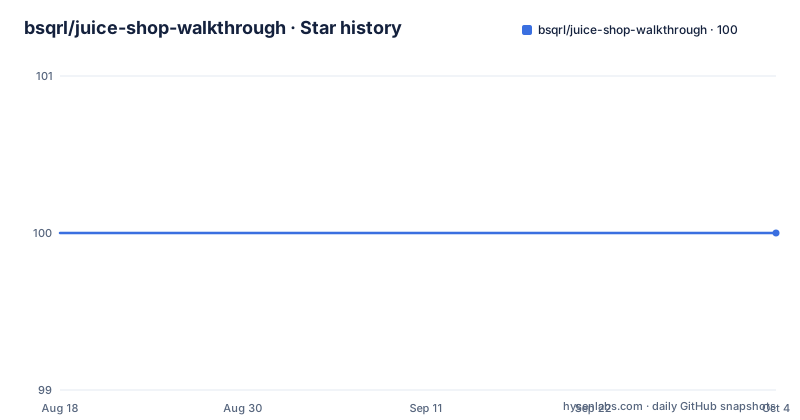
- bsqrl/juice-shop-walkthrough100 ★ · +0
| Repository | 2026-08-18 | 2026-10-04 |
|---|---|---|
| bsqrl/juice-shop-walkthrough | 100 | 100 |
0 Stars in the last 47 days, measured from the daily GitHub snapshot. Compare with other projects
Editorial analysis
What This Walkthrough Actually Solves
The repository addresses a narrow but real problem: learners who get stuck on the early challenges of OWASP Juice Shop and need a direct answer. It is a collection of solutions, each with a short explanation and a 'lessons learned' note. The intended audience is someone using Juice Shop for education, not a professional penetration tester. The README is explicit about the trade-off: using the guide is 'a kind of cheating,' and the reader must choose whether to look up the answer or solve the task independently. That framing is honest, and it sets expectations. The walkthrough does not teach web security from first principles. Instead, it maps each challenge to a specific exploit and explains the underlying flaw in a few sentences. For a beginner who is stuck on 'Log in with Jim's user account,' this is exactly what they need. For someone who wants to understand why the exploit works beyond the surface, the explanations are thin.
How the Solutions Are Structured
Each task in the README follows a consistent pattern: a 'Solution' block gives the concrete input or request, an 'Explanation' describes the vulnerability in general terms, and 'Lessons learned' offers a brief security takeaway. The solutions are practical and copy-paste ready. For example, task 3 shows the SQL injection payload `' or 1=1;--` for the login form, and task 7 shows a direct POST to `/api/Users` with a JSON body containing a script tag. The explanations are short and often reference OWASP Top 10 categories, such as A1 for injection. The 'lessons learned' sections repeat the same advice across multiple tasks: sanitize input, validate on the server, and never rely on client-side checks. That repetition is not a flaw for a reference document, but it does mean the reader will not find deep technical analysis. The structure is simple and navigable, which is appropriate for a cheat sheet. The README does not include any code snippets for setting up Juice Shop itself, so the user must already have the vulnerable app running.
Getting It Running and Using the Payloads
There is no installation step for this repository. It is a markdown README, so 'getting it running' means opening the file and following the instructions. The walkthrough assumes you have Juice Shop version 1.5 already deployed. For each task, you take the given payload and enter it into the corresponding part of the web application. For instance, task 1 tells you to navigate to `http://ip:port/#/score-board`. Task 6 gives the exact JavaScript to type into the search field: `<script>alert("XSS1")</script>`. Task 8 provides a crafted HTML string that bypasses a server-side sanitizer. Task 9 shows a full HTTP PUT request to `/api/Products/9` with a JSON body. These are real, actionable commands. The README does not explain how to intercept requests or use tools like Burp Suite, but it gives you the raw request format, which is enough for someone who knows how to send a custom HTTP request. The repository has no scripts, no configuration files, and no dependencies. It is purely documentation.
A Genuine Limitation: Version Lock and Truncation
The most significant limitation is that the walkthrough is explicitly for Juice Shop 1.5. OWASP Juice Shop has evolved substantially since that version. New challenges have been added, some endpoints have changed, and the underlying libraries have been updated. The README does not mention any plans to update the content. The repository description says 'Complete solution,' but the README is truncated in the provided material, so it is unclear how many tasks are actually covered. The visible sections cover tasks 1 through 10, which include SQL injection, XSS tiers, and credential theft. Later tasks, such as those involving broken authentication or insecure deserialization, are not shown. Another limitation is that the solutions are not always the only way, and the README acknowledges this, especially for SQL injection. For example, task 5 notes that if multiple users have 'bender' in their email, the payload needs modification. That is a practical caveat, but it also means the walkthrough is not a one-size-fits-all answer. If you run a later version of Juice Shop, some payloads may fail because the application's code has changed.
Maintenance and Upgrade Cost
The repository has no release history and no indication of active maintenance. The last push date is unknown, and the README is based on Juice Shop 1.5, which is an old version. This means the maintenance cost for a user is high: you must manually verify each solution against your Juice Shop instance. There is no versioning scheme for the walkthrough itself, so you cannot tell if a solution applies to your setup. The license is unknown, which is a practical concern. Without a clear license, you cannot legally reuse the content in your own training materials or fork it with confidence. The README does not state any contribution guidelines, so there is no clear path for updating the content. For a learner, the upgrade cost is mostly time: you may spend more effort adapting the payloads than you would solving the challenge yourself. The repository is best treated as a static snapshot from a specific point in time, not as a living document.
A Real Alternative: The Official OWASP Juice Shop Documentation
The natural alternative is the official OWASP Juice Shop project documentation and the in-app tutorial mode. The official project provides a comprehensive guide that covers all challenges, not just the first ten. It is maintained and updated with each release, so the solutions match the current version. The official documentation also explains the vulnerabilities in more depth, including the underlying code and mitigation strategies. In contrast, this walkthrough offers only a subset of solutions and is frozen at version 1.5. The in-app tutorial mode gives hints and tracks your progress, which is a more interactive learning experience. The trade-off is that the official documentation does not give you direct answers in the same copy-paste format. It often encourages you to figure out the exploit on your own. If you want a quick answer, the walkthrough is faster. If you want a reliable, up-to-date reference, the official project is the better choice. The walkthrough serves as a shortcut, but the official route teaches more.
Who Should Not Use This Walkthrough
This walkthrough is the wrong tool for several groups. Security professionals preparing for certifications will find the explanations too shallow and the scope too narrow. The walkthrough does not cover advanced topics like privilege escalation, CSRF, or insecure components beyond the sanitizer version. It also does not include any methodology for discovering vulnerabilities on your own. For a penetration tester, the value is minimal. Likewise, a developer who wants to learn secure coding practices will not get enough depth. The 'lessons learned' sections are generic and repeat the same advice, so they do not provide actionable remediation guidance. The walkthrough is also not suitable for someone running a current version of Juice Shop, because the payloads may not work. The only clear use case is a student who is stuck on a specific task in Juice Shop 1.5 and wants a direct answer. Even then, the README itself warns that using it is a form of cheating. The repository is a niche resource with a short shelf life.
Editorial conclusion
Adopt this walkthrough if you are a student or hobbyist working through Juice Shop 1.5 and need concrete answers to specific tasks. Do not use it as a comprehensive security training resource, because it omits many challenges and is version-locked. Before relying on it, verify that your Juice Shop instance matches version 1.5, and cross-check each solution against the current OWASP Juice Shop documentation, as later versions have changed endpoints and added new vulnerabilities. The repository is a static reference, not a maintained guide, so treat it as a starting point rather than a definitive source.
Frequently asked questions
What is the juice-shop-walkthrough repository?
It is a complete set of solutions for the tasks in Björn Kimminich's Juice Shop, an intentionally vulnerable webshop, written for Juice Shop 1.5. Each task has a Solution, an Explanation of the vulnerability, and a Lessons learned section on remediation.
Does juice-shop-walkthrough contain code I can run?
The repository has a single top-level entry, README.md. The content is prose with short inline snippets where a payload or a request has to be exact, so there is nothing to install or execute.
Why does the juice-shop-walkthrough README call itself cheating?
The introduction says the guide is for education and that it will help you solve a task you cannot solve, but that this is a kind of cheating, leaving the choice to you. It is meant as a review aid after the fact rather than something to read while working through the challenges.
Which vulnerability classes does juice-shop-walkthrough cover?
Cross-site scripting in four tiers, from reflected through persisted with a client-side bypass, a server-side bypass, and finally without using the frontend at all. It also covers SQL injection, graceful error handling, and a PUT endpoint processed without authentication or authorisation.
Official sources
Add this badge to your README
If you maintain this project, the badge below links readers to this analysis and shows its maintenance status from the daily GitHub snapshot. Paste the markdown into your README; add ?metric=license or ?metric=stars to the image URL for a different field.

[](https://hysenlabs.com/projects/bsqrl-juice-shop-walkthrough)Star history chart for your README
[](https://hysenlabs.com/projects/bsqrl-juice-shop-walkthrough)