BracketHighlighter is a rewrite, and its bh_ modules show the rewrite
Bracket and tag highlighter for Sublime Text
At a glance
- What is it?
- BracketHighlighter is a Sublime Text package that matches brackets, quotes and HTML-style tags, and it is now a full rewrite of the two packages it was forked from. What it does beyond highlighting is bracket-aware editing: wrapping, swapping, folding and multi-cursor support.
- Who is it for?
- Adopt BracketHighlighter if you edit large files in Sublime Text and want tag and quote matching that follows your allowlists rather than a fixed syntax, since the per-language allowlist and blocklist settings are the feature the rewrite exists for. Do not adopt it if you want LSP-driven semantic highlighting, because it does its own textual matching and does not consult a language server, which means it can highlight a bracket that is not syntactically paired.
- Can I use it commercially?
- Not without permission. GitHub finds no licence file in the repository, and without a licence all rights are reserved by default: you may read the code but not reuse it. Check the README, or ask the authors, before using it.
- Is it still maintained?
- Yes. The repository last received commits 52 days ago.
- What is it written in?
- Mainly Python, according to GitHub's language statistics.
Answers come from the project's GitHub data, last synced on November 7, 2026, and from our analysis. They are not legal advice.
Star history
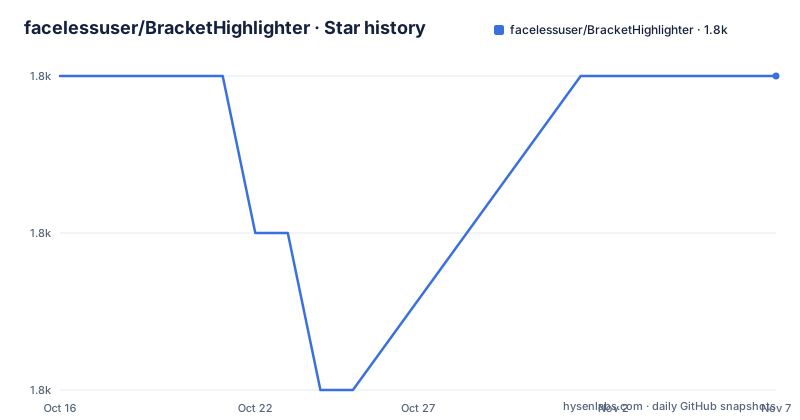
- facelessuser/BracketHighlighter1,773 ★ · +0
| Repository | 2026-10-16 | 2026-11-07 |
|---|---|---|
| facelessuser/BracketHighlighter | 1.8k | 1.8k |
0 Stars in the last 22 days, measured from the daily GitHub snapshot. Compare with other projects
Editorial analysis
Forked once, then thrown away and rebuilt
The history explains the design. BracketHighlighter was originally forked from pyparadigm's SublimeBrackets and SublimeTagmatcher, both of which are no longer available, to fix issues and add features. Then the author says he threw away all of the code and completely rewrote the entire code base, for flexibility, speed and feature richness.
That rewrite is visible in the repository rather than only in the changelog. Instead of one file, the package is split into modules with a `bh_` prefix: `bh_core.py` for matching logic, `bh_rules.py` for the matching rules, `bh_plugin.py` for the Sublime integration, `bh_regions.py` for drawing the highlight regions, `bh_search.py`, `bh_popup.py`, `bh_logging.py`, `bh_wrapping.py` and `bh_swapping.py`. Two directories, `bh_modules/` and `tests/`, sit alongside them.
What it matches is broader than most bracket highlighters. Square brackets, parentheses, braces, double quotes, single quotes, `<tag></tag>` pairs and custom brackets are all in scope, and the feature list claims almost any bracket is configurable. The settings live in Python files with a `.sublime-settings` suffix rather than JSON, so the settings are code and can express conditional logic that a JSON schema could not.
Highlighting is only the first half of the feature list
The more interesting capabilities are editing operations, delivered as what the README calls bracket plugins. They can jump between bracket ends, select content, remove brackets or the content inside them, wrap selections with brackets, swap brackets, swap quotes while handling escaping between the main quote characters, fold and unfold the content between brackets, toggle through tag attributes, and select both the opening and closing tag name so a rename applies to both at once.
That last item is the one worth pausing on. Renaming an HTML tag usually means finding the opening and closing separately, and the package treats them as one selection. It is a small ergonomic win that only works because the package already knows the pairing.
The rest of the list is about control. You can set the highlight style, and there is a high visibility highlight mode for the case where you want the match to be unmissable. You can selectively disable or enable matching for tags, brackets or quotes, and you can use an allowlist or a blocklist per language, so a language can opt into exactly the brackets you care about rather than inheriting a default. When bound to a shortcut, it can report the line count and char count between the match in the status bar, which turns a bracket jump into a way to check whether you just wrapped something enormous.
Two features address the cases that usually break highlighters. Basic brackets within strings are highlighted, and string brackets have a toggleable escape mode with regex and string options, which decides whether a quote inside a string is an escape or a real delimiter. Gutter icons are configurable, so you can mark specific brackets visually.
It also works with multi-select, which is a quietly decisive feature: a highlighting feature that ignores your cursors is only half usable.
Configuration is Python, split by concern
The settings files map onto the module split, and their names are the best available documentation of what is configurable. `bh_core.sublime-settings` holds the core matching options, `bh_tag.sublime-settings` handles tag behaviour, and `bh_wrapping.sublime-settings` and `bh_swapping.sublime-settings` cover the two editing plugins.
Sublime key bindings and commands are declared in `Default.sublime-keymap`, `Default.sublime-commands` and `Default.sublime-menu`, with `Example.sublime-keymap` present as a starting point you would copy rather than edit. `Main.sublime-menu` is the palette entry.
Two repository entries are `messages.json` and a `messages/` directory. The repository also includes `dependencies.json`.
Documentation is built with mkdocs, with `mkdocs.yml`, a `docs/` directory and a `quickstart.md` at the root, and the published site is linked from the README. Spelling is checked in CI through `.pyspelling.yml`, and static analysis through `.prospector.yml`.
Two editor lines, tracked separately
The release tags are per editor, which matters when you install. Recent tags are st4-2.33.1 on 2026-09-17 and st3-2.32.4 on 2025-10-29, with st3-2.32.3 shortly before that on 2025-10-14. So Sublime Text 4 and Sublime Text 3 have independent version streams, and the ST3 line's most recent release is older than the ST4 line's by roughly eleven months.
That is a fork-support obligation, and it constrains what the package can use. `.compat_flag_3067` at the repository root and the `ST3` prefix on tags are the visible markers of that constraint. Code that works on both is code that cannot use Sublime 4 only features.
The licence is stated in the README as MIT, with a badge in the header, though the repository metadata does not classify it and no `LICENSE` file appears in the top-level entries, so the README statement is what you have to go on. `CHANGES.md` is the changelog. The last push was on 2026-09-17 and CI runs a build workflow on pushes to `master`, with a runnable test script in `run_tests.sh` and `tox.ini` for the Python environment.
The comparison that matters is against your editor's own bracket matching. Sublime can highlight matching brackets natively, and a language server may highlight them semantically. What BracketHighlighter adds is configuration breadth and the editing operations, plus tag matching that a generic bracket matcher does not attempt. If you only want matching and nothing else, the built-in behaviour is likely enough; if you want wrap, swap, fold and per-language allowlists bound to keys, this is the package that has them.
Editorial conclusion
Adopt BracketHighlighter if you edit large files in Sublime Text and want tag and quote matching that follows your allowlists rather than a fixed syntax, since the per-language allowlist and blocklist settings are the feature the rewrite exists for. Do not adopt it if you want LSP-driven semantic highlighting, because it does its own textual matching and does not consult a language server, which means it can highlight a bracket that is not syntactically paired. Verify first which Sublime line you are on, since releases are tagged per editor with st4-2.33.1 and st3-2.32.4 as separate tracks, and check `bh_core.sublime-settings` since that file, not a plugin menu, is where the matching behaviour is configured.
Frequently asked questions
What kinds of brackets does BracketHighlighter match?
Square brackets, parentheses, braces, double quotes, single quotes and `<tag></tag>` pairs, plus custom brackets. The README states it is customizable to highlight almost any bracket.
Can BracketHighlighter edit brackets, not just highlight them?
Yes. Its bracket plugins can jump between bracket ends, select or remove content, wrap selections with brackets, swap brackets and quotes, fold and unfold content between brackets, and select both the opening and closing tag name together.
How do I configure BracketHighlighter?
Settings are Python files rather than JSON, split by concern: `bh_core.sublime-settings` for core matching, `bh_tag.sublime-settings` for tags, and `bh_wrapping.sublime-settings` and `bh_swapping.sublime-settings` for the editing plugins. Key bindings live in `Default.sublime-keymap`.
Does BracketHighlighter support Sublime Text 3?
Yes, on a separate release track. Tags are versioned per editor, with st4-2.33.1 and st3-2.32.4 as recent separate releases, so check that the tag you install matches your editor version.
Official sources
Add this badge to your README
If you maintain this project, the badge below links readers to this analysis and shows its maintenance status from the daily GitHub snapshot. Paste the markdown into your README; add ?metric=license or ?metric=stars to the image URL for a different field.

[](https://hysenlabs.com/projects/facelessuser-brackethighlighter)Star history chart for your README
[](https://hysenlabs.com/projects/facelessuser-brackethighlighter)Was this useful?