hnbnh/dotfiles: A Symlink-Based Dotfile Manager With a Split-File Escape Hatch
~/🏡 is where the heart is
At a glance
- What is it?
- A personal dotfiles and machine setup repository that symlinks whole directories into $HOME, with an optional .split mechanism to keep tool state out of the repo.
- Who is it for?
- Adopt hnbnh/dotfiles if you want a minimal, fork-first dotfile manager that treats each config directory as an atomic unit and you are comfortable re-running install.sh for every change. Do not adopt it if you need fine-grained file-level control, versioned state, or a non-interactive bootstrap, because the repo offers none of those.
- Can I use it commercially?
- Yes. Apache-2.0 is a permissive licence: you can use, modify and sell software built on it, as long as you keep its copyright and licence notices.
- Is it still maintained?
- Yes. The repository last received commits 4 days ago.
- What is it written in?
- Mainly Lua, according to GitHub's language statistics.
Answers come from the project's GitHub data, last synced on October 22, 2026, and from our analysis. They are not legal advice.
Star history
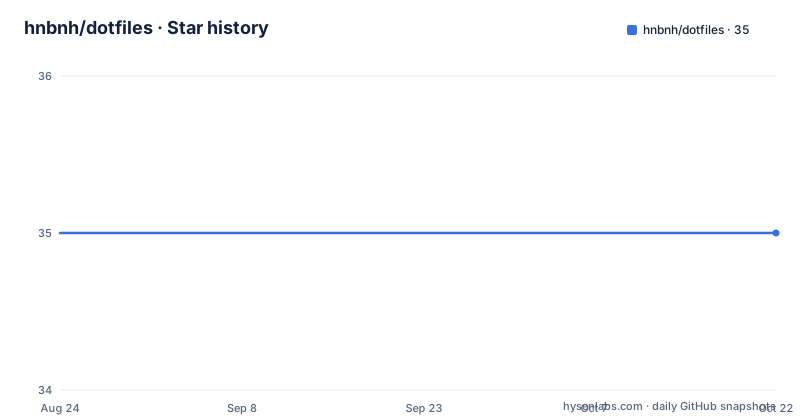
- hnbnh/dotfiles35 ★ · +0
| Repository | 2026-08-24 | 2026-10-22 |
|---|---|---|
| hnbnh/dotfiles | 35 | 35 |
0 Stars in the last 59 days, measured from the daily GitHub snapshot. Compare with other projects
Editorial analysis
What This Repo Actually Solves
This is a personal dotfiles repository with a setup script. It solves the problem of keeping configuration files under version control while allowing tools to write state files next to those configurations. The intended user is a single developer who manages multiple machines, likely Linux and macOS, and who wants a uniform way to install and update dotfiles. The README is sparse, but the acknowledgments list points to several established dotfile managers, so the author has drawn from a known design space. There is no claim of multi-user support, no package distribution, and no abstraction beyond a shell script and a directory convention.
The Symlink-Whole-Directory Mechanism
The core mechanism is described in a single note: each directory under modules/home is symlinked into $HOME as a whole. That means a directory like modules/home/.config/nvim becomes ~/.config/nvim, and the entire directory is a symlink. The consequence is that any file created inside that directory, whether by the user or by a tool, lives inside the repository. That is a problem for tools like Neovim or LSP servers that write cache, log, or session files next to config. The repository offers a remedy: create a file named .split inside such a directory, and then the installer symlinks each entry in that directory individually instead of the directory itself. This way, tool-generated state stays outside the repo, and only the files you explicitly track are symlinked. The mechanism is simple, but it requires you to remember which tools need a .split file, and it does not automate the detection of state-writing tools.
Getting It Running: Fork First, Then Clone
The installation instructions are explicit and short. First, the README warns you to fork the repository before using it. That is a practical step because the repo is personal, and you will want to modify modules without affecting the original. The command to clone is: git clone --recurse-submodules -j8 [email protected]:hnbnh/dotfiles.git ~/dotfiles. The -j8 flag fetches submodules in parallel, which suggests the repo has submodules, likely for plugins or external configs. Then you cd into the directory and run ./install.sh. To apply changes, you re-run the same script. There is no mention of a dry-run mode, no uninstall option, and no list of arguments. The script is a black box from the README's perspective; you have to inspect it yourself. The only config key is the existence of a .split file, which you create with a simple touch command.
A Real Limitation: The Split File Is a Manual Gate
The .split mechanism is the central design choice, and it has a clear failure mode. If you forget to add a .split file to a directory whose tool writes state, that state ends up inside your repository. Then every time the tool updates its cache or log, your git status shows changes, and you risk committing junk. The README's note is a warning, not a safeguard. There is no automatic rule, no file-type filter, and no prompt during install. The burden is entirely on you to know which tools write state. For a personal repo, that is acceptable, but for a shared setup or a less experienced user, it is a trap. Another limitation is that the whole-directory symlink approach means you cannot selectively track a single file within a directory without splitting the entire directory. That forces a binary choice: symlink everything or symlink each entry, and the latter still includes every file in the directory, tracked or not.
Alternatives: Folke/dot and the File-Level Approach
The README acknowledges folke/dot as an influence. That project takes a different approach: it uses a Lua-based configuration system where you define dots (files or directories) explicitly, and it can generate symlinks for individual files or directories with more control. The key difference is that folke/dot gives you a declarative spec, so you decide per-file whether to symlink, and you can exclude files without a .split marker. In contrast, hnbnh/dotfiles uses a convention: directory-level symlinking by default, with an opt-out per directory. That is simpler, but it trades flexibility for a lower learning curve. Another alternative, like GNU Stow, uses a similar directory-to-home mapping but operates on a per-package basis and can handle conflicts more gracefully. Stow also has a --adopt flag to merge existing files, which this repo lacks. If you need fine-grained control over which files are tracked, folke/dot or Stow is a better fit.
Maintenance and Upgrade Cost
The README gives no versioning or release history, so there is no formal upgrade path. The only update mechanism is re-running install.sh, which presumably re-establishes symlinks and fetches submodules. That means you must have submodules pinned to specific commits, or you risk pulling upstream changes that could break your setup. The repository is archived: no, but there are no recent releases, and the last push is unknown. The license is listed as unknown, which is a red flag for reuse. Without a license, you have no legal right to copy, modify, or distribute the code beyond what the README implies. The acknowledgment list suggests the author borrowed ideas, but the code itself may not be licensed for public use. Before adopting this as a base, you should clarify the license or write your own from scratch. The commit hash pinned in the README is a snapshot, so you can reproduce that exact state, but there is no changelog to tell you what changed between commits.
Who Should Adopt This, and What to Verify First
This repo is for a single user who wants a minimal, script-driven dotfile setup and is comfortable reading shell scripts. It is not a framework; it is a personal configuration that you must fork and adapt. If you are new to dotfile management, the .split concept is a useful mental model, but the lack of documentation beyond one note means you will have to inspect the install.sh script to understand what it does. Before using it, verify that install.sh does not overwrite existing files without confirmation, check how it handles submodules, and test the .split behavior on a throwaway directory. Also, check the modules/home structure to see if it matches your tools. The repo's strength is its simplicity, but that simplicity is also its ceiling. If you need to manage multiple users, handle package installation, or support a non-Linux, non-macOS system, this is the wrong tool. The project is a snapshot, not a product, and its value depends entirely on how much you are willing to rewrite.
Editorial conclusion
Adopt hnbnh/dotfiles if you want a minimal, fork-first dotfile manager that treats each config directory as an atomic unit and you are comfortable re-running install.sh for every change. Do not adopt it if you need fine-grained file-level control, versioned state, or a non-interactive bootstrap, because the repo offers none of those. Before using it, verify the install.sh script and the module layout in your fork, and confirm that the .split mechanism covers all tools that write state next to their config. The project is a snapshot of one user's setup, not a general-purpose tool, so expect to rewrite modules for your own needs.
Frequently asked questions
What is a dotfile?
In this repository the term covers a whole machine setup rather than one hidden file. hnbnh/dotfiles is a Nix flake configuration, cloned into ~/dotfiles, with home manager, per-host definitions, modules, an Ansible directory and an Arch package list, bootstrapped by install.sh.
Why are they called dotfiles?
The README does not explain the naming convention. It titles itself Dotfiles and machine setup, and the repository description is a sentence about the home directory being where the heart is, so the name follows community usage rather than anything the project argues for.
how to install dotfiles
Fork the repository first, then clone it with submodules and run the installer: `git clone --recurse-submodules -j8 [email protected]:hnbnh/dotfiles.git ~/dotfiles`, `cd ~/dotfiles`, `./install.sh`. The clone is over SSH, so a GitHub key is needed, and the installer has to complete before day-to-day use.
how to use dotfiles installer
Run ./install.sh once. It is a bootstrap rather than an apply command and repeats the whole bootstrap if re-run, and what it installs on your PATH is nix-switch, which is the command you use from then on for applying changes.
Official sources
Add this badge to your README
If you maintain this project, the badge below links readers to this analysis and shows its maintenance status from the daily GitHub snapshot. Paste the markdown into your README; add ?metric=license or ?metric=stars to the image URL for a different field.

[](https://hysenlabs.com/projects/hnbnh-dotfiles)Star history chart for your README
[](https://hysenlabs.com/projects/hnbnh-dotfiles)