pgcenter for Live PostgreSQL Monitoring and Troubleshooting
Command-line admin tool for observing and troubleshooting Postgres.
At a glance
- What is it?
- pgcenter is a command-line PostgreSQL administration tool that turns runtime statistics into an interactive `top`-style interface. It also records samples, profiles wait events, and combines server statistics with Linux process and storage data.
- Who is it for?
- PostgreSQL DBAs working primarily with Linux hosts should consider pgcenter when they want an interactive terminal view, recorded statistics, and correlated PostgreSQL and process metrics. Teams needing a documented graphical platform, portable monitoring across non-Linux systems, or a simple standalone binary should verify those requirements first.
- Can I use it commercially?
- Check first. The repository uses a licence we do not classify automatically, so read its LICENSE file before any commercial use.
- Is it still maintained?
- Yes. The repository last received commits 43 days ago.
- What is it written in?
- Mainly Go, according to GitHub's language statistics.
Answers come from the project's GitHub data, last synced on October 23, 2026, and from our analysis. They are not legal advice.
Star history
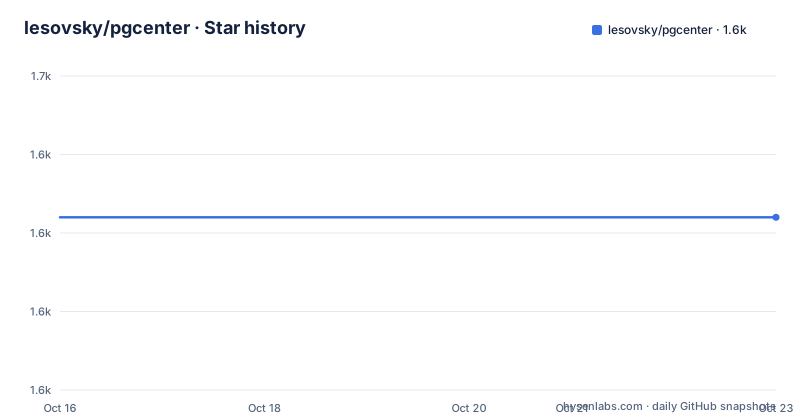
- lesovsky/pgcenter1,632 ★ · +0
| Repository | 2026-10-16 | 2026-10-23 |
|---|---|---|
| lesovsky/pgcenter | 1.6k | 1.6k |
0 Stars in the last 7 days, measured from the daily GitHub snapshot. Compare with other projects
Editorial analysis
Why pgcenter targets PostgreSQL DBAs
PostgreSQL already exposes extensive runtime information through SQL functions and views, but that information normally appears as tabular or textual results. pgcenter addresses the operational gap between collecting those statistics and reading them while a problem is happening. Its intended user is the Postgres DBA who needs to inspect clients, statements, replication, resource consumption, maintenance work, and system behavior without leaving the command line.
The project is a diagnostic and observation tool, not a database proxy, query firewall, or replacement for PostgreSQL itself. It works with statistics that the server already maintains, then presents selected values in an interface modeled after `top`. This makes it most relevant during incidents and routine checks involving slow queries, blocked activity, vacuum backlogs, replication lag, lock contention, or abnormal resource use.
Its scope is broader than a query viewer. The README includes configuration inspection and editing, service reloads, PostgreSQL log access, wait-event profiling, and file-based collection for later reporting. This combination is useful for DBAs who want one terminal-oriented tool across live diagnosis and post-incident review. However, the README does not describe alerting, long-term centralized storage, multi-server dashboards, or an HTTP API, so pgcenter should not be assumed to fill those roles.
How pgcenter reads PostgreSQL and Linux statistics
The PostgreSQL side of the data flow begins with built-in statistics views and functions. The README lists `pg_stat_activity`, `pg_stat_database`, `pg_stat_replication`, `pg_stat_user_tables`, `pg_statio_user_tables`, `pg_stat_user_indexes`, `pg_statio_user_indexes`, `pg_stat_user_functions`, and `pg_stat_wal` as supported sources. It can also use `pg_stat_statements`, table-size functions such as `pg_relation_size()` and `pg_total_relation_size()`, and progress views for vacuum, `CLUSTER`, index creation, `ANALYZE`, base backups, and `COPY`.
The summary screen combines measurements from several sources. It can show uptime, version and recovery status, clients grouped by state, vacuum activity, statements per second, transaction age, and vacuum age. This compilation gives a DBA a quick operational summary, while the detailed screens expose the underlying categories when a value requires investigation.
pgcenter also reads Linux data from `procfs`. Its system screens report CPU categories, load average, memory and swap, writeback activity, storage throughput and latency, network errors and utilization, and filesystem capacity. The `Shift+S` screen joins PostgreSQL process information from `pg_stat_activity` with per-backend values from `/proc/[pid]/stat` and `/proc/[pid]/io`. That correlation is the most distinctive mechanism in the project: a slow backend can be associated with query text and CPU or I/O readings instead of being inspected as separate datasets.
The repository and `Makefile` target Linux, and the Makefile explicitly builds with `GOOS=linux`. This makes the documented procfs integration a concrete platform boundary, not an incidental feature.
The pgcenter top interface for runtime diagnosis
The primary interactive command is `pgcenter top`. The README describes a `top`-like interface that refreshes statistics as activity changes, which is more suitable for live troubleshooting than manually running the same SQL queries at intervals. The top-level activity view groups connected clients and background work, while dedicated statistics areas cover databases, replication, tables, indexes, functions, WAL, statements, object sizes, and long-running operations.
Not every source is guaranteed to exist on every PostgreSQL installation. `pg_stat_statements`, for example, comes from an extension rather than the core set of views named in the README. Likewise, progress reporting depends on the PostgreSQL version and the operation currently running. The README lists supported views but does not promise identical availability across every server release. A DBA should therefore treat source availability and permissions as deployment checks rather than assuming that every screen will contain data.
The `Shift+S` per-process screen changes the diagnostic level. It combines query text with CPU utilization and I/O throughput for each PostgreSQL backend. That helps distinguish backend activity that is CPU-heavy from activity associated with storage work. It does not replace query plans, database logs, operating-system tracing, or workload-level benchmarking, but it narrows the first inspection step.
The interface also includes configuration management, logfile functions, and service reload support. These features place administrative actions close to monitoring, which is convenient during an incident. They also make access controls important: the README does not explain the permission model, supported reload methods, or audit behavior, so an operator should confirm those details before exposing the binary to less-trusted users.
Running pgcenter through the documented Docker path
The README's quick start uses the `lesovsky/pgcenter:latest` image and connects `pgcenter top` to a remote PostgreSQL address. Replace nothing in the first example unless the connection values already match a safe target. The `-h`, `-U`, and `-d` arguments identify the host, user, and database exactly as shown in the README.
Pull the published image:
docker pull lesovsky/pgcenter:latestAfter the pull completes, start an interactive container and open the live interface. The `--rm` option removes the container when the session ends.
docker run -it --rm lesovsky/pgcenter:latest pgcenter top -h 1.2.3.4 -U user -d dbnameThe reader should see the pgcenter terminal interface after the client connects. Database credentials and network reachability are outside the README example, so this command does not establish how passwords, SSH tunnels, TLS certificates, or firewall rules should be supplied. The repository's `Dockerfile` builds pgcenter from Go, copies the executable into an Alpine image, installs `ca-certificates`, and sets `pgcenter` as the default command. It also contains the Makefile's explicit Linux build target, which is consistent with the documented procfs dependency.
For contributors, the repository exposes build, install, test, lint, vulnerability-check, and image-build targets. These are source-tree operations rather than an additional end-user installation guide. The release list includes `v0.11.0` from 2026-06-22, following `v0.10.1` and `v0.10.0` from May 2026.
Recording pgcenter statistics for later reports
pgcenter includes a collection mode described in the README as "poor man's monitoring." It writes PostgreSQL statistics to files so that reports can be generated later. Per-process statistics are recorded automatically, according to the README, and can be replayed with `pgcenter report -N` for post-mortem analysis.
This file-based workflow addresses an important gap in a live terminal monitor. A live screen can explain what is happening now, but it does not preserve a complete historical sequence by itself. Recorded samples can provide evidence for analysis after the original session has ended. The project links separate documentation for `pgcenter record` and `pgcenter report`, so the exact recording interval, output format, storage controls, and report navigation options are defined there rather than in the main README.
The README does not state how large recordings can become, how retention is managed, whether files are compressed, or how sensitive query text is handled. It also does not describe an ingestion path for an external monitoring system. Those omissions matter when selecting a tool for incident evidence, capacity history, or compliance-sensitive records.
For wait-event analysis, pgcenter provides a separate profiler. Its linked documentation is identified as the source for usage details, while the main README confirms that it records wait events occurring during query execution. Together, recording and profiling support two different retrospective questions: how server and process conditions changed over time, and where executing queries waited.
pgcenter limits across PostgreSQL versions and host platforms
The clearest limitation is the dependence on PostgreSQL statistics and their availability. Core views expose different information, optional extensions add more, and progress views apply only to specific operations. Privilege requirements are not documented in the README. A read-only monitoring role may not have enough access for every screen, while editing configuration and reloading a service require permissions beyond ordinary statistics access.
The second limitation is the Linux-centered system layer. Per-process metrics come directly from `/proc/[pid]/stat` and `/proc/[pid]/io`, and the Makefile hardcodes `GOOS=linux`. pgcenter may still be useful for PostgreSQL-only screens elsewhere, but the complete system and per-process experience documented by the README is tied to Linux-style procfs data.
The third limitation concerns scope. pgcenter is a terminal admin tool. The README does not present a web dashboard, notification routing, distributed query across a fleet, remote agent protocol, or database-backed long-term metrics store. The Docker image also runs pgcenter locally; the documented invocation connects to one PostgreSQL host per process.
Maintenance information is recent but does not remove upgrade work. The repository is not archived, and the last push was on 2026-09-10. Recent tagged releases also indicate continuing release activity in 2026. Upgrading may still require checking PostgreSQL version compatibility, available statistics extensions, procfs visibility, and changes in configuration or report formats. The repository currently declares Go 1.25.0 with `toolchain go1.25.13`, so a source build requires the matching Go toolchain behavior.
License review before embedding pgcenter in administration workflows
GitHub classifies the repository license as Other, and the project directs readers to its `LICENSE` file rather than identifying a standard license in the repository description. The README and repository metadata do not reproduce the license terms, so this review cannot confirm redistribution rights, modification rights, attribution duties, or restrictions. No legal conclusion should be drawn from the "Other" label alone.
This matters for both binary and container use. An organization that distributes a modified pgcenter executable, builds an internal image, or offers a managed administration environment may need different permissions than a DBA who runs the published image internally. The actual controlling document is the repository's `LICENSE` file, not the custom GitHub category.
Maintenance and upgrade cost also extend beyond downloading a new binary. Operators should compare PostgreSQL statistics coverage, optional extension requirements, Linux procfs permissions, Docker base images, Go toolchain requirements, and any changes to recorded report compatibility. The Dockerfile currently uses `golang:1.25-alpine` for compilation and `alpine:3.21` for the final image. Those files define a build path, but they do not by themselves document a long-term support policy or compatibility matrix.
Editorial conclusion
PostgreSQL DBAs working primarily with Linux hosts should consider pgcenter when they want an interactive terminal view, recorded statistics, and correlated PostgreSQL and process metrics. Teams needing a documented graphical platform, portable monitoring across non-Linux systems, or a simple standalone binary should verify those requirements first. Before adoption, inspect the custom LICENSE file and confirm that every PostgreSQL statistic and configuration operation required by your environment works with the server version you operate.
Frequently asked questions
How do I install and run pgcenter with Docker?
The README documents pulling `lesovsky/pgcenter:latest` and running `pgcenter top` in an interactive container with a host, user, and database. Its example uses `docker run -it --rm lesovsky/pgcenter:latest pgcenter top -h 1.2.3.4 -U user -d dbname`.
Can pgcenter show both PostgreSQL queries and per-process system usage?
Yes. Pressing `Shift+S` in `pgcenter top` opens a screen that combines `pg_stat_activity` with backend CPU and I/O metrics from `/proc/[pid]/stat` and `/proc/[pid]/io`, alongside query text.
Can I review PostgreSQL statistics after an incident?
The README says pgcenter can collect statistics into files and replay recorded per-process data with `pgcenter report -N`. Exact recording and report options are documented in the linked pgcenter record and report documentation.
Official sources
Add this badge to your README
If you maintain this project, the badge below links readers to this analysis and shows its maintenance status from the daily GitHub snapshot. Paste the markdown into your README; add ?metric=license or ?metric=stars to the image URL for a different field.

[](https://hysenlabs.com/projects/lesovsky-pgcenter)Star history chart for your README
[](https://hysenlabs.com/projects/lesovsky-pgcenter)Was this useful?