azurechat: Microsoft's private chat tenant accelerator, and what deploying one actually costs
🤖 💼 Azure Chat Solution Accelerator powered by Azure Open AI Service
At a glance
- What is it?
- A solution accelerator that stands up an internal chat front end in your own Azure subscription, with an identity provider, plug and play data sources and a managed identity path that removes most keys. The deployment is the hard part, not the code.
- Who is it for?
- azurechat is the right starting point when a chat interface over your own documents has to satisfy a network isolation requirement, because isolation is a deployment property here rather than a setting you toggle, and the managed identity path means you can avoid writing keys into a configuration file at all.
- Can I use it commercially?
- Yes. MIT is a permissive licence: you can use, modify and sell software built on it, as long as you keep its copyright and licence notices.
- Is it still maintained?
- No. The owners have archived the repository on GitHub, so it is read-only and no longer receives changes.
- What is it written in?
- Mainly TypeScript, according to GitHub's language statistics.
Answers come from the project's GitHub data, last synced on November 7, 2026, and from our analysis. They are not legal advice.
Star history
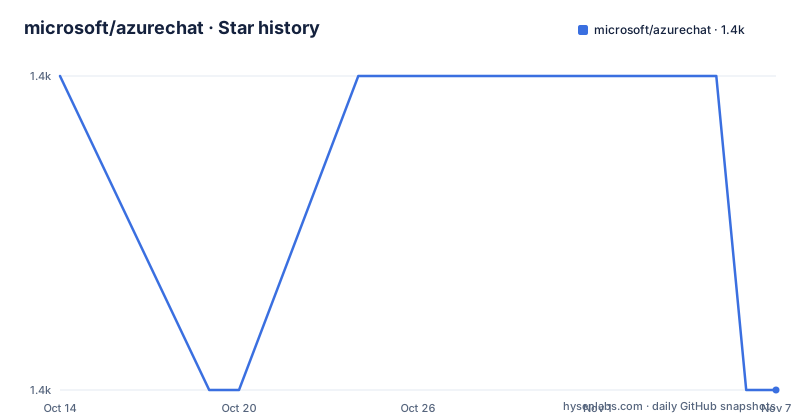
- microsoft/azurechat1,388 ★ · -1
| Repository | 2026-10-14 | 2026-11-07 |
|---|---|---|
| microsoft/azurechat | 1.4k | 1.4k |
-1 Stars in the last 24 days, measured from the daily GitHub snapshot. Compare with other projects
Editorial analysis
A tenant, not a chatbot
The project calls itself a solution accelerator, and that term is doing specific work. It is not a library you import and it is not a hosted service. It is infrastructure plus an application that you deploy into your own Azure subscription, so the Azure OpenAI deployment, the storage, the identity configuration and the networking all end up as resources in a tenant you control and pay for.
The Introduction section frames the value as three benefits. Private, meaning deployed in your Azure tenancy so you can isolate it to your Azure tenant. Controlled, meaning network traffic can be fully isolated to your network, with enterprise grade authentication security features built in. And Value, meaning you can plug in your own internal data sources or integrate with internal services, with ServiceNow given as the example.
Read those three together and the target user becomes clear. This is for an organisation that has been told it cannot send documents to a public chatbot, and has an Azure footprint and someone who can approve resources. The application is the smaller half of the deliverable. What you are really adopting is a set of Azure resources and a deployment pipeline.
The repository structure matches that reading. `infra/` holds the infrastructure definitions, `src/` the application, `scripts/` helper scripts, `docs/` a numbered set of guides that the README links in order, and `azure.yaml` at the root is the manifest the Azure Developer CLI reads. There is a `.devcontainer/` directory as well, which is the one signal that running it locally is a supported path.
Deploying without cloning the repository
The Azure Developer CLI path is three commands, and the first one does not need the repository:
azd init -t microsoft/azurechat
azd up

# if you are wanting to see logs run with debug flag
azd up --debug
`azd init -t` pulls a template from GitHub, and `azd up` provisions and deploys in one step. If you have already cloned the repository, plain `azd init` from the repo root is enough. The debug flag is there because `azd up` creates a fair number of resources and reading the log is often faster than reading the portal.
The second path is a Deploy to Azure button, and it comes with a warning attached. The button creates Azure resources only; you still have to follow the separate deploy-to-Azure documentation to build and deploy the application using GitHub Actions. So the button is not an alternative to the CLI path, it is the first half of it.
Both paths converge on the same non-negotiable step. The README states that regardless of which method you choose, you still need to set up an identity provider and specify an admin user, and the Deploy to Azure section repeats it as important: the application is protected by an identity provider. There is no unauthenticated demo mode. If you cannot get Entra ID or another provider configured in your tenant, this project will not give you a working application, and that constraint is worth establishing before you spend an afternoon provisioning resources.
Managed identity is the feature that changes the architecture
The most recent headline feature is managed identity based security, described as using Azure's underlying RBAC to remove almost all keys and secrets. The README's own wording is almost, which is honest: connections to data sources and model endpoints still need identity, but that identity is a role assignment rather than a stored secret.
If you have deployed anything to Azure with keys before, the difference is significant. A connection string in an environment variable is a credential that gets copied into CI, pasted into a ticket, and rotated on a schedule. An RBAC role assignment is a line in an infrastructure definition that gets redeployed. Removing the secrets removes the rotation problem and the leak surface at the same time.
Two supporting changes shipped alongside it. Helper scripts called `appreg_setup.ps1` and `appreg_setup.sh` create the App Registration for you in Entra ID, if you have the permissions, which removes a chunk of manual portal work and the copy-paste errors that come with it. And support was added for private endpoints and ESLZ compliant deployment.
The README's own section ordering puts managed identity near the end of the documentation list, in position eleven, behind the more basic guides on running locally, adding an identity provider, deploying, chatting over a file, personas and extensions. That ordering is reasonable for a first deployment, but if you are choosing between this accelerator and building your own, the managed identity page is the one to read first, because it is the part that is genuinely hard to add later.
MIT metadata and a required CLA are two different things
The repository carries an MIT `LICENSE` file at its root, and GitHub's licence detection agrees. The contributing section says something different in effect: most contributions require you to agree to a Contributor License Agreement, with a CLA bot that automatically determines whether you need to provide one and decorates the pull request.
Both statements are true and they are not in conflict in the way they first appear. MIT governs the licensing of the code. The CLA governs the act of contributing upstream. In practice the split means you can read the code and use it under MIT terms freely, including commercially, while sending a patch back requires Microsoft to have your grant of rights. If you are contributing a fix, expect to sign once per repository rather than once per pull request. If you are forking and never contributing upstream, the CLA does not apply to you at all.
The repository also carries `SECURITY.md`, `SUPPORT.md` and `CONTRIBUTING.md` at the root, which is the full complement a Microsoft open source project usually has, along with a stated adoption of the Microsoft Open Source Code of Conduct and a trademark section spelling out that use of Microsoft logos in modified versions must not imply Microsoft sponsorship. That last clause matters if you deploy this internally with the Azure branding intact, since the default deployment carries Microsoft marks.
One dating detail is worth flagging. The README's feature section is headed What's new - 2025, and the last push to the repository was on 2026-09-11. There are no GitHub releases, so the README's own changelog-style section is the closest thing to release history available, and its heading is a year behind the repository's activity.
What it costs and where it stops being useful
This is an accelerator, so the resource bill is the real cost line and it lands in your subscription. An Azure OpenAI deployment is metered by token, storage accounts by capacity, and any managed Postgres or AI Search resources the templates create are billed continuously. The `infra/` directory is where you find exactly what gets created, and reading it before running `azd up` is the difference between a controlled deployment and a surprise invoice. The repository gives you no cost estimate, which is normal for a template and worth planning around.
The honest comparison is with building the same thing yourself, which for many teams is not much work. The application is a chat front end over an Azure OpenAI deployment. If your requirement is only internal Q and A over a document collection with Entra sign-in, a few hundred lines of application code plus a bicep template gets you there. What you lose by not using the accelerator is the packaged set of features: chatting over files, personas, extensions for plug and play data sources, and the migration guide.
There is also a lock-in question to answer honestly. The front end talks to Azure OpenAI, the identity is Entra ID, and the deployment path is Azure-specific through `azd` and GitHub Actions. That is a coherent choice for a shop already committed to Azure, and a poor one if the reason you are evaluating is that you want to move off a cloud later, because the deployment work is where the lock-in lives rather than the chat code.
The repository has no GitHub releases, so there is no version history to consult and no upgrade path documented beyond the `docs/migration.md` page. If you deploy this, pin to a commit rather than tracking `main`.
Editorial conclusion
azurechat is the right starting point when a chat interface over your own documents has to satisfy a network isolation requirement, because isolation is a deployment property here rather than a setting you toggle, and the managed identity path means you can avoid writing keys into a configuration file at all. It is the wrong tool if you want something you can run on a laptop this afternoon, since identity provider setup is mandatory in both deployment paths and the Azure bill lands in your subscription whether or not you finish. Two things to check before committing. The repository has MIT metadata but its contributing guide requires a Microsoft CLA, so upstreaming a change and forking privately are different propositions. And the newest feature list in the README is headed 2025 while the repository was pushed to on 2026-09-11, so treat the release notes as more current than the headline. Start by reading `docs/3-add-identity.md`, then run `azd init -t microsoft/azurechat` to see what infrastructure it wants to create.
Frequently asked questions
What is azurechat and who is it for?
It is Microsoft's solution accelerator for deploying a private chat tenant, with chat over your own files and plug and play data sources, into your own Azure subscription. The stated benefits are isolation to your Azure tenant, network isolation, and connecting to internal data sources or services. It is aimed at organisations that cannot send documents to a public chatbot service.
Does deploying azurechat require a clone of the repository?
No. `azd init -t microsoft/azurechat` pulls the template directly, and the README states explicitly that you do not need to clone the repository for the Azure Developer CLI steps. If you have cloned it, plain `azd init` from the repo root works instead. Either way you must then configure an identity provider and admin user.
What licence is azurechat under and do I need a CLA?
The repository carries an MIT licence file, which covers use of the code including commercial use. The CLA requirement is separate and applies to contributions upstream: a bot checks each pull request and you sign the Contributor License Agreement once per repository. Forking privately without contributing back does not involve the CLA at all.
Official sources
Add this badge to your README
If you maintain this project, the badge below links readers to this analysis and shows its maintenance status from the daily GitHub snapshot. Paste the markdown into your README; add ?metric=license or ?metric=stars to the image URL for a different field.

[](https://hysenlabs.com/projects/microsoft-azurechat)Star history chart for your README
[](https://hysenlabs.com/projects/microsoft-azurechat)Was this useful?