terraform-aws-rds: a Terraform module for AWS RDS instances and their groups
Terraform module to create AWS RDS resources 🇺🇦
At a glance
- What is it?
- terraform-aws-rds creates RDS instances on AWS and also ships the five pieces as separate modules, so a subnet group or parameter group can be managed on its own. Its README is unusually candid about what Terraform itself cannot protect you from, including a destroy that can delete a production database.
- Who is it for?
- Adopt this module if you run RDS on AWS and want the instance, its subnet group, parameter group, option group and IAM role association described in one place with the usual tag conventions already applied. Do not adopt it if you want a module that can protect you from a destroy of a production database, because the README states that limitation belongs to Terraform and OpenTofu rather than to this module, and the fix requires forking or a third-party rules service.
- Can I use it commercially?
- Yes. Apache-2.0 is a permissive licence: you can use, modify and sell software built on it, as long as you keep its copyright and licence notices.
- Is it still maintained?
- Yes. The repository last received commits 50 days ago.
- What is it written in?
- Mainly HCL, according to GitHub's language statistics.
Answers come from the project's GitHub data, last synced on November 6, 2026, and from our analysis. They are not legal advice.
Star history
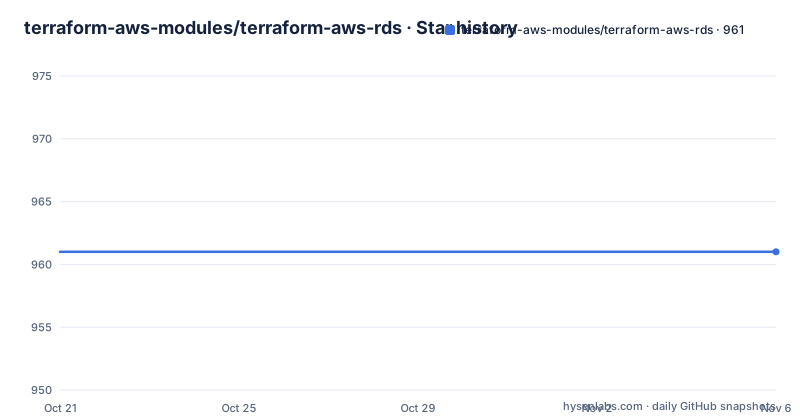
- terraform-aws-modules/terraform-aws-rds961 ★ · +0
| Repository | 2026-10-21 | 2026-11-06 |
|---|---|---|
| terraform-aws-modules/terraform-aws-rds | 961 | 961 |
0 Stars in the last 16 days, measured from the daily GitHub snapshot. Compare with other projects
Editorial analysis
A root module plus five pieces you can use on their own
The module creates RDS resources on AWS, and its structure is more interesting than a single monolithic block. The root module calls five submodules, and the README states that each of them can also be used separately to create independent resources.
The five are db_instance, which creates the RDS DB instance, db_subnet_group, db_parameter_group, db_option_group, and db_instance_role_association, which creates the role association resources for attaching IAM roles to an instance.
That decomposition is the design decision to understand before anything else. In a team where the database instance is created by one stack and the subnet group by a network stack, a module that insists on owning both forces the two stacks into one. Here you can call the subnet group submodule on its own and point the instance module at the resulting name.
The repository layout is consistent with that. main.tf, variables.tf, outputs.tf and versions.tf sit at the root, the modules directory holds the submodules, the wrappers directory holds the wrapper modules the project publishes for the Terraform registry, and the examples directory contains one directory per scenario: complete-mysql, complete-postgres, complete-mssql, complete-oracle, blue-green-deployment, cross-region-replica-postgres, enhanced-monitoring, groups, replica-mysql, replica-postgres, role-association-postgres and s3-import-mysql.
A first instance: the block the README shows
The usage example is a single module block. The source points at the registry entry, the identifier names the resources, and then the engine details, the network placement and the maintenance windows follow:
module "db" {
  source = "terraform-aws-modules/rds/aws"

  identifier = "demodb"

  engine            = "mysql"
  engine_version    = "8.0"
  instance_class    = "db.t3a.large"
  allocated_storage = 5
The rest of the example shows the shape of a real call. The database name, the username and the port are set directly, and IAM database authentication is enabled with a boolean. The instance is placed with vpc_security_group_ids, and the maintenance window and backup window are given as weekly ranges.
Enhanced monitoring is configured with a monitoring interval of 30, a monitoring role name and a flag to create the monitoring role automatically. There is a comment in the example pointing out that you can create that role yourself instead, which is the kind of detail that only appears once a module has been used in an environment where roles are managed by another team.
Tags are passed as a map, and the example sets Owner and Environment. The rest of the block covers the subnet group, the parameter group family, the option group major engine version, deletion protection, and lists of parameters and options.
Conditional creation lets you hand resources back to AWS
Several inputs toggle whether the module creates a resource at all, and this is the part that decides whether the module fits your organisation or fights it.
module "db" {
  source = "terraform-aws-modules/rds/aws"

  # Disable creation of RDS instance(s)
  create_db_instance = false

  # Disable creation of option group - provide an option group or default AWS default
  create_db_option_group = false

  # Disable creation of parameter group - provide a parameter group or default to AWS default
  create_db_parameter_group = false
Setting create_db_instance to false lets the module be used for its group resources only. Setting create_db_option_group or create_db_parameter_group to false tells the module to use a group you supply or fall back to the AWS default, and the README spells out both of those paths separately for option groups and parameter groups.
Two more flags appear in the same list. create_db_subnet_group is disabled by default and enabled in the example, which reflects the common situation where the subnet group belongs to a network stack. create_monitoring_role enables creation of the monitoring IAM role.
The pattern is consistent: every sub-resource has a creation flag and a name input, so the module can be in either the owning role or the consuming role for any given group.
Option groups, and the hole where PostgreSQL does not fit
Option groups are the AWS mechanism for attaching engine-specific extras such as audit plugins, and the module gives you four ways to handle them.
You can create an option group with exactly the name you provide, by setting option_group_name and turning off the prefix behaviour with option_group_use_name_prefix set to false. You can create one with a unique prefix beginning with that name, which is the default behaviour. You can pass the name of a group created outside the module, in which case create_db_option_group is false and the name must already exist in AWS. You can also skip creation entirely and use a default option group provided by AWS.
The fifth case is the interesting one. The README states that option groups are skipped for PostgreSQL entirely because that is not supported, and the example shows engine set to postgres with an option_group_name value that is ignored and no option group created.
So if you are on PostgreSQL and you set an option_group_name expecting it to do something, nothing happens and Terraform will not warn you. If you are on MySQL or MariaDB, the audit plugin path in the main example, MARIADB_AUDIT_PLUGIN with SERVER_AUDIT_EVENTS set to CONNECT and a file rotation count, is the shape of thing that goes into an option group.
The same set of five choices applies to parameter groups, with parameter_group_name and parameter_group_use_name_prefix, except the PostgreSQL gap does not exist there.
Parameters and options are lists of objects, not flat maps
The parameters input is a list of objects with a name and a value, and the example sets character_set_client and character_set_server to utf8mb4:
  parameters = [
    {
      name  = "character_set_client"
      value = "utf8mb4"
    },
    {
      name  = "character_set_server"
      value = "utf8mb4"
    }
  ]
The options input is nested one level deeper. Each entry carries an option_name and a list of option_settings, each of which has a name and a value. That shape matches the AWS API rather than being flattened, which is the right call: the nesting is how AWS models it and flattening it would need encoding conventions that a reader would have to learn separately.
The parameter group family is set separately with family, and the option group needs major_engine_version. Both are required in practice even though they belong to different AWS resources, which means the module couples them: for a PostgreSQL instance you still set the parameter family, but you can ignore the option group version.
Two further inputs appear in the usage example and are easy to miss. deletion_protection is set to true, and it matters more than a typical boolean because of the limitation described below. And iam_database_authentication_enabled is set to true, which enables IAM authentication for the database, an alternative to password credentials that also interacts with the module's password handling.
The destroy problem and the password problem are not this module's fault
The README has a section headed Known limitations (Terraform/OpenTofu, not this module), and it is the most useful part of the documentation. Two failures come up repeatedly and cannot be implemented away by any module.
The first is that terraform destroy deleted a production database. The native option the module already exposes is deletion_protection = true. If you want the stop at plan time instead of apply time, the README says to fork the module and add prevent_destroy.
The second is that Terraform wants to reset the database password on every plan. The native option, again already exposed by the module, is to hand rotation to AWS with manage_master_user_password. Otherwise the README tells you to fork and add ignore_changes = [password].
The underlying cause is a Terraform constraint rather than a bug: Terraform requires lifecycle arguments to be literal values inside the resource block, which means you cannot compute them. The README links hashicorp/terraform issue 18367, open since 2018, and 22544, open since 2019, plus the equivalent request in OpenTofu, issue 1329.
The module also points at a third-party service, compliance.tf, which serves the module with the relevant rules applied at download time. The README explains that inputs and outputs do not change and only the source line does, that you drop the version argument and pin a release by appending &version= and the release number to the URL, and that the suggested source line looks like this:
source = "https://registry.compliance.tf/terraform-aws-modules/rds/aws?add_rules=lifecycle_ignore_secret_rotation,lifecycle_prevent_destroy_data"Whether you want a third-party service in your source line is your decision, but the two native fixes require no service at all.
Versioning, licence, and where to look for the details
The module is published to the Terraform registry as terraform-aws-modules/rds/aws, and the licence is Apache-2.0 with the LICENSE file at the repository root. Apache 2.0 is a permissive licence with an explicit patent grant, and for a module consumed by many organisations that keeps the compliance conversation short.
The repository is not archived and the last push was on 2026-09-18, which is the same moment as release v7.2.2. Before that, v7.2.1 shipped on 2026-08-06 and v7.2.0 on 2026-03-19. A major version of 7 signals that the interface has changed before, so pinning a version rather than tracking the major line is the sensible habit for something that manages databases.
The repository also carries a CHANGELOG.md, a .releaserc.json for release automation, a .pre-commit-config.yaml and a .editorconfig. The docs directory holds the generated documentation, and the examples directory is where the actual usage patterns live, with a README in each scenario directory.
One structural caution for anyone reading the README top to bottom. The parts of it that describe option groups, parameter groups and conditional creation are the parts that change with new engine versions, and the examples directory is more likely to be current than any prose, since it is exercised by the module's own tests.
Editorial conclusion
Adopt this module if you run RDS on AWS and want the instance, its subnet group, parameter group, option group and IAM role association described in one place with the usual tag conventions already applied. Do not adopt it if you want a module that can protect you from a destroy of a production database, because the README states that limitation belongs to Terraform and OpenTofu rather than to this module, and the fix requires forking or a third-party rules service. Verify first that you have set deletion_protection = true on every instance that holds data you cannot lose, that you have chosen between manage_master_user_password and letting Terraform own the credential, since the README describes the plan-time password reset as a known behaviour, and that the engine you use is supported by the option group paths, since PostgreSQL ignores option_group_name and gets no option group created.
Frequently asked questions
How do I use the terraform-aws-rds module to create an RDS instance?
Add a module block with source set to terraform-aws-modules/rds/aws, give it an identifier, an engine and engine_version, an instance_class, allocated_storage and a username, then place it with vpc_security_group_ids. The README's usage example shows a complete mysql 8.0 instance.
Can I use the subnet group, parameter group or option group modules on their own?
Yes. The root module calls five submodules, db_instance, db_subnet_group, db_parameter_group, db_option_group and db_instance_role_association, and the README states that each of them can also be used separately to create independent resources.
How do I stop terraform destroy from deleting my production database?
Set deletion_protection = true, which the module already exposes. The README notes that Terraform requires lifecycle arguments to be literal values, so a plan-time prevent_destroy is only possible by forking the module.
Why does Terraform want to reset my database password on every plan?
The README lists this as a known Terraform and OpenTofu limitation. The native option is to hand rotation to AWS with manage_master_user_password, which the module exposes, otherwise you fork the module and add ignore_changes = [password].
Does the module create an option group for PostgreSQL?
No. The README states that option groups are skipped for PostgreSQL entirely because that is not supported, so an option_group_name set with engine postgres is ignored and no option group is created.
Official sources
Add this badge to your README
If you maintain this project, the badge below links readers to this analysis and shows its maintenance status from the daily GitHub snapshot. Paste the markdown into your README; add ?metric=license or ?metric=stars to the image URL for a different field.

[](https://hysenlabs.com/projects/terraform-aws-modules-terraform-aws-rds)Star history chart for your README
[](https://hysenlabs.com/projects/terraform-aws-modules-terraform-aws-rds)Was this useful?