picfit, a Go resize proxy between your storage and a cache
An image resizing server written in Go
At a glance
- What is it?
- picfit is a reusable Go server that resizes and thumbnails images held in object storage or on disk, and it is meant to sit behind an HTTP cache. Its JSON file wires a key store, up to two storage backends and a sharded key layout, and a few details in there matter more than the rest.
- Who is it for?
- picfit fits one shape well: a single image origin, several requested sizes, and an HTTP cache you control in front of the process. Teams already holding originals in S3 or on a shared disk get a resize proxy with pluggable key stores, sharded object keys and one static binary.
- Can I use it commercially?
- Yes. MIT is a permissive licence: you can use, modify and sell software built on it, as long as you keep its copyright and licence notices.
- Is it still maintained?
- Yes. The repository last received commits 2 days ago.
- What is it written in?
- Mainly Go, according to GitHub's language statistics.
Answers come from the project's GitHub data, last synced on October 23, 2026, and from our analysis. They are not legal advice.
Star history
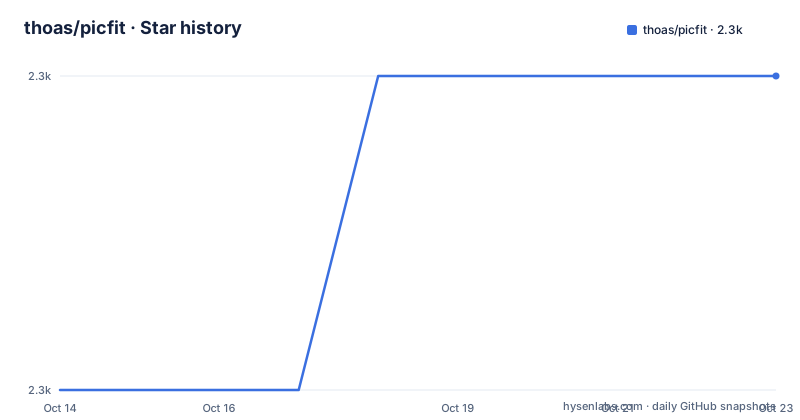
- thoas/picfit2,343 ★ · +1
| Repository | 2026-10-14 | 2026-10-23 |
|---|---|---|
| thoas/picfit | 2.3k | 2.3k |
1 Stars in the last 9 days, measured from the daily GitHub snapshot. Compare with other projects
Editorial analysis
The resize proxy that sits between storage and a cache
picfit is built as a reusable Go server that sits in front of an image store, not beside your application. A request names a source image, the server produces a resized or thumbnailed result, and that result is written back to the same storage or to a second one. The design assumes an HTTP cache such as varnish in front, so the caching policy lives outside the process and picfit only has to do the work once.
That arrangement suits sites with one image origin and many display sizes. Uploads land in S3, GCS, DigitalOcean Spaces or a plain directory, and pages or mobile clients then ask for a width. Because the server is described as a proxy on your storage engine, an existing bucket layout can stay as it is, and the code you write only has to build URLs.
make build puts a binary in the bin directory
The build is a source build. You need a Go compiler and git, the README asks for bzr, svn, hg and git on your PATH, and GOPATH has to be set correctly first. An image server asking for three version control tools is odd, and the README does not explain why they are needed.
git clone https://github.com/thoas/picfit.git
make build
make docker-build
After make build the binary sits in a bin directory and matches your architecture. The container path is a different target: the Dockerfile starts from golang:1.25-bookworm, runs make docker-build-static, then moves bin/picfit into a debian:bookworm-slim image whose command is /picfit. Two names are in play for that step, make docker-build in the README and docker-build-static inside the Dockerfile, and the Makefile defines the latter as a call to build-static with cgo disabled through -installsuffix cgo.
There is no installer package. The Debian and Ubuntu section only says a package will be provided once the project is stable, so the clone and compile path is the documented way in.
The config location comes from a flag or a variable
Configuration is a single readable JSON file. Its location comes from the --config flag, or from the PICFIT_CONFIG_PATH environment variable when the flag is not given. The Makefile feeds the same variable to its run-server target, defaulting it to the config.json in the working directory, so one binary can serve several environments without being recompiled.
The smallest file sets a single key:
{
  "port": 3001
}
With that, picfit runs on port 3001 with no key/value store and no image storage. Images are named by absolute URL and generated on the fly at each request. Nothing is written to disk and nothing is remembered, so a thumbnail asked for ten times is decoded ten times.
Four kvstore types decide whether a request runs once
A kvstore is the layer that stops work repeating. When one is configured, a unique key is generated for the processed request and stored, so the next request for the same transformation does not run again. Four types are documented. cache keeps keys in an in-memory store, redis writes to a single server, redis-cluster spreads them over a cluster, and redis-roundrobin reads from replicas while watching for a write error and moving to the primary.
"kvstore": {
  "type": "redis",
  "redis": {
    "host": "127.0.0.1",
    "port": 6379,
    "password": "",
    "db": 0
  }
}
The redis block spells out host, port, password and db. Persistence is your job here: keys live in Redis and you have to set that up, otherwise every key vanishes on restart while the stored images stay put with nothing pointing at them. cache is the cheapest option and the least durable, since it dies with the process.
Seven storage backends and the src and dst split
Storage is picked per role, and seven types are listed. fs and http+fs read and write a local directory, s3, dos3 and gcs talk to object stores, and http+s3 and http+dos3 reach the same stores over the HTTP protocol instead of through the storage library.
A configuration can name two of them. src is read, dst is written, so a directory can feed an S3 bucket:
"storage": {
  "src": {
    "type": "fs",
    "location": "path/to/directory"
  },
  "dst": {
    "type": "s3",
    "bucket_name": "[BUCKET_NAME]"
  }
}
S3 settings carry acl, region, bucket_name and endpoint. Six canned ACL values are listed, from private through bucket-owner-full-control, and eleven region names are given, among them cn-north-1 and us-gov-west-1. DigitalOcean Spaces takes the same shape with a twelve entry region list running from nyc1 to blr1. Generated images are uploaded asynchronously, so an object can be absent at its key for a moment after the client already holds a response.
Shard width and depth carve the key into directories
A flat directory of long filenames is the failure mode sharding is built for. Three keys under shard control the shape: depth is the number of directories created, width is how many characters of the key name each directory, and restonly decides whether those characters also stay in the filename.
"shard": {
  "width": 1,
  "depth": 2,
  "restonly": true
}
The walkthrough uses depth 2 and width 1, which is what turns the leading characters of a key into directory levels. A key beginning 06102586671300cd02ae90f1faa16897.png is written as 0/6/102586671300cd02ae90f1faa16897.jpg, the first two characters consumed by the two directories. Setting restonly to false produces 0/6/06102586671300cd02ae90f1faa16897.jpg instead, where the leading characters stay in the filename as well.
The sharding example changes the extension as well
The same example changes something else that is easy to skim past. The key it starts from ends in .png, and both rewritten names end in .jpg. Depth, width and restonly do not touch the extension, and the README does not say how that suffix is decided.
That gap matters once your objects are addressed by name. Any CDN rule, upload filter or content type derived from the file ending reads the stored suffix, not the one in the original key, and the mismatch is quiet because nothing in the shard settings complains about it. Anyone keying assets off extensions should look at what actually lands in the bucket before pointing the cache at it.
Without a store every request resizes the image again
The one key configuration is the mode to think hardest about. With no storage and no kvstore, picfit is a pure function of the URL, so the same thumbnail twice in a row costs two decodes. On a laptop during development that is fine, and a cache in front is what the project expects in production, but nothing inside the process carries state between requests.
The dependency list tells you what you would inherit. HTTP handling sits on gin v1.9.1 with urfave/cli v1.22.10 for flags and viper v1.8.1 for configuration, the storage and key/value plumbing comes from ulule/gostorages v0.2.5 and ulule/gokvstores, and the imaging work lives in go-spectest/imaging v1.0.6, golang.org/x/image v0.41.0 and chai2010/webp v1.4.0. Those imaging modules are ordinary importable libraries, so writing your own handler around them is a real alternative to running this server at all, and it avoids the gin, viper and command line surface along with the config file.
Tests are part of the tree, processor_bench_test.go among them, and a unit target runs go test -v -cover ./..., but no upgrade notes or rollback steps are documented. The last push was on 2026-09-02 and the newest listed release is 0.16.1 from 2025-04-24.
Editorial conclusion
picfit fits one shape well: a single image origin, several requested sizes, and an HTTP cache you control in front of the process. Teams already holding originals in S3 or on a shared disk get a resize proxy with pluggable key stores, sharded object keys and one static binary. Skip it for interactive editing, for a one-off script that needs no service, and for a pipeline where a CDN already resizes at the edge. Before adopting it, check that your bucket layout survives the shard depth and restonly values, that the suffix written to disk matches what your CDN expects, and that the key store you pick survives a restart.
Frequently asked questions
What is picfit and who is it for?
picfit is a Go server that resizes and thumbnails images held in S3, DigitalOcean Spaces, GCS or a local directory. It is aimed at sites with one image origin and many display sizes, and it is designed to run behind an HTTP cache such as varnish.
How do I install picfit?
Clone the repository and run make build, which leaves a binary in the bin directory. The Docker route uses make docker-build in the README and make docker-build-static inside the Dockerfile, and no Debian or Ubuntu package is provided yet.
Which storage and key store backends does picfit support?
Seven storage types are listed: fs, http+fs, s3, dos3, gcs, http+s3 and http+dos3. Four key/value types are listed as well: cache, redis, redis-cluster and redis-roundrobin.
Does picfit cache resized images on its own?
Only when a kvstore is configured, since the generated key is what marks a request as already processed. With a config holding just a port there is no store and no image storage, so every request regenerates the image.
Can picfit read from one storage and write to another?
Yes. A configuration can define src and dst storages separately, and the documented example loads images from the file system and writes the generated ones to Amazon S3.
Official sources
Add this badge to your README
If you maintain this project, the badge below links readers to this analysis and shows its maintenance status from the daily GitHub snapshot. Paste the markdown into your README; add ?metric=license or ?metric=stars to the image URL for a different field.

[](https://hysenlabs.com/projects/thoas-picfit)Star history chart for your README
[](https://hysenlabs.com/projects/thoas-picfit)Was this useful?