scikit-learn-intelex, and the gap between an 8.5x average and a 100X ceiling
Extension for Scikit-learn is a seamless way to speed up your Scikit-learn application
At a glance
- What is it?
- The UX Foundation accelerator patches scikit-learn to route estimators through oneDAL on CPUs and GPUs. Its compatibility matrix lives in two badges, its license link points at the wrong branch, and its benchmark numbers are delegated to another repository.
- Who is it for?
- This package fits a team already committed to scikit-learn that has CPU or GPU hardware to hand and a codebase too large to rewrite its imports. It does not fit anyone who needs a published number they can repeat, a machine-readable compatibility constraint, or a changelog that says what changed.
- Can I use it commercially?
- Yes. Apache-2.0 is a permissive licence: you can use, modify and sell software built on it, as long as you keep its copyright and licence notices.
- Is it still maintained?
- Yes. The repository received new commits within the last day.
- What is it written in?
- Mainly Python, according to GitHub's language statistics.
Answers come from the project's GitHub data, last synced on November 14, 2026, and from our analysis. They are not legal advice.
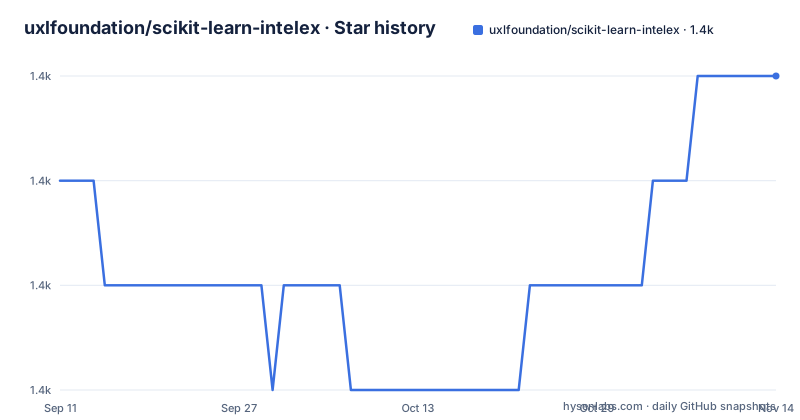
Star history
- uxlfoundation/scikit-learn-intelex1,358 ★ · +1
| Repository | 2026-09-11 | 2026-11-14 |
|---|---|---|
| uxlfoundation/scikit-learn-intelex | 1.4k | 1.4k |
1 Stars in the last 64 days, measured from the daily GitHub snapshot. Compare with other projects
Editorial analysis
Two headline numbers and no benchmark table
The Overview promises up to 100X acceleration for existing scikit-learn workflows. Four lines later it promises an average speed up of 8.5x on training and inference with equivalent mathematical accuracy. Both numbers appear with no table, no hardware list, no dataset name, and no thread count anywhere on the page.
The Acceleration section is one line long: a link labelled Benchmarks code, pointing at github.com/IntelPython/scikit-learn_bench. That is a separate repository under a separate organisation, and it is where the measurements live. The page asserts two factors and delegates the evidence.
Which one to quote is not a matter of taste. Up to 100X is a ceiling for one favourable case and 8.5x is offered as an average, and the gap between those two numbers is more than eleven times. Neither is qualified on the page by anything a reader could check. Before repeating either figure to anyone else, read the benchmark repository and find out which hardware and which estimator it covers.
The supported matrix lives in two shields.io badges
Two image badges near the top of the page carry the compatibility claim: python-3.10 through 3.14, and sklearn-1.6 through 1.9. That is five Python versions and four scikit-learn versions, and it is the only place either range is stated.
Neither range appears as text. No requires-python floor sits in the files available here, and the packaging in the tree is a setup.py beside a pyproject.toml that holds nothing but tool configuration: a black line length of 90, an isort profile of black, and a numpydoc validation block. So the pairing you are told is supported is declared by a badge image, and that image can change without any edit to the package metadata.
That matters when you pin. Five by four is twenty combinations, and nothing on the page says whether every one of them is exercised. One promise here is checkable, though: the extension is meant to drop into existing scikit-learn applications without code modifications, letting you keep using the open-source scikit-learn API.
patch_sklearn() rewrites the import, or you import from sklearnex instead
Two ways in, and they are not equivalent. The first patches scikit-learn in place:
import numpy as np
from sklearnex import patch_sklearn
patch_sklearn()

from sklearn.cluster import DBSCAN

X = np.array([[1., 2.], [2., 2.], [2., 3.],
              [8., 7.], [8., 8.], [25., 80.]], dtype=np.float32)
clustering = DBSCAN(eps=3, min_samples=2).fit(X)
After that call the estimator comes from sklearn, not from sklearnex. The second route skips patching altogether and imports from the extension's own module path:
import numpy as np
from sklearnex.cluster import DBSCAN

X = np.array([[1., 2.], [2., 2.], [2., 3.],
              [8., 7.], [8., 8.], [25., 80.]], dtype=np.float32)
clustering = DBSCAN(eps=3, min_samples=2).fit(X)
Same six-point array, same DBSCAN call, same parameters. The difference is scope: patching changes what sklearn resolves to for every module that imports it afterwards, which is the point when you cannot touch import lines across a large codebase, and the thing to weigh when a library you depend on introspects sklearn internals.
config_context picks the device, and the requirements are a footnote
GPU execution is one context manager in both routes:
import numpy as np
from sklearnex import patch_sklearn, config_context
patch_sklearn()

from sklearn.cluster import DBSCAN

X = np.array([[1., 2.], [2., 2.], [2., 3.],
              [8., 7.], [8., 8.], [25., 80.]], dtype=np.float32)
with config_context(target_offload="gpu:0"):
    clustering = DBSCAN(eps=3, min_samples=2).fit(X)
The device is named as the string gpu:0 inside config_context, so the same code can be pointed elsewhere by changing one string. That is the whole documented mechanism for choosing hardware.
The one caveat is a footnote rather than a section. Executing on GPU has additional system software requirements, with a link out to the Intel oneAPI DPC++ system requirements page and another to the project's own oneapi-gpu documentation. No driver version, no supported GPU model, and no operating system matrix appears in the page. Anyone planning a GPU deployment has to leave the README to find out whether their card is in scope, which is a different question from whether the code accepts a device string.
The license link points at master while the default branch is main
The link bar near the header points its License entry at github.com/uxlfoundation/scikit-learn-intelex/blob/master/LICENSE, and its Examples entry at tree/master/examples/notebooks. Both use master. The default branch of the repository is main. Those are the branch names the page itself assumes, and they do not match the branch the project publishes on.
The licensing itself is unambiguous. Apache-2.0 in the repository metadata, a LICENSE file at the root, and an in-file header quoting the Apache License, Version 2.0. What is ambiguous is provenance. The README header says Copyright 2018 Intel Corporation. The pyproject.toml header says Copyright 2023 Intel Corporation. The setup.py header says Copyright 2014 Intel Corporation and, on the following line, Copyright 2024 Fujitsu Limited.
Three files in one tree carry three different starting years, and the only non-Intel copyright line sits in the build script. For an Apache-2.0 project that is harmless in practice, but it is a concrete trace of how the code travelled from Intel to the UX Foundation, which is the kind of detail worth having when you are auditing a dependency.
Two CI directories at the root and a scan badge still named daal4py
The badge row points at external services, and the naming has not caught up. The build badge resolves to dev.azure.com/daal/daal4py/_build/latest with a branch parameter of main. The scan badge resolves to scan.coverity.com/projects/daal4py. The remaining badge links to the repository discussions page rather than to a service, so the two integrations actually named are Azure DevOps and Coverity, both filed under the old daal4py project.
The root explains why. Two Python package directories sit side by side, daal4py/ and sklearnex/, alongside src/, onedal/, and generator/. daal4py is the predecessor package and it is still a first-class directory rather than something set aside.
Other root entries make the same point about process. There are two CI configuration directories, .ci/ and .circleci/, in addition to .github/. There is a deselected_tests.yaml at the root, an unusual place to keep the list of tests a project has chosen not to run. There is a file named dependencies-dev with no extension, and AGENTS.md appears twice, once at the root and once under examples/.
The tag counts a second series, and 2025.11.0 shipped in March 2026
Three releases are published and the numbering follows its own scheme. The tags are 2025.11.0, 2026.0.0, and 2026.1.0. The middle number is not a month, because 2025.11.0 was published on 2026-03-09, months after a November 2025 reading would suggest, while 2026.0.0 followed on 2026-05-06 and 2026.1.0 on 2026-06-10. It counts releases within a year and then resets, which is how a 2025 tag outlives the calendar year it carries.
Each release name is the same phrase with the version appended: Extension for Scikit-learn* 2026.1.0. The asterisk survives into all three release titles, so it is a deliberate part of how the project names itself rather than a formatting accident, and any script reading the name field will pick it up every time.
The tree itself was last pushed to on 2026-10-01, with 83 open issues against 1356 stars and 191 forks. No release name describes what changed inside a version, so those titles act as labels rather than as notes.
Editorial conclusion
This package fits a team already committed to scikit-learn that has CPU or GPU hardware to hand and a codebase too large to rewrite its imports. It does not fit anyone who needs a published number they can repeat, a machine-readable compatibility constraint, or a changelog that says what changed. Before you adopt it, open the benchmark repository the README points at and check what hardware and what estimator the 8.5x figure covers, read the version matrix as a badge rather than a guarantee, and keep the patched import and the direct sklearnex import apart in your own code so you can undo the first without unwinding the second.
Frequently asked questions
What is scikit-learn intelex?
Extension for scikit-learn is an Apache-2.0 Python package that accelerates scikit-learn estimators by replacing calls to scikit-learn with calls to oneDAL behind the scenes. You enable it either by calling patch_sklearn() before importing from sklearn, or by importing estimators from the sklearnex module directly.
How do I turn on scikit-learn-intelex optimizations?
Call patch_sklearn() from sklearnex before importing from sklearn, or skip patching and import from sklearnex.cluster. GPU execution wraps the call in a config_context block whose target_offload value names the device, for example gpu:0.
Which Python and scikit-learn versions does scikit-learn-intelex support?
Two badges declare python 3.10 through 3.14 and sklearn 1.6 through 1.9. Neither range appears as a constraint in the packaging files, so the supported pairing is stated by a badge image rather than by package metadata.
Where are the scikit-learn-intelex benchmarks?
The Acceleration section links to a benchmarks repository under the IntelPython organisation instead of publishing results on the page. The two figures quoted in the overview are an average speedup of 8.5x and up to 100X.
Official sources
Add this badge to your README
If you maintain this project, the badge below links readers to this analysis and shows its maintenance status from the daily GitHub snapshot. Paste the markdown into your README; add ?metric=license or ?metric=stars to the image URL for a different field.

[](https://hysenlabs.com/projects/uxlfoundation-scikit-learn-intelex)Star history chart for your README
[](https://hysenlabs.com/projects/uxlfoundation-scikit-learn-intelex)Was this useful?