django-react-boilerplate is a startproject template, and the {{project_name}} placeholders only fill in if you pass the right flags
Django 5, React, Tailwind 4 with Python 3 and Webpack project boilerplate
At a glance
- What is it?
- vintasoftware/django-react-boilerplate is an MIT-licensed template for Django 5, React and Tailwind 4 projects. This look covers how the template is applied, what the Docker stack runs, the Node and Python version pins and the places where the README and the config files disagree.
- Who is it for?
- Use this template if you want Django 5.2 with a REST API, a React 19 frontend, Celery and Render deployment files already wired, and you are happy with Python 3.12, Node 22 and Poetry. Skip it if you want a different frontend bundler or an existing project, because it is applied only at project creation.
- Can I use it commercially?
- Yes. MIT is a permissive licence: you can use, modify and sell software built on it, as long as you keep its copyright and licence notices.
- Is it still maintained?
- Activity is slowing. The repository last received commits 6 months ago.
- What is it written in?
- Mainly Python, according to GitHub's language statistics.
Answers come from the project's GitHub data, last synced on November 7, 2026, and from our analysis. They are not legal advice.
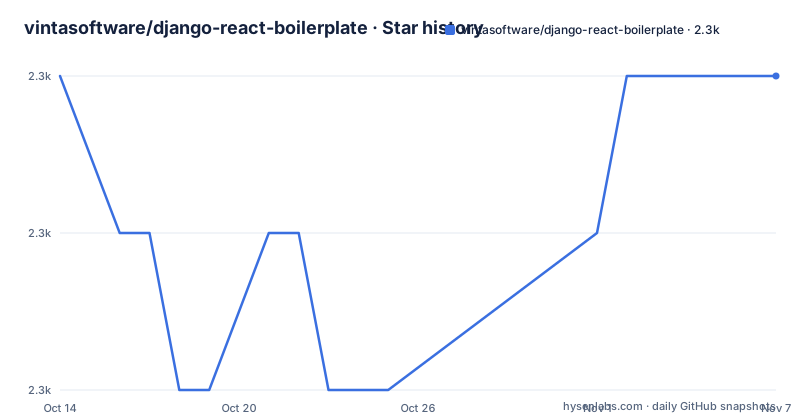
Star history
- vintasoftware/django-react-boilerplate2,272 ★ · +0
| Repository | 2026-10-14 | 2026-11-07 |
|---|---|---|
| vintasoftware/django-react-boilerplate | 2.3k | 2.3k |
0 Stars in the last 24 days, measured from the daily GitHub snapshot. Compare with other projects
Editorial analysis
The template is applied through django-admin startproject, not cloned
You do not fork this repository. The bootstrap uses Django's own template mechanism: install Django with `pip install django` so the django-admin command exists, then point startproject at the zip of the main branch.
django-admin startproject {{project_name}} --extension py,json,yml,yaml,toml --name Dockerfile,README.md,.env.example,.gitignore,Makefile,.npmrc --template=https://github.com/vintasoftware/django-react-boilerplate/archive/refs/heads/main.zipPlacing a dot right after the project name creates the project in the current directory, using this form:
django-admin startproject {{project_name}} . --extension py,json,yml,yaml,toml --name Dockerfile,README.md,.env.example,.gitignore,Makefile,.npmrc --template=https://github.com/vintasoftware/django-react-boilerplate/archive/refs/heads/main.zipThe command downloads the main branch at the moment you run it. There is no tag to pin, because the repository has no GitHub releases, so two people bootstrapping a week apart can get different dependency versions.
The README requires Python 3.12 to be installed before you begin.
Leave out --extension or --name and the placeholders stay as literal text
The files in the repository contain the string {{project_name}} in many places: the frontend package name in package.json, the Poetry name in pyproject.toml, the database settings in docker-compose.yml, even the Celery command line. Django's template engine only rewrites files whose extension or name it was told to render.
That is the job of the two flags. --extension covers py, json, yml, yaml and toml. --name covers Dockerfile, README.md, .env.example, .gitignore, Makefile and .npmrc. The README repeats the warning in its checklist: do not forget the --extension and --name params.
A file outside both lists is copied untouched. If you drop a flag, the project is generated without an error and then breaks later, with names like {{project_name}}-frontend in files that were never substituted. The consequence is that a mistyped bootstrap line costs you a debugging session, so paste the command whole.
After generating, the checklist asks for a few manual edits: change the first line of README, set an address in the ADMINS variable in backend/{{project_name}}/settings/base.py, and set SERVER_EMAIL in settings/production.py.
The backend stack is Django 5.2 with a REST API, an OpenAPI schema and Celery
pyproject.toml pins Python ^3.12 and Django ^5.2, managed by Poetry with package-mode off, so the project is not built as a distributable package. The REST layer is djangorestframework ^3.16.1 with drf-spectacular generating the OpenAPI schema.
Celery ^5.6.2 comes with the redis extra and celery-redbeat for scheduled tasks. Settings are read with python-decouple, the database driver is psycopg, and gunicorn serves production. Static files go through whitenoise with brotlipy.
Security middleware is already in the dependency list: django-csp for Content-Security-Policy, django-permissions-policy for Permissions-Policy and django-defender against brute force on login. django-guid adds a correlation ID to log lines, and sentry-sdk reports errors.
The dev group holds coverage, model-bakery, pre-commit and ruff. The ruff config selects rule groups including E, F, N, UP, B, S, BLE, DJ, I and RUF, so the bandit-based S rules will flag things like assert statements in tests unless you tune them.
The frontend pins Node 22 and pnpm 10.18.0, and builds React 19 with Webpack
package.json sets engines to node >=22 <23, so Node 23 or later is outside the declared range. The packageManager field names [email protected], and the lockfile in the root is pnpm-lock.yaml.
The runtime dependencies include react and react-dom ~19.2.0, react-router ~7.9.4, axios ~1.12.2, lodash, classnames, cookie and several Sentry packages. Scripts cover the loop: pnpm dev runs webpack serve in development mode with hot reloading, build runs tsc followed by a production webpack build, and test runs jest. There are also lint, lint:fix, format, tsc and coverage scripts.
The openapi-ts script generates TypeScript client code from the backend schema, using @hey-api/openapi-ts. That ties the two halves together: change a serializer, regenerate the schema, and the client types follow.
A gap in the docs is worth knowing. The feature catalogue lists the history package for Connected React Router, but the dependencies block in package.json does not contain it.
The Docker stack runs RabbitMQ as broker, and the Render file talks about Redis
docker-compose.yml defines services named db, broker, result, frontend, backend, celery and mailhog. The db is postgres:alpine with a user and password built from the project name and the password literally set to password. The broker is rabbitmq:alpine. The result service is redis:alpine on port 6379.
The frontend serves on port 3000 and the backend on port 8000. Mailhog fakes an SMTP server on port 1025 with a web interface on 8025, so outgoing mail in development lands there and goes nowhere real.
The Render side differs. The README says render.yaml provides PostgreSQL for the database and Redis for Celery. So locally the broker is RabbitMQ, while the hosted setup describes Redis, and pyproject.toml installs celery with the redis extra. Check which broker URL your settings read before deploying, because a task queue that works in Docker may not connect the same way on Render.
The password in the compose file is for local use only and should not reach a deployed environment.
Local setup copies two example files and, with Docker, runs make docker_setup
After bootstrapping, two git-untracked files have to be created from templates:
cp backend/{{project_name}}/settings/local.py.example backend/{{project_name}}/settings/local.pycp backend/.env.example backend/.envThe Docker path then needs one edit: open backend/.env and uncomment the line `DATABASE_URL=postgres://{{project_name}}:password@db:5432/{{project_name}}`. Without that edit the backend has no database URL that points at the db service. Then run the initial setup with:
make docker_setupThe README next creates migrations for the users app. The rest of the running instructions are cut off in the text available here, so steps beyond that point, such as running without Docker, are not covered.
The Makefile and .pre-commit-config.yaml are in the root, and the README asks you to set up editorconfig, ruff and ESLint in your editor.
Automated checks are not a test suite, and the last push was in May 2026
The README says the quality tools, ruff and ESLint with pre-commit, do not replace proper testing. That is an honest limit. The template ships jest config files for the frontend and coverage in the Python dev group, but the tests for your own features are yours to write.
Continuous integration is a GitHub Actions workflow at .github/workflows/main.yml. Deployment help is render.yaml, render_build.sh and a production.py settings module, which together back the Deploy to Render button.
The repository is not archived and has no GitHub releases. Its last push was on 2026-05-04, so dependency pins such as react ~19.2.0 and Django ^5.2 reflect that date, and a project started later should run an update pass first. The license is MIT, and the README invites people who built on the boilerplate to email [email protected].
Editorial conclusion
Use this template if you want Django 5.2 with a REST API, a React 19 frontend, Celery and Render deployment files already wired, and you are happy with Python 3.12, Node 22 and Poetry. Skip it if you want a different frontend bundler or an existing project, because it is applied only at project creation. Before starting, pass the --extension and --name flags exactly as written, and check the broker setting, since the compose file runs RabbitMQ while the Render file provides Redis.
Frequently asked questions
How do I start a project with django-react-boilerplate?
Install Django with pip install django, then run django-admin startproject with the --extension, --name and --template flags pointing at the repository's main.zip archive. The README asks for Python 3.12.
Which versions does django-react-boilerplate require?
pyproject.toml pins Python ^3.12 and Django ^5.2. The frontend package.json sets Node to >=22 <23 and uses pnpm 10.18.0.
Does django-react-boilerplate include Docker and deployment files?
Yes. It has a docker-compose.yml with db, broker, result, frontend, backend, celery and mailhog services, plus a render.yaml and a production.py settings file for Render.com.
Official sources
Add this badge to your README
If you maintain this project, the badge below links readers to this analysis and shows its maintenance status from the daily GitHub snapshot. Paste the markdown into your README; add ?metric=license or ?metric=stars to the image URL for a different field.

[](https://hysenlabs.com/projects/vintasoftware-django-react-boilerplate)Star history chart for your README
[](https://hysenlabs.com/projects/vintasoftware-django-react-boilerplate)Was this useful?