Brev Launchables is a table of notebooks with GPU minimums attached
Collection of notebook guides created by the Brev.dev team!
At a glance
- What is it?
- brevdev/launchables is a collection of Jupyter notebooks for LLM fine-tuning, multimodal models and image segmentation, each paired with a minimum GPU spec and a deploy badge. There is no package to install and no release history, so the value is the catalog and the hardware floor, not the code.
- Who is it for?
- Use brevdev/launchables if you want a fast answer to which GPU a task needs before you rent one, because that column is the actual content of the repository and the tables state it per notebook. Do not treat it as a maintained library: there are no GitHub releases, the last push was on 2026-07-21, and the licence is a custom one that GitHub cannot classify, so read the LICENSE file before copying a notebook into a commercial repository.
- Can I use it commercially?
- Check first. The repository uses a licence we do not classify automatically, so read its LICENSE file before any commercial use.
- Is it still maintained?
- Yes. The repository last received commits 109 days ago.
- What is it written in?
- Mainly Jupyter Notebook, according to GitHub's language statistics.
Answers come from the project's GitHub data, last synced on November 7, 2026, and from our analysis. They are not legal advice.
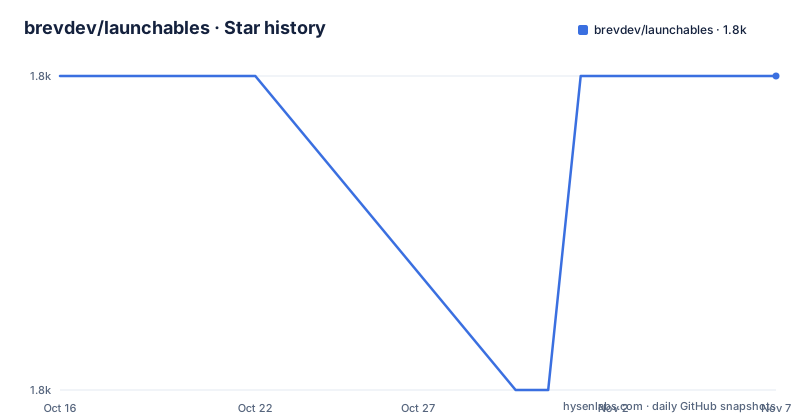
Star history
- brevdev/launchables1,817 ★ · +0
| Repository | 2026-10-16 | 2026-11-07 |
|---|---|---|
| brevdev/launchables | 1.8k | 1.8k |
0 Stars in the last 22 days, measured from the daily GitHub snapshot. Compare with other projects
Editorial analysis
There is no install step, and the README does not pretend otherwise
This repository is a gallery. Its top level is a flat list of Jupyter notebooks: `llama3dpo.ipynb`, `llama3_finetune_inference.ipynb`, `llama2-finetune.ipynb`, `mistral-finetune.ipynb`, `mixtral-finetune.ipynb`, `phi2-finetune.ipynb`, `gemma7b.ipynb`, `llava-finetune.ipynb`, `dbrx_inference.ipynb` and `nemo-reranker.ipynb` sit next to vision work such as `efficientvit-segmentation.ipynb`, `controlnet.ipynb`, `molmim-optimization.ipynb` and `baklava.ipynb`.
There is no requirements.txt in the top level entries, no setup.py, no Dockerfile for the project itself, and no build command. Nothing is compiled and nothing is installed. Each notebook is expected to bring its own dependencies, which in the usual Jupyter sense means the first cell installs them into the kernel it finds.
That absence is the design, not an omission. The README describes launchables as a feature of NVIDIA Brev that deliver preconfigured, fully optimized compute and software environments, and this repository as helpful AI/ML notebooks coupled with the minimum GPU specs required to use them. So the deliverable is a decision aid attached to a set of examples, not a runtime dependency you add to a requirements file.
The practical consequence: adopting a notebook means adopting whatever the notebook pins, at whatever moment you open it, and none of that is versioned by this repository.
The minimum GPU column is the part actually worth reading
Every row in the notebook tables carries a minimum GPU figure, and those figures differ in a way that tells you something about the task rather than about the code.
Fine-tune Llama3 using Direct Preference Optimization is listed at 1x A100. Fine-tune Llama3 using SFT, which also deploys Llama 3, is listed at 2x A100. The Mistral fine-tuning guide needs 1x A10G, while the NeMo and PEFT version of the same family is listed at 1x A100.
Read that pairing carefully. The same model and roughly the same task moves from an A10G to an A100 the moment the framework changes. The hardware floor is set by what runs the training loop, not by the model card.
The catalog identifies each notebook, its description and minimum GPU, and each row also includes deploy links. There is no runtime estimate, no dataset size assumption, no batch size, no memory figure and no cost estimate. So the column answers whether your card can start the job, and nothing about whether it will finish it in a reasonable time. Anyone using this as a budgeting input is reading a lower bound as if it were a plan.
Notebooks are also grouped into categories by task type: LLM finetuning and training, multi-modal models, computer vision and image segmentation, and miscellaneous.
Two deploy routes per notebook, and the links point at another repository
Each table row carries two badges. The first is a Colab badge linking to `colab.research.google.com/github/brevdev/notebooks/blob/main/...`, which opens the notebook in Google Colab. The second is a Brev deploy badge linking to `https://brev.nvidia.com/notebook/llama3dpo` and similar paths, which the README calls a 1-click deploy badge that starts each notebook on a GPU.
One detail deserves attention. The notebook links in the tables all point at `github.com/brevdev/notebooks/blob/main/`, while this repository is `brevdev/launchables`. The catalog lives here; the notebooks it indexes are hosted in a sibling repository. That split means the README you are reading and the file you are about to open are in different places, and it explains why the top level of this repository also contains its own copies of notebooks such as `llama3dpo.ipynb`.
The README also links a console at brev.nvidia.com, documentation at docs.nvidia.com/brev, and a separate Launchables Guide at LAUNCHABLE-CREATION-GUIDE.md in this repository.
What the file list says about coverage, and what it does not
Reading the top level entries gives a better picture of scope than the truncated tables do.
The LLM cluster is the largest: Llama 2, Llama 3, Llama 3.1, Llama 3 to Ollama export, Mistral, Mixtral, Phi 2, Gemma 7B, Zephyr, DBRX inference, BioMistral, a Law case notebook in `llama31_law.ipynb`, and Meta Chameleon. Around them sit inference and serving notebooks: `streamingllm-tensorrt.ipynb`, `tensorrt-comfyui.ipynb`, `nim-quickstart.ipynb`, `nvidia_nim_agents_llama3.1.ipynb`, `gguf-export.ipynb`, `oobabooga.ipynb`, `zephyr-chatbot.ipynb` and `automatic1111-stable-diffusion-ui.ipynb`.
A second group is applied, not model work: `RAG_WIth_Local_NIM_V2.ipynb`, `ocr-pdf-analysis.ipynb`, `pdf-blueprint.ipynb`, `question_answer_nemo.ipynb`, `caltech-protein-demo.ipynb`, `ara.ipynb`.
And a third group consists of notebooks with names such as `setup-k8s.ipynb`, `julia-install.ipynb`, `deploy-to-replicate.ipynb`, `container_vulnerability_analysis.ipynb` and `rapids_cudf_pandas.ipynb`. There are also directories rather than notebooks, `bakllava/` and `assets/`.
The shape of that list is the honest description of the repository: a working notebook queue that has accumulated whatever the team needed, plus a few notebooks about setting up infrastructure. There is no manifest, no dependency pinning and no stated compatibility matrix between notebooks.
Contributions are pull requests of notebooks, with a guide for authors
The contribution path is one sentence: open a pull request if you have a notebook to add. There is no template, no review checklist described, and no required metadata beyond what the README tables display.
The authoring side has one substantial document, LAUNCHABLE-CREATION-GUIDE.md at the repository root, which the README links as the Launchables Guide. Its existence tells you that turning a notebook into a launchable is a defined procedure rather than an ad hoc badge link, which is the difference between this repository and a plain folder of `.ipynb` files.
The README invites specific requests, asking to be told if readers want more notebooks for a certain task or using different frameworks and tools. That is useful signal about where the collection is thin: framework coverage is uneven by construction, because entries arrive when someone has a working example to contribute.
There is a `.github/` directory at the top level. The README does not say what automation it configures, so whether a submitted notebook is checked for a declared GPU minimum is not something you can confirm from the documentation.
No releases, a custom licence, and why that matters before you copy a cell
The repository has no GitHub releases at all, so there is no tagged version to pin. The last push was on 2026-07-21. For a collection of notebooks this is a mild fact; for anything you vendor, it means the only stable reference is a commit hash you record yourself.
The licence is the item to read before use. GitHub classifies it as a custom licence that its own licence detector cannot categorise, and the LICENSE file at the repository root holds the actual terms. What that means in practice is that the grant is not one of the standard licences you can assume, so copy the LICENSE text into whatever internal review your organisation requires instead of relying on a label.
Taken with the absence of dependency pinning, the practical boundary is this. A notebook here is a good way to find out what a task needs and roughly how big a GPU it demands. It is a weak dependency to build on, because nothing here is versioned and the notebooks themselves pin their own libraries at whatever they pinned on the day they were contributed.
If you need a reproducible starting point, the right move is to run the notebook once, capture the environment it produces, and own that from then on.
Editorial conclusion
Use brevdev/launchables if you want a fast answer to which GPU a task needs before you rent one, because that column is the actual content of the repository and the tables state it per notebook. Do not treat it as a maintained library: there are no GitHub releases, the last push was on 2026-07-21, and the licence is a custom one that GitHub cannot classify, so read the LICENSE file before copying a notebook into a commercial repository. Verify first that the notebook file you pick still exists at the path its table row links to, since the rows link into the separate brevdev/notebooks repository rather than into this one.
Frequently asked questions
How do I run a notebook from Brev Launchables?
Each table row offers a Colab badge that opens the notebook in Google Colab, and a Brev deploy badge that starts it on a GPU through brev.nvidia.com. There is no install command for the repository itself.
What GPU do I need to fine-tune Llama 3 with Brev Launchables?
The README table lists 1x A100 for the Direct Preference Optimization notebook and 2x A100 for the SFT notebook. The Mistral fine-tuning guide is listed at 1x A10G, while the NeMo and PEFT version is listed at 1x A100.
Where do the notebooks in Brev Launchables actually live?
The table rows link to the brevdev/notebooks repository on GitHub, while the catalog and its README live in brevdev/launchables. This repository also carries its own copies of several notebooks at the top level.
Does Brev Launchables have versioned releases?
No. The repository has no GitHub releases, so there is no tagged version to pin and the last push was on 2026-07-21.
Can I add my own notebook to Brev Launchables?
Yes. The README asks contributors to open a pull request with the notebook, and LAUNCHABLE-CREATION-GUIDE.md at the repository root describes how launchables are created.
Official sources
Add this badge to your README
If you maintain this project, the badge below links readers to this analysis and shows its maintenance status from the daily GitHub snapshot. Paste the markdown into your README; add ?metric=license or ?metric=stars to the image URL for a different field.

[](https://hysenlabs.com/projects/brevdev-launchables)Star history chart for your README
[](https://hysenlabs.com/projects/brevdev-launchables)Was this useful?