pg_format: a Perl SQL beautifier that switches between console, CGI and JSON by context
A PostgreSQL SQL syntax beautifier that can work as a console program or as a CGI. On-line demo site at http://sqlformat.darold.net/
At a glance
- What is it?
- pg_format from darold/pgFormatter formats PostgreSQL and PL/pgSQL, detecting whether it runs on a terminal, as a CGI or as a JSON responder without being told. Its flexibility is in the case and layout flags, and its cost is that the default configuration comes from three possible rc file locations you have to remember.
- Who is it for?
- Adopt pg_format when your team needs one consistent SQL layout across migrations, ad-hoc scripts and stored procedures, and set the case flags explicitly rather than relying on rc files, since a developer's $HOME/.pg_format can otherwise change what CI produces. Do not adopt it if you need keyword highlighting outside a CGI context, which the README states is unavailable, or if your pipeline cannot install Perl and the CGI and JSON modules.
- Can I use it commercially?
- Yes. PostgreSQL is a permissive licence: you can use, modify and sell software built on it, as long as you keep its copyright and licence notices.
- Is it still maintained?
- Yes. The repository last received commits 32 days ago.
- What is it written in?
- Mainly PLpgSQL, according to GitHub's language statistics.
Answers come from the project's GitHub data, last synced on October 23, 2026, and from our analysis. They are not legal advice.
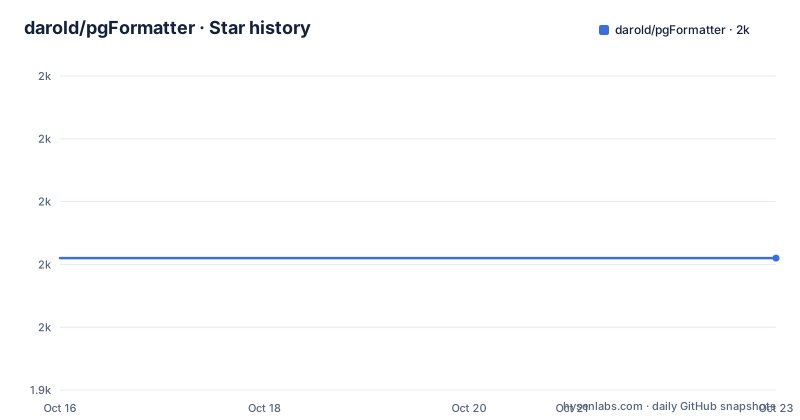
Star history
- darold/pgFormatter1,961 ★ · +0
| Repository | 2026-10-16 | 2026-10-23 |
|---|---|---|
| darold/pgFormatter | 2k | 2k |
0 Stars in the last 7 days, measured from the daily GitHub snapshot. Compare with other projects
Editorial analysis
One binary, three output modes, decided by environment
pg_format describes itself as a console program or a CGI, and the more interesting detail is that you do not choose. It automatically detects its environment and formats output as text or as HTML following the context. If it is running as a CGI and the request carries `Accept: application/json`, it returns a JSON response instead of a page.
That single mechanism is what lets the same installed program serve a command line, a browser form and an HTTP API from one deployment. The README's CGI instructions are correspondingly minimal: drop the script into your cgi-bin folder, grant execution on it, possibly add a.cgi extension, and copy logo_pgformatter.png and icon_pgformatter.ico alongside it. The Perl CGI and JSON modules must be installed before using this CGI setup.
One capability is tied to the mode rather than the code path. Keyword highlighting is only available in a CGI context, so piping through the console program gives you plain formatted SQL with no colour. If your build depends on highlighting, the CGI mode is not optional.
Console usage takes files, multiple files or stdin
The console form is `pg_format [options] file.sql`. The file argument is more flexible than it looks: it can be a single file, several files, or `-` to read the query from standard input. Output goes to stdout unless you give an output file.
The three examples in the README cover the cases you will actually use. Piping a file through the formatter reads stdin and writes to the terminal, the `-n` flag strips comments, and combining `-f 2 -n -o result.sql` sets a format, removes comments and writes to a named file:
cat samples/ex1.sql | pg_format -
pg_format -n samples/ex1.sql
pg_format -f 2 -n -o result.sql samples/ex1.sql
For a large set of migrations you would add `-i`, which overwrites the input files with the formatted content. That is the flag to be careful with, since a mistake in the formatter rewrites every file you point it at in one pass. Running it first without `-i` and diffing the output is the safer habit.
Case control has separate dials for keywords, types, functions and identifiers
Four independent case options decide how your SQL is capitalised, and each has its own default. `-u` or `--keyword-case` changes reserved keywords and defaults to uppercase, value 2. `-U` or `--type-case` changes data type names and defaults to lowercase, value 1. `-f` or `--function-case` changes the case of PostgreSQL functions and defaults to unchanged, value 0. `-I` or `--ident-case` changes identifiers, meaning schema, table, column and alias names, and also defaults to unchanged.
All four take the same four values: 0 unchanged, 1 lowercase, 2 uppercase, 3 capitalize. Two details matter in practice. The uppercase-keyword, lowercase-type default is a strong statement about house style, so teams with a different convention need to set `-u` and `-U` on every invocation or in their rc file. And quoted identifiers are never changed by `-I`, so a table named in double quotes keeps whatever case you wrote.
Separating function case from identifier case is the option most likely to bite. If your functions come from an extension with lowercase names and your own functions are Capitalised, a single `-f` value will normalise one group wrongly.
Three rc file locations, and -X to ignore all of them
pg_format reads configuration files automatically, and the README lists three places it will look: `./.pg_format` in the current directory, `$HOME/.pg_format`, and the XDG Base Directory file `$XDG_CONFIG_HOME/pg_format/pg_format.conf`. A file passed with `-c` or `--config` overrides all of that.
The automatic search is convenient for a developer at a terminal and a problem for a build. A project-local `./.pg_format` committed to the repository fixes one behaviour for everyone; an uncommitted one in a developer's home directory produces output that differs between a laptop and CI for reasons nobody can see in the diff. That is the kind of divergence that produces a merge conflict on every SQL file.
The mitigation is explicit. `-X` or `--no-rcfile` suppresses the automatic search entirely, which makes the flags on the command line the only source of truth. In CI, pass `-X` plus the full set of case and layout flags and the output stops depending on who ran the job.
Layout flags cover wrapping, comma placement, indent and grouping
The layout surface is where most of the tuning happens. `-w` or `--wrap-limit` wraps queries at a given length and `-W` or `--wrap-after` sets the column after which lists must be wrapped, with the default putting every item on its own line. `-s` or `--spaces` changes the indent width, default 4 spaces, and `-T` or `--tabs` switches to tab characters. `-L` or `--no-extra-line` suppresses the trailing blank line.
Comma placement has two flags that pull in opposite directions. `-b` or `--comma-start` puts the comma at the start of a line in a parameter list, while `-e` or `--comma-end` puts it at the end, which is the default. The README pairs them, with `-b` pointing at `-e` for reference, because they are two styles of the same decision. For INSERT statements specifically, `-B` or `--comma-break` adds a newline after each comma.
Two flags change structure rather than spacing. `-g` or `--nogrouping` inserts a newline between statements in a transaction, where the default groups them. And `-N` or `--numbering` emits statement numbering as a comment before each query, which is useful when a reviewer is comparing two versions of a long migration script.
Wrapping comments and protecting code from being touched
Comments are handled by two flags that interact. `-n` or `--nocomment` removes every comment from the SQL, which is often what you want for a generated artefact. Leaving them in and reflowing them is a separate operation: `-C` or `--wrap-comment` applies reformatting to comments, and it only has an effect together with `--wrap-limit`, as the README states explicitly. Without a wrap limit, comments pass through unchanged.
Inside PL/pgSQL blocks, `-k` or `--keep-newline` preserves empty lines, which matters because the default compaction makes procedure bodies harder to read against the original source.
The opposite need is protecting code from the formatter entirely. `-p` or `--placeholder` takes a regular expression matching code that must not be changed, and `-M` or `--multiline` makes that search span multiple lines. This is the escape hatch for constructs the formatter does not model, and it is also the reason formatting an unfamiliar query can quietly corrupt it: any construct the formatter misparses and no placeholder covers will be rewritten. Review the diff, always.
Extending keywords, and the dialect options
The built-in keyword list covers SQL-92, SQL-99, SQL-2003, SQL-2008, SQL-2011 and PostgreSQL specific keywords, and the README states it works with other databases too. When a dialect is not covered, two options extend the lists from a file. `--extra-keyword FILE` reads a list of keywords to be formatted like PostgreSQL internal keywords, and `--extra-function FILE` does the same for functions.
The keyword option accepts a special value: `--extra-keyword` takes `redshift` as a special value meaning use the Redshift keywords defined internally in pgFormatter. The older `-r` or `--redshift` flag does the same thing and is marked obsolete in the README, so new configurations should use the extra-keyword form.
Two finer layout switches exist for specific pain points. `--no-space-function` removes the space between a function call and its opening parenthesis, and `--matching-paren-newline` closes a parenthesis on a new line at the matching indent when the content after the opening parenthesis started on a new line. `--vertical-align` aligns CREATE TABLE column definitions and their trailing comments, and it is disabled by default. Two options deliberately keep structure that a formatter would otherwise clean up: `--redundant-parenthesis` preserves redundant parentheses in DML, and `-t` or `--format-type` tries an alternative formatting type for some statements.
Perl, containers and a licence that follows PostgreSQL
The tool is Perl, and installing it that way means the CGI and JSON modules are a prerequisite. The README gives `yum install perl-cgi` as the fallback when those modules are not already present. The repository builds through Makefile.PL, with a Makefile.PL at the root, so a source install follows the usual Perl module sequence: `perl Makefile.PL`, then make and make install.
Container use is short, because the image is just Perl and the build steps:
FROM perl
WORKDIR /pgformatter
COPY . /pgformatter
RUN perl Makefile.PL
RUN make && make install
ENTRYPOINT ["pg_format"]
There is a second Dockerfile, cgi.Dockerfile, for the CGI variant, and a .pre-commit-hooks.yaml at the root that registers pg_format as a pre-commit hook, which is the intended way to keep formatted files in a repository rather than reformatting them ad hoc.
The licence is the PostgreSQL licence, a permissive one similar to the BSD or MIT family. There is a LICENSE file and a ChangeLog, and releases have been steady: v5.9 on 2025-12-21, v5.10 on 2026-05-09 and v5.11 on 2026-09-04, with the last push on 2026-09-20. That is a slow but unbroken cadence for a tool many teams depend on in a pre-commit hook.
Editorial conclusion
Adopt pg_format when your team needs one consistent SQL layout across migrations, ad-hoc scripts and stored procedures, and set the case flags explicitly rather than relying on rc files, since a developer's $HOME/.pg_format can otherwise change what CI produces. Do not adopt it if you need keyword highlighting outside a CGI context, which the README states is unavailable, or if your pipeline cannot install Perl and the CGI and JSON modules. Verify first that your SQL parses the way you expect with the wrap and comma options, because a formatter that reformats is only safe when its output is checked in a diff review.
Frequently asked questions
How do I format a SQL file with pg_format?
Run `pg_format file.sql`, or pipe with `cat samples/ex1.sql | pg_format -` to read from stdin. Output goes to stdout unless you pass `-o`, and `-i` overwrites the input files with the formatted result.
Can pg_format run as a web service or API?
Yes. Installed into a cgi-bin folder it detects the CGI context and generates the HTML itself, and a request with the header `Accept: application/json` makes it return JSON instead. Keyword highlighting is only available in this CGI context.
How do I control keyword and identifier case in pg_format?
Four separate flags apply, each taking 0 unchanged, 1 lowercase, 2 uppercase or 3 capitalize: `--keyword-case` defaults to uppercase, `--type-case` defaults to lowercase, `--function-case` defaults to unchanged, and `--ident-case` defaults to unchanged and never alters quoted identifiers.
Where does pg_format read its configuration file?
By default it looks for `./.pg_format`, `$HOME/.pg_format` and `$XDG_CONFIG_HOME/pg_format/pg_format.conf`. Use `-c FILE` to point at a specific file, or `-X` to skip the automatic search entirely, which is the safer setting for CI.
Does pg_format support Redshift keywords?
Yes, through `--extra-keyword 'redshift'`, which uses keywords defined internally in pgFormatter. The older `-r` or `--redshift` option does the same thing and is documented as obsolete.
Official sources
Add this badge to your README
If you maintain this project, the badge below links readers to this analysis and shows its maintenance status from the daily GitHub snapshot. Paste the markdown into your README; add ?metric=license or ?metric=stars to the image URL for a different field.

[](https://hysenlabs.com/projects/darold-pgformatter)Star history chart for your README
[](https://hysenlabs.com/projects/darold-pgformatter)Was this useful?