ZENO node system: simulation and rendering for C++ workflows
ZEn NOde system - a simulation & rendering engine in nodes
At a glance
- What is it?
- ZENO is an open source C++ framework for turning algorithmic code into node-based tools for large scale 3D simulation and rendering. It suits technical artists, graphics engineers and VFX developers who need to assemble reusable graphs, but its README leaves important execution and hardware questions to external documentation.
- Who is it for?
- Adopt ZENO when a C++ team needs a node editor around simulation or rendering code and can accept the repository's dependency and operational complexity. Do not choose it from the README alone for production deployment, because performance claims, platform limitations and upgrade procedures are not documented there.
- Can I use it commercially?
- Yes, with conditions. MPL-2.0 is a weak copyleft licence: you can use it inside commercial and closed-source software, but if you distribute changes to its own files, you must publish those changes under the same licence.
- Is it still maintained?
- Yes. The repository last received commits 11 days ago.
- What is it written in?
- Mainly C++, according to GitHub's language statistics.
Answers come from the project's GitHub data, last synced on November 7, 2026, and from our analysis. They are not legal advice.
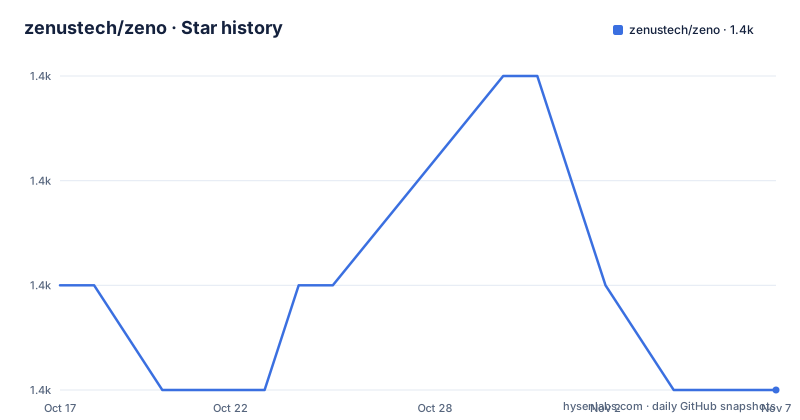
Star history
- zenustech/zeno1,405 ★ · -1
| Repository | 2026-10-17 | 2026-11-07 |
|---|---|---|
| zenustech/zeno | 1.4k | 1.4k |
-1 Stars in the last 21 days, measured from the daily GitHub snapshot. Compare with other projects
Editorial analysis
ZENO's node graph approach to 3D pipelines
ZENO addresses a specific engineering problem: turning algorithmic code into composable tools that can be connected into larger simulation and rendering workflows. Its stated users are people building cinematic physical effects, particularly technical artists, graphics engineers and VFX developers. The README describes an open source node based 3D system for large scale simulations, together with visualization nodes for importing and running simulation results.
The main advantage is structural rather than cosmetic. A solver, geometry operation or visualization stage can be represented as a node and connected to other stages in a graph. The README says the goal is to change algorithmic code into useful tools that create more complicated simulations. That framing places ZENO between low level C++ implementation and an interactive graph environment. It is intended for work that needs both.
The documented gallery gives concrete examples of the intended domain: cloth, fluid, rigid body and biological simulation, procedural material, procedural modeling, human rendering and multiple importance sampling. The `graphs/` folder contains VFX and simulation solutions supplied as `.zsg` files. Based on the repository layout, the C++ implementation is divided among areas such as `zeno/`, `projects/`, `ui/`, `zenovis/` and `hdr/`, while `misc/` contains additional resources including example graphs. This is a broad graphics system rather than a small reusable library with one narrowly defined entry point.
ZENO does not replace the underlying algorithms. Its value comes from packaging algorithms as an editable and connected pipeline. That distinction matters when choosing between a graph editor and a conventional C++ library: the graph is the control layer, while solvers, geometry processing and rendering nodes perform the technical work.
Data flow through ZENO graphs and the editor
The visible mechanism is a node graph with sockets and connections. The README instructs users to use the left mouse button on sockets to create connections, and to drag with the middle mouse button to move around the node editor. The viewport supports middle mouse dragging to orbit the camera and `Shift+MMB` to pan it. These controls indicate that graph construction and scene viewing happen in the same desktop application.
A graph is executed by pressing `Run`. For animation, the README gives a specific first interaction: change the value `1` in the lower-right corner of the viewport to `100`, then click `Run` to run an animation for 100 frames. This exposes a frame-count control in the editor, although the README does not define whether that value is a preview limit, simulation duration, render range or another scheduling parameter.
The project description calls ZENO a dataflow-oriented system, and its topic list includes `dataflow-programming`. Still, the README does not publish a data type catalog, execution semantics, cache policy or error propagation model. It does not explain whether a node update is immediate, deferred, parallel or memoized. The optional TBB dependency is associated with parallel support, but the documentation does not describe the scheduling rules. For an engineering decision, those omissions are more consequential than the node count or the gallery images.
The visualization side is also integrated rather than bolted on. According to the README, ZENO provides visualization nodes for importing and running simulations, while `.zsg` files in `graphs/` represent complete VFX and simulation solutions. That suggests the graph can act as both computation setup and an entry point for examining its results. However, the README does not document scene formats, asset dependencies, file caching or how saved graphs resolve external resources. Those details must come from the official tutorial, `docs/FAQ.md`, or inspection of the graphs being considered.
Installing a ZENO binary and opening its first graph
The end-user route is the release archive, not a package manager command. From the GitHub release page, download `zeno-windows-20xx.x.x.zip` on Windows or `zeno-linux-20xx.x.x.tar.gz` on Linux. Extract the archive, then use the matching start script from the extracted directory.
On Windows, run this batch file:
000_start.batOn Linux, run the shell script:
./000_start.shThe README says the node editor window should appear if the installation is working. It does not publish additional service startup commands, environment variables, ports or platform detection commands, so none can be added safely to this procedure.
For a first real use, start the application, open one of the example graphs in `misc/graphs/`, inspect its nodes and press `Run`. To exercise the documented animation control instead, change the viewport value at the lower right from `1` to `100` before running. Users create links by clicking sockets with the left mouse button and navigate the canvas with the middle mouse button. In the 3D viewport, middle mouse dragging orbits the camera and `Shift+MMB` pans it.
The README does not specify the file picker steps, accepted drag-and-drop behavior, or how to tell whether an example completed successfully. It also does not document a command-line execution mode. This first-use path is appropriate for validating the editor and opening included content, but it is not a documented headless rendering tutorial.
Building the C++ editor with optional graphics libraries
Source builds require GCC 9 or newer, or MSVC 19.28 or newer, together with CMake 3.16 or newer. Building the Qt editor also requires Qt 5.14 or newer. The README treats several graphics dependencies as optional: TBB for parallel support, OpenVDB for volume nodes, Eigen3 for solver nodes, CGAL for geometry nodes and CUDA 11.6 for GPU nodes.
The repository contains `CMakeLists.txt`, `build.sh` and `build.ps1`, but the README does not give their invocation syntax. It directs developers to `BUILD.md` for detailed instructions instead. Reproducing the exact generator, build type, compiler flags or installation prefix would therefore exceed the README.
The optional dependency model creates a concrete adoption decision. A build that does not require OpenVDB cannot be assumed to provide the project's volume nodes. Omitting Eigen3 affects solver nodes, omitting CGAL affects geometry nodes, and omitting CUDA 11.6 means GPU nodes are not part of that local build. Optional does not mean interchangeable. Teams should determine whether the required `.zsg` graphs depend on those components before choosing a minimal configuration.
The README does not recommend WSL because of its limited GUI and OpenGL support. It gives no equivalent compatibility table for particular Linux distributions, Windows versions or GPU drivers. The presence of CUDA does not establish which CUDA-capable GPUs are supported. Likewise, the GUI editor's use of OpenGL makes platform graphics behavior relevant, but the exact OpenGL requirement is absent from the README.
A source build is therefore best treated as an integration project rather than a single-command dependency install. The documented starting point is `BUILD.md`, while the top-level build scripts show shell-based and PowerShell-based paths, not complete usage instructions on their own.
Maintenance, licensing and the cost of adopting ZENO
The repository is not archived, and its last push was on 2026-10-08. That supports describing recent repository activity, but it does not establish release cadence or compatibility guarantees. The listed releases include `2024.10.1` from 2024-10-03, `2023.11.16` from 2023-11-23 and `2022.9.27` from 2022-09-27. The gap between the latest listed release and the last repository push is not explained by the README.
Upgrade planning needs particular care because ZENO combines an editor, graph assets, C++ code and optional third-party libraries. The README provides no migration guide, compatibility matrix, graph version field, rollback procedure or instructions for rebuilding existing graphs. It also does not say whether a graph created with one release is guaranteed to load in another. The release archive, `BUILD.md` and `docs/FAQ.md` are the relevant places named by the project for more information.
ZENO is distributed under the MPL-2.0 license, as stated in the repository metadata and shown in the README badge. That designation matters for source and file-level license review, especially when a company modifies or distributes components. This is not legal advice, and the README does not summarize the license obligations. The actual `LICENSE` file and any notices attached to third-party dependencies must be reviewed before redistribution.
The main upgrade cost is integration effort. Graph compatibility, dependency availability, GUI platform support and license obligations all need verification. The repository's recent push indicates current code activity, but it does not remove those operational questions.
Where ZENO needs a different graphics architecture
ZENO can fail to fit when the required workflow is a single deterministic C++ library call. Its node editor introduces an application, graph assets and an interactive environment. A team that only needs to call one algorithm from an existing renderer may gain little from that layer, although the README does not publish benchmarks comparing ZENO with direct library calls.
It is also the wrong choice when the target graph requires features excluded from a local build. OpenVDB, Eigen3, CGAL and CUDA are optional, while the source requirements include a C++ compiler, CMake and Qt. A missing dependency is not merely a slower path; it can remove the relevant node category from the available toolbox.
A real alternative is to implement the pipeline directly in C++ and connect its stages through the host application's own data structures. This avoids the graph editor and `.zsg` workflow, but it also gives up ZENO's visible graph composition, built-in visualization nodes and example graphs. The README does not describe a direct API for embedding ZENO into an unrelated application, so that integration should not be assumed.
Another practical boundary is headless automation. The documented first-use instructions require the node editor window and give a button-driven `Run` action. No batch execution interface, scheduler configuration or remote rendering protocol is documented. For organizations whose pipeline depends entirely on unattended farm jobs, that missing detail requires verification before adoption.
Editorial conclusion
Adopt ZENO when a C++ team needs a node editor around simulation or rendering code and can accept the repository's dependency and operational complexity. Do not choose it from the README alone for production deployment, because performance claims, platform limitations and upgrade procedures are not documented there. Before adoption, inspect the chosen release archive, confirm that `000_start.bat` or `./000_start.sh` opens the editor on the target system, and review `BUILD.md` if the required graphs depend on TBB, OpenVDB, Eigen3, CGAL or CUDA.
Frequently asked questions
How do I install and start ZENO on Windows or Linux?
Download and extract the platform archive from the GitHub release page. Run `000_start.bat` on Windows or `./000_start.sh` on Linux; the README says the node editor should open.
What are the main prerequisites for building ZENO from source?
The documented requirements are GCC 9+ or MSVC 19.28+, CMake 3.16+, and Qt 5.14+ for the Qt editor. TBB, OpenVDB, Eigen3, CGAL and CUDA 11.6 are optional for specific node categories.
Can I run a ZENO example and change its animation length?
Open an example graph from `misc/graphs/` and click `Run`. To run an animation for 100 frames, change the viewport value `1` in the lower-right corner to `100` before clicking `Run`.
Official sources
Add this badge to your README
If you maintain this project, the badge below links readers to this analysis and shows its maintenance status from the daily GitHub snapshot. Paste the markdown into your README; add ?metric=license or ?metric=stars to the image URL for a different field.

[](https://hysenlabs.com/projects/zenustech-zeno)Star history chart for your README
[](https://hysenlabs.com/projects/zenustech-zeno)Was this useful?