gemini-teacher listens to your English and answers back in speech
English pronunciation correction teacher built with gemini
At a glance
- What is it?
- gemini-teacher is a small Python program that uses the Google Gemini API for real-time speech recognition, pronunciation assessment and grammar correction, and it plays its replies back through the Gemini Live API native audio output rather than a separate text to speech service. The whole project is one script and a requirements file.
- Who is it for?
- Adopt gemini-teacher if you want a voice-based English practice loop that runs from a single Python script and you are willing to speak into a microphone and trust a model with your voice, since the whole point is a spoken conversation rather than a text interface. Do not adopt it as a structured curriculum tool, because there is no lesson progression, vocabulary list or progress tracking in the project.
- Can I use it commercially?
- Not without permission. GitHub finds no licence file in the repository, and without a licence all rights are reserved by default: you may read the code but not reuse it. Check the README, or ask the authors, before using it.
- Is it still maintained?
- Yes. The repository last received commits 69 days ago.
- What is it written in?
- Mainly Python, according to GitHub's language statistics.
Answers come from the project's GitHub data, last synced on November 7, 2026, and from our analysis. They are not legal advice.
Star history
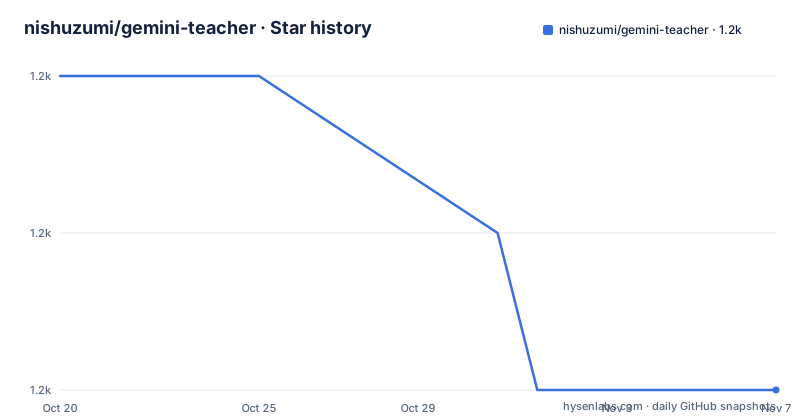
- nishuzumi/gemini-teacher1,208 ★ · -2
| Repository | 2026-10-20 | 2026-11-07 |
|---|---|---|
| nishuzumi/gemini-teacher | 1.2k | 1.2k |
-2 Stars in the last 18 days, measured from the daily GitHub snapshot. Compare with other projects
Editorial analysis
The whole application is one script
The repository is unusually small, and that is the fastest way to understand what the project is. The top level holds a `starter.py`, a `requirements.txt`, an `.env.example`, a `.gitignore` and the README. There is no package structure, no test suite and no configuration file beyond the environment variables. The project describes itself as an English speaking practice assistant built on Google Gemini AI that recognises your English pronunciation in real time and gives immediate feedback and correction. The listed features are real-time speech recognition, AI driven pronunciation assessment, grammar correction, situational conversation practice, targeted pronunciation guidance and smart scenario switching. The two authors are credited by their handles, Box and Amagi.
Audio in, audio out, over a websocket
The dependency list explains the architecture, and it is short and specific: certifi for certificates, numpy for the numeric side, PyAudio for the microphone, python-dotenv to read the environment file, rich for the terminal output, and websockets plus websockets_proxy for the connection to the model. The `websockets_proxy` package is there for the `HTTP_PROXY` setting the README describes, which tells you the connection path can be tunnelled. The reply side is the part that removes a dependency: the documentation states that voice replies use the Gemini Live API native audio output directly, with no additional TTS API key needed. So the loop is: PyAudio captures the microphone, the websocket carries it to Gemini, the model answers with audio, and PyAudio plays it back. There is no separate speech synthesis service in the middle.
Setup is a virtualenv, a system library and a key
The requirements are Python 3.11 or newer, a microphone, and a network connection. The install starts with a clone and a virtual environment, and the README notes that the environment is recommended rather than required:
git clone https://github.com/nishuzumi/gemini-teacher.git
cd gemini-teacher
python -m venv .venv
source .venv/bin/activate
pip install -r requirements.txt
Before the Python dependencies go in, there is a system dependency that is easy to miss. PyAudio needs PortAudio, and the README lists what that means per platform: nothing extra on Windows, `brew install portaudio` on macOS, and `sudo apt-get install portaudio19-dev python3-pyaudio` on Ubuntu and Debian. The API key comes from the Google AI Studio key page, and the README notes that this key is free up to four million calls a day, which is enough for the use. The application is then started with `python starter.py`.
The environment file carries two keys for one voice
The example environment file contains `ELEVENLABS_API_KEY` and `GOOGLE_API_KEY`, both empty. The second is the one the usage section tells you to fill in with the Gemini API key, along with `HTTP_PROXY` if you need one, for example `HTTP_PROXY=http://127.0.0.1:7890`. The first is the interesting one, because the usage text says the spoken replies use the Gemini Live API native audio output and need no extra TTS key. So the ElevenLabs entry is either a leftover from an earlier approach or an optional path the code still checks for, and the repository does not say which. If you are setting this up and the assistant replies in text when you expected speech, that empty variable is the first place to look, and it is worth reading `starter.py` to see which branch it takes.
The terminal shows three states while you speak
The interaction model is described with a small set of indicators rather than a UI. There is a microphone symbol for recording, a recycling symbol for processing, and a robot symbol for AI feedback, and the loop is: say an English sentence, wait for the assistant's response, then adjust your pronunciation based on the feedback. That is the whole workflow, and the fact that it runs in a terminal is what makes the project approachable and what limits it. There is no history you can scroll back through, no persistence of your mistakes, no way to structure practice around a syllabus, and no dashboard. For someone who wants a two minute conversation with an English speaker, that is enough. For someone trying to learn, it is a tool to point at a specific weakness rather than a course.
Where the project stands
The release history is short. There is a v0.1 tagged as a test version and a v0.1.1, both on 2024-12-21, and the last push to the master branch was on 2026-08-31. So the tagged releases are close to two years old while the code has moved since, which means the interesting changes are on master and the tags do not tell you much about the current state. The README states the licence is MIT, while the repository itself carries no licence identifier, and the contribution invitation is a single line asking for issues and pull requests. The project was made for a specific purpose, in a specific language context, and it is a good demonstration of how short a working voice assistant can be when a single model API does the hard parts.
Editorial conclusion
Adopt gemini-teacher if you want a voice-based English practice loop that runs from a single Python script and you are willing to speak into a microphone and trust a model with your voice, since the whole point is a spoken conversation rather than a text interface. Do not adopt it as a structured curriculum tool, because there is no lesson progression, vocabulary list or progress tracking in the project. Verify first that PyAudio's PortAudio system library is present on your machine, that your network path can reach the Gemini API, and that the API key you supply belongs to a project you are happy to send microphone audio through.
Frequently asked questions
What does gemini-teacher do?
It is an English speaking practice assistant built on Google Gemini AI that recognises your pronunciation in real time, assesses it, corrects grammar, and supports situational conversation practice with targeted pronunciation guidance.
What do I need to run gemini-teacher?
Python 3.11 or newer, a microphone, and a network connection. The audio library PyAudio also needs PortAudio, which is installed with `brew install portaudio` on macOS and `sudo apt-get install portaudio19-dev python3-pyaudio` on Ubuntu or Debian, and nothing extra on Windows.
How do I configure and start gemini-teacher?
Copy `.env.example` to a `.env` file, set `GOOGLE_API_KEY` to your Gemini key, and optionally set `HTTP_PROXY` if you need a proxy. Then run `python starter.py`, speak an English sentence when prompted, and wait for the feedback.
Does gemini-teacher need a separate text to speech key?
No. The voice replies use the Gemini Live API native audio output directly, with no additional TTS API key. The example environment file does still contain an empty `ELEVENLABS_API_KEY` entry, so check `starter.py` if the assistant replies in text rather than speech.
What licence is gemini-teacher under?
The README states MIT, though the repository itself does not carry a licence identifier file. The most recent tagged release is v0.1.1 from 2024-12-21, and the last push to the master branch was on 2026-08-31.
Official sources
Add this badge to your README
If you maintain this project, the badge below links readers to this analysis and shows its maintenance status from the daily GitHub snapshot. Paste the markdown into your README; add ?metric=license or ?metric=stars to the image URL for a different field.

[](https://hysenlabs.com/projects/nishuzumi-gemini-teacher)Star history chart for your README
[](https://hysenlabs.com/projects/nishuzumi-gemini-teacher)Was this useful?